
10 Best Benefits Administration Tools for HR Teams in 2026
Compare 10 benefits administration tools for 2026 — features, pricing, compliance depth, and the Testlify Benefits Fit Framework to choose the right platform for your HR team.

The best benefits administration tools in the market are used to run enrollment, eligibility, carrier feeds, deductions and compliance reporting in one place instead of across spreadsheets and email. The ten platforms below cover that job for different company sizes and budgets, and the sections after them explain how to pick one, how to roll it out, and who on your team should own it.
The stakes went up this year. Benefits already make up 30.1 percent of what private employers pay per hour worked, or 14.01 dollars of every 46.60 dollars in total compensation, according to the U.S. Bureau of Labor Statistics. On top of that, Mercer's survey of more than 1,700 US employers puts the 2026 rise in health benefit cost per employee at 6.5 percent, the steepest since 2010. When the second-largest line in your compensation budget is climbing that fast, the tool you use to administer it stops being back-office plumbing.
 ChatGPT
 Gemini
 Claude
 Grok
Grok Perplexity
TL;DR
- Benefits administration software handles enrollment, eligibility, carrier data feeds, payroll deductions and compliance filings. An HRIS may include it as a module; a dedicated platform goes deeper.
- Pick on carrier connections first. A platform that cannot send clean EDI feeds to your insurers will cost you more in manual reconciliation than it saves anywhere else.
- Mid-market teams (roughly 200 to 2,000 employees) get the most from platforms that combine payroll, benefits and compliance reporting, because that is where the reconciliation errors actually happen.
- Cost is climbing 6.5 percent in 2026, so the compliance and audit features matter more than the enrollment interface most buyers demo on.
- The platform is only half of it. Someone has to run open enrollment, chase carrier discrepancies and answer employee questions, and that role needs testing for real skills before you hire it.

What is benefits administration software?
Benefits administration software is a system that manages employee benefit plans end to end: open enrollment, eligibility rules, life-event changes, payroll deductions, carrier data exchange and the annual compliance filings that go with all of it. It replaces the spreadsheet-and-inbox process most teams outgrow somewhere past 100 employees.
The category exists because benefits data has to be right in four places at once: your HR system, your payroll system, each insurance carrier, and your filings. Get one of those out of sync and an employee shows up at a pharmacy without coverage. That is the failure everyone in benefits operations is quietly organising around, and it explains why the boring features (audit logs, discrepancy reports, effective-dating) matter more than the ones that demo well.
How do the top benefits platforms compare?
The table is the fastest way to shortlist. Read the "best for" column first, then check whether the compliance depth matches your headcount.
Platform | Best for | Payroll in same system | Compliance depth | Pricing model |
|---|---|---|---|---|
Rippling | Mid-market teams unifying HR, IT and payroll | Yes | Strong | Modular, per employee |
BambooHR | Growing SMBs wanting simple administration | Yes, in US markets | Moderate | Tiered, per employee |
ADP Workforce Now | Compliance-heavy and regulated employers | Yes | Strongest | Quote based |
Gusto | Small businesses running payroll and benefits together | Yes | Moderate | Base fee plus per employee |
Paylocity | Mid-market teams wanting deep compliance reporting | Yes | Strong | Quote based |
HiBob (bob) | Global and distributed workforces | Via partners | Moderate | Quote based |
Vantage Circle | Recognition and perks, not core administration | No | Limited | Per employee |
Benepass | Lifestyle and pre-tax spending accounts | No | Limited | Per employee |
Pazcare | India-based teams administering group cover | No | Regional | Quote based |
GoCo | SMBs keeping an existing broker relationship | Optional | Moderate | Modular, per employee |
Leading benefits administration tools in the HR industry
If "leading" means installed base and depth of compliance tooling, ADP Workforce Now and Paylocity lead the HR industry in this category, and they are the two most often found in employers past 1,000 employees. Rippling leads on integration breadth and is the most common choice among faster-growing mid-market companies. BambooHR and Gusto lead the small-business end by volume of customers rather than by depth.
Category leadership is a weak buying signal on its own, though. The largest platforms carry the most configuration overhead, and a 300-person company that picks an enterprise system because it tops a list usually ends up paying for an implementation consultant it did not budget for.
Best tools for benefits operations teams
A benefits operations team (the people who actually run enrollment, reconcile carrier files and answer employee questions) needs different things from what a CHRO evaluates in a demo. Their day is discrepancy reports, carrier follow-ups and life-event processing.
For that work, the strongest tools on this list are ADP Workforce Now and Paylocity, because both surface reconciliation and error reporting as first-class features rather than exports. Rippling is close behind and easier to administer day to day. If the team is small and leans on a broker, GoCo is built for exactly that arrangement. What benefits ops teams should avoid is any platform where fixing a carrier discrepancy means opening a support ticket, because at scale that becomes the whole job.
What are the 10 best benefits administration tools in 2026?
Ten platforms, ordered by how broadly they fit a mid-market HR team. Numbers one through six are core administration systems. Numbers seven and eight are experience layers that sit on top of one. Nine is regional. Ten suits a broker-led setup.
1. Rippling
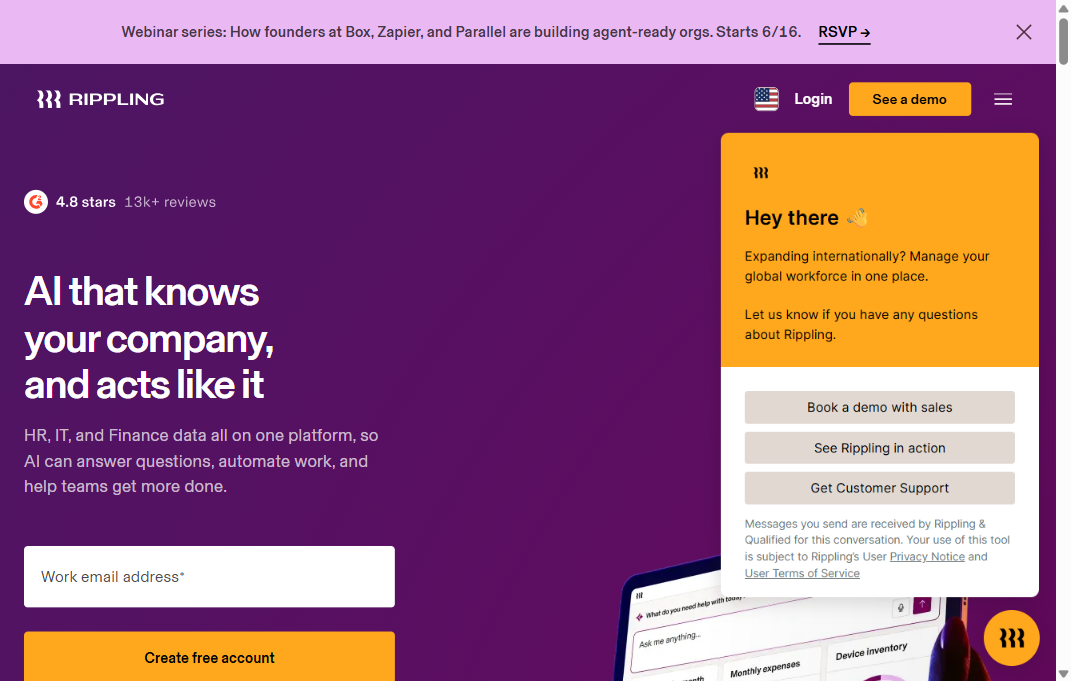
Rippling runs HR, IT and finance on one platform, which means benefits sit in the same database as payroll, devices and app access. For benefits administration specifically, the advantage is that an election change updates the payroll deduction immediately rather than on a sync schedule. It supports administration across the US and a wide set of international markets.
The trade-off is scope. Rippling is a large system, and buying it only for benefits means paying for a platform whose value comes from running several functions together.
Key features
- Automated enrollment, renewal and life-event processing
- One of the largest native integration libraries in the category
- Global payroll and benefits in a single record
- Built-in ACA compliance reporting
- Real-time eligibility and deduction updates
Pros and cons
- Pro: single system for HR, IT and finance data
- Pro: fast open enrollment configuration once carriers are connected
- Pro: strong carrier feed coverage in US markets
- Con: pricing is not published and requires a discovery call
- Con: more platform than a sub-50 employee team needs
- Con: initial configuration takes longer than lighter tools
Best for: mid-market companies consolidating several systems. Pricing: modular and per employee, quoted after a demo.
2. BambooHR
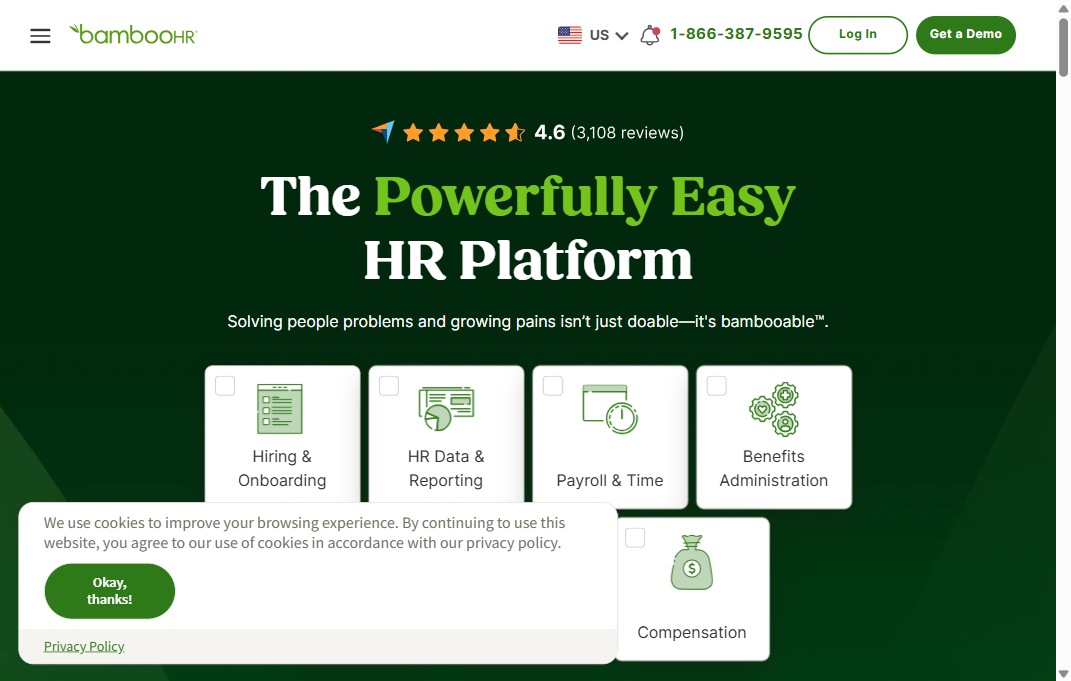
BambooHR is the option most often picked by companies buying their first real HR system. Benefits administration is a module rather than the product's centre of gravity, and it shows in the best way: enrollment setup is quick and the employee experience is clean. Reporting is adequate rather than deep.
For a company under about 500 employees with straightforward plan design, that is usually the right trade. For complex eligibility classes or multiple carriers per line, it runs out of room.
Key features
- Guided open enrollment workflows
- Employee self-service for dependents and beneficiaries
- Payroll deduction sync in supported US markets
- Document storage tied to each employee record
- Standard ACA reporting
Pros and cons
- Pro: fastest setup of any full HR system here
- Pro: employees need almost no training
- Pro: transparent tiered pricing
- Con: limited depth for complex eligibility rules
- Con: carrier connection library is narrower than the enterprise platforms
- Con: advanced reporting sits in higher tiers
Best for: growing companies under 500 employees. Pricing: tiered, per employee per month.
3. ADP Workforce Now
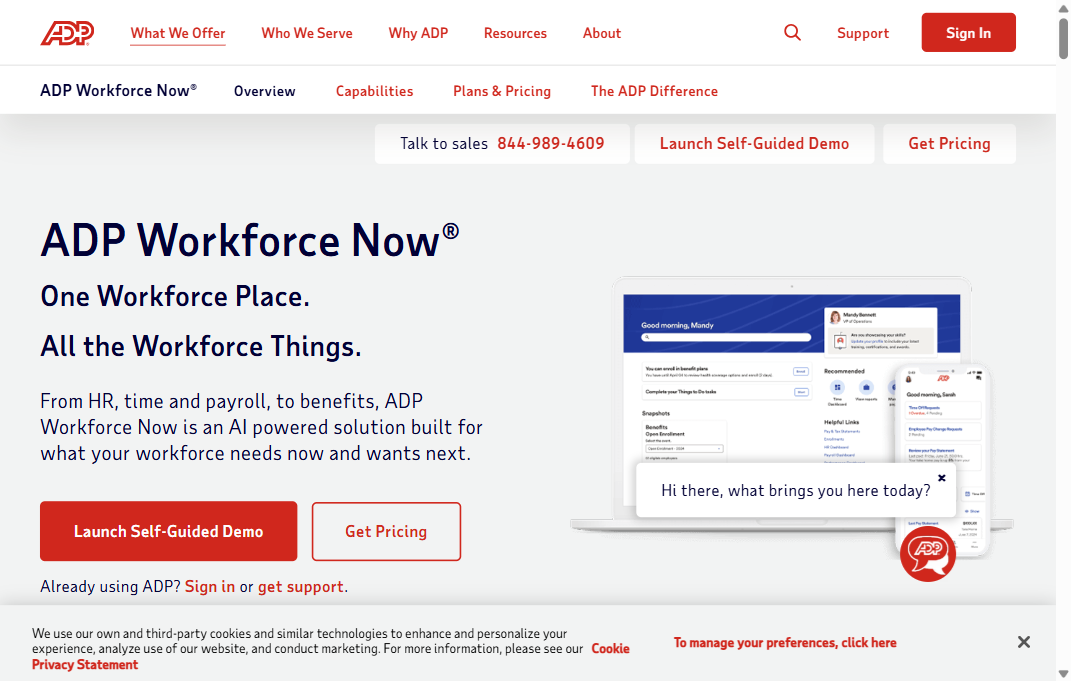
ADP has been doing payroll and benefits compliance longer than most of this list has existed, and Workforce Now reflects that. Its carrier connection library is the deepest here, and its ACA and COBRA tooling is built for employers who expect to be audited rather than for employers who hope not to be.
The cost of that depth is configurability. Workforce Now is a system you configure, not one you switch on, and most implementations involve ADP's own services team.
Key features
- Extensive live carrier connections and EDI feeds
- ACA measurement, affordability testing and reporting
- COBRA administration and deadline tracking
- Premium reconciliation against carrier invoices
- Role-based access controls and audit logging
Pros and cons
- Pro: strongest compliance and audit tooling in this list
- Pro: broadest set of established carrier feeds
- Pro: scales past several thousand employees without redesign
- Con: interface is dated next to newer platforms
- Con: implementation is long and usually needs paid services
- Con: pricing is opaque and negotiated
Best for: regulated or compliance-heavy employers past 500 people. Pricing: quote based.
4. Gusto
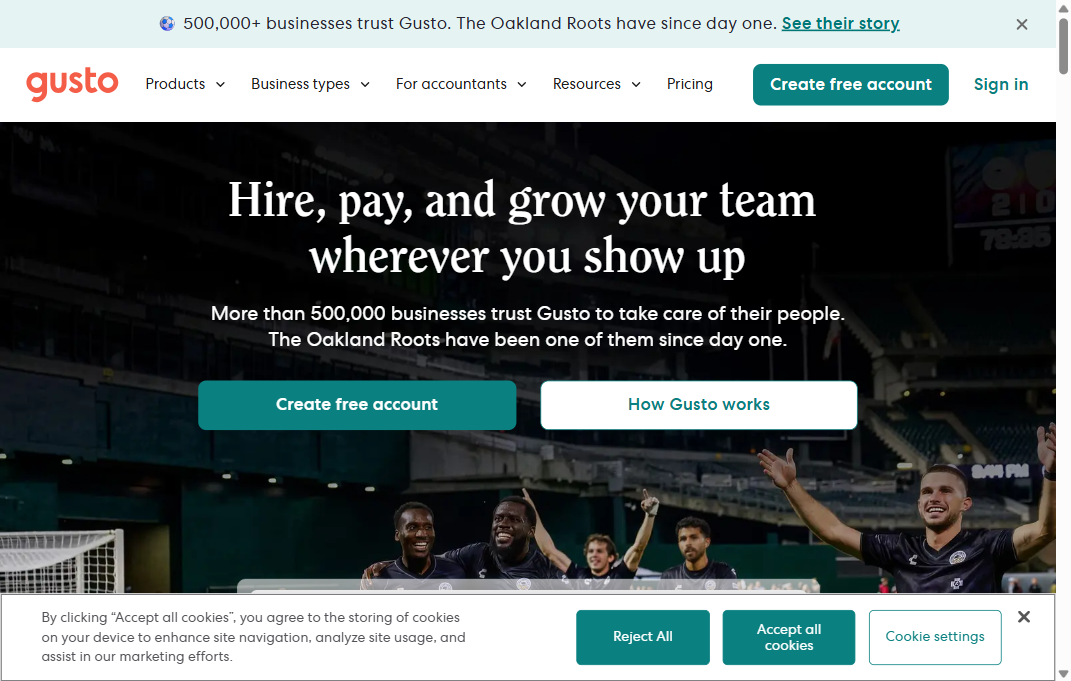
Gusto started as payroll for small businesses and grew benefits around it, which is why the two fit together so neatly. For a company of 20 to 200 people, it is often the shortest path from spreadsheets to a real system, and it acts as the broker in many states, which removes a step.
The limits appear with scale and complexity. Multi-state operations with varied plan designs will find the eligibility rules thin.
Key features
- Payroll and benefits in one product
- Built-in brokerage in supported states
- Automatic deduction calculation and filing
- Employee onboarding tied to enrollment
- Health, dental, vision and commuter plan support
Pros and cons
- Pro: very low administrative overhead for small teams
- Pro: published pricing
- Pro: strong employee-facing experience
- Con: limited for complex or multi-class eligibility
- Con: fewer direct carrier feeds than enterprise platforms
- Con: reporting is basic
Best for: businesses under 200 employees. Pricing: monthly base fee plus a per-employee rate.
5. Paylocity
Paylocity sits in the same bracket as ADP for mid-market employers, with a more modern interface and slightly less enterprise weight. Benefits administration is tightly joined to payroll and to its reporting layer, so reconciliation and compliance data come out of the same records rather than out of exports.
It is a strong pick for a benefits operations team that lives in reports. It is more system than a 100-person company needs.
Key features
- Benefits, payroll and time in one database
- ACA reporting and affordability testing
- Carrier EDI feeds with error reporting
- Configurable eligibility and effective-dating rules
- Analytics on benefit cost and participation
Pros and cons
- Pro: reporting depth close to ADP with an easier interface
- Pro: good discrepancy and reconciliation tooling
- Pro: strong mid-market implementation track record
- Con: quote-based pricing
- Con: configuration takes real project time
- Con: too heavy for small teams
Best for: mid-market employers with compliance reporting needs. Pricing: quote based.
Best tools for global benefits administration
For employers running benefits across multiple countries, HiBob (bob) is the strongest fit on this list. It handles different benefit structures per country in one system without forcing every region into a US-shaped model, though US carrier connectivity still runs through partners rather than natively.
6. HiBob (bob)
HiBob is built around distributed and international teams, and benefits administration follows that shape. Where it is strong is handling different benefit structures across countries in one system without forcing every region into a US-shaped model. Where it needs help is US carrier connectivity, which it typically handles through partners rather than natively.
Key features
- Multi-country benefit structures in one platform
- Clean employee self-service and communications
- Payroll integrations through established partners
- Configurable eligibility by location and entity
- Reporting across regions
Pros and cons
- Pro: genuinely good at multi-country benefit design
- Pro: strong employee experience and adoption
- Pro: flexible entity and location rules
- Con: US carrier feeds usually run through partners
- Con: compliance tooling is lighter than the payroll-first platforms
- Con: quote-based pricing
Best for: global and distributed workforces. Pricing: quote based.
7. Vantage Circle
Vantage Circle is a recognition, rewards and perks platform, not a benefits administration system, and treating it as one is the most common mistake buyers make with it. What it does well is the discretionary layer: peer recognition, reward catalogues and employee discounts that sit alongside core benefits.
It belongs on this list because "employee benefits tools" is the query many teams start from, and this is the kind of tool they find. It complements an administration platform. It does not replace one.
Key features
- Peer-to-peer recognition and awards
- Global reward and discount catalogue
- Employee wellbeing programmes
- Engagement reporting
- Integrations with common HR systems
Pros and cons
- Pro: strong perks and recognition coverage across regions
- Pro: quick to deploy
- Pro: good adoption among distributed teams
- Con: no core benefits administration or carrier feeds
- Con: no compliance reporting
- Con: value depends heavily on employee participation
Best for: recognition and perks alongside a core platform. Pricing: per employee.
8. Benepass
Benepass administers the flexible side of benefits: lifestyle spending accounts, pre-tax accounts and stipends, delivered on a card employees actually use. It solves a specific problem well, which is giving people choice without creating a reimbursement queue for HR.
Like Vantage Circle, it is a layer rather than a foundation. Medical enrollment and carrier feeds still need a system underneath.
Key features
- Lifestyle spending accounts on a payment card
- Pre-tax account administration
- Configurable stipend policies by employee group
- Spend reporting and usage data
- Payroll integrations for taxable items
Pros and cons
- Pro: removes manual reimbursement work
- Pro: highly configurable policy rules
- Pro: clear employee experience
- Con: not a core administration system
- Con: limited compliance reporting
- Con: adds a vendor rather than consolidating one
Best for: flexible stipends and pre-tax accounts. Pricing: per employee.
9. Pazcare
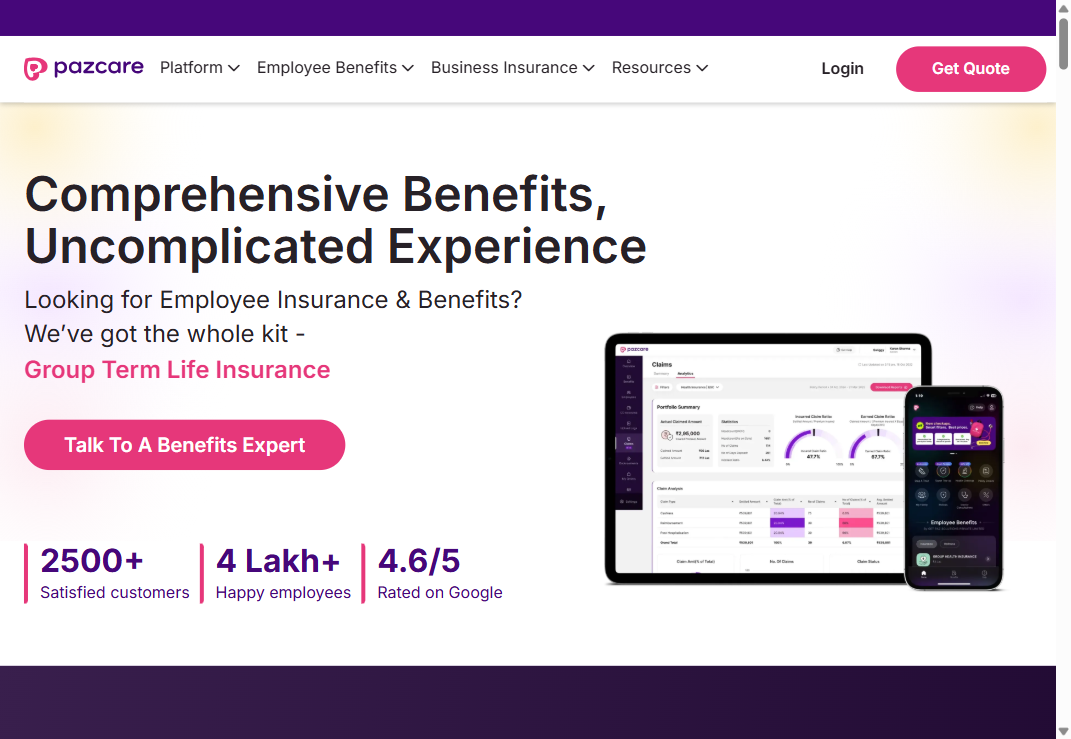
Pazcare administers group health, term life and accident cover for India-based employers, an area the US-centric platforms on this list do not serve. For a company with a significant India headcount, it handles the local insurer relationships and claims support that a global HRIS usually pushes back to a broker.
Key features
- Group health, life and accident policy administration
- Local insurer relationships and claims assistance
- Employee app for cards and claim status
- Endorsement and dependent management
- Regional compliance support
Pros and cons
- Pro: real depth in the India market
- Pro: claims support included rather than outsourced
- Pro: fast endorsement processing
- Con: not applicable outside its region
- Con: limited fit with US payroll systems
- Con: quote-based pricing
Best for: India-based teams and India headcount within global companies. Pricing: quote based.
10. GoCo
GoCo is built for companies that want to modernise administration without firing their broker. It works alongside an existing brokerage relationship rather than replacing it, which suits the many small and mid-sized employers who value their broker's plan advice and only want the paperwork automated.
That positioning is also its ceiling. If you want one vendor accountable for everything, GoCo's model is the wrong shape.
Key features
- Works with your existing broker and carriers
- Automated enrollment and life-event workflows
- Payroll sync with common providers
- ACA and COBRA support
- Document workflows and e-signature
Pros and cons
- Pro: keeps an existing broker relationship intact
- Pro: modular, so you buy only what you need
- Pro: quick implementation for SMBs
- Con: depends on broker responsiveness for plan changes
- Con: lighter reporting than the payroll-first platforms
- Con: less suited past about 1,000 employees
Best for: SMBs keeping a broker relationship. Pricing: modular, per employee.
Is a benefits management tool the same thing?
Mostly, yes. A benefits management tool and a benefits administration tool describe the same software in different words, and vendors use them interchangeably. If there is a shade of difference, "management" tends to get used for the broader plan-design and cost-analysis side (what you offer and what it costs you), while "administration" points at the transactional work of enrolling people and keeping carrier records accurate. Buyers should not read much into which word a vendor picked for its homepage.
Employee benefits tools vs. benefits administration platforms
Employee benefits tools is a wider bucket. It covers anything that touches the benefits experience: decision-support apps that help someone choose a plan, wellness and reward platforms, HSA and FSA administrators, and lifestyle spending accounts. Benefits administration platforms are the record-keeping layer underneath all of that. You can run a benefits administration platform with no employee benefits tools bolted on. The reverse does not work, because the perks still have to be enrolled, deducted and reported somewhere.
The practical read: buy the administration layer first, then add employee-facing tools once the underlying data is clean. Teams that do it the other way round end up with a nice enrollment app sitting on top of records nobody trusts.
What features matter most in a benefits platform?
Almost every vendor demo leads with the employee enrollment screen. It is the prettiest part of the product and the least likely to be the reason an implementation fails. The features that decide whether the platform works are further back.
- Carrier connections and EDI feeds. Automated 834 files to each insurer, with error reports you can act on. Without this, someone on your team is re-keying enrollments into carrier portals every month.
- Payroll deduction sync. Deductions should update the same day an election changes, not on a monthly batch.
- Eligibility and effective-dating rules. Waiting periods, class-based eligibility, mid-year life events and retroactive corrections, handled by rules rather than by a person remembering.
- Compliance reporting. ACA measurement and reporting, COBRA tracking and the data your annual filings need, produced from live records.
- Discrepancy and audit reporting. A report that tells you where your records and the carrier's disagree, before the carrier's invoice does.
- Employee self-service. Beneficiary updates, dependent changes and plan documents that employees can reach without opening a ticket.
Health coverage is where the volume sits. Seventy-two percent of private industry workers had access to a medical care plan in March 2025 and 45 percent took it up, per the Bureau of Labor Statistics. Whatever else your platform does, it has to get medical enrollment right for roughly half your workforce.
Best HRIS with carrier connections and EDI feeds for mid-market benefits administration
For a mid-market employer (call it 200 to 2,000 employees), the strongest option is usually an HRIS that owns payroll and benefits in the same database and maintains its own library of carrier connections, rather than one that hands EDI off to a third-party integrator. Rippling, ADP Workforce Now, Paylocity and HiBob all fit that description, and they are the four platforms on this list most likely to survive a benefits audit without manual cleanup.
The question to ask on a demo is narrow and it separates real capability from marketing: does the vendor already have a live production feed with your specific carriers, and how long does it take to build a new one? An established connection is set up in weeks. A new build can take a full quarter, which means your first open enrollment on the new system runs manually. Ask for the carrier list in writing before you sign.
Recommendations for benefits administration vendors with risk management tools
Risk management in this context means three things, and vendors are uneven across all three. First, compliance risk: ACA affordability testing, COBRA deadline tracking and the reporting trail that backs them up. Second, financial risk: premium reconciliation against carrier invoices, so you stop paying for terminated employees. Third, data risk: access controls, audit logging and encryption for what is, legally, protected health information.
ADP Workforce Now and Paylocity are the strongest here among the platforms below, mostly because compliance reporting is a core product rather than a module. Rippling and GoCo cover the compliance basics well. The employee-experience platforms in this list (Vantage Circle, Benepass) are not built for this job and should not be evaluated on it.
One caveat worth stating plainly: no platform removes the employer's liability. The IRS employer shared responsibility provisions assess payments against the employer per full-time employee, and the amounts are indexed each year. Software produces the filing. It does not own the consequence of getting it wrong.
How did we pick these benefits administration tools?
Ten platforms, selected against five criteria and ordered by how broadly they fit a mid-market HR team rather than by any single score.
- Carrier and payroll integration depth. Native EDI feeds and same-system payroll sync counted for more than integration count.
- Compliance coverage. ACA, COBRA and audit reporting produced from live data.
- Fit by company size. A platform that suits 80 employees rarely suits 1,500, and vice versa. Both ends are represented.
- Administrative burden during open enrollment. How much of the annual cycle the system actually absorbs.
- Honest scope. Employee-experience and reimbursement platforms are included where they solve a real problem, and labelled as what they are rather than sold as full administration systems.
Pricing below is described by model rather than by exact figure. Per-employee-per-month rates in this category move often and are usually quoted after a discovery call, so a number published today misleads by next quarter.
Who should run your benefits platform?
Buying the platform is the easy half. Every implementation that goes badly goes badly for the same reason: the company bought a system that assumes a skill level the team does not have yet, and nobody checked. Reconciling an 834 error file against a carrier's records is a real, testable skill, and it is not one that shows up on a resume in any reliable way.
This is where the Testlify Competency-to-Evidence Matrix applies. The matrix maps every role to the competencies that matter, then connects each competency to measurable evidence through assessments, simulations, interviews, references and structured feedback. For a benefits operations hire, that means writing down the competencies the platform actually demands (carrier file reconciliation, ACA eligibility logic, life-event processing, employee communication under deadline pressure) and deciding in advance what evidence would prove each one, instead of interviewing on plan names and hoping.
In practice it looks like this. A 900-person employer moving from spreadsheets to a mid-market platform needs someone who can spot a mismatch between an enrollment record and a carrier invoice. A structured benefits administrator skills assessment answers that before the first interview, and the role description template and structured interview questions for benefits roles keep the rest of the process consistent across candidates.
Testlify covers the assessment and screening part of that process. It is not an HRIS and it does not administer benefits, so it sits next to the platforms above rather than competing with them. If you are still mapping the wider system map, the HRMS platforms comparison covers the layer above benefits, and the definition of benefits administration is a useful primer for anyone new to the function.
How do you roll out a new benefits system?
Most teams try to go live for open enrollment. That is the worst possible date, because it stacks a new system, a new process and the year's highest transaction volume into the same three weeks. Go live in a quiet quarter and let the team make its mistakes when the stakes are low.
- Audit your current data first. Export every enrollment record and reconcile it against carrier records before migrating. Migrating bad data produces a faster version of the same problem.
- Confirm carrier feeds in writing. Get the vendor's list of live connections with your specific carriers, and the build timeline for any that do not exist yet.
- Configure eligibility rules with edge cases in hand. Bring your ten strangest real cases (mid-year class changes, rehires, leave of absence) to the configuration sessions.
- Run a parallel cycle. Process one month in both the old and new process and compare deductions line by line.
- Train on failure, not on happy paths. Teach the team how to read an error report and fix a discrepancy, which is what they will actually do.
- Then take open enrollment. By that point the system is boring, which is exactly what you want in November.
Pro tip: ask the vendor for a discrepancy report from a reference customer's implementation, with the identifying data removed. How a platform reports its own errors tells you more about living with it than any feature list, and a vendor who will not show you one has answered the question anyway.
What should HR leaders check before buying?
Benefits are not a low-stakes purchase in employees' eyes either. In SHRM's 2025 Employee Benefits Survey, 88 percent of HR professionals rated health care as very or extremely important, and 97 percent of organisations offer it. The administration system is how that promise gets kept or broken.
Cost gives the decision its weight. KFF's 2025 survey put the average annual family premium at 26,993 dollars, up 6 percent, with workers contributing 6,850 dollars of it. At 500 employees on family coverage that is real money moving through the system every month, and reconciliation errors are expensive in both directions.
- Ask for the live carrier list, not the integration marketing page.
- Ask what happens to a retroactive termination and who pays for the premium already sent.
- Ask to see the audit log, not a description of it.
- Confirm which annual filings the system produces. Plans with 100 or more participants carry an audit requirement as part of their Form 5500 filing under ERISA, submitted through the Department of Labor's electronic filing system.
- Ask what implementation costs, in money and in your team's hours, and get both in the contract.
- Check the exit path. Ask how your data comes out, in what format, and what it costs.
Key takeaways
- Carrier connections decide the outcome, not the enrollment screen. A platform without live EDI feeds to your specific insurers pushes the work back onto your team every month, which means the tool you picked to reduce manual effort has quietly increased it. Ask for the written carrier list before signing anything.
- Match the platform to your headcount, not to its market position. Enterprise systems carry configuration overhead that a 300-person company pays for in consultant time and delayed go-live. Buying above your size is the most expensive avoidable mistake in this category.
- Cost pressure makes compliance features the real differentiator. With health benefit cost per employee rising 6.5 percent in 2026, reconciliation and audit tooling protect more budget than any employee-facing feature. Weight your evaluation accordingly.
- Employee-experience tools are a layer, not a foundation. Perks, stipend and recognition platforms solve real problems, but none of them enroll anyone or file anything. Buy the administration layer first and add the experience layer once the data underneath is trustworthy.
- Go live outside open enrollment. Launching a new system into the year's highest transaction volume compounds every configuration error at once. A quiet-quarter go-live costs a few months of patience and saves an enrollment cycle.
- The team matters as much as the tool. Carrier reconciliation and eligibility logic are testable skills that resumes do not reliably show. Assess for them before hiring, or the platform's capability stays theoretical.
- Software produces the filing; the employer keeps the liability. No vendor absorbs ACA or ERISA exposure on your behalf, so treat compliance features as tools for your team rather than as a transfer of risk.
Hire the people who can run your benefits stack
The platform decision gets most of the attention and the hiring decision decides whether it works. Before your next benefits operations hire, test the skills the role actually needs: carrier file reconciliation, eligibility logic and clear employee communication under a deadline. Testlify's assessments cover that screening step, and pricing is published rather than quoted. To see how it fits your process, book a demo or review plan pricing.
FAQs

Content Writer
Yashika Khandelwal is a Content Writer with 3+ years of experience creating research-backed content on hiring, talent assessment, and HR technology. She is a registered Organizational Psychologist and subject matter expert who combines behavioral science with practical recruitment insights to produce accurate, evidence-based content.
LinkedInRelated resources
View all
HR & recruitment
Top 7 Human Resource Management Systems

HR & recruitment
How to conduct effective interviews

HR & recruitment
The best practices for reference checks

HR & recruitment
How to create a positive work culture

HR & recruitment
How to retain top employees

HR & recruitment
The importance of employee engagement
Get started.
Hire on proof, not resumes.
Run your first skills-based assessment free — no credit card required.