
A complete guide to human proctoring vs AI proctoring
Learn the differences between human vs AI proctoring for skills assessments and choose the best method for hiring with fairness and accuracy.
Human proctoring puts a trained person on the other side of the camera. AI proctoring puts software there instead, watching for the same things at a scale no person can match. For most hiring teams the right answer is not one or the other. It is AI watching everything, and a human deciding what any of it actually means.
That distinction matters more than the feature lists suggest. An AI flag is a timestamp and a confidence score. It is not proof that somebody cheated, and treating it as proof is how good candidates get rejected for glancing away from the screen.
TL;DR / Key takeaways
- Human proctoring reads context well and costs a lot per session. AI proctoring scales to thousands of candidates and reads context badly.
- The hybrid model is the one most hiring teams should run: software monitors every session, a person reviews only the flagged moments.
- An AI flag is a prompt to look, never a verdict. Build your process so no candidate is rejected on a flag alone.
- Face-analysis error rates are not evenly distributed. NIST measured false-match differentials between demographic groups of 10 to 100 times across 189 algorithms.
- Match strictness to the stakes of the role, not to what the software can do. A warehouse typing test does not need the setup a finance role needs.
- Tell candidates what is being recorded before they start, and give them a route to ask for an adjustment.
 ChatGPT
 Gemini
 Claude
 Grok
Grok Perplexity
Human proctoring vs AI proctoring: what is different?
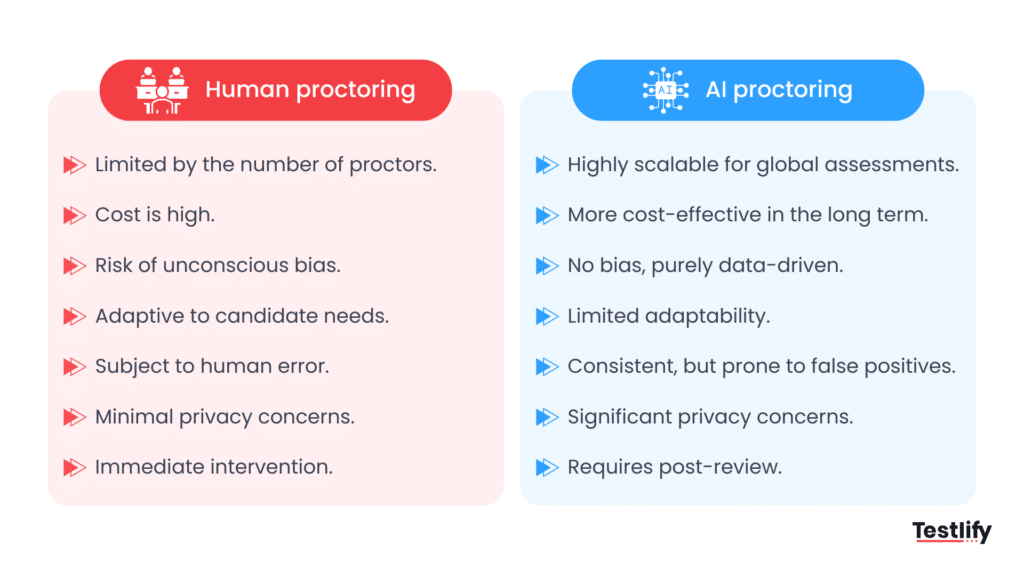
Human proctoring means a trained proctor supervises the session, live over video or by reviewing the recording afterwards. AI proctoring means software monitors the session and flags behavior that breaks the rules you set. The real difference is not detection. It is judgement: software spots events, people interpret them.
What you are comparing | Human proctoring | AI proctoring |
|---|---|---|
Who is watching | A trained person, live or on the recording | Software, on every session at once |
Cost per session | High, because it is paid attention time | Low, and roughly flat as volume grows |
Scheduling | Candidate books a slot when a proctor is free | Candidate starts whenever they want |
What it is good at | Reading context: nerves, a child in the room, a question read aloud | Never getting bored, never missing minute 47 of a 60 minute test |
Where it falls down | Attention drifts, and 40 sessions at once is not possible | Confuses unusual with dishonest |
Evidence it leaves | A proctor's notes and the recording | Timestamped flags, snapshots and activity logs |
Best fit | Small volumes of high-stakes assessments | Screening at volume, with human review on top |
What human proctoring actually catches
A person notices the things that do not fit a rule. A candidate who keeps looking at the same spot off-screen, who answers instantly on questions that should take thought, whose voice changes when they read aloud. None of that is a rule violation you could write down in advance, which is exactly why software struggles with it.
The cost is attention. One proctor can hold maybe 8 to 16 sessions in view, and quality drops as that number climbs. For a team screening 400 candidates a quarter, live human supervision on every session is not a budget line most talent teams will get signed off.
What AI proctoring actually catches
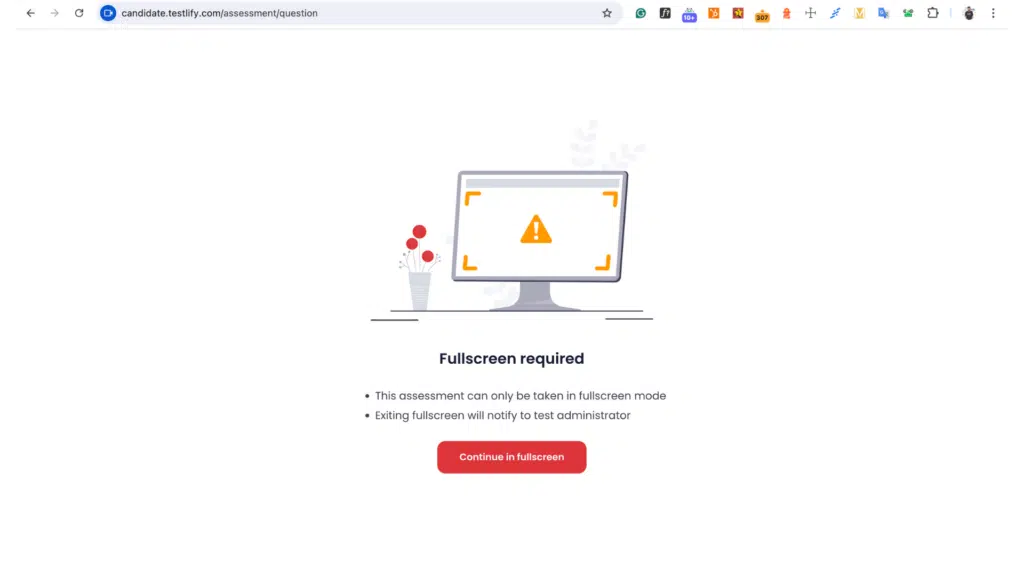
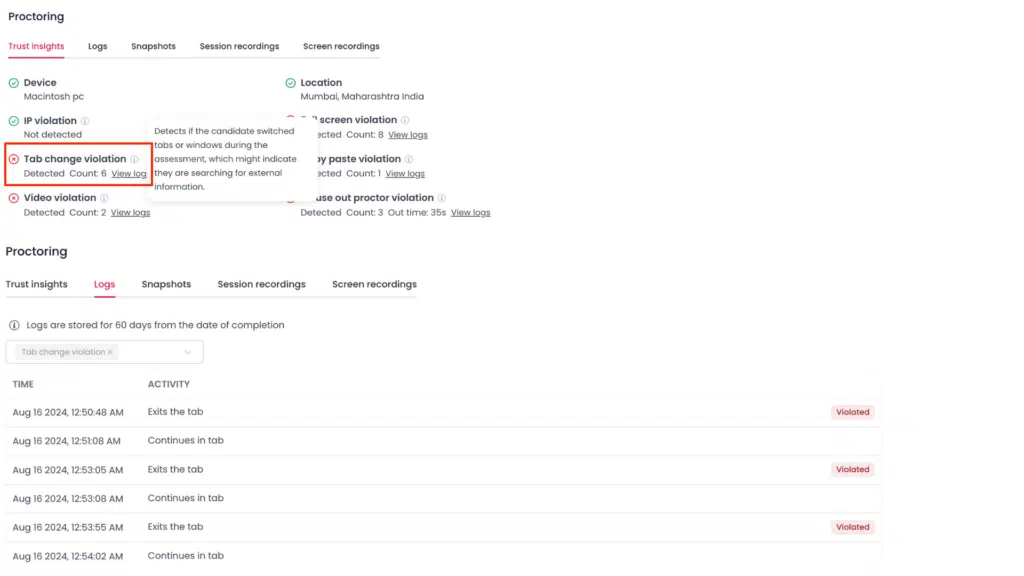
Software is good at the rules you can state precisely. Did the candidate leave full-screen mode. Did a second face appear. Was text pasted into an answer box. Did the tab change 14 times in 5 minutes. It applies the same test to session 1 and session 900, at 2am, without getting tired.
What it cannot do is tell you why. That gap is the whole argument for keeping a person in the loop.

How does human review work in AI proctoring?
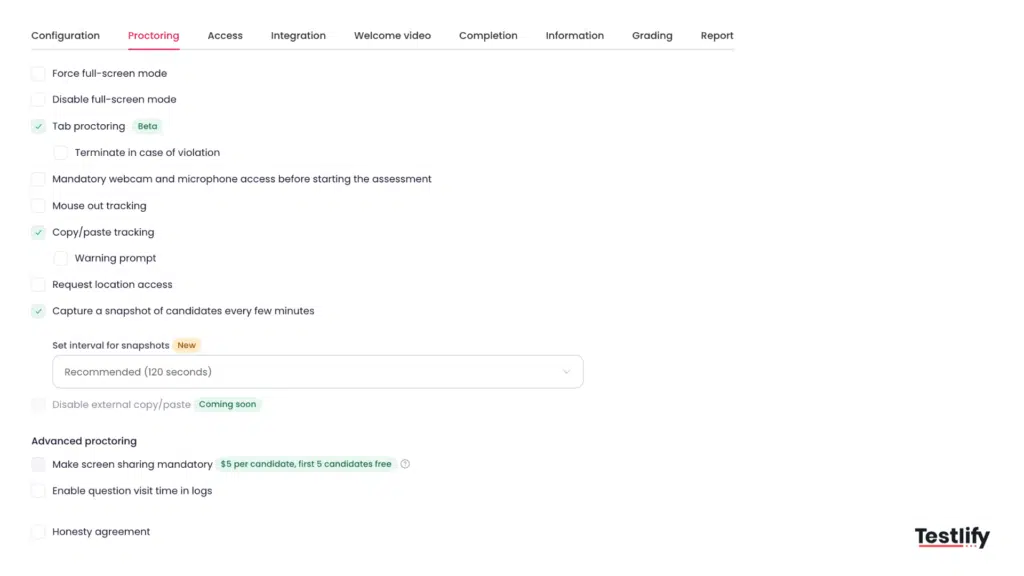
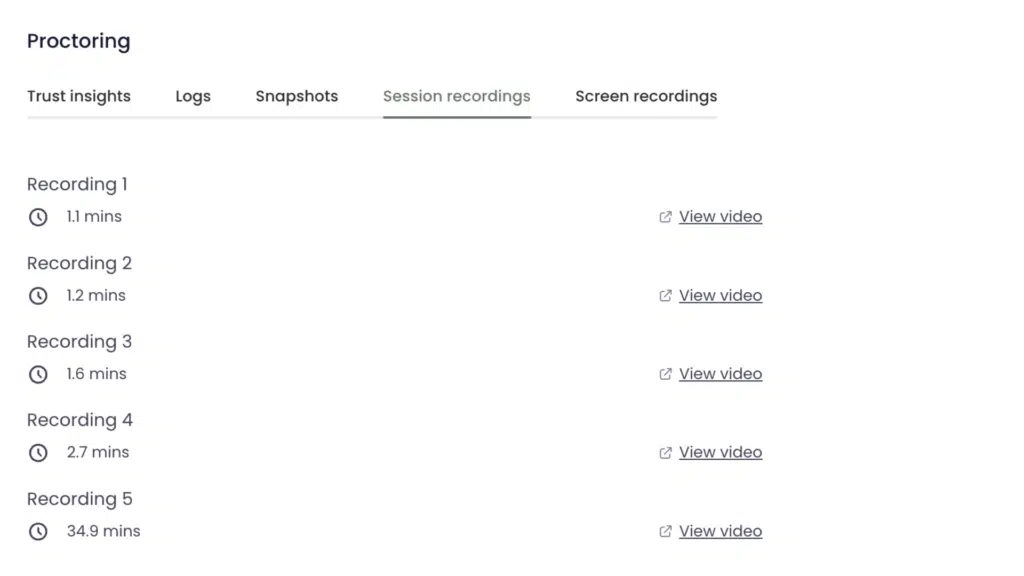
In a hybrid setup, software monitors every session and records what it sees. A person then reviews only the flagged moments, with the clip and the log in front of them, and decides whether the flag means anything. Most flags do not. The review is where an event becomes evidence, or gets dismissed.
This is the model worth building your process around, and it is the one the research points to. In their study of exam supervision technology, Coghlan, Miller and Paterson put it plainly: given that the technology is not 100% accurate, human intervention is crucial (Philosophy and Technology, 2021).
What a good review actually looks like
The review step fails when it becomes rubber-stamping. Three things keep it honest:
- Review the clip, not the label. A flag reading "face not detected, 00:14:22" tells you nothing. The 20 seconds of video around it usually tells you everything.
- Write down the decision. If a reviewer clears a flag, that note is what protects the hiring team six months later when someone asks why a candidate progressed.
- Never let one flag end a candidacy. Set the rule explicitly: a flag opens a question, and the answer comes from the evidence plus a conversation, not from the score.
The Testlify Assessment Integrity Framework is built on that split. It protects the trustworthiness of a result through six layers: identity assurance, environment control, behavior monitoring, AI assistance detection, reviewable evidence, and configurable strictness. The last two matter most here, because they are the ones that keep the final call with a person rather than a model.
Where does AI proctoring get it wrong?
It flags honest people. Software reads behavior it was not trained on as suspicious, so a candidate who mutters while reading, looks away to think, or shares a room with family can collect flags without doing anything wrong. The cost of that error is not evenly shared.
False positives land hardest on the people least able to argue
The same authors found that test-takers may have idiosyncratic exam-taking styles, or disabilities and impairments, that trigger what they call specious AI red flags. They also record that facial recognition in these systems sometimes has more difficulty recognizing darker skin tones.
The scale of that gap has been measured. NIST tested 189 face recognition algorithms from 99 developers against 18.27 million images of 8.49 million people and found false positive differentials that often ranged from a factor of 10 to 100 times between demographic groups, depending on the algorithm (NIST, 2019). Those numbers describe face recognition generally rather than any one proctoring product, but proctoring tools are built on the same class of technology, so the exposure is real and it is worth designing around.
Strict proctoring does not automatically raise scores
Here is the finding that should reset expectations. A 2025 study in the Journal of Intelligence compared proctored and unproctored online ability testing and found no overall effect of the condition on scores, with the differences that did appear varying by task type and staying small (Scherrer and colleagues, 2025).
Read that carefully, because it cuts both ways. Proctoring is not a magic accuracy upgrade you bolt onto a test. What it buys you is defensibility: a record of how the result was produced. If your reason for turning on strict monitoring is "our scores will be more accurate", the evidence does not support you. If your reason is "we need to show how this hire was assessed", it does.
What about candidates using AI during the test?
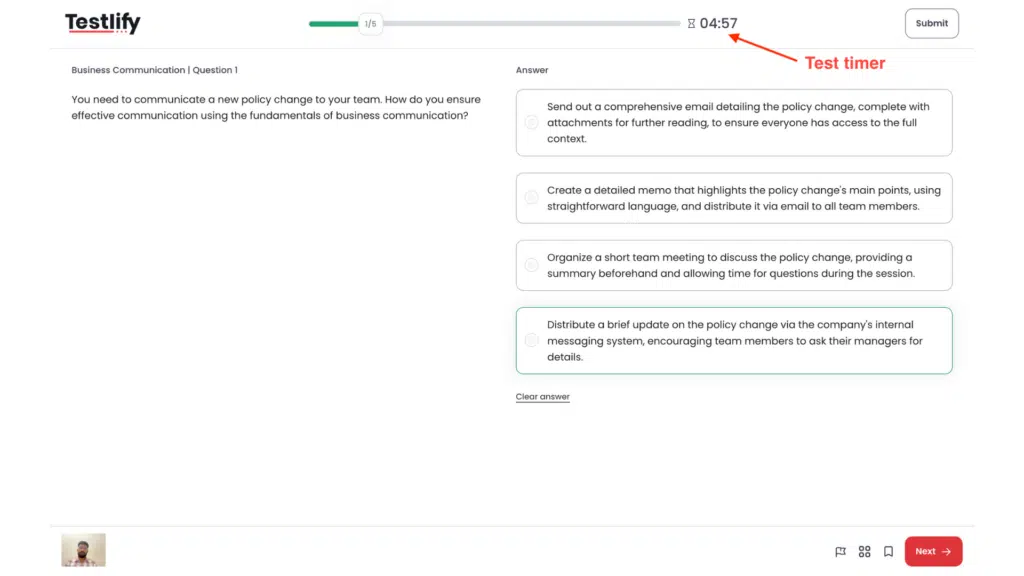
This is now the question that comes up first, and it is a different problem from copying an answer off a phone. Candidates ask what happens if I use AI to draft a response, and the honest answer depends on the role. For a content role, using an assistant may be exactly the skill you want to see. For a coding fundamentals screen, it defeats the point of the exercise. Decide which one applies before you configure anything, then say so in the assessment instructions.
Which proctoring level fits which role?
Match the level of monitoring to what a bad hire in that role would actually cost, and to what the assessment is measuring. Most teams over-proctor early screening and under-proctor the decisions that matter. The table below is a starting point to adapt, not a standard.
Assessment stage | Typical stakes | Level that usually fits |
|---|---|---|
Top-of-funnel screen (typing, basic skills) | Low. A weak result costs one interview slot | Light: tab and full-screen checks only |
Role skills assessment for a shortlist | Medium. Feeds a real shortlist decision | Standard: identity check plus behavior flags, human review on flags |
Technical or certification assessment | High. The score is the evidence | Strict: identity, environment scan, full activity log, review every flag |
Regulated or safety-critical role | High, with an audit trail expected | Strict plus a documented reviewer decision on every session |
One rule cuts through most of the debate: if you would not be comfortable explaining the monitoring to the candidate in a sentence, it is set too high for that stage.
How to roll out proctoring without losing candidates
Proctoring changes how an assessment feels. Handled badly it reads as suspicion, and strong candidates with options simply drop out. Handled well most people barely comment on it. The difference is almost entirely in what you tell them beforehand.
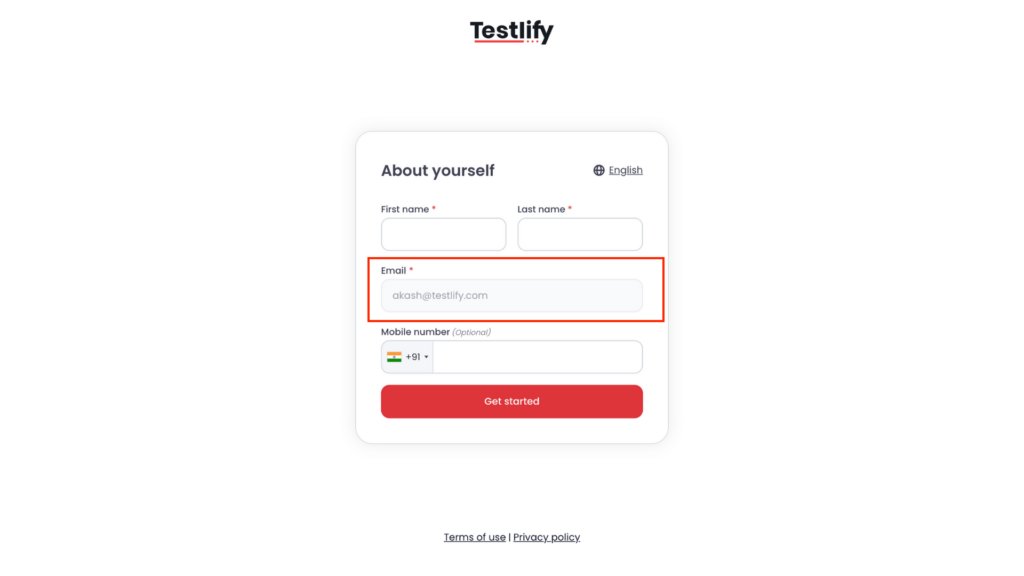
- Say what is recorded, before they start. Camera, screen, tab activity, how long it is kept, who sees it. Surprise is what makes people angry, not monitoring.
- Publish a route to ask for an adjustment. The US Department of Justice is explicit that employers must provide reasonable accommodations during the hiring process, and that asking for one must not hurt an applicant's chances (DOJ Civil Rights Division, 2022). A candidate with a tremor or a screen reader should not have to guess whether to mention it.
- Run one internal pilot. Have 10 to 15 people on your own team sit the assessment with proctoring on. You will find the false-positive pattern in your setup within an hour, and it is a lot cheaper to find it there.
- Set the review threshold before the first candidate. Decide which flags a human looks at and which are logged and ignored. Doing this after the flags start arriving is how teams end up reviewing nothing.
- Check the drop-off rate after two weeks. If completion falls sharply once proctoring is on, the setting is wrong for that stage, not the candidates.
Pro tip: run the strictest configuration you are considering on yourself, on a laptop with a bad webcam, in a room with a window behind you. Most teams quietly loosen their settings after that one experiment.
Where this fits with the rest of your setup
Proctoring is one control among several. If you are still deciding the shape of your program, the breakdown of the different proctoring types is the place to start, and the detail on supervising a session in real time covers what live oversight involves in practice. For a wider view of monitoring candidates who test from home, see the guide to assessing candidates remotely, and for the setting-by-setting detail there is a walkthrough of the controls available on a proctored assessment.
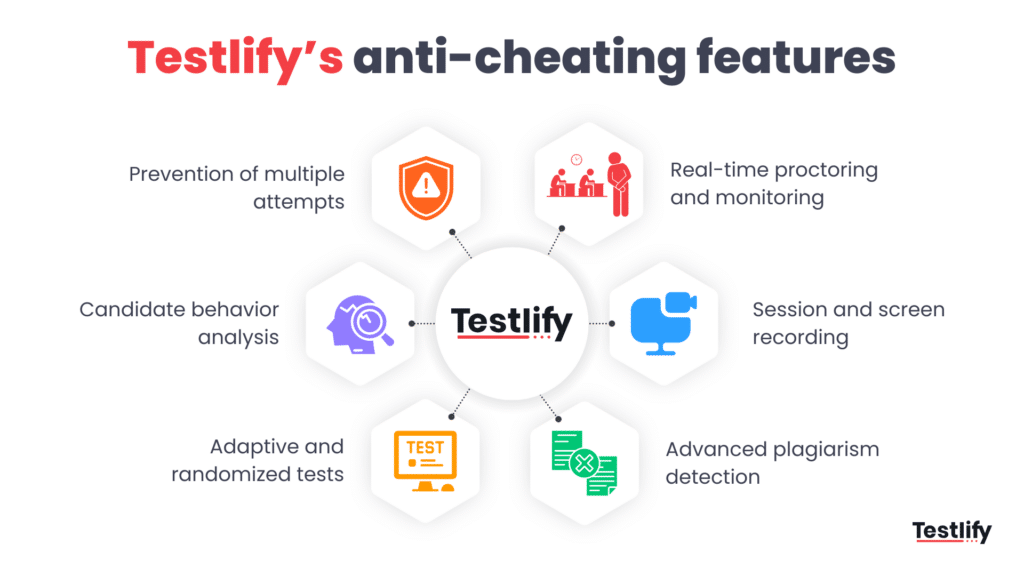
Testlify runs AI monitoring across every session with configurable strictness, keeps the evidence reviewable, and leaves the decision with your team. To see how the integrity settings map to your roles, book a walkthrough with the team.
FAQs

Content Writer
Yashika Khandelwal is a Content Writer with 3+ years of experience creating research-backed content on hiring, talent assessment, and HR technology. She is a registered Organizational Psychologist and subject matter expert who combines behavioral science with practical recruitment insights to produce accurate, evidence-based content.
LinkedInRelated resources
View all
HR & recruitment
14 HR industry trends to look at in 2026
HR & recruitment
What is high-performance culture and how to build one?
HR & recruitment
What is a recruitment fair? (Tips for attending one)
HR & recruitment
Are T-shaped skills the future of hiring? Here’s why
HR & recruitment
Beyond clinical skills: using AI to assess soft skills in healthcare hiring
HR & recruitment
How to conduct a skills audit?
Get started.
Hire on proof, not resumes.
Run your first skills-based assessment free — no credit card required.