
Lockdown browser: Features, benefits & limitations
Explore what a lockdown browser is, how it works, its benefits, and key limitations. Learn why it’s only one part of secure online exam proctoring.
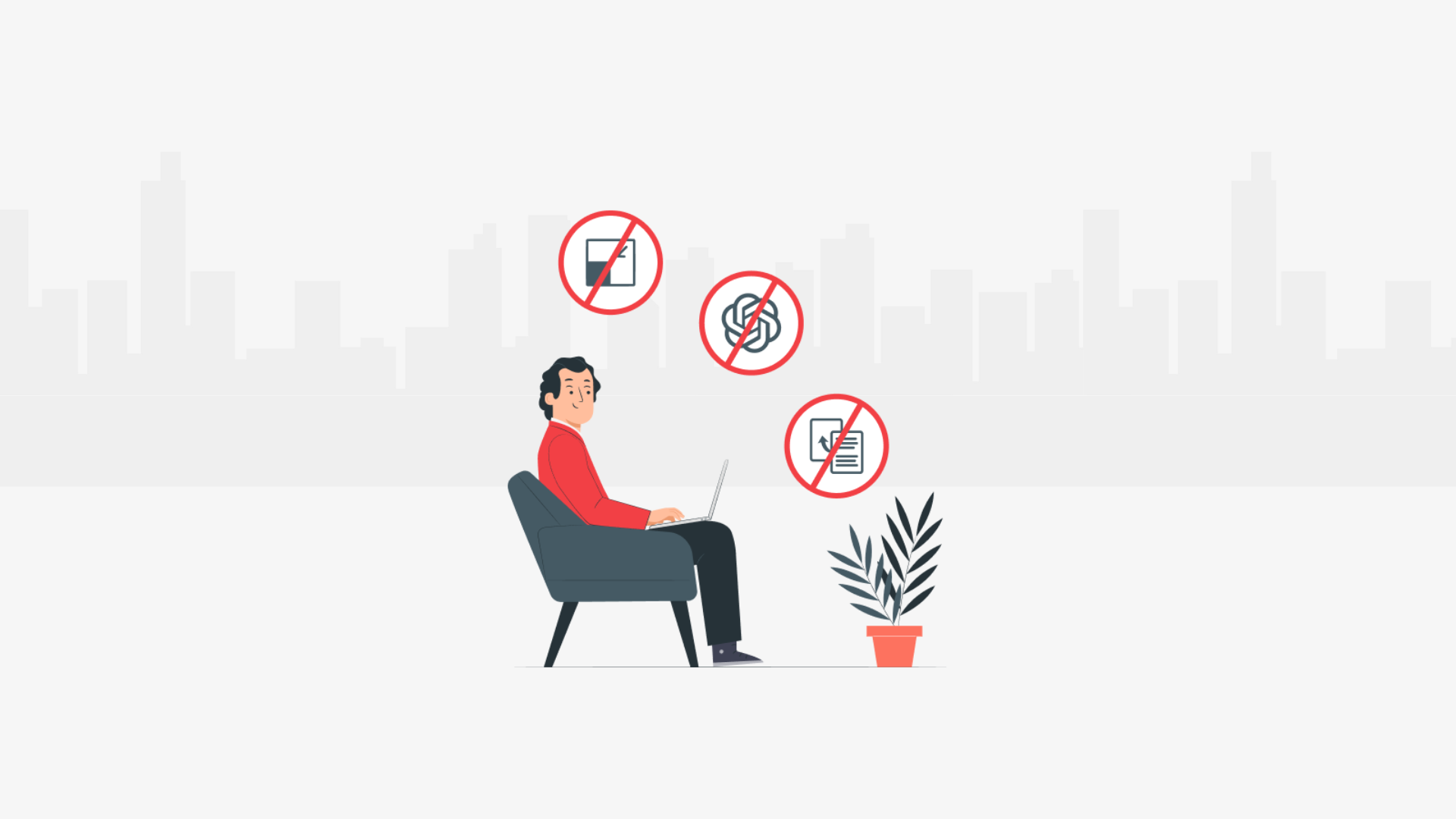
A lockdown browser locks the exam window. That is the whole promise, and it is also the whole limit. It controls what happens inside the browser and it is blind to everything outside it: a phone face down on the desk, a second laptop on a chair, an AI overlay running on a device it was never installed on.
That gap matters more than it used to. The number people quote about online cheating is worth getting right first, because it is usually quoted wrong. A 2023 systematic review of online exam cheating in the Journal of Academic Ethics pooled 19 studies covering more than 4,600 students. Before the pandemic, 29.9% admitted cheating in an online exam. During it, 54.7% did.
So 54.7% is the pandemic-period figure, not the normal rate, and plenty of pages (including an earlier version of this one) quote it as though it were the baseline. Lead author Phil Newton has said the true number is probably higher than either figure, since people under-report their own cheating on surveys.
Both things are true at once, then: cheating is common enough to plan for, and the tool most teams reach for first only covers part of it. Here is what a lockdown browser actually catches, what it cannot see, and what to put around it.
 ChatGPT
 Gemini
 Claude
 Grok
Grok Perplexity
TL;DR
- A lockdown browser controls the exam window and nothing beyond it. Phones, second devices and AI overlays sit outside its reach by design, not by accident.
- The widely quoted 54.7% cheating rate is the pandemic-period number. The same review put the pre-pandemic rate at 29.9%.
- It is strongest against casual, opportunistic cheating: a second tab, a copied question, a quick search mid-test.
- It is weakest exactly where hiring gets attacked now, which is real-time AI help running on hardware the browser does not control.
- Pairing lockdown controls with camera checks, a second device and AI-assistance signals closes most of the gap. No single control closes all of it.
- Treat every flag as evidence a human reads, never as an automatic rejection.

What is a lockdown browser?
A lockdown browser is a restricted web browser that takes over the screen for the duration of an exam. It blocks other applications, new tabs, copy and paste, screenshots and right-click menus, so the only thing a candidate can interact with is the test itself. Some are separate desktop apps. Others are controls built into the assessment platform.
That second version matters, because it is the one most hiring teams meet. "Lockdown browser" is a category as much as a product name. When an assessment platform advertises full-screen enforcement, tab proctoring and copy-paste restrictions, it is describing lockdown behavior without asking anyone to install anything.
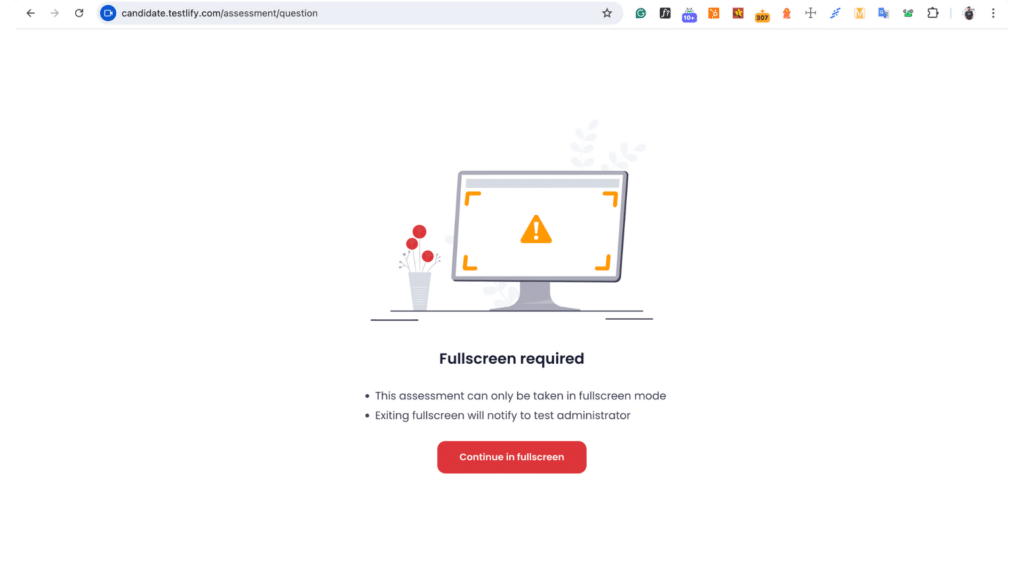
The distinction is practical, not academic. A standalone application (Respondus LockDown Browser is the one most people have met, mostly through a university) needs a download, admin permissions and a working machine. Built-in controls run in a browser the candidate already has. For a hiring team sending a test to 40 strangers, that difference decides how many of them finish.
How does a lockdown browser work?
A lockdown browser works by taking control of the operating system's normal escape routes for the length of the session, acting as a secure firewall browser during testing. It forces the exam into full screen, disables keyboard shortcuts like copy, paste and print screen, blocks new tabs and other applications, and either prevents or records any attempt to leave. When the test is submitted, control returns to the machine.
Underneath, that is a mix of two different things, and they fail differently:
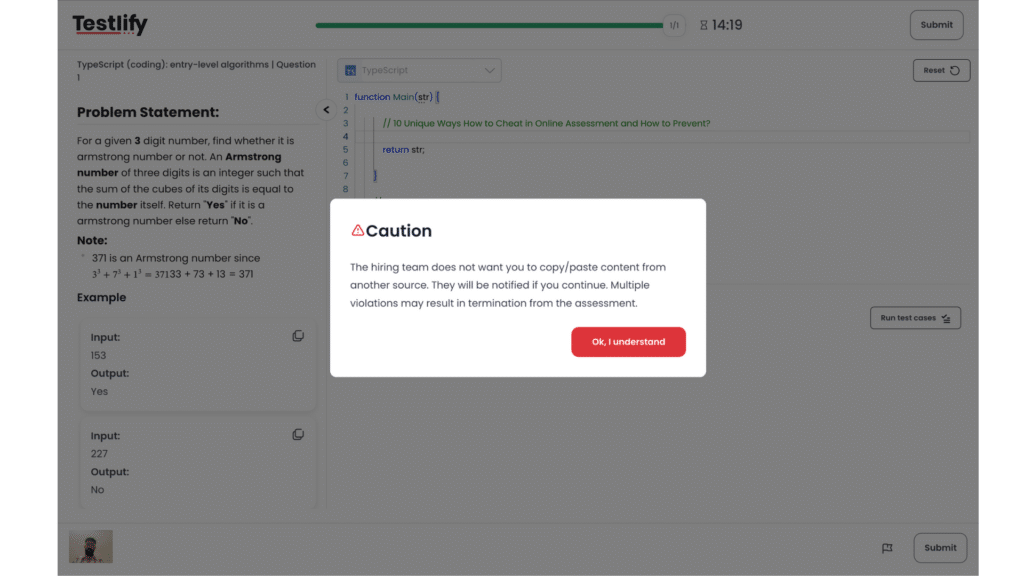
- Prevention. The action is stopped. Copy is disabled, the second tab never opens, the app will not launch.
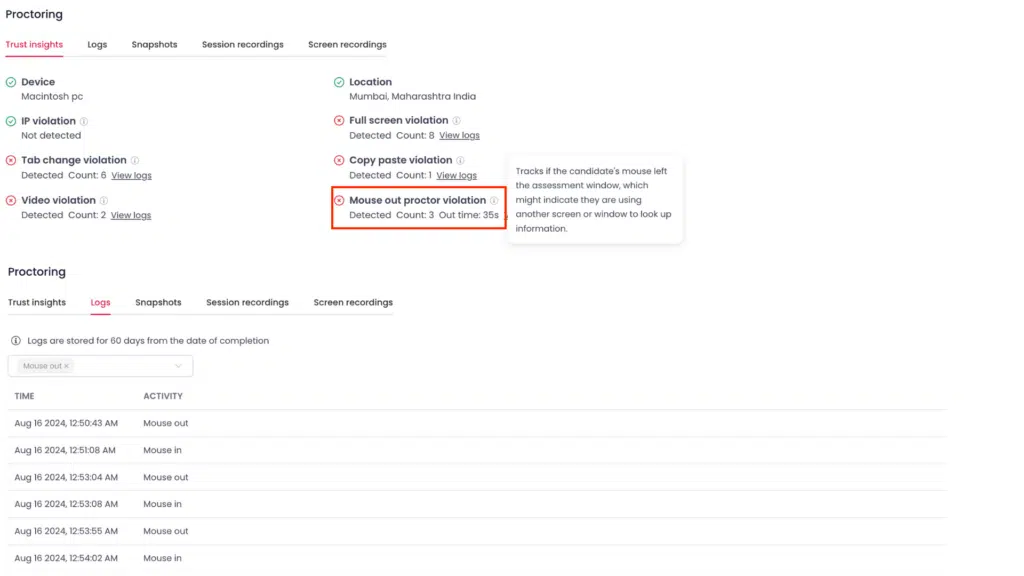
- Detection. The action is allowed but logged. The candidate leaves full screen, the mouse exits the window, and the session records it for a reviewer.
Most platforms mix the two, and the mix is configurable. Testlify's setup, for example, treats tab switching as a tracked event rather than a hard block, so a reviewer sees how often it happened instead of a candidate being thrown out for one stray click.
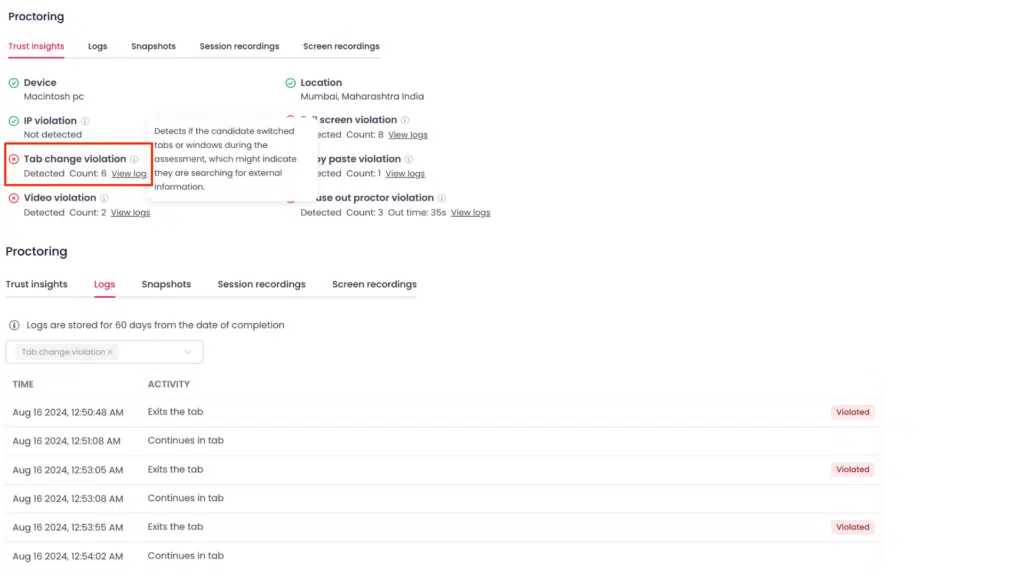
Prevention is cleaner but blunter. Detection is messier and more honest, because it hands a human the context instead of guessing at intent. Which one to weight more heavily depends on the role, and that is a judgment call worth making deliberately rather than accepting whatever the default is.
What is a lockdown browser aware of?
A lockdown browser is aware of the browser session and the machine it runs on, and nothing else. It can see the window, the screen count, the keyboard, the mouse and the clipboard. It cannot see the room, the desk, the candidate's hands, or any device it was not installed on. That boundary explains almost every question people ask about it.
Can a lockdown browser detect screen mirroring?
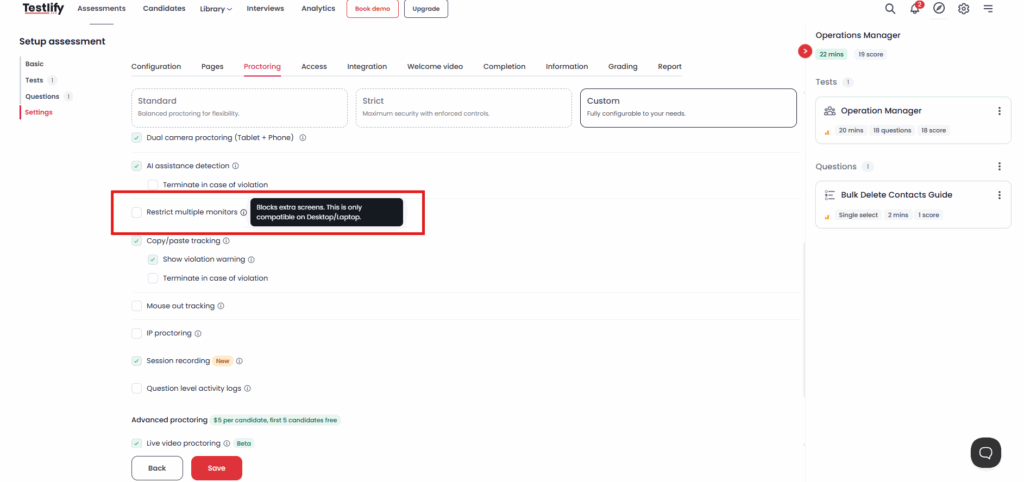
Sometimes, and only the local kind. A lockdown browser can usually see how many displays the operating system reports, so a second monitor or an extended desktop is detectable and often blocks the test from starting. What it cannot reliably catch is mirroring it never touches: a capture card, an HDMI splitter, or a phone camera pointed at the screen so someone elsewhere can read the questions. Those leave no trace in the browser because they never enter it.
Does a lockdown browser track location?
Not by default, and it is worth being precise about this with candidates. A lockdown browser monitors on-screen activity, not physical position. Location tracking is a separate control that some assessment platforms offer, either precisely through the browser's location permission or approximately from the IP address, and it has to be switched on and disclosed. If a candidate asks whether the exam knows where they live, the honest answer for a plain lockdown browser is no.
What are the limitations of lockdown browsers?
The limitations of lockdown browsers fall into two groups: things they were never built to see, and things that break in ordinary use. The first group is a design boundary. The second is friction that costs completed assessments.
What it cannot see
- A second device. A phone on the desk is the oldest workaround and still the most common. The browser has no view of it.
- Another person. Someone off-camera reading answers aloud is invisible to a tool that only watches the window.
- Real-time AI assistance. This is the one that has changed fastest. SHRM's assessment-design analysis describes invisible overlay tools that display AI-generated answers on the candidate's screen and stay undetectable in a shared-screen interview without dedicated tooling. A lockdown browser running on the same machine may not see the overlay at all, and if the overlay runs on a second device it certainly does not.
- Who is actually sitting the test. Without an identity check, a locked browser proves only that one machine behaved, not that the right person used it.
What breaks in practice
- Install friction. Standalone browsers need a download and often admin rights. Locked-down work laptops frequently refuse, and the candidate is stuck.
- Accessibility conflicts. Taking over the machine can interfere with screen readers and other assistive software, which turns a security control into a barrier for the people least able to argue about it.
- Technical fragility. Antivirus software, an old operating system or a weak connection can freeze or drop the session, and a candidate who crashes 40 minutes into a test rarely comes back.
- Privacy pushback. Heavy monitoring makes people uneasy, and uneasy candidates perform worse than they should, which quietly damages the signal the assessment exists to produce.
That last point is not hypothetical for the people choosing these tools. A survey of 125 educators published at USENIX Security in 2023 found only 21% had used online proctoring services during remote teaching, and of those, 35% expected to keep using them once teaching returned in person. Most of the rest redesigned the assessment instead of watching the candidate harder. That is a signal worth taking seriously in hiring too.
Risk during an online assessment | Lockdown browser on its own | What actually catches it |
|---|---|---|
Opening a second tab or another app | Blocked | Full-screen enforcement, tab-switch detection |
Copying the question text out | Blocked | Copy-paste tracking, screenshot monitoring |
A second monitor or extended desktop | Usually blocked | Multi-monitor restriction |
A phone held below the desk | Not visible | Dual-device proctoring, using the phone as a second camera |
Another person in the room | Not visible | Face detection, multiple-face detection, talking prohibition |
An AI overlay on an unmanaged device | Not visible | AI-assistance detection, answer-level AI checking |
Someone else sitting the test entirely | Not visible | Photo ID verification with face match against the ID |
Where does proctoring cover the gaps?
Proctoring covers the gaps a lockdown browser leaves by watching the room instead of the window. Camera checks confirm who is present, a second device shows the desk the laptop camera cannot, and AI-assistance signals look at the answer itself rather than the keyboard. The browser controls the environment; proctoring produces the evidence.
The Testlify Assessment Integrity Framework is how these pieces are meant to stack: identity assurance, environment control, behavior monitoring, AI-assistance detection, reviewable evidence, and strictness you set per role. Each layer covers a different failure, and the last one is the point. A test for a warehouse shift and a test for a senior engineer do not need the same intensity, and applying maximum security to both is how good candidates get annoyed and drop out.
The layer that closes the widest gap is the cheapest one to explain. In dual-device proctoring the candidate's own phone becomes a second camera, placed so it captures both them and the laptop screen. It is a hard gate: the assessment will not start until mobile monitoring is active, and ending it mid-session is logged and reported. The phone under the desk stops working as a workaround the moment the phone is the thing watching the desk.
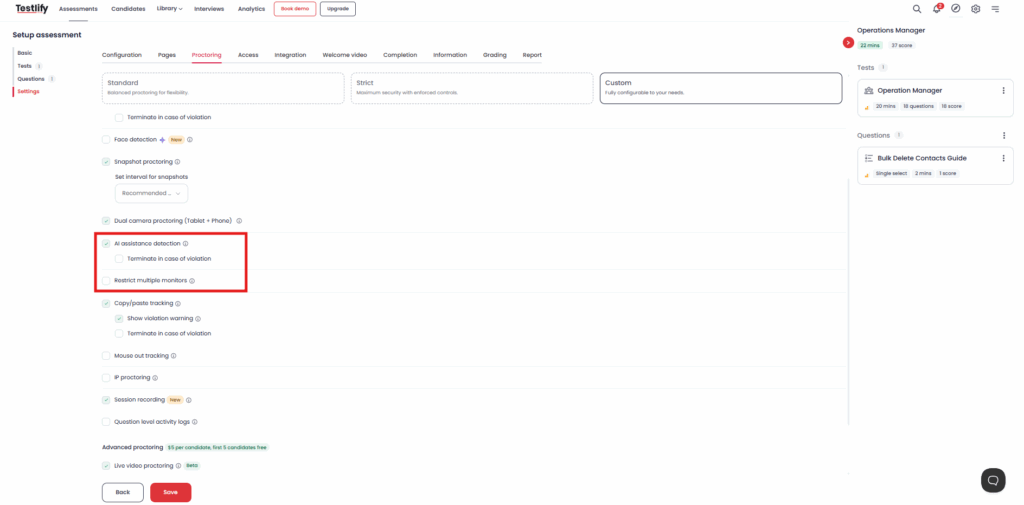
On the AI question specifically, two different checks do two different jobs. AI-assistance detection watches for tool usage during the session. The AI checker reads the submitted answer and classifies it as human, AI-generated or mixed. Neither is perfect, and the product says so in the interface: AI scores and insights are for guidance only, and human judgment makes the final call.
That honesty is load-bearing rather than decorative. Testlify's proctoring report uses three states, and the middle one is the useful one: green means nothing unusual, red means cheating was confirmed, and yellow means some behavior was not ideal and a quick manual review is recommended. Automatic termination exists but is opt-in, with a threshold a recruiter sets. Flags are evidence, not verdicts.
Pro tip: Decide what you will do with a yellow flag before you send the assessment. Teams that skip this either ignore every flag or reject on all of them, and both are worse than a two-minute review of the recording. Write the rule down, apply it the same way to everyone, and the process survives a candidate challenging it.
Privacy is part of the same trade. Face-verification data is deleted after 30 days and consent can be withdrawn at any time, and video and audio responses are removed after 6 months. Being able to state a retention period plainly is worth more to a candidate than a promise that the process is fair.
How should hiring teams close these gaps?
Start by lowering what a cheat is worth rather than only making it harder. Most teams do the opposite, adding surveillance to a test that would still be gameable if nobody watched. Four moves, in the order they pay off:
- Make the questions harder to look up. A pooled question bank that draws a different set per candidate beats a fixed paper straight away. The trade is real and worth knowing: a small bank means candidates start seeing the same questions, so the pool has to be big enough to matter.
- Ask for work, not recall. A short work sample, a spreadsheet task or a coding problem with hidden test cases is far harder to outsource than a multiple-choice quiz, and it tells you more about the person.
- Add a live layer for the shortlist. A brief conversational interview after the test catches the mismatch between a strong score and someone who cannot explain their own answer. Run it on the candidates who pass, not everyone, and the cost stays small.
- Match strictness to stakes. Reserve heavy proctoring for high-stakes and high-volume roles, and follow the steps for setting up a high-stakes exam when it genuinely is one. For a five-person shortlist, a work sample plus a conversation does more than a locked browser ever will.
Skipping this is expensive in a way that is easy to miss. The same SHRM analysis linked above puts the total cost of replacing a bad hire at 50% to 200% of that person's salary, which is a much larger number than the price of designing a better assessment. For a team under 200 people, where one wrong hire is a measurable share of headcount, that math is not close.
Secure your online assessments with Testlify
Testlify ships lockdown controls, dual-device proctoring, AI-assistance detection and configurable strictness in one place, so the browser controls and the evidence come from the same system instead of two tools stitched together. Three presets cover most cases: standard, strict, and a custom mode you set yourself. To see how the layers fit your roles, book a demo, or read the wider buyer's guide to AI proctoring first.
If lockdown behavior is all you need today, that is a legitimate answer. Start there, and add layers when the stakes rise.
Frequently asked questions (FAQs)

B2B SaaS Content Writer
Rishav Kumar is a B2B SaaS content writer with 4 years of experience. He loves crafting engaging content. Always exploring fresh ideas, he's passionate about helping businesses grow through impactful writing.
LinkedInRelated resources
View all
Proctoring
AI proctoring compliance: GDPR & FERPA explained
Proctoring
How to build a proctored exam for high-stakes assessment
Proctoring
AI vs human proctoring: What works best?
Proctoring
AI Proctoring Solution: A 2026 Buyer Guide for Hiring Teams
Proctoring
What is proctoring-as-a-service, and how does it work
Proctoring
Types of online exam proctoring: Which one’s right for you?
Get started.
Hire on proof, not resumes.
Run your first skills-based assessment free — no credit card required.