
What is proctoring-as-a-service, and how does it work
Secure online exams with Proctoring-as-a-Service. Learn how it works, its benefits, and why platforms like Testlify make remote proctoring simple.
Exams have gone online, and that’s a game-changer! Recruiters and universities are now utilizing online tests to connect with talent and students worldwide. But here’s the thing: fairness is still super important.
43% of undergraduate students admit to cheating on exams (ICAI). That’s where Proctoring-as-a-Service (PaaS) steps in. It seamlessly integrates remote proctoring directly into your existing management system, making online proctoring not only simple but also incredibly scalable.
Read on to see how Proctoring-as-a-Service secures online exams without extra staff or tech headaches.
 ChatGPT
 Gemini
 Claude
 Grok
Grok Perplexity
What is Proctoring-as-a-Service (PaaS)?
Proctoring-as-a-Service (PaaS) is a cloud-based remote proctoring solution that integrates with any LMS or ATS. It streams webcam, mic, and screen activity during online exams, uses AI to flag suspicious actions, and escalates short clips to human proctors.
This entire remote proctoring setup operates quietly in the background, making the testing experience feel entirely natural for everyone involved. Here, Testlify really shines because proctoring is integrated into the entire assessment process rather than being an add-on.
Institutions choose PaaS because it scales remote proctoring without the necessity for hiring rooms of human proctors, reduces costs, and maintains a smooth testing experience.

How Proctoring-as-a-Service (PaaS) works?
Below is an explanation of how PaaS works, from beginning to end, and how it can be seamlessly integrated into your existing system without posing any inconvenience to test-takers and administrators.
1. Connecting the system
Proctoring-as-a-Service (PaaS) integrates directly with your existing management system via a simple API. There’s no complex setup or extra software to install.
Testlify, for example, supports integration with over 100 popular ATS and LMS tools, making the process even easier for teams of any size.
2. Candidate identity verification
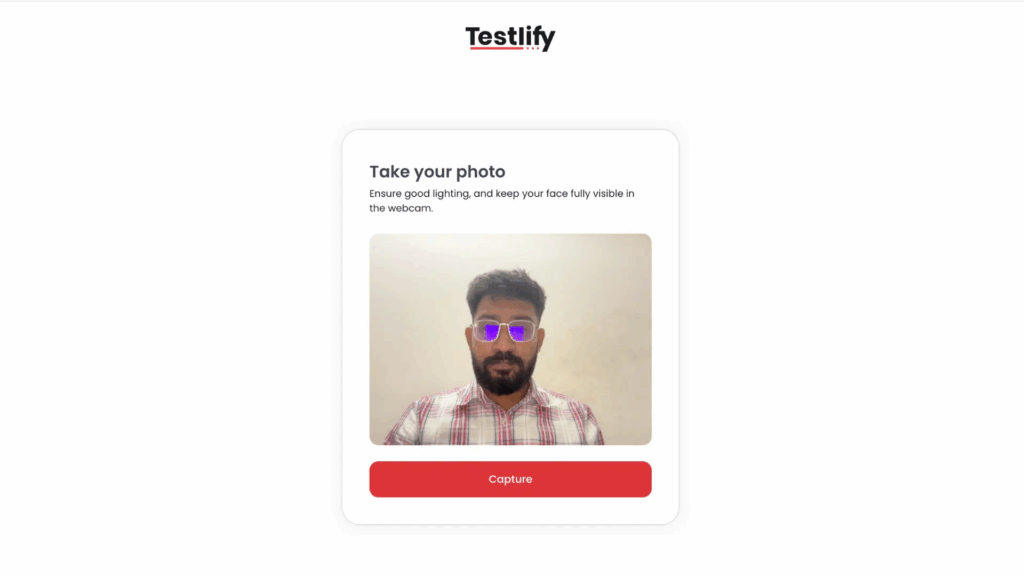
When candidates start their online exams, they first go through identity checks. The webcam captures their photo and instantly compares it to their official ID. This ensures the right person is taking the test.
3. Exam environment check
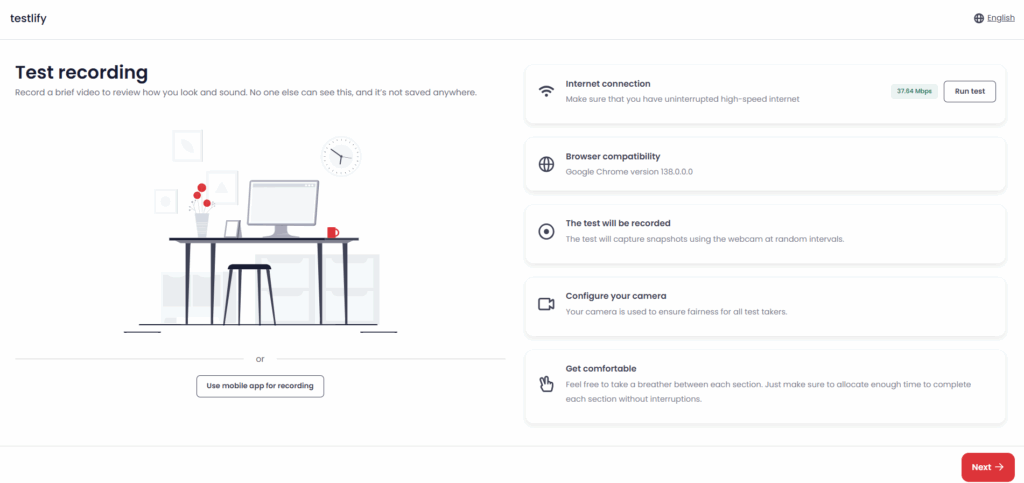
Before online testing starts, PaaS checks the candidate’s equipment. It verifies webcam, mic, and internet connection quality. This prevents technical issues during the test, enhancing the overall testing experience.
4. Browser lockdown
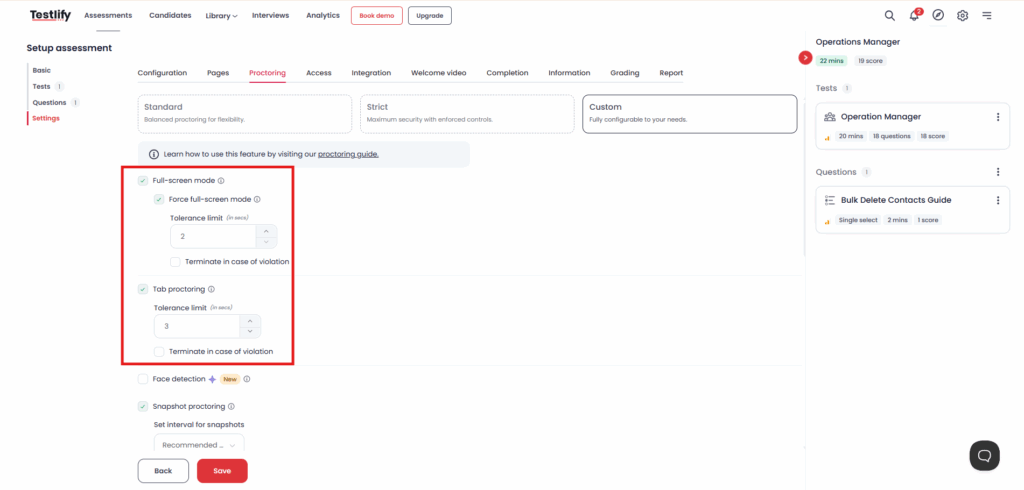
A lockdown browser kicks in right after the environment check is done. It forces the test into full-screen mode and blocks actions like switching tabs, copying and pasting, or opening other apps.
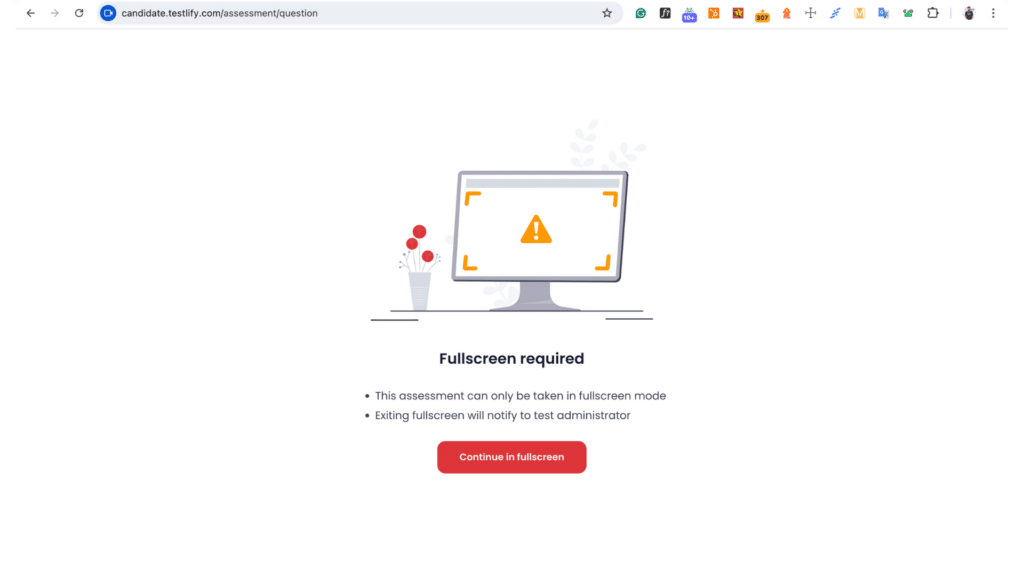
If a candidate breaks any rule, the system shows a violation warning. You can also set limits, so instead of ending the test right away, the system gives one or more warnings before termination.
5. Real-time monitoring by AI
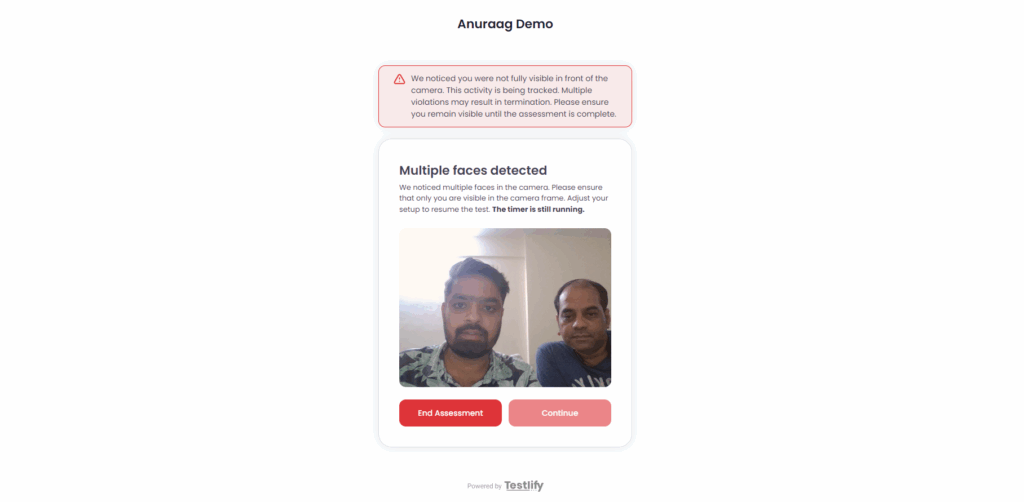
During the exam, AI closely monitors the candidate’s webcam, screen, and audio. It detects suspicious behaviors, such as someone leaving the camera or extra voices/faces. It immediately warns the candidates and flags this in the admin or recruiter’s dashboard.
6. Human proctors double-check
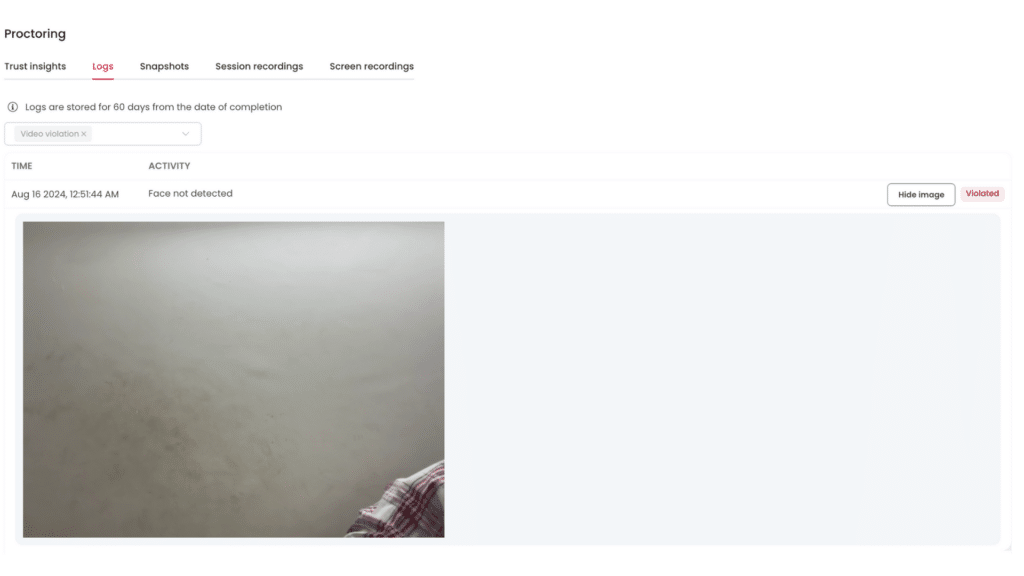
AI doesn’t handle everything alone. Human proctors review the flagged moments. If something seems genuinely wrong, proctors can handle it. This human-AI teamwork keeps monitoring fair and reliable.
7. Continuous exam-session recording
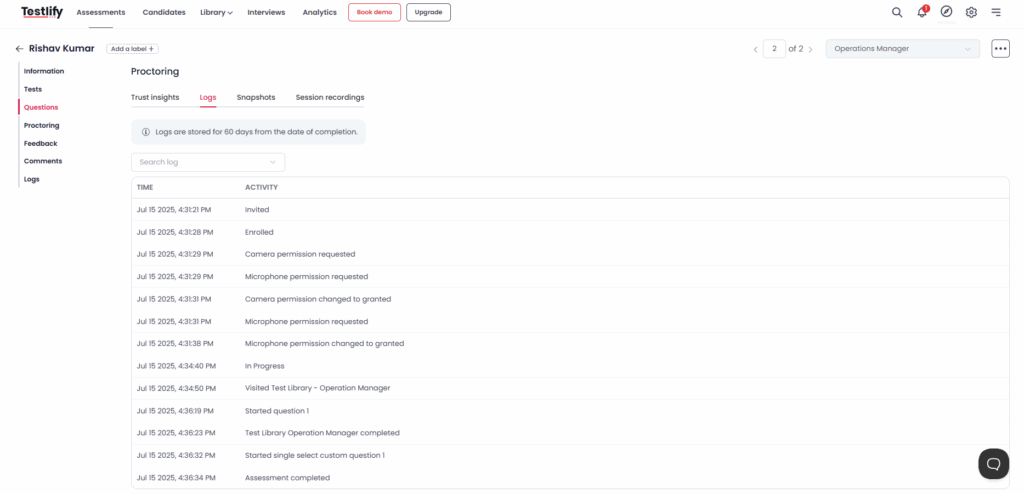
The entire exam is recorded securely. This means you can review the footage later if needed. It adds transparency and helps resolve any exam disputes.
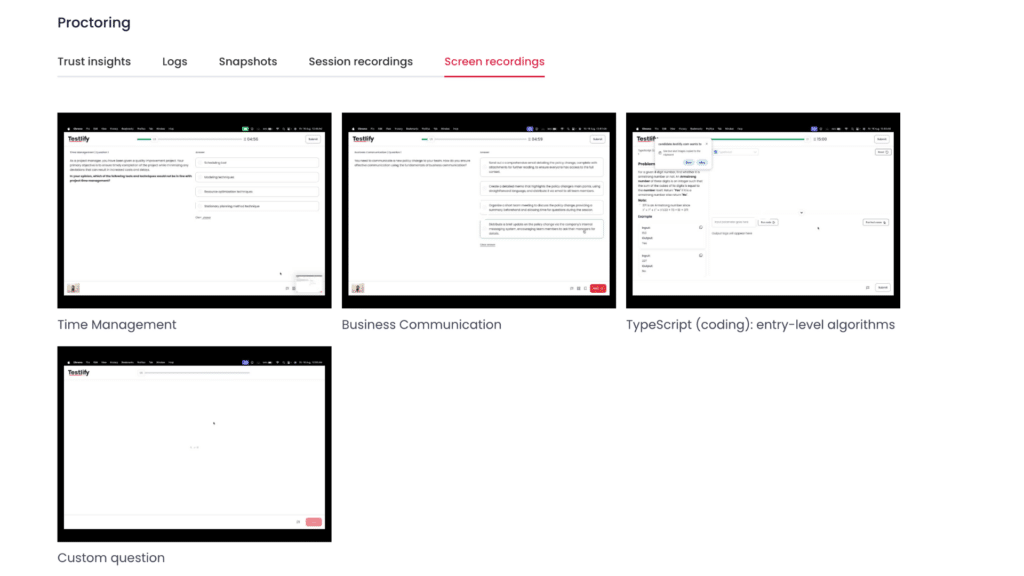
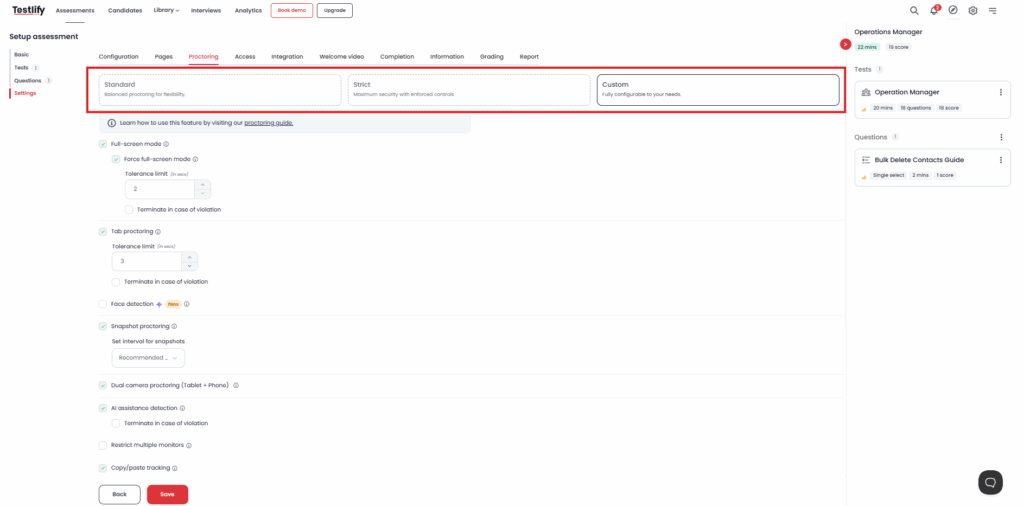
8. Flexible settings and adjustments
You can easily customize the strictness of proctoring for different exams. Tighter controls for high-stakes exams, and lighter oversight for simple tests. This makes PaaS adaptable to your unique exam requirements.
PaaS vs full-service vs DIY proctoring
When setting up online exams, choosing the right proctoring model is essential. Here’s a simple breakdown of the three popular online proctoring options you can consider:
Feature | PaaS | Full-service | DIY Proctoring |
|---|---|---|---|
Setup & integration | Easy, integrates with your current management system | Uses provider’s external platform | Fully manual setup |
Monitoring method | AI with human proctors’ backup | Live monitoring by humans | Self-monitored by staff |
Ease of use | Simple, automated, and flexible | Moderate; needs scheduling | Complex and time-consuming |
Candidate experience | Smooth and natural | Can feel strict and stressful | Less professional |
Cost & resources | Affordable, pay-per-use | Expensive due to human cost | Low cost but high staff effort |
Security & reliability | Secure with balanced AI and human checks | Very secure (fully human) | Less secure; manual checks only |
In short, PaaS offers a balance between cost, ease of use, and security. Full-service works when detailed human oversight is essential, but it can be pricey. DIY proctoring saves money upfront but increases your workload and reduces exam security.
Recommended reading: A complete guide to human proctoring vs AI proctoring
R
Proctored test with Testlify
Testlify simplifies online proctoring by offering Proctoring-as-a-Service directly within its assessment workflow.
Testlify’s real-time AI monitoring observes the candidates during online exams. If suspicious activity occurs, trained human proctors intervene promptly.
You can also easily adjust the level of proctoring strictness. Visit Testlify for cost savings as well with their unique dual-camera proctoring feature.
“Why should companies pay extra for 360° hardware when a smartphone can give you the same visibility? That’s what drove us to design dual-camera proctoring.” – Abhishek Shah, Founder, Testlify
Other providers often insist on expensive 360-degree cameras for high-stakes exams. But Testlify uses a primary webcam and then a secondary camera like a smartphone, or a tablet placed behind a candidate. It provides a clear front and back view without requiring any costly equipment.
Final thoughts
There is no need to go about building an entire proctoring system if you want to run secure exams online. With Proctoring-as-a-Service, you get the tools, flexibility, and oversight you need.
From small assessments to online testing on a massive scale, the way exams are proctored makes a significant difference.
Testlify thus fits into this space, not only as an assessment platform but also as a smart and cost-effective proctoring solution that can be embedded within your ATS or LMS without the usual complexities.
Ready to run secure, scalable online exams without the mess? Switch to Testlify and bring proctoring, assessments, and insights together on one seamless platform.
Start your free trial today.
Frequently asked questions (FAQs)

B2B SaaS Content Writer
Rishav Kumar is a B2B SaaS content writer with 4 years of experience. He loves crafting engaging content. Always exploring fresh ideas, he's passionate about helping businesses grow through impactful writing.
LinkedInRelated resources
View all
Proctoring
Types of online exam proctoring: Which one’s right for you?

Proctoring
What is live proctoring? Secure online exam guide

Proctoring
What is remote proctoring? A guide for hiring teams
Proctoring
AI-powered proctoring: how it works and where it fits
Proctoring
What is automated proctoring? Explained simply

Proctoring
What is online proctoring? A simple guide
Get started.
Hire on proof, not resumes.
Run your first skills-based assessment free — no credit card required.