
What is interview scheduling and how to do it?
Learn interview scheduling and how to do it effectively. Streamline your hiring process with these expert tips for a better candidate experience.

Interview scheduling may seem like a small task, but it plays a big role in shaping a candidate’s experience and your hiring success. It’s not just about sending an invitation – it’s about creating a smooth process that works for everyone.
In fact, over 50% of companies now have someone dedicated to managing interview schedules, highlighting just how important this step is.
A well-organized interview scheduling process can save time, reduce stress, and keep your team and candidates on track, making the whole hiring experience better for all involved. This blog post explains everything you need to know. Read on!
 ChatGPT
 Gemini
 Claude
 Grok
Grok Perplexity
What is interview scheduling?
Interview scheduling refers to organizing and coordinating interviews between hiring teams and candidates. Recruiters, hiring managers, and the talent acquisition (TA) team handle this process, including scheduling specific group interview times, phone screens, one-on-one meetings, and more.
The main objective of scheduling interviews is to efficiently manage the hiring process by ensuring both interviewers and candidates are available simultaneously.
Related: What is a hiring process checklist? A step-by-step guide
Interestingly, scheduling one interview takes somewhere between 30 minutes to 2 hours. This process is lengthy and tedious, with most talent acquisition professionals taking up to 1-2 hours. But you can’t leave it because it’s dreadful; instead, aim for a structured hiring process.
Note: The less organized the process, the higher the risk of delays and difficulties in managing the interview schedule.

How do you schedule interviews effectively?
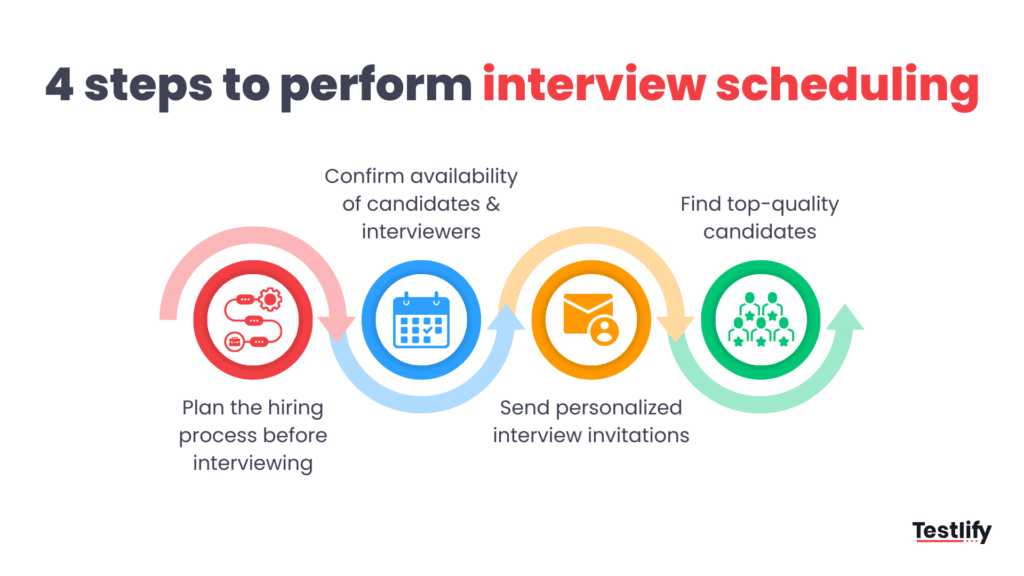
Step 1. Plan the hiring process before interviewing.
Knowing what steps to take and how to communicate with candidates is hard without a clear plan.
Ideally, you should structure the process so that all candidates have the same experience before, during, and after the interview. Setting up a structured interview process requires some initial effort.
Still, once it’s in place, including new or different interviewers becomes easier because they can follow a set guide or interview scorecard. While these tools don’t replace proper training, they help ensure everyone follows the same process.
This includes steps like
- How many rounds of interviews will be there?
- How long will each interview should be?
- Is it in-person, phone screen, or video interview?
- Who are the interview panel?
- What should the candidates need to know before attending the interview?
A planned structure is also helpful for scheduling interviews because it makes everything more predictable. This lets you focus on improving each task instead of determining what to do next.
Step 2. Confirm availability of candidates and interviewers
You need to figure out how to track your interviewers’ schedules so you can easily set up interviews. Ensure you know their availability and any dates when they’re unavailable (blackout periods).
Before scheduling interviews, ask candidates if they will be traveling or unavailable during certain times. This helps reduce no-shows and the need for back-and-forth scheduling.
This step is important because scheduling interviews takes time, and if not done efficiently, it can slow down the hiring process. Some interview scheduling tools allow candidates to self-schedule, decreasing the load of recruiters.
Here are two ways you can schedule interviews:
For panel interviews: Choose a few days and times when all interviewers are available, and ask them to block those times on their calendars. Then, the recruiter can try to schedule candidates into those slots. However, there’s a chance the candidate won’t be available during those times.
For one-on-one interviews: Check the interviewer’s calendar and schedule interviews when free, leaving some extra time before and after. For this to work, interviewers must be good at blocking off times when they’re busy or don’t want to be scheduled.
Step 3. Send personalized interview invitations
Mass emailing candidates is a tricky busy. Studies show that almost 15.8% of it falls into the spam account.
Sending out personalized emails has a higher open ratio. Emails with personalized subject lines are found to have an open rate of 35.69%, compared to just 16.55% for emails with non-personalized subject lines.
When scheduling an interview, sending a clear and detailed email to the candidate is important. Don’t keep your candidates guessing. Here’s a breakdown of what every scheduling email should include:
Email template for scheduling an interview:
- Salutation: Greet the candidate by name (don’t get their names wrong; check spellings specifically).
- Candidate’s name: Personalize the email with their name.
- Company name: Mention your company.
- Job title: Clearly state the role they’re being considered for.
- Type of interview and what to expect: Describe whether it’s a phone, video, or in-person interview, and any important details about the format (e.g., panel, technical, etc.).
- Interview length: Give an estimate of how long the interview will take.
- Interview details: Provide any specific instructions or things the candidate should prepare.
- Location and parking info (for in-person or hybrid): Include directions and parking details if applicable.
- Link to video interview: If it’s a virtual interview, include the meeting link with the date and time clearly visible.
- Link to scheduling page: If the candidate is self-scheduling, provide a link to the scheduling page.
- Rescheduling/canceling info: Give instructions on how they can cancel or reschedule if needed.
- Offer support: Let them know they can contact you with questions or concerns.
- Sign-off: Close with a polite sign-off.
- Your name and role: Let the candidate know who to contact if they have questions.
Some recruiters also use automation tools to help out with this process.
Step 4. Find top-quality candidates
This step may not directly fall under interview scheduling, but it helps facilitate the process. Instead of calling and scheduling interviews with everyone who applied, try screening out candidates as much as possible.
Spend more time on resume screening and conducting skill tests to ensure they’re a good match before you can interview them. This way, you don’t have to spend time on candidates who don’t fit the role.
Testlify’s AI-powered assessment tools, which have over 1700 test libraries, can be used to evaluate candidates’ skills efficiently and accurately before hiring.
The best way to optimize interview scheduling is to use an AI-powered scheduling tool. This type of tool automates the process by syncing with interviewers’ and candidates’ calendars, offering available time slots, and reducing manual coordination.
Are interview scheduling and interview schedule the same?
Interview scheduling and interview schedule are not the same.
Interview scheduling is the process of setting up interviews, while an interview schedule refers to the detailed plan recruiters create for each interview.
Breaking it down further. The interview schedule is a comprehensive plan for the interview, which contains questions with already-researched answers to ask the candidates. It acts more like an interviewer’s guideline, providing structured questions about a specific information or topic.
Interview scheduling is setting up interviews according to the availability of both candidates and interviewers. It includes identifying suitable times, sending invitations, and confirming interview appointments.
Benefits of interview scheduling
Interview scheduling has several benefits that make the hiring process smoother and more effective. Here are the key advantages explained simply:
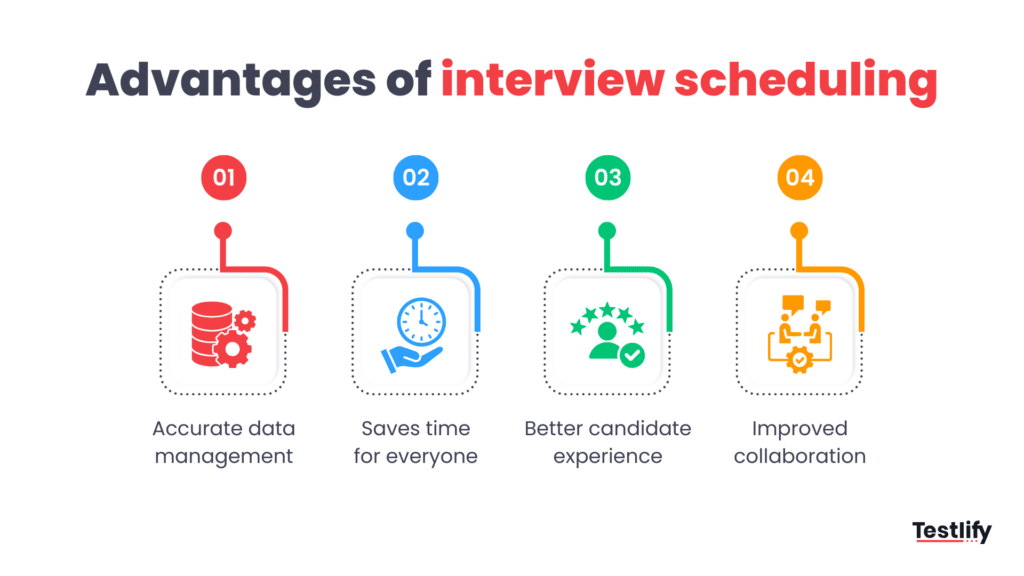
Accurate data management
Scheduling tools keep track of essential details, like interview times, locations, and interviewers’ names. This ensures the information is accurate and readily available, helping recruiters make better decisions without errors or confusion.
Saves time for everyone
AI-powered interview scheduling tools help recruiters and candidates save time by automating tasks like sending interview requests and confirming availability. Instead of manually coordinating, the system handles it, freeing recruiters to focus on connecting with candidates rather than logistics.
Better candidate experience
These tools improve the experience for candidates by cutting down on back-and-forth communication. Candidates can set their availability in one place and get automated interview reminders, making the process more convenient and professional.
Improved collaboration
By providing a shared platform, scheduling tools make it easier for recruiters to collaborate with other team members. Everyone involved in the hiring process can see candidate availability and send interview invitations, simplifying planning and coordination.
These features work together to make interview scheduling more efficient, organized, and candidate-friendly.
Disadvantages of scheduling interview
Interview scheduling has certain disadvantages; the process itself doesn’t, but the tools that help recruiters schedule interviews do.
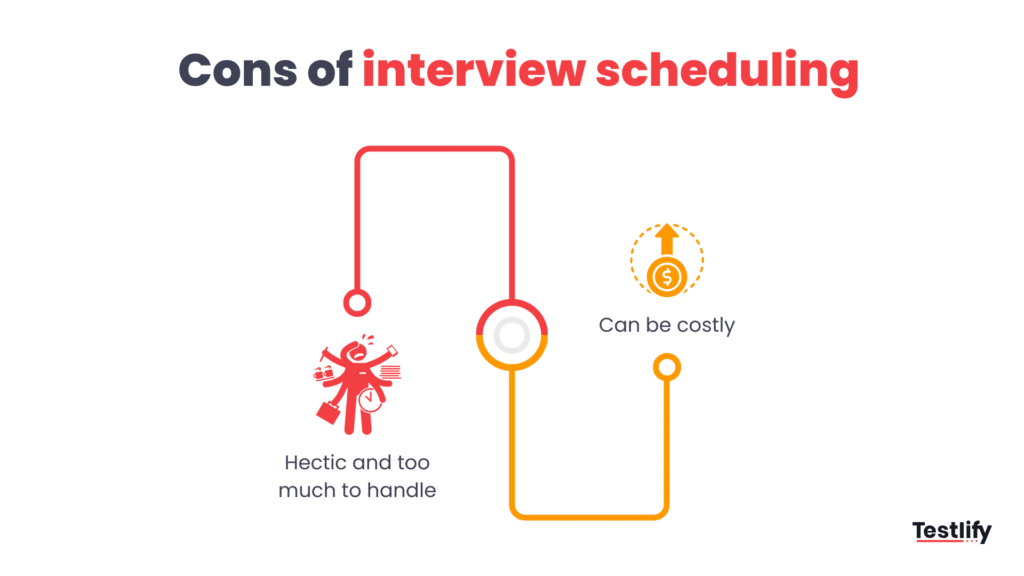
Hectic and too much to handle
An average job posting receives 250 applications, as per a Glassdoor survey. Scheduling a huge volume of interviews can become hectic and overwhelming for recruiters without enough time. This can also lead to human errors because of the limited time available. Hiring managers might be tempted to overschedule interviews to fill the positions faster.
One way to beat this issue is to remember that rushing the hiring process will likely lead to a negative candidate experience.
Research shows that 58% of candidates rejected the job offer due to bad candidate experience. You might miss out on your ideal candidate if the recruitment process is not ideal.
Can be costly
Though multiple free interview scheduling tools like Google Calender, Outlook, Zoom, etc. exist, advanced tools with automation features and integrations often come with subscription fees.
You also need to spend money to set up the technical system. This automated process might not work well for recruitment that involves decision-makers or needs a more personal touch.
Interview scheduling best practices
Here are some best practices recruiters should keep in mind when scheduling and conducting interviews:
- Give candidates time to ask questions and provide feedback.
- Use a structured interview format to ensure all candidates have equal opportunities.
- Allow time for follow-up interviews or additional evaluations if needed.
- Be aware of any biases that might influence your decisions.
- Pay close attention to what the candidate is saying.
- Take notes during each interview for better reference.
- Make sure the interviewer is well-prepared.
- Offer some flexibility in the interview schedule to accommodate unforeseen issues or to clarify questions.
- Leave time between interviews to compare candidate responses side by side.
- Use video interviewing tool whenever possible, as they help screen multiple candidates simultaneously.
- Keep records of all interviews for future reference.
- Ensure each candidate has a chance to show their skills and experience during the interview.
- Inform each applicant about the next steps in the hiring process.
After the interview, provide feedback to all candidates, whether or not they were selected, and give them a timeline for when they can expect the final decision.
Best interview scheduling software
Some of the best tools for scheduling interviews are as follows:
- VidCruiter: Top choice for advanced interview scheduling features.
- Paradox: Best conversational scheduler, supporting 30+ languages.
- myInterview: Smart scheduling tool from a leading interview intelligence provider.
- GoodTime: Best for personalized candidate communication in scheduling.
What to do if your candidate doesn’t show up for the interview?
The only and best thing to do if your candidate doesn’t show up is to remain calm and not take it personally.
If a candidate misses their interview, you can either check in to see if they’re okay and offer to reschedule, or you can send a rejection email and let them know you’re moving on to other candidates.
If you think they were a good fit and don’t want to reject them, you can ask if they’d like you to keep their resume for future openings. But since it’s common for candidates to disappear, it’s best to move on quickly and focus on those who showed up.
The next time you schedule an interview, you’ll know exactly what to do. Just follow the process and steps outlined in this blog, and you’ll be all set!
Happy hiring!
Frequently asked questions (FAQs)

Related resources
View all
Hiring Guide
What is affinity bias and how to avoid it in 2026?
Hiring Guide
HR checklist for 2026: Key steps you can’t miss

Hiring Guide
White Collar vs Blue Collar Jobs: Key Differences (2026)

Hiring Guide
Practical tips for HR to optimize working days

Hiring Guide
What is involuntary turnover? Formula, types, best practices
Hiring Guide
What is talent optimization and what are its 4 key phases?
Get started.
Hire on proof, not resumes.
Run your first skills-based assessment free — no credit card required.