
Skills Matrix: What It Is, How to Build One, and Why It Matters in 2026
A skills matrix maps employees against required skills and proficiency levels so HR leaders can identify gaps, plan hiring, and prioritize training with data instead of guesswork.
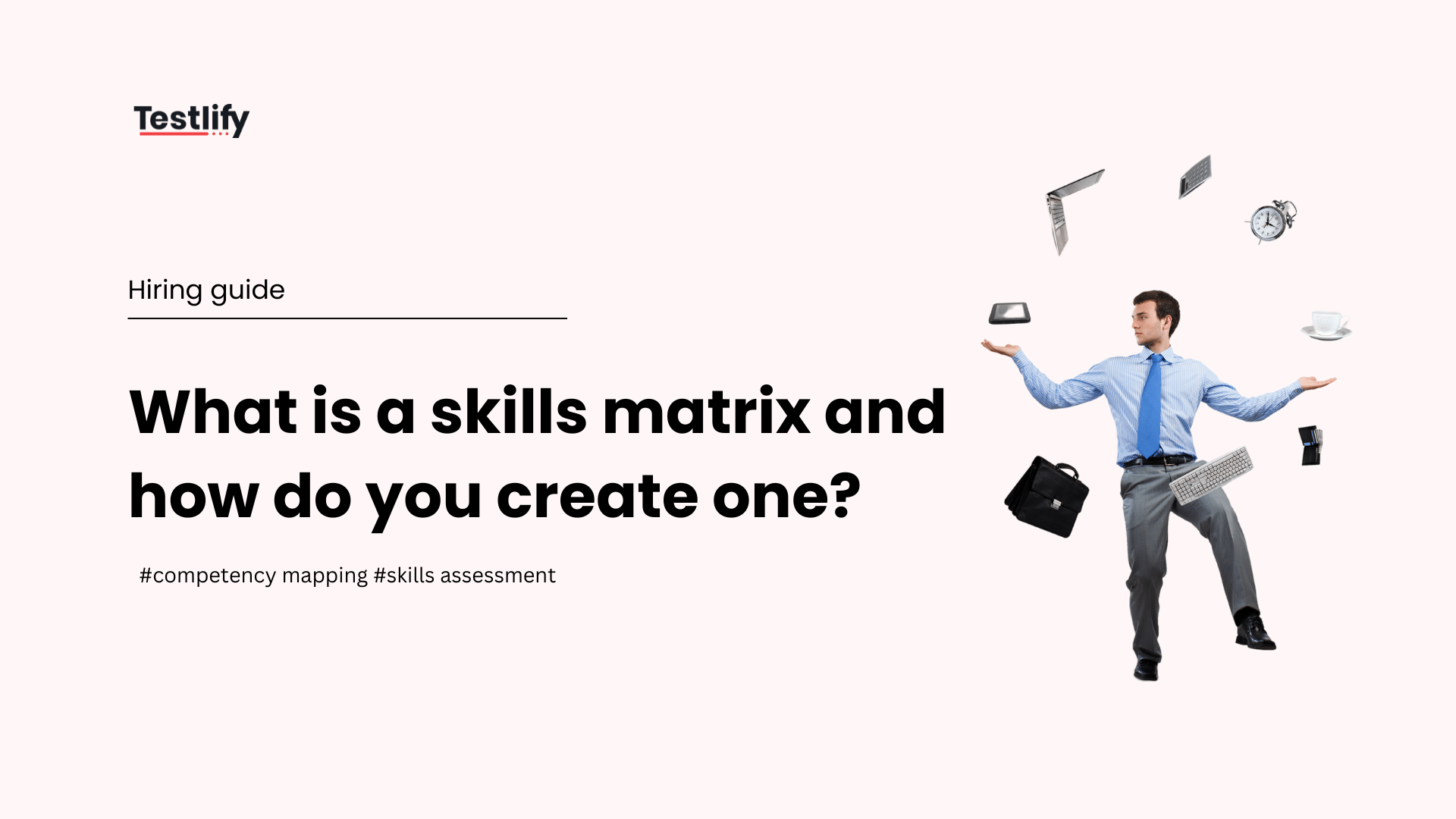
A skills matrix is a structured grid that maps individual employees or job roles against a defined set of skills and proficiency levels, giving HR leaders, L&D teams, and project managers an at-a-glance view of what capability the organization has today versus what it needs tomorrow. Enterprise hiring teams use it to close skill gaps before they become business problems, not after. According to LinkedIn's Global Talent Trends research, most L&D professionals agree that proactively building skills is critical to navigating future workforce disruption.
 ChatGPT
 Gemini
 Claude
 Grok
Grok Perplexity
TL;DR
- A skills matrix is a grid mapping employees to skills and proficiency levels so organizations can see capability gaps in minutes, not months of guesswork.
- Organizations using structured skill gap analysis reduce mis-hires by up to 40% because they hire for actual role gaps rather than assumed needs.
- Skills-based organizations are 107% more likely to allocate talent effectively and 98% more likely to retain top performers, per Deloitte research (2023).
- The Testlify Skill Gap Diagnostic Framework adds objective, assessment-validated data to the matrix at Step 5, replacing subjective self-ratings with scored proficiency evidence.
- A skills matrix and a competency matrix are not interchangeable: skills are observable, trainable behaviors; competencies bundle skills with values, behaviors, and organizational context.
- Matrices should be reviewed at minimum every 6 months in high-growth functions and every 12 months organization-wide to reflect role changes and market shifts.
- Testlify’s library of 3,500+ tests across 4,500+ job roles means any skill on the matrix can be validated with an objective assessment rather than a manager’s gut feeling.

What is a skills matrix?
A skills matrix is a visual tool that plots employees or job roles on one axis and required skills on the other, with each cell showing the proficiency level for that person-skill combination. HR leaders use it to identify capability gaps, plan hiring, target training, and support succession planning. It is the foundation of any data-driven workforce planning initiative.
The matrix can be as simple as a color-coded spreadsheet or as sophisticated as a module inside an HR platform. What matters is the logic underneath: every skill has a defined proficiency scale, every rating is consistently applied, and the output is actionable. A skills matrix without clear proficiency definitions produces noise, not insight.
Organizations deploy skills matrices for three primary purposes. First, workforce planning: understanding what skills exist today versus what is needed in the next 12 to 24 months. Second, talent development: identifying which employees need training in which areas before performance gaps appear. Third, recruitment: writing precise job descriptions and evaluating candidates against the exact gaps in the current team rather than generic role templates. Related: how the 9-box matrix complements skills mapping for succession planning [INTERNAL LINK: anchor -> /9-box-matrix/].
What is the difference between a skills matrix and a competency matrix?
A skills matrix tracks whether an employee can perform a specific, observable task at a defined level. A competency matrix goes one layer deeper: it rates employees on broader behavioral clusters that combine skills, knowledge, attitudes, and organizational values. The key distinction is scope: skills are trainable and measurable in isolation; competencies describe how someone applies a bundle of skills in a role-specific context.

For example, a skills matrix might rate an employee as “Advanced” in Python programming. A competency matrix might rate the same person as “Developing” in the broader competency of “Technical Problem Solving,” which also requires system design thinking, debugging discipline, and cross-functional communication. Both tools are useful; they answer different questions. Use a skills matrix when the decision requires precision about specific capabilities. Use a competency matrix when the decision involves promotion readiness or leadership potential.
Dimension | Skills Matrix | Competency Matrix |
|---|---|---|
What it measures | Specific, observable skills | Behavioral clusters and role effectiveness |
Proficiency scale | Numeric (1-4) or Beginner to Expert | Developing / Meeting / Exceeding expectations |
Primary use case | Gap analysis, hiring, training planning | Performance reviews, promotion decisions |
Update frequency | Every 6-12 months or after major role changes | Tied to annual or semi-annual review cycle |
Best validated by | Skill assessments, practical tests | 360-degree feedback, behavioral interviews |
Why does a skills matrix matter for HR and workforce planning?
A skills matrix converts anecdotal knowledge about team capability into structured, queryable data. HR leaders can run a gap analysis in minutes instead of weeks, make hiring decisions tied to real team deficits, and build L&D programs that target the exact skills limiting performance. Without it, organizations hire on gut feel and train by committee consensus, neither of which scales.
The business case is clear. According to SHRM’s 2026 Talent Trends research [EXTERNAL LINK: SHRM Talent Trends], skill gaps are the top workforce planning challenge for 62% of HR leaders. Organizations that address gaps proactively through structured tools like a skills matrix report 23% lower employee turnover compared to those that do not. The cost of a mis-hire at the senior level reaches 213% of annual salary according to the Society for Human Resource Management, making prevention through accurate skills data a direct P&L lever.
A skills matrix also broadens who benefits. It is not just a recruiter’s tool. L&D managers use it to prioritize training budgets. Project managers use it to build balanced teams before a sprint starts. People operations teams use it to identify promotion-ready employees without waiting for annual reviews. This cross-functional utility is why skills-based approaches are replacing credential-based hiring at 45% of enterprise organizations, per LinkedIn’s 2024 Workplace Learning Report.
What should be included in a skills matrix?
A complete skills matrix includes four core components: the skill list (technical and behavioral), the employee or role list, a defined proficiency scale with clear level descriptors, and the rated cells for each person-skill intersection. Optional but high-value additions include required proficiency targets per role, training resources linked to each skill, and the date of last assessment for each rating.
The skill list should reflect three categories. Technical skills are specific, verifiable abilities such as SQL querying, financial modeling, or UX prototyping. Behavioral skills are observable work patterns such as stakeholder communication, project prioritization, or feedback delivery. Role-specific competencies are combinations unique to a function, such as consultative sales for a customer success role or data storytelling for an analytics role.
Most enterprise HR teams find that 8 to 12 skills per role produces a matrix that is actionable without becoming unmanageable. More than 15 skills per role dilutes focus; fewer than 5 produces a matrix too shallow to drive decisions. Each skill needs a target proficiency level (the minimum standard for the role) alongside the current rating, so the gap is immediately visible.
Pro Tip: Before defining the skill list, interview 3-5 high performers in each role and ask: “What are the 3 skills that most separate strong performers from average ones here?” Their answers will surface the skills that actually drive outcomes, not just the skills that appear on a job description.
What are the proficiency levels used in a skills matrix?
The most widely used proficiency framework for skills matrices is a 4-level scale: Novice, Developing, Proficient, and Expert. Each level needs a behavioral descriptor to ensure different managers rate the same observed behavior the same way. Without descriptors, a manager’s “3” and another manager’s “3” mean different things, and the matrix becomes unreliable.
Level | Label | Behavioral Descriptor | Typical Indicator |
|---|---|---|---|
1 | Novice | Has theoretical awareness; requires active supervision to apply | Completed training; no independent application yet |
2 | Developing | Can apply the skill with guidance in familiar situations | Applies independently on standard tasks; escalates edge cases |
3 | Proficient | Applies reliably and independently across varied contexts | Handles complex scenarios without support; can train peers |
4 | Expert | Sets standards for the skill; leads development in others | Recognized authority; drives methodology and best practice |
Some organizations add a Level 0 for “No exposure” and a Level 5 for “Thought leader / industry recognized,” though most enterprise HR teams find the 4-level model sufficient for operational decisions. The critical rule: every proficiency label must have a written behavioral anchor that any trained assessor can apply consistently. Organizations using pre-employment testing to validate ratings report a 34% improvement in inter-rater reliability compared to manager-only assessments.
How do you create a skills matrix in 8 steps?
Building a skills matrix that HR leaders and business managers will actually use requires eight steps, from defining scope through activating the data for decisions. Each step builds on the previous one; skipping any step produces a matrix that looks complete but fails when organizations try to act on it.
Step 1: Define the scope and purpose
Decide whether the matrix is for a single team, a department, or the whole organization. Define the primary use case: is it for hiring, training prioritization, succession planning, or project resource allocation? The answer determines which skills to include and how granular the proficiency scale needs to be.
Step 2: Identify the skills required per role
Work with hiring managers and high performers to define 8 to 12 critical skills per role. Include a mix of technical, behavioral, and role-specific skills. The U.S. Bureau of Labor Statistics Occupational Outlook Handbook provides reliable baseline skill lists by occupation family that HR teams can adapt for their context.
Step 3: Define the proficiency scale
Adopt a 4-level scale (Novice to Expert) and write a behavioral descriptor for each level for each skill. This calibration step takes 2 to 4 hours per role family but is the single most important investment in the matrix’s reliability.
Step 4: List employees or roles
Populate the row axis with individual employees for team-level matrices or with role titles for function-level or workforce-planning matrices. Mixing individuals and roles on the same matrix causes confusion; keep them separate.
Step 5: Assess skills using the Testlify Skill Gap Diagnostic Framework
This is the most critical step and the one where most organizations produce unreliable data. The Testlify Skill Gap Diagnostic Framework combines three data sources to produce a validated proficiency rating: (1) a structured self-assessment by the employee using the behavioral descriptors from Step 3; (2) a manager calibration review comparing the self-assessment against observed work evidence; and (3) an objective skills assessment using a validated test to provide a scored, bias-free third data point.
The objective assessment layer is the differentiator. Self-ratings alone inflate proficiency scores: research consistently shows that low performers overestimate their ability by 1 to 2 proficiency levels, while high performers underestimate. Manager ratings alone introduce recency bias and in-group favoritism. Testlify’s library of 3,500+ validated assessments covering 4,500+ job roles means every skill on the matrix can be tested objectively in approximately 30 minutes per candidate or employee. The scored output becomes the third data point that either confirms or corrects the self-assessment and manager rating. Organizations using skills-based hiring practices that integrate this three-source approach report 40% fewer mis-hires in the 12 months following adoption.
Step 6: Populate and visualize the matrix
Enter the validated proficiency levels for each employee-skill intersection. Add a “Target Level” row or column per role so gaps are immediately visible as the difference between current and required. Color-coding (red for gap, amber for developing, green for proficient/expert) enables managers to scan the matrix in seconds.
Employee | Python (Target: 3) | SQL (Target: 3) | Data Visualization (Target: 2) | Stakeholder Comm. (Target: 3) | Project Mgmt (Target: 2) |
|---|---|---|---|---|---|
Arjun Mehta | 4 | 3 | 2 | 3 | 1 |
Sara Williams | 2 | 4 | 3 | 2 | 3 |
James Okonkwo | 3 | 2 | 2 | 4 | 2 |
Priya Nair | 1 | 1 | 4 | 3 | 3 |
Step 7: Analyze gaps and prioritize actions
With the populated matrix in hand, run three analyses. First, identify critical gaps: skills rated 1 or 2 where the target is 3 or 4, especially in skills with no other team member at Level 3 or 4. These are business risks. Second, identify surplus strengths: skills where multiple team members are at Level 4, representing potential for internal teaching or lateral deployment. Third, identify training leverage: gaps shared by 3 or more team members, which justify a group training investment rather than individual coaching.
Step 8: Activate the data for hiring, training, and succession decisions
A skills matrix that lives in a spreadsheet and is never reviewed is worthless. Connect the output to three concrete workflows: the job requisition process (new hires fill specific matrix gaps, not generic roles), the L&D planning cycle (training budgets target the highest-frequency gaps), and the succession plan (high-potential employees are tracked as their matrix profiles converge with next-level role requirements). This activation step is what distinguishes organizations that get ROI from their skills matrix from those that treat it as a compliance exercise.
How does a skills matrix improve the recruitment process?
A skills matrix makes recruitment decisions data-driven at every stage. Hiring managers no longer write job descriptions from memory or convention; they write them from the gap analysis in the matrix. Interviewers no longer probe skills the team already has in surplus; they target the 2 to 3 skills where the team is weakest. Assessment results validate candidate proficiency before offer, not after.
In practice, the matrix changes four recruitment behaviors. Job postings become precise: instead of listing 20 generic requirements, they specify the 3 skills at Level 3+ that the team genuinely lacks. Candidate screening becomes objective: short-listers are ranked by how well their assessed profile fills the matrix gap, not by resume formatting or institutional prestige. Interview questions become structured: every behavioral question maps to a Level 3 or Level 4 behavioral descriptor from the matrix. Onboarding becomes targeted: new hires receive a 90-day development plan built around the skills where they were assessed at Level 2 or below.
Testlify integrates directly into this workflow. With 100+ ATS integrations, talent acquisition teams can trigger a skills assessment at the screening stage and map the scored results directly to the relevant row in the skills matrix. Assessments complete in approximately 30 minutes with an 80%+ candidate completion rate, well above the industry average. The result: hiring teams spend interview time on the 20% of skills that tests cannot measure, rather than the 80% that assessments already validated. See how talent assessment platforms integrate with skills gap workflows.
What is a skills matrix used for in HR beyond recruitment?
Beyond recruitment, HR teams use a skills matrix for training prioritization, succession planning, workforce planning, project staffing, and performance calibration. Each use case draws on the same underlying data but frames the question differently: who needs to develop, who is ready to advance, what skills does the organization need to acquire in the next 18 months, and who is the right person for this project?
In L&D, the matrix converts training from a catalog-driven activity (employees pick courses they find interesting) to a gap-driven activity (employees are directed to training that closes specific Level 1 or Level 2 gaps in priority skills). Organizations that link L&D investment to identified skill gaps tend to see a stronger return on training spend than those using general development programs.
In succession planning, the matrix provides objective evidence for promotion decisions. Instead of relying on a manager’s subjective assessment of readiness, HR can show that a candidate has reached Level 3 in 8 of the 10 required skills for the next role and has a clear development path for the remaining 2. This evidence-based approach reduces promotion bias and supports diversity, equity, and inclusion goals by surfacing high-potential employees who may be overlooked in informal succession conversations.
In project staffing, especially in professional services, consulting, and technology organizations, the matrix enables project managers to build teams by matching required skills to available capacity with precision. This reduces the over-reliance on the same 10% of high-visibility team members and develops the broader bench. For organizations running technical skill assessments as part of their skills validation process, project allocation decisions can be made from assessed data rather than self-reported profiles.
How often should a skills matrix be updated?
Enterprise HR teams should update a skills matrix at minimum every 12 months organization-wide, every 6 months in high-growth or high-change functions such as technology, product, and data, and immediately following significant organizational events such as a major hiring wave, a restructure, or a strategic pivot that introduces new capability requirements.
The update triggers that most organizations miss are lateral: when a new skill becomes critical to a role due to technology adoption (for example, a marketing team that now requires proficiency in AI prompt design), the matrix must reflect that requirement before the gap becomes a performance problem. LinkedIn’s 2025 Workplace Learning Report found that the half-life of a technical skill is now approximately 2.5 years, meaning that a skills matrix not refreshed within that window may be rating obsolete skills as high-priority and missing emerging ones entirely.
Operationally, the update process should be tied to the performance review cycle so that the updated matrix and the performance conversation happen within the same 30-day window. This alignment ensures that development commitments made in the performance review are directly reflected in the matrix’s gap state, and that the next round of training investment addresses what the data actually shows rather than what was relevant 18 months ago.
What are the biggest challenges in implementing a skills matrix?
The four most common failure modes in skills matrix implementations are: inconsistent assessment methodology producing unreliable data, lack of manager buy-in leading to abandoned updates, skill lists that are too broad to drive action, and failure to connect the matrix output to actual HR decisions. Each is solvable, but each requires deliberate design choices before the matrix is built.
Inconsistent assessment methodology is the most damaging. When different managers apply the same proficiency scale differently, the matrix reflects rater variance, not actual skill variance. The fix is behavioral anchors (as described in Step 3) combined with a calibration session where 3 to 4 managers independently rate the same reference employee and discuss divergences until they reach consensus on what each level looks like in practice.
Lack of manager buy-in typically traces to two causes: the matrix was built by HR without involving the business, and updating it feels like administrative overhead with no visible return. The fix is to run the first update cycle and immediately produce one concrete decision from the data, such as “Based on the matrix, we are hiring for SQL skills at Level 3+ rather than a generalist data analyst, and here is why.” When managers see the matrix driving a real hiring or training decision, update compliance improves sharply.
How do you use a skills matrix template in Excel or a spreadsheet?
A skills matrix Excel template structures the data in three worksheets: a Skills Library tab (all skills, their categories, and behavioral descriptors for each proficiency level), a Role Requirements tab (each role and its required proficiency level per skill), and the Matrix tab (employees on rows, skills on columns, with conditional formatting that highlights gaps automatically).
The conditional formatting logic is the most important part of the Excel setup. Each cell in the Matrix tab compares the current rating to the target from the Role Requirements tab and formats accordingly: red for a gap of 2 or more levels, amber for a gap of 1 level, green for on-target or above. This turns the matrix from a data entry exercise into a visual gap map that managers can act on without building pivot tables.
For teams with fewer than 50 employees, a well-structured Excel template is sufficient. For teams above 50, the maintenance burden of manual updates, version control across departments, and the inability to query the data across functions are real limitations. Organizations at that scale benefit from purpose-built workforce planning software or HR platforms with native skills mapping modules. The underlying data model in the spreadsheet, however, is the same: skills, people, proficiency levels, and target levels are the four mandatory dimensions regardless of the tool used.
When HR teams pair their Excel matrix with an assessment layer, the data becomes significantly more reliable. Rather than managers manually entering subjective ratings, Testlify’s assessments generate scored outputs that map to the 1-4 scale automatically. For organizations running behavioral assessments alongside technical skill tests, both hard and soft skill cells in the matrix can be populated from objective data rather than manager estimates.
Frequently asked questions

Content Writer
Yashika Khandelwal is a Content Writer with 3+ years of experience creating research-backed content on hiring, talent assessment, and HR technology. She is a registered Organizational Psychologist and subject matter expert who combines behavioral science with practical recruitment insights to produce accurate, evidence-based content.
LinkedInRelated resources
View all
HR & recruitment
15 key HR metrics to watch in 2026
HR & recruitment
What is competency mapping and how can organizations implement it?

HR & recruitment
10 Common HR Mistakes and How to Avoid Them (2026)

HR & recruitment
12 onboarding ideas to welcome new employees

HR & recruitment
20 Best Job Boards for Hiring in 2026 (Free and Paid)

HR & recruitment
Hiring process steps you should never skip
Get started.
Hire on proof, not resumes.
Run your first skills-based assessment free — no credit card required.