
Proxy Interview: How to Detect and Prevent Hiring Fraud
Learn what a proxy interview is, its risks, and how to prevent it to ensure a fair and authentic hiring process for your organization.

A hiring manager on our team once spent forty minutes convinced she had found her next senior engineer. The candidate answered every system design question with precision, until she asked him to sketch the architecture live on a shared whiteboard and the polish evaporated.
He had been reading answers off a second screen, fed by someone else entirely. That is a proxy interview, and it is not a rare edge case anymore.
In a 2025 Checkr survey of 3,000 managers, 62% said job seekers are now better at faking their identities than HR teams are at catching them. Gartner puts current interview fraud admission at 6% of applicants, with 1 in 4 candidate profiles projected to be fake by 2028.
This guide breaks down what a proxy interview actually is, the three ways it shows up, what it actually costs you, and the eleven signs that expose it. It also covers the prevention stack, including what Testlify runs under the hood, that stops a proxy interview before your interviewer ever gets on the call.
TL;DR
- A proxy interview swaps in a stand-in or hidden coach for the real applicant, and it now runs on phones, earpieces, and AI tools instead of just a look-alike in a chair.
- Three distinct types exist: remote impersonation, in-person substitution, and shadow coaching. Each demands a different detection instinct from the interviewer.
- The real cost is not just a bad hire. It spans a failed hire, security exposure, wasted recruiting pipeline, and reputation damage.
- Eleven separate sign clusters give you a real-time detection checklist, from lip-sync mismatch to biometric spoofing.
- Prevention works best before the call, not during it. Verify identity and skills through a proctored test so the live interview only confirms a result you already trust.
- Testlify’s proctoring stack covers 17 monitoring signals, including session recording and AI assistance detection that most competing tools skip entirely.
 ChatGPT
 Gemini
 Claude
 Grok
Grok Perplexity
What is a proxy interview?
A proxy interview happens when someone other than the actual job applicant answers interview questions on their behalf, either by physically substituting for them or by feeding them answers in real time. The goal is simple: convince the interviewer they are speaking with the person on the resume when they are not.
Why it’s called a bait-and-switch hire
The fraud does not end when the interview does. The company extends an offer to the person who performed well on the call, then the actual employee, who may be far less qualified, shows up for onboarding and day-to-day work.
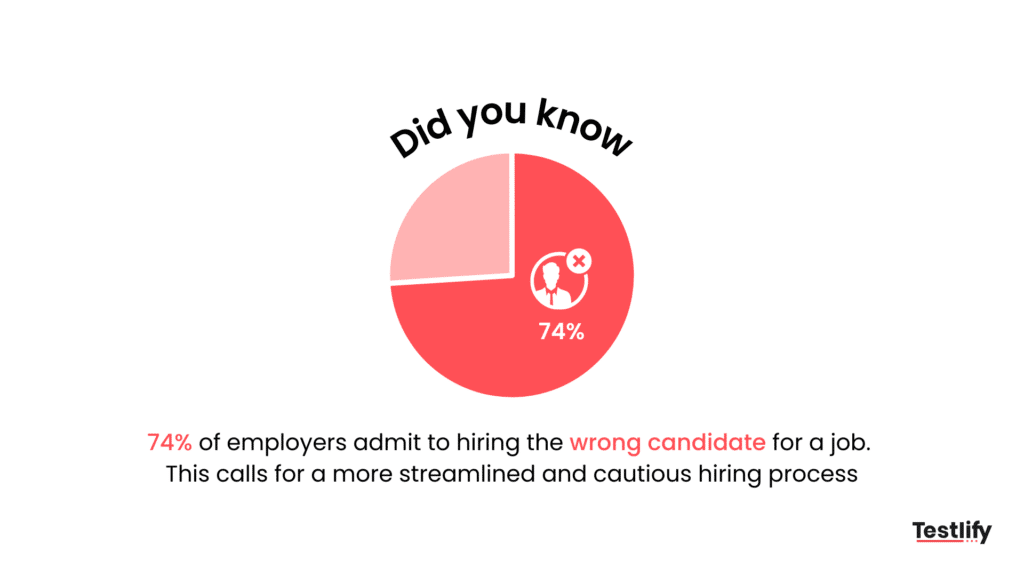
That gap between who impressed you and who you actually hired is the entire risk. It is why Gartner treats security exposure from a fraudulent hire as the worst-case outcome of this pattern, not just a wasted interview slot.

Different types of proxy interviews
Proxy interviews fall into three recognizable patterns, and knowing which one you are facing changes how you probe for it.
Type | How it works | Hardest to catch when |
|---|---|---|
Remote impersonation | A third party joins the call from a separate location and answers directly, sometimes with voice or video manipulation | The call has poor video quality or the interviewer skips live tasks |
In-person substitute | A stand-in physically shows up and interviews as if they were the candidate | Identity verification is weak or skipped at check-in |
Shadow-coached proxy | The real candidate is present but is fed answers through an earpiece, hidden screen, or messaging app | The interviewer never asks for a live, unscripted task |
Remote impersonation
This is the version most people picture: someone else logs into the video call and answers as the candidate. It is the easiest of the three to run at scale because it requires no travel and can be repeated across multiple applications with the same proxy.
In-person substitutes
Rarer today given remote hiring norms, but still active for roles that require an onsite round. A substitute attends dressed and prepped as the candidate, often coached on personal details ahead of time to survive the initial job-related conversations.
Shadow-coached proxies
The trickiest to spot because the real applicant is genuinely on camera. A hidden earpiece, a muted second call, or an off-screen chat window feeds them answers, so their face matches their resume, but their knowledge does not come from them.
Risks of proxy interviews
The bill for a proxy interview lands in four places, and most teams only ever see the first one. The graphic below breaks down where the real cost hides.
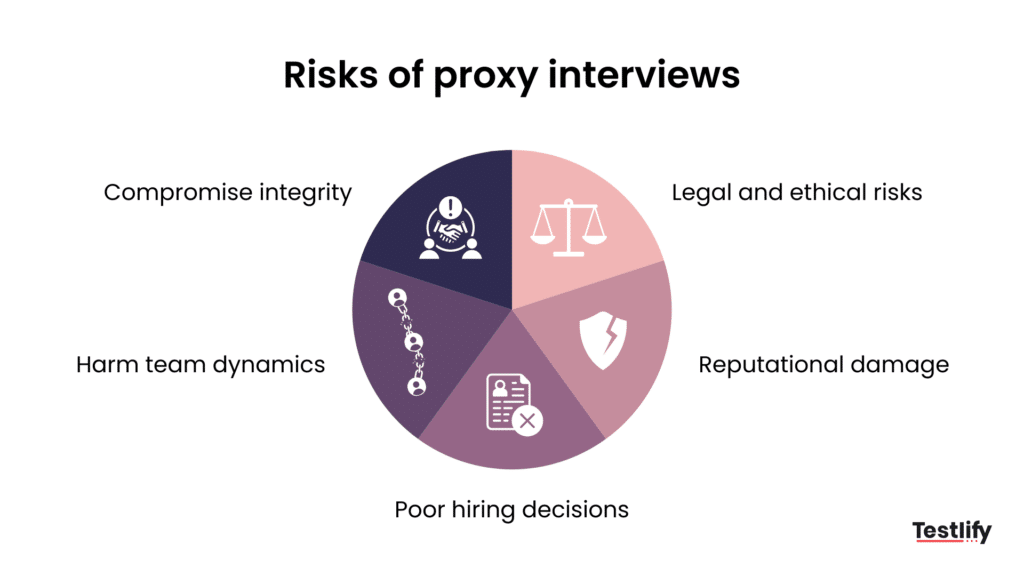
A failed hire
The person who actually shows up for the job cannot do what the proxy demonstrated on the call. Output slips, deadlines slide, and the team absorbs the gap until someone finally traces it back to the interview.
Security exposure
A deceptive hire who clears onboarding still gets system access, and that access is a live risk from day one. Gartner flags this as worse than the bad hire itself, since a credentialed fraud case can open a path straight to a data breach.
Wasted recruiting pipeline
Recruiter hours, interviewer time, and a full offer cycle all get spent on a candidate who was never real. The role reopens cold, and the pipeline you already built has to be rebuilt from scratch.
Reputation damage
Once it becomes known that a team was fooled by a proxy, candidate trust and stakeholder confidence both slip. That makes the next hire harder, since word of a fraud incident travels fast inside a talent pool.
Common signs of a proxy interview
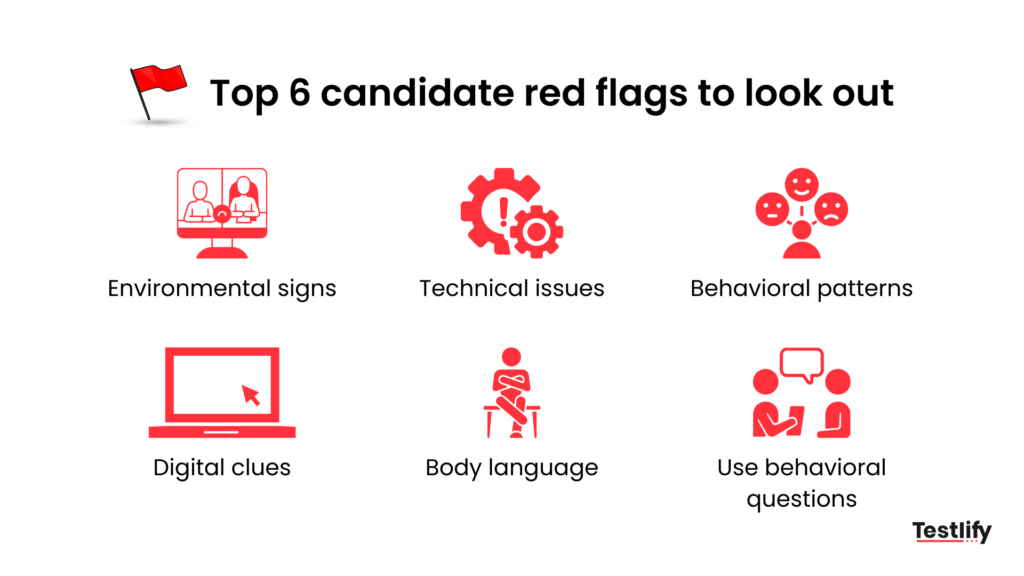
Eleven recurring patterns show up across proxy interview attempts, and most interviewers only know two or three of them. Here is the full checklist.
Lip syncing
Watch for a mismatch between mouth movement and the words you are hearing, or a slight delay before responses that suggests the candidate is repeating what someone else just said. It is most obvious on harder technical questions where a genuine answer would come with natural hesitation, not a smooth, uniform delivery.
Plagiarism
Answers that sound rehearsed word for word, or that echo phrasing you have seen in a public forum post or a previous candidate’s response, are a red flag. Ask the candidate to explain their own answer in different words and see if the explanation holds up.
Back-up tactics
Some fraud rings keep a second, more convincing candidate on standby in case the first one falters. If a candidate suddenly seems to improve mid-interview after a technical hiccup or a dropped call, you may be talking to a different person than you started with.
Virtual access
Screen-share requests that get deflected, or a candidate who seems unusually reluctant to share their full desktop, often signal something running in the background they do not want you to see. Make full screen-share a standard, non-negotiable ask for any technical round.
Remote desktop intrusion
Look for unexplained cursor movement, brief freezes, or a second cursor appearing on a shared screen. These are hallmarks of tools like AnyDesk being used by a remote party to solve tasks while the candidate copies the result.
Deepfake technology
Unnatural blinking patterns, lighting that does not match the rest of the frame around the face, or edges that blur when the candidate turns their head are signs of a real-time video overlay. Ask the candidate to hold up an ID card next to their face on camera, since deepfake overlays struggle to render a held object convincingly.
AI-generated voices
A flat, oddly even tone, unnatural pacing, or a voice that never changes pitch under pressure can indicate voice cloning or real-time audio manipulation. Interrupt with an unexpected follow-up question, since cloned voices often lag or repeat rather than adapt.
Multi-device coordination
Notice ambient sounds like a second keyboard clicking, a muted phone call in the background, or eye movement that consistently drifts toward a second screen. These point to a coordinated setup involving more than one device and, often, more than one person.
Biometric spoofing
High-resolution photos, silicone masks, or synthetic fingerprints are used to defeat facial or fingerprint verification at the identity-check stage. Live liveness checks, such as asking a candidate to turn their head or blink on command, catch most static spoofing attempts.
Psychological manipulation
Some proxies rely on confidence and charm to rush interviewers past inconsistencies, redirecting tough questions with flattery or urgency. Slow the pace deliberately and revisit any question that got deflected.
Background manipulation
Virtual backgrounds, blurred rooms, or camera angles that conveniently hide a second monitor or another person in the frame are common enough to be a standing red flag. Ask the candidate to briefly pan their camera around the room before a technical round begins.
How to prevent proxy interviews?
Detection during the call catches fraud after it has already wasted your team’s time. Prevention shifts the checkpoint earlier, so the live interview becomes a confirmation step instead of your only line of defense.
Verify identity before the interview
Require a government ID check paired with a live liveness check, such as a blink, a head turn, or a spoken passphrase, before the candidate reaches any assessment stage. This single step filters out both in-person substitutes and basic biometric spoofing attempts before they cost you interviewer time.
Run proctored skills tests first
Have candidates complete a proctored, role-specific skills test under identity verification before scheduling a live round. When the live interview happens, you are confirming a result you already trust rather than discovering their actual skill level for the first time.
Design interviews a stand-in cannot survive
Build questions around the candidate’s own proctored answers, asking them to extend a solution, defend a decision, or debug something they claim to have built. A genuine candidate can go deeper on their own work with a video and audio interview or a situational judgment question, while a proxy or coached stand-in usually cannot improvise past the memorized script.
Enforce full-screen, single-window setup
Require full-screen mode for the entire assessment and interview, which closes off the easiest hiding spot for a second monitor, a chat window, or a remote-access tool. Pair this with a standing rule that screen-share is mandatory, not optional, for any technical round.
Monitor behavior live
Track tab switches, unusual pauses, and webcam engagement throughout the assessment window rather than only at the start. Automated flags on these signals give your team a reviewable trail instead of relying on one interviewer’s gut feeling in the moment.
Randomize question sequencing
Serving questions in a different order to each candidate breaks the value of a shared answer key circulating among a fraud ring or coaching group. It also makes a back-up candidate swap harder to pull off cleanly mid-assessment.
Restrict multiple monitors and devices
Detecting or blocking a second connected display closes off the most common spot for a remote desktop session or a hidden answer sheet. This single control addresses several signs at once: virtual access, remote desktop intrusion, and multi-device coordination.
Build a reviewable evidence trail
Keep timestamped snapshots, activity logs, and session recordings tied to each candidate’s assessment so a suspicious result can be reviewed after the fact, not just judged live. This turns a hunch during the interview into evidence you can act on with confidence, and our guide on how to prevent cheating in online interviews covers the rest of the checklist.
How Testlify helps prevent proxy interviews
Every prevention tactic above depends on having the right monitoring in place, and that is where most proctoring tools stop short. Testlify runs a full monitoring stack during every assessment, and several of its signals are not available on competing platforms at all.
Session recording
Testlify records the full assessment session, not just a still snapshot, so you can replay the exact moment a red flag appeared. Most competing proctoring tools skip this entirely and only log a session summary.
Snapshot capturing
Periodic webcam snapshots are captured throughout the test, building a visual timeline you can line up against the candidate’s submitted answers. A sudden change in who is in frame becomes easy to spot after the fact.
Mouse tracking
Cursor movement is logged in real time, which surfaces unexplained jumps or a second cursor pattern common in remote desktop intrusion. This turns a vague suspicion into a specific, timestamped data point.
Disabled copy-paste
Copy-paste is switched off during the test, closing the easiest route for pasting in an answer pulled from another window or a helper’s chat. Candidates have to type their own answer in real time.
Microphone and camera access
Live audio and video access lets you catch lip-sync mismatches, background voices, and other people visible in the room. It is the baseline signal every other check on this list builds on.
Location access
Candidate location is logged during the assessment, flagging a mismatch between where a candidate claims to be and where the test was actually taken. That mismatch is a common tell in remote impersonation.
IP address tracking
The IP address behind every session is recorded, which flags a login from an unexpected location or a connection tied to a known fraud pattern. Reviewers can cross-check this against the candidate’s stated location in seconds.
Question-level activity logs
Every question gets its own activity trail instead of one summary for the whole session, so you can pinpoint exactly when a candidate’s behavior changed. Most competing platforms only log overall session data, which makes that kind of pinpointing far harder.
Full-screen mode
The test runs in full-screen mode by default, removing the easiest hiding spot for a second monitor or a hidden chat window. Candidates see only the assessment itself, nothing else on the display.
Force full-screen mode
Beyond a default setting, full-screen mode is actively enforced and flags any attempt to exit it. A candidate cannot quietly switch away without the system recording it.
Tab proctoring
Every tab switch during the assessment is logged and flagged for review. Repeated tab switching on a supposedly closed-book test is one of the clearest signs of outside help.
AI assistance detection
Testlify flags answer patterns that match known AI-generated output, which is increasingly relevant given how many proxy tricks now route through generative tools. Most competing tools do not check for this at all.
Restrict multiple monitors
Testlify can detect or block a second connected display, closing off the most common setup for a remote desktop session or a hidden answer sheet. This is one of the checks most other proctoring tools skip entirely.
Randomization of question sequence
Serving questions in a different order to each candidate breaks the value of a shared answer key circulating among a fraud ring or coaching group. It also makes a back-up candidate swap harder to pull off cleanly mid-assessment.
Time limit on tests
A fixed time limit reduces the window a candidate has to look something up, relay a question to a helper, and get an answer back. It keeps the pressure closer to what a live interview would actually demand.
Screen sharing
Live screen sharing lets a reviewer watch a candidate’s actual desktop during a technical task, not just a recording after the fact. It is the fastest way to confirm no remote-access tool is running in the background.
Dual camera proctoring
A second camera angle covers the candidate’s wider workspace, not just their face, catching a hidden earpiece, a second person, or a phone propped up out of frame. Most competing tools proctor with a single camera only, which misses all of that.
Pro Tip: If you are evaluating proctoring vendors, ask specifically about question-level activity logs and dual camera proctoring. Most platforms only log overall session data, which makes it far harder to prove exactly when and where a candidate’s behavior changed.
Honesty agreement and policy enforcement
Before every assessment, Testlify has candidates accept a written honesty agreement that sets clear expectations and creates a documented record if fraud is later discovered. Technology catches the mechanics of proxy interviewing, but a signed policy gives you standing to act on what it finds, whether that is rescinding an offer or flagging a repeat offender.
Final thoughts
Proxy interviews are not going away, and the tools fraudsters use to run them keep getting cheaper and more convincing. What has changed is that the fix no longer depends on one sharp-eyed interviewer catching every red flag in real time.
Verify identity and skill before the live call, design your interview around a candidate’s own proctored work, and keep a monitoring stack running that flags what a human alone would miss. Do that, and the live interview goes back to being what it was always meant to be: a conversation with the person you are actually hiring.
Stop a proxy before it reaches your shortlist
Add one proctored, identity-verified skills assessment to the front of your process, score every candidate on what they can actually do, and let the live interview confirm a result you already trust. Start free with Testlify or book a demo to see identity checks, proctoring, and AI-assistance detection in action.
Key Takeaways
- Treat the live interview as a confirmation step, not your only fraud checkpoint. A proxy is hardest to fake against a result you have already verified under proctoring, so the call should confirm a signal you trust, not discover it for the first time.
- Build your detection habit around all three proxy types, not just the obvious in-person swap. Remote impersonation and shadow coaching both leave a genuine face on camera, so behavioral and technical signals matter as much as identity checks.
- Pair behavioral vigilance with a proctored assessment layer. Neither one catches everything alone, and the combination of identity verification, live monitoring, and a signed honesty agreement is what makes a proxy expensive to pull off.
Frequently asked questions about proxy interviews

Related resources
View all
Candidate assessment
What Is Talent Development? Strategy, Plans, and Programs (2026)
Candidate assessment
Skills gap: How Testlify’s assessments can identify top talent
Candidate assessment
Employee redundancy meaning: Types, examples & employee rights

Candidate assessment
Passive candidates: What are they and how can you hire them?

Candidate assessment
How can recruiters use the STAR interview method in 2026?
Candidate assessment
Screening In vs Screening Out: Which to Use and When
Get started.
Hire on proof, not resumes.
Run your first skills-based assessment free — no credit card required.