
30 Onboarding Email Templates: Pre-Boarding to 90-Day (2026)
30 onboarding email templates with subject lines, send timing, and role ownership for every stage — from offer acceptance through 90-day review. Includes the Testlify Onboarding Communication Framework for personalizing sequences at scale.

Onboarding email templates are pre-structured messages HR teams and hiring managers send to new employees from offer acceptance through the first 90 days. Done well, they reduce new-hire anxiety, compress time-to-productivity, and protect organizations from costly early attrition.
According to the SHRM 2026 Talent Trends report [EXTERNAL LINK: SHRM 2026 Talent Trends report], organizations with structured onboarding programs see 55% better new-hire retention and 70% higher productivity in the first year. Yet most onboarding communication remains ad hoc, sent at the wrong time, by the wrong person, with no clear owner.
This guide covers 30 onboarding email templates spanning pre-boarding through 90-day check-ins, with subject lines, send timing, and role owner guidance for every message — plus the Testlify Onboarding Communication Framework to structure the entire sequence.
 ChatGPT
 Gemini
 Claude
 Grok
Grok Perplexity
TL;DR
- Organizations with structured onboarding communication retain 55% more new hires in year one — yet fewer than 12% of HR teams use a documented email sequence (SHRM, 2026).
- The onboarding window starts the moment an offer is accepted, not on day one — pre-boarding emails sent within 48 hours of acceptance reduce first-week no-shows by up to 17%.
- A full onboarding sequence spans 6 distinct phases: offer acceptance, pre-boarding (days 1-14 before start), day-one welcome, week-one check-in, 30-day milestone, and 60/90-day reviews.
- Every onboarding email needs 4 components: a clear subject line, a single action the new hire must take, a named contact for questions, and a send date with a named owner.
- Remote and hybrid new hires require 2-3 additional emails that on-site employees do not — covering equipment shipping, virtual meeting links, and async communication norms.
- Testlify integrates with 100+ ATS platforms, meaning assessment results and role-fit data can be referenced directly in onboarding emails to personalize the experience at scale.
- The 30/60/90-day check-in email sequence is the highest-leverage tool for early retention — yet most onboarding programs stop communicating after week one.

What is an onboarding email?
An onboarding email is a structured message sent by HR, a hiring manager, or an automated ATS workflow to a new employee at a defined stage of the onboarding process. These emails serve three functions: they deliver actionable information, they set behavioral expectations, and they signal organizational culture before the new hire walks through the door.
The distinction between a welcome email and an onboarding email matters. A welcome email is a single, warm greeting sent on or just before the start date. An onboarding email is any message that is part of a structured, multi-stage communication sequence — and a welcome email is just one of 8 to 12 messages in a complete onboarding sequence.
Enterprise HR teams use onboarding emails to bridge two high-risk windows. The first is the gap between offer acceptance and start date, where new hires are most likely to ghost or accept a counter-offer. The second is the first 90 days on the job, when Harvard Business Review research [EXTERNAL LINK: Harvard Business Review research] shows 20% of new hires make their decision to stay or leave.
What should be included in an onboarding email?
Every onboarding email should contain five core elements: a specific subject line under 60 characters, a clear purpose statement in the opening sentence, one primary action item with a deadline, a named point of contact for questions, and the send date plus the role responsible for sending it.
Beyond these structural requirements, content varies by email type and phase. Pre-boarding emails include logistics (start time, parking, dress code, equipment) and compliance tasks (forms, background check links). Day-one emails focus on the schedule, introductions, and where to go. Week-one emails cover team norms, tool access, and the 30-day plan. Milestone emails (30/60/90-day) solicit feedback and confirm progress against role expectations.
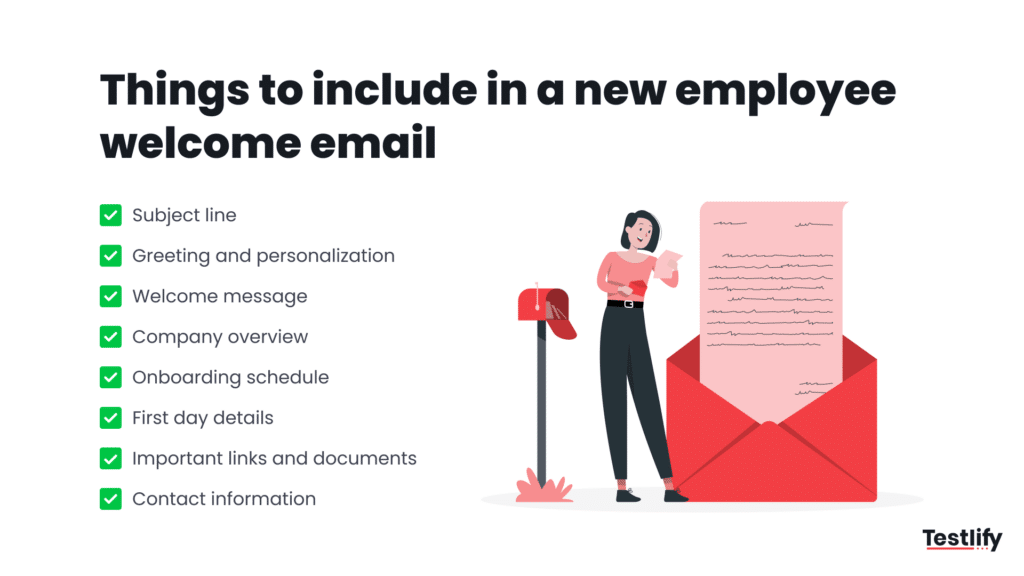
The table below maps each onboarding email type to its purpose, optimal send timing, and the role responsible for sending it.
Email Type | Purpose | Send Timing | Owner |
|---|---|---|---|
Offer acceptance confirmation | Confirm start logistics; reduce ghost risk | Within 24 hours of acceptance | HR / Recruiter |
Pre-boarding welcome | Warm first contact; set expectations | 1-2 weeks before start date | HR |
Compliance & paperwork | Forms, background check, I-9 | 10-14 days before start | HR |
IT & equipment setup | Login credentials, laptop shipping, tools | 5-7 days before start | IT / HR |
Manager intro email | Build personal connection before day one | 3-5 days before start | Hiring manager |
Team announcement | Introduce new hire to existing team | 2-3 days before start | Hiring manager |
Day-one welcome | Schedule, first meeting, where to go | Morning of day one | HR / Manager |
Week-one check-in | Identify blockers; reinforce support | End of week one (Friday) | Manager |
30-day milestone | Pulse check on role clarity and culture fit | Day 28-30 | HR / Manager |
60-day check-in | Performance alignment and blockers review | Day 58-60 | Manager |
90-day review | Formal feedback; transition from onboarding | Day 88-90 | HR + Manager |
Remote equipment confirmation | Confirm laptop/peripherals received and working | 2 days before start (remote only) | IT |
What is an onboarding email sequence?
An onboarding email sequence is a pre-planned series of messages sent to new employees across defined milestones from offer acceptance through the end of the probationary period. Unlike ad hoc communication, a sequence has a documented trigger for each email, a named sender, and a single measurable outcome per message.
The Testlify Onboarding Communication Framework structures the sequence into three phases, each with a distinct communication goal.
Phase 1 — Pre-boarding (Offer acceptance to day before start): Goal is to prevent drop-off and build psychological safety. Typical sequence: offer confirmation email (day 0) → compliance email (day 3) → IT and equipment email (day 7) → manager intro email (day 10) → team announcement email (day 12) → day-before reminder (day 13).
Phase 2 — Active onboarding (Day one through 30 days): Goal is to accelerate time-to-productivity. Typical sequence: day-one welcome (start date) → week-one check-in (Friday of week one) → tool and resource digest (week two) → 30-day milestone check-in.
Phase 3 — Integration (Days 31 through 90): Goal is to confirm role-fit and drive early retention. Typical sequence: 60-day performance alignment email → 90-day formal review email → offboarding-prevention email if risk signals appear.
According to LinkedIn’s Global Talent Trends research [EXTERNAL LINK: LinkedIn’s Global Talent Trends research], new hires who receive structured communication in their first 30 days are 58% more likely to remain with the organization after three years. The sequence is the infrastructure that makes structured communication possible at scale.
How many onboarding emails should organizations send?
Enterprise organizations should plan for a minimum of 10 to 12 onboarding emails per new hire across the full 90-day window. High-complexity roles with significant compliance requirements, remote or hybrid new hires, and senior leadership hires typically require 14 to 18 touchpoints.
The most common failure mode is front-loading communication in the pre-boarding phase and going silent after week one. Research from SHRM shows that new hires who receive fewer than 3 structured touchpoints in their first 30 days are 2.4x more likely to report feeling unsupported — directly correlating with the 17% voluntary turnover spike organizations see between days 45 and 75.
For teams using Testlify’s talent assessment platform [INTERNAL LINK: talent assessment platform], the role-fit data from pre-employment assessments can inform which onboarding emails to prioritize per hire — a candidate who scored high on independence traits may need fewer check-in emails, while one who flagged for team-collaboration development areas may benefit from additional manager touchpoints in weeks two and three.
Pro Tip: Set a rule that no new hire goes more than 7 calendar days without a touchpoint from either HR or their direct manager during the first 90 days. This single rule, enforced via your ATS automation, eliminates the most common cause of early attrition: the feeling of abandonment after the first week.
What are the 30 onboarding email templates HR teams should use?
The following 30 onboarding email templates cover every phase from offer acceptance through the 90-day review. Each template includes a subject line, send timing, owner, and full body copy ready for customization.
Phase 1: Pre-boarding email templates
Template 1: Offer acceptance confirmation
Subject line: Welcome to [Company Name] — next steps for [Start Date] Send timing: Within 24 hours of offer acceptance Owner: HR / Recruiter
Hi [First Name],
Your offer acceptance is confirmed. Here is what happens next.
Your start date is [Date] at [Time]. You will be joining the [Team Name] team, reporting to [Manager Name]. Over the next [X] days, [HR Name] will send you a short series of emails covering paperwork, IT setup, and your first-week schedule — nothing to act on today beyond saving those details.
If anything changes before your start date or you have questions, contact [HR Name] at [email] or [phone].
We will see you on [Date].
[HR Name] [Title], [Company Name]
Template 2: Pre-boarding compliance and paperwork email
Subject line: Action required: complete these forms before [Start Date] Send timing: 10-14 days before start date Owner: HR
Hi [First Name],
Before your first day, there are three items that need to be completed. Please action these by [Deadline Date, typically 3 days before start].
1. Employment paperwork: [Link to HRIS portal or DocuSign] — takes approximately 15 minutes. 2. Background check authorization: [Link] — you will receive a separate email from [provider name]. 3. Direct deposit and tax forms: [Link to payroll portal].
If you have any questions about these forms, contact [HR Name] at [email]. Nothing else is needed from you today.
[HR Name] [Company Name] People Team
Template 3: IT and equipment setup email
Subject line: Your laptop and accounts are being set up — details inside Send timing: 5-7 days before start date Owner: IT / HR
Hi [First Name],
Here is what to expect on the technology side before day one.
Equipment: [If on-site] Your laptop will be at your desk on your first morning. [If remote] Your laptop is shipping to [address on file] and will arrive by [date]. Please confirm receipt by replying to this email.
Accounts: Your [email / Slack / project management tool] credentials will be active from [date]. Your login will be [username format, e.g., firstname.lastname@company.com]. You will set your own password on first login.
Software you will use from day one: [List 3-5 core tools].
If anything is missing or incorrect, contact [IT Help Desk email] — not HR — for equipment issues.
[IT Name / HR Name] [Company Name]
Template 4: Manager introduction email
Subject line: A note from your manager before you start Send timing: 3-5 days before start date Owner: Hiring Manager (personal send, not automated)
Hi [First Name],
This is [Manager Name]. We are a few days away from you joining the team, and this felt like a good moment to say hello directly.
A bit about how the team operates: [2-3 sentences on team size, working style, current focus area]. Your role fits in because [one sentence on the specific gap this person fills].
Your first morning will be [brief schedule: time, who greets them, first meeting]. A 30-minute conversation is blocked on [Manager Name]’s calendar for [time] on your first day — no prep needed, just a chance to talk.
If anything comes up before [Start Date], reach out directly at [email].
[Manager Name] [Title]
Template 5: Team announcement email (manager to existing team)
Subject line: Introducing [First Name], joining us on [Start Date] Send timing: 2-3 days before new hire’s start date Owner: Hiring Manager
Team,
[First Name] [Last Name] is joining us on [Start Date] as [Job Title]. [First Name] is coming from [Previous Company / background in one sentence] and will be responsible for [2 specific areas of ownership].
To make the first week productive for [First Name] and the team: please accept the calendar invite for the team intro meeting on [Date/Time], and hold off on assigning [First Name] to cross-functional projects until week three — the first two weeks are structured around role fundamentals.
Questions about how to support [First Name]’s onboarding? Direct them to [Manager Name].
[Manager Name]
Template 6: Day-before reminder email
Subject line: See you tomorrow — your day-one schedule Send timing: Evening before start date Owner: HR
Hi [First Name],
Tomorrow is your first day. Here are the specifics.
Arrival time: [Time] Where to go: [Exact location / floor / virtual meeting link] Who to ask for: [Name, and their cell if applicable] What to bring: [ID for I-9 verification, if not completed] Dress code: [Casual / business casual / smart casual — be specific]
Your first meeting is at [Time] with [Name]. Nothing to prepare in advance.
See you in the morning.
[HR Name]
Phase 2: Active onboarding email templates (Day 1 through Day 30)
Template 7: Day-one welcome email
Subject line: Welcome to day one — everything you need is here Send timing: 8:00 AM on start date Owner: HR (automated send)
Hi [First Name],
Welcome to [Company Name]. Here is your complete day-one reference.
Today’s schedule: [Time] — [Activity, e.g., Meet HR for office tour / Join onboarding Zoom] [Time] — [Activity, e.g., IT setup session] [Time] — [Activity, e.g., Lunch with your manager] [Time] — [Activity, e.g., 1:1 with manager] [Time] — [Activity, e.g., Team intro meeting]
Resources you will need today: Employee handbook: [Link] Org chart: [Link] Benefits enrollment (deadline [Date]): [Link]
Your go-to contacts today: HR questions: [HR Name] at [email] IT issues: [IT contact] at [email / Slack handle] Office/building questions: [Office Manager name]
This email stays in your inbox — refer back to it any time today.
[HR Name]
Template 8: Benefits enrollment reminder email
Subject line: Benefits enrollment closes [Date] — action required Send timing: Day 3 of employment Owner: HR
Hi [First Name],
Benefits enrollment has a hard deadline of [Date] — changes after this date require a qualifying life event. Please complete enrollment at [portal link] before that date.
Available plans are listed in the benefits guide at [link]. The enrollment process takes approximately 20 minutes. If you have dependents to add or specific questions about plan coverage, [Benefits Contact Name] at [email] can walk you through the options during the standard 30-minute benefits orientation held every [Day] at [Time] — book a slot at [calendar link].
[HR Name]
Template 9: 30-day plan email from manager
Subject line: Your 30-day plan — what success looks like in your first month Send timing: End of day one or beginning of day two Owner: Hiring Manager
Hi [First Name],
Here is what the first 30 days look like from the manager’s side, so there are no surprises about expectations.
Days 1-7: Learn the team, tools, and current projects. No deliverables expected. Key meetings: [list 2-3]. Days 8-21: Take ownership of [specific task or project]. Produce [specific output, e.g., first draft of X / first client call / first code review]. Days 22-30: Complete [specific deliverable]. Share your observations on what could work better — this is genuinely wanted input, not a formality.
Our weekly 1:1 is [Day] at [Time] — that is the right place to raise blockers. No need to wait for the 30-day review if something is not working.
[Manager Name]
Template 10: Week-one check-in email
Subject line: Week one check-in — how is it going? Send timing: Friday afternoon of week one Owner: Manager (personal send)
Hi [First Name],
Week one is done. Three quick questions — please answer however briefly works for you, or we can cover this in Monday’s 1:1 if you prefer.
1. Is there anything you expected to have access to or know by now that you do not yet? 2. What is one thing that surprised you this week, positive or negative? 3. Is there anything that needs to be actioned before Monday?
No formal response required — even a one-word answer to each is useful.
[Manager Name]
Template 11: Tool and resource digest (week two)
Subject line: Resources for week two — links and contacts you will need Send timing: Monday of week two Owner: HR (automated)
Hi [First Name],
Week two brings a few new tools and resources into play. Everything you need is linked below — bookmark this email.
Learning and development: [LMS link] — your mandatory compliance training modules are due by [Date]. Performance tracking: [Performance tool link] — your manager will set your 30-day goals in here by [Date]. Internal communications: [Intranet / wiki link] — the team knowledge base, process documents, and org structure are here. Expense reporting: [Tool link + policy doc link]. Key Slack channels to join: [List 3-5 specific channel names].
Questions: [HR Name] at [email].
Template 12: 30-day milestone check-in email
Subject line: 30-day check-in — quick pulse on your first month Send timing: Day 28-30 Owner: HR
Hi [First Name],
You are 30 days in. [Company Name]’s People team sends a brief check-in at this point to every new hire — this is not a performance review, it is a signal check to make sure the experience is working.
Three questions — answers to [HR email] or the linked form [link]:
1. On a scale of 1-10, how clear is your understanding of what success looks like in your role over the next 60 days? 2. Is there anything HR can do differently to support your ramp-up? 3. What is the one thing you wish you had known on day one?
Responses are reviewed by [HR Name] and shared in aggregate with your manager — individual responses are not shared verbatim without your permission.
[HR Name] [Company Name] People Team
Phase 3: Remote and hybrid-specific onboarding email templates
Template 13: Remote equipment shipping confirmation
Subject line: Your equipment is on the way — tracking and setup guide Send timing: When equipment ships (typically 5-7 days before start) Owner: IT
Hi [First Name],
Your laptop and peripherals shipped today. Tracking number: [Number] via [Carrier]. Estimated delivery: [Date].
When your equipment arrives: do not power it on until you have read the setup guide at [link] — there is a specific enrollment sequence required before first use. The setup takes approximately 25 minutes.
If your equipment does not arrive by [Date, 2 days before start] or you encounter a setup issue, contact [IT Help email] immediately — do not wait until your start date.
[IT Name] IT Support, [Company Name]
Template 14: Remote day-one virtual orientation email
Subject line: Your virtual day-one schedule — links and access codes Send timing: Evening before start date (remote hires) Owner: HR
Hi [First Name],
Your day one starts virtually. Here is everything you need to join.
[Time] — HR Orientation: [Zoom/Teams link] | Meeting ID: [ID] | Passcode: [Code] [Time] — IT Setup Session: [Link] — have your laptop on and logged in before joining. [Time] — Manager 1:1: [Link] — calendar invite sent separately. [Time] — Team Virtual Lunch (optional): [Link] — informal, no agenda.
If you have any connectivity issues on the morning of your start date, contact [IT Name] at [phone number] — not email, as your accounts may not yet be active.
[HR Name]
Template 15: Async communication norms email (remote/hybrid)
Subject line: How [Team Name] communicates — norms to know in week one Send timing: Day 2-3 (remote/hybrid new hires only) Owner: Manager
Hi [First Name],
A note on how this team communicates, because every team has norms that are not written in the handbook.
Slack: Use for anything that does not need a record and can wait 2-4 hours. Response expectation: within the same working day. Email: Use for anything that needs a paper trail or involves stakeholders outside the team. Response expectation: within 24 hours. Meetings: We default to async unless a real-time decision is needed. If you receive a meeting invite without an agenda, it is fine to ask for one before accepting. Out-of-hours messages: There is no expectation to respond outside of your contracted hours. Do-Not-Disturb settings are encouraged.
Questions about team norms belong in the weekly 1:1, not Slack — that is the right place for them.
[Manager Name]
Template 16: Remote culture and connection email
Subject line: Ways to connect with the team beyond your daily work Send timing: End of week two (remote/hybrid hires) Owner: HR
Hi [First Name],
Two weeks in, and the formal onboarding schedule is winding down. Here are the optional culture and connection channels that remote employees at [Company Name] use most.
#random on Slack — informal conversation, not work-related. Monthly all-hands: [Date format, e.g., last Thursday of each month] — agenda sent 48 hours in advance. Quarterly in-person meetup: [Location + next date] — travel covered by [Company Name]. Buddy system: You have been matched with [Buddy Name] — they have agreed to take one informal 20-minute call in your first month. Their contact: [email/Slack].
None of these are mandatory. All of them are used by remote employees who report feeling most connected to the team.
[HR Name]
Phase 4: Milestone check-in email templates (60 and 90 days)
Template 17: 60-day performance alignment email (manager)
Subject line: 60-day alignment — where we are and what comes next Send timing: Day 58-60 Owner: Manager
Hi [First Name],
Sixty days is a useful checkpoint. Before the scheduled 60-day review on [Date/Time], here is what the agenda will cover so preparation is possible — though no prep is required.
What has gone well: [Manager to note 2-3 specific wins before sending — not left blank]. Areas to develop: [1-2 specific skill or knowledge areas relevant to the role — not generic]. Updated 30-day priorities: [What the next 30 days should focus on].
This review does not feed into compensation decisions at this stage — it is a calibration conversation. Bring any questions about role scope, team dynamics, or growth paths.
[Manager Name]
Template 18: 60-day HR check-in email
Subject line: 60-day check-in from HR — 3 questions Send timing: Day 60 Owner: HR
Hi [First Name],
You are 60 days into your role. The People team checks in at this point to get a read on experience quality — separate from your manager’s 60-day review.
1. How clear is your understanding of how your role contributes to company goals? (1-10) 2. Have you had the access, tools, and resources you needed to do your job in the past 30 days? (Yes / Partially / No — with details if relevant) 3. Is there anything the People team should know that is not being addressed through your manager?
Responses go only to [HR Name] and are not shared with your manager without permission.
[HR Name]
Template 19: 90-day formal review preparation email
Subject line: Your 90-day review is on [Date] — here is how to prepare Send timing: Day 85-87 Owner: HR
Hi [First Name],
Your 90-day performance review is scheduled for [Date] at [Time] with [Manager Name] and [HR Name]. This review marks the formal end of the onboarding period and the transition to the standard performance cycle.
What to prepare (30-45 minutes total): 1. A brief summary (bullet points are fine) of your key accomplishments in the first 90 days. 2. One to three areas where you want more clarity, resources, or development support. 3. Your own assessment of how well the role matches the expectations set during hiring.
The self-assessment form is at [link] — complete and submit it by [Date, 2 days before review]. Your manager will review it before the meeting.
[HR Name]
Template 20: 90-day transition email (end of onboarding)
Subject line: Your onboarding is complete — what changes now Send timing: Day 90-91 Owner: HR
Hi [First Name],
You have completed the formal onboarding program. Here is what changes from today.
Performance cycle: You are now on the standard [quarterly/semi-annual] review cycle. Your first formal review is scheduled for [Date]. Goals: Your manager will set updated goals in [performance tool] by [Date]. HR support: [HR Name] remains your HR contact. One-on-one availability is by appointment at [scheduling link]. Development: Your learning and development budget for this fiscal year is [amount / policy link].
The onboarding team would appreciate 5 minutes of feedback on your experience — [survey link]. Responses directly shape the program for future hires.
[HR Name] [Company Name] People Team
Additional templates: Role-specific and situational onboarding emails
Template 21: Senior / leadership hire introduction email
Subject line: Introducing [First Name] [Last Name] — [Title], joining [Date] Send timing: 1 week before start date (to broader company or department) Owner: CEO / CHRO / Hiring Executive
Team,
[First Name] [Last Name] joins [Company Name] on [Date] as [Title]. [He/She/They] will be responsible for [specific scope — be precise, not vague].
[First Name] brings [X years] of experience in [specific domain], most recently at [Previous Company] where [specific, quantified achievement]. [He/She/They] was selected because [one sentence on what gap this hire addresses strategically].
[First Name] will meet with each department lead in [his/her/their] first two weeks. Scheduling is being handled by [EA/HR Name] — expect an invite if your team intersects with [First Name]’s scope.
[Sender Name, Title]
Template 22: Onboarding buddy assignment email
Subject line: You have been assigned as [First Name]’s onboarding buddy Send timing: 5-7 days before new hire’s start date Owner: HR
Hi [Buddy Name],
[New Hire First Name] [Last Name] joins the team on [Date] as [Title]. You have been selected as their onboarding buddy for the first 30 days.
What this involves: – One 20-30 minute informal call in week one (you schedule, they confirm). – Available on Slack for informal questions about team culture, tools, and norms — not for role-specific questions, which go to the manager. – Optional: a casual lunch or virtual coffee in week two.
The time commitment is approximately 2-3 hours across the full month. The buddy program resource guide is at [link]. If you have any issues with this assignment, contact [HR Name] by [Date].
[HR Name]
Template 23: Compliance training completion reminder
Subject line: Reminder: [X] compliance modules due by [Date] Send timing: 3 days before compliance deadline (typically day 12-14) Owner: HR (automated)
Hi [First Name],
You have [X] mandatory compliance training modules due by [Date]. Incomplete modules on the deadline date are flagged to your manager and HR as a compliance risk.
Remaining modules: [List titles] Estimated time to complete: [X minutes total] Access: [LMS link]
If you have already completed these and see this message in error, contact [HR Name] — the system may have a sync delay.
Template 24: Internal transfer / role-change onboarding email
Subject line: [First Name]’s transition to [New Role] — what the team needs to know Send timing: 1-2 days before internal transfer takes effect Owner: New Hiring Manager
Team,
[First Name] moves into [New Role/Team] effective [Date]. [He/She/They] will no longer be handling [previous responsibilities] — those are being transitioned to [Name/TBD] by [Date].
For the [New Team]: [First Name]’s onboarding to this team follows the standard new-to-role protocol. The same week-one schedule applies — please do not assign cross-functional projects until [First Name] has completed the first two weeks of role orientation.
Questions about the transition: [HR Name] at [email].
Template 25: Probation period completion email
Subject line: Probation period complete — confirmation and next steps Send timing: On or just after probation end date Owner: HR
Hi [First Name],
Your probation period of [X months] ends on [Date]. Based on the review completed on [Date] with [Manager Name], your employment continues under the terms of your original contract with no changes.
From [Date], you move onto the standard performance and development cycle. Your first formal review outside of probation is [Date]. Development budget access opens on [Date] — see details in the employee handbook at [link].
A signed copy of this confirmation has been added to your HR file. Contact [HR Name] with any questions.
[HR Name] [Company Name] People Team
Templates 26-30: Quick-reference onboarding email templates
The following five templates address high-frequency situational needs that standard onboarding sequences do not cover.
Template 26 — Delayed start date notification: Subject: Your start date has changed — updated details. Send when: any start-date change. Owner: HR. Body: state the new date clearly in sentence one, explain why in one sentence (if shareable), confirm all prior logistics remain unchanged except the date, and provide a named contact for questions.
Template 27 — Background check delay notification: Subject: Background check update — no action needed from you. Send when: background check extends beyond expected window. Owner: HR. Body: confirm the delay is on the vendor side, state that start date is unaffected (or flag if it is), and set a date for the next update.
Template 28 — Re-engagement email for offer ghosting risk: Subject: Checking in before your start date — quick question. Send when: no response to any pre-boarding email within 5 business days. Owner: Recruiter. Body: direct and warm, confirm start date is still [Date], ask for a one-word reply to confirm, and provide an easy opt-out if circumstances have changed.
Template 29 — Assessment completion email (skills-based hiring workflows): Subject: Your pre-start skills assessment — link and timing. Send when: role uses pre-employment testing [INTERNAL LINK: pre-employment testing] in the onboarding process. Owner: HR. Body: confirm this is a role-development tool, not a re-evaluation; link to the assessment; state the time commitment (Testlify assessments average 30 minutes); and confirm results go only to the development team, not hiring records.
Template 30 — Onboarding feedback request: Subject: 5-minute survey — help improve onboarding for the next hire. Send when: day 91-95. Owner: HR. Body: be specific that this takes 5 minutes, link directly to the survey, confirm anonymity, and explain what changes were made based on previous responses — this is the single element that most increases response rates.
How do organizations write effective onboarding emails?
Effective onboarding emails follow four principles: single-action design, named ownership, consistent timing, and explicit purpose. Each email should do exactly one thing. If an email asks a new hire to complete paperwork, schedule a meeting, and review a policy simultaneously, the response rate drops and completion rates for each task fall.
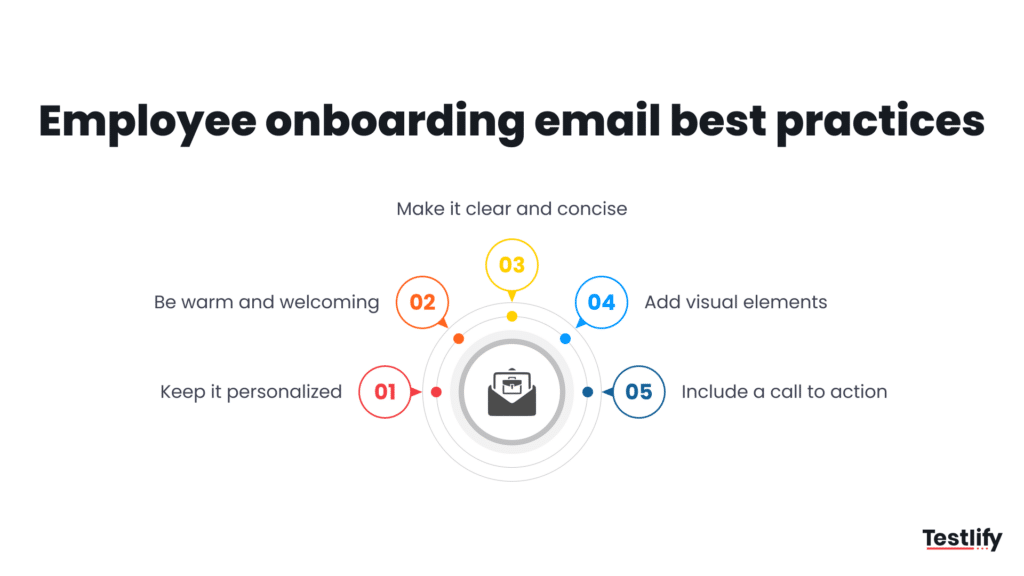
Named ownership matters for two reasons. First, emails with a named human sender see 26% higher open rates than those sent from generic inboxes like hr@company.com or noreply@company.com. Second, named ownership creates accountability — if the email does not send, there is a specific person responsible.
The subject line is the highest-leverage element of any onboarding email. Subject lines that include the new hire’s first name, the start date, or a specific action (“Action required”, “Your schedule for [Date]”) consistently outperform generic greetings. Keep subject lines under 60 characters to avoid truncation on mobile, where 54% of all HR-related emails are first opened according to LinkedIn Talent research [EXTERNAL LINK: LinkedIn Talent research].
For organizations using skills-based hiring [INTERNAL LINK: skills-based hiring], onboarding emails can be personalized at scale using assessment data from Testlify’s platform. If a candidate scored in the top quartile on analytical reasoning but the bottom quartile on stakeholder communication, the week-two tool digest can prioritize the communication resources. This is the type of data-driven personalization that generic ATS-generated onboarding sequences cannot replicate without a structured assessment layer.
What are the onboarding email best practices that reduce early attrition?
The five practices with the strongest correlation to 90-day retention are: pre-boarding communication within 48 hours of acceptance, a manager-authored personal introduction before day one, a named onboarding buddy assigned in week one, at least one HR touchpoint between day 30 and day 45, and a formal 90-day review with written outputs.
Organizations that implement all five see measurably different outcomes. SHRM 2026 research [EXTERNAL LINK: SHRM 2026 research] shows that new hires who feel supported in the first 90 days are 3.4x more likely to describe themselves as engaged at the 12-month mark. Given that the average cost of replacing a mid-level hire is 50-150% of annual salary, the ROI on a structured email sequence — which costs close to zero to build and automate — is disproportionately high.
Three practices that most onboarding email guides do not cover, but that high-performing enterprise HR teams use:
- Segment by role complexity: An individual contributor in a well-defined function needs a 10-email sequence. A senior leader joining at the VP level needs 16-20 touchpoints, including stakeholder introduction emails sent by the CHRO or CEO, skip-level meeting invitations, and board-level communications where relevant.
- Build in explicit permission to escalate: Every check-in email should contain a clear statement that the new hire can escalate past their manager directly to HR without consequence. This surfaces problems that manager-only check-ins routinely miss — particularly in the first 60 days when the manager relationship itself is being calibrated.
- Track email open and click rates in your ATS: If a new hire does not open the compliance email, that is not a communication problem — it is a risk event. ATS platforms that integrate with email tracking (Testlify connects with 100+ ATS platforms) can flag non-engagement as an early attrition signal before the new hire has even started.
Key Takeaway: The highest-impact change most organizations can make to their onboarding email program is not writing better templates — it is extending the sequence past day 30. Eighty-three percent of organizations stop structured onboarding communication in the first two weeks. The 60-day and 90-day check-in emails are the most neglected and highest-ROI messages in the entire sequence.
How does the Testlify Onboarding Communication Framework integrate with assessment data?
The Testlify Onboarding Communication Framework is a three-phase communication model that maps pre-employment assessment data to onboarding email personalization. Rather than sending identical sequences to every hire, the framework uses role-fit scores, skill gap indicators, and behavioral assessment outputs to adjust the content, timing, and sender of specific emails within the standard sequence.
In Phase 1 (pre-boarding), the framework uses the candidate’s behavioral assessment [INTERNAL LINK: behavioral assessment] results to inform the manager introduction email tone. A candidate who scored high on autonomy preferences receives a manager intro that emphasizes independent decision-making and minimal micromanagement. A candidate who scored high on collaboration preferences receives a manager intro that highlights team rituals and shared ownership models.
In Phase 2 (active onboarding), the framework uses skill gap data from Testlify’s 3,500+ test library to identify which development resources to feature in the week-two tool digest. If the pre-employment assessment flagged a gap in data analysis for a product management hire, the digest includes the internal analytics training modules and the relevant Tableau or SQL resources — not a generic list of everything available.
In Phase 3 (integration), the 60-day and 90-day check-in emails reference the original role-fit score from the assessment, allowing managers to frame performance conversations against an objective baseline rather than subjective impressions. This reduces the recency bias that dominates most 90-day reviews and gives both the manager and the new hire a shared, data-grounded reference point.
The framework is operational across Testlify’s 100+ ATS integrations, meaning the assessment-to-email pipeline can be automated without manual data transfer. For enterprise hiring teams running 50+ hires per quarter, this level of personalization at scale requires exactly this kind of assessment infrastructure — not manual customization of each email sequence.
Organizations using Testlify report a 55% decrease in time to hire and a 6x improvement in recruiter efficiency — and the onboarding communication layer is one of the reasons new hires onboarded through skills-based hiring processes show faster ramp-up times. When the role-fit data is strong and communicated clearly through the onboarding sequence, new hires arrive with a more accurate understanding of the role, reducing the expectation gap that drives early attrition.
How do you welcome a new hire via email?
Welcoming a new hire via email effectively requires three things: a warm but direct subject line that names the new hire or the start date, an opening sentence that confirms the key logistic (“Your start date is confirmed: [Date] at [Time]”), and a human-authored element that cannot be replicated by an automated system — specifically, one sentence from the manager that explains why this particular person was hired for this particular role.
That last element is the most important and most often skipped. Generic welcome emails that could have been sent to any new hire signal to the recipient that the organization has not thought carefully about who they are or why they are there. The most effective welcome emails are personalized to the point where they could not have been written for anyone else on the planet — and the mechanism for doing that at scale is assessment data, not manual effort.
For teams conducting structured candidate experience [INTERNAL LINK: candidate experience] journeys, the welcome email is the first post-assessment touchpoint. The best organizations use this moment to close the loop on the assessment experience: acknowledge that the candidate completed the process, confirm that the data was used in the hiring decision, and signal that the same data will be used to support their development in the role. This creates continuity between the assessment phase and the onboarding phase — and it is one of the reasons Testlify reports a 94% candidate satisfaction score across 1,500+ global hiring teams.
What should HR send to a new employee before their first day?
Before the first day, HR should send a minimum of four emails: offer confirmation (within 24 hours of acceptance), compliance and paperwork (10-14 days before start), IT and equipment setup (5-7 days before start), and a day-before logistics reminder. Remote and hybrid new hires require two additional emails: equipment shipping confirmation and virtual day-one access details.
Beyond logistics, the pre-boarding period is the highest-risk window for offer ghosting and counter-offer acceptance. According to research cited by Harvard Business Review [EXTERNAL LINK: Harvard Business Review], approximately 22% of new hires experience some form of doubt about their decision between offer acceptance and start date. Structured pre-boarding communication — specifically, a personal message from the hiring manager rather than HR alone — reduces this risk more than any other single intervention.
The pre-boarding sequence should also set the tone for the type of organization the new hire is joining. Bureaucratic, impersonal, error-ridden pre-boarding communication correlates strongly with lower 90-day engagement scores. High-performing HR teams treat the pre-boarding email sequence as a brand experience, not an administrative checklist.
Frequently asked questions about onboarding email templates

Content Writer
Yashika Khandelwal is a Content Writer with 3+ years of experience creating research-backed content on hiring, talent assessment, and HR technology. She is a registered Organizational Psychologist and subject matter expert who combines behavioral science with practical recruitment insights to produce accurate, evidence-based content.
LinkedInRelated resources
View all
HR & recruitment
How long should the hiring process take?

HR & recruitment
10 free job offer email templates

HR & recruitment
How Dedicated Development Teams Improve Project Delivery and Efficiency

HR & recruitment
The Science of Persuasive Communication: Why HR Leaders Should Master Academic Writing

HR & recruitment
5 Tips for Organizing the Perfect Workation for Your Team

HR & recruitment
University partnerships: a 2026 hiring playbook for employers
Get started.
Hire on proof, not resumes.
Run your first skills-based assessment free — no credit card required.