
What is workforce analytics? Types, benefits, implementation
Hiring the wrong people, losing top talent, or not knowing who’s underperforming, these problems cost time and money. Workforce analytics helps you spot these issues early, so you can act before they hurt your business.
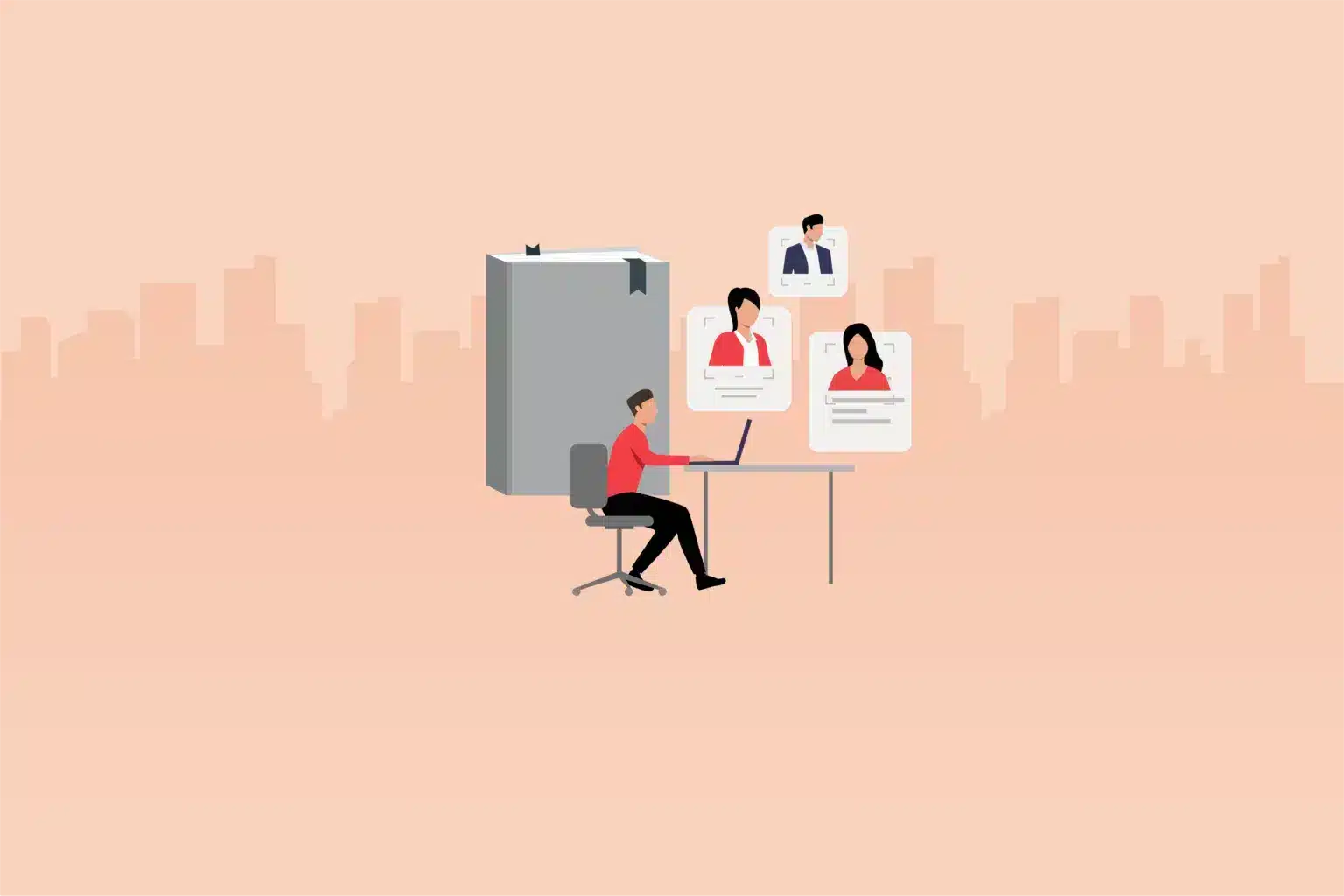
HR leaders are flying blind without data.
According to Gartner, only 21% of HR leaders believe their organizations are effectively using talent data to shape workforce strategies. That’s a significant risk, where hiring mistakes, rising attrition, or misaligned skill sets can result in substantial costs.
This is where workforce analytics steps in. By transforming raw HR data into actionable insights, organizations can make more informed decisions about hiring, engagement, productivity, and retention, all backed by data rather than guesswork. Learn everything about it.
 ChatGPT
 Gemini
 Claude
 Grok
Grok Perplexity
What is workforce analytics?
Workforce analytics in HR refers to gathering HR data, interpreting its meaning in the context of business goals, and utilizing it to enhance decision-making and operational effectiveness. This process is usually resource-intensive and time-consuming.
It helps HR and business leaders understand workforce trends, patterns, and behaviors, thereby improving workforce management.
By collecting and implementing employee feedback through surveys, organizations can gain a deeper understanding of job satisfaction and identify areas for improvement or strengths to highlight during the hiring process.
This knowledge enables managers to motivate their teams and enhance productivity. Workforce analytics also uncovers the reasons behind performance issues, enabling companies to address them effectively.

Types of workforce analytics
Workforce analytics can be divided into several types, each designed to analyze employee-related data. The four main types of workforce analytics are descriptive, diagnostic, predictive, and prescriptive.
Descriptive analytics: This type of analytics summarizes historical data to help understand past events within the workforce. It offers insights into trends and patterns by examining employee turnover rates, attendance, and performance scores.
Diagnostic analytics: This type aims to explain why certain trends or outcomes have occurred. It involves a deeper analysis to identify the root causes of issues, such as high turnover rates or low employee engagement.
Predictive analytics: This type employs statistical models and machine learning techniques to forecast future workforce trends and behaviors. For example, it can predict which employees may be at risk of leaving the organization or estimate future hiring needs based on current data.
Prescriptive analytics: Prescriptive analytics recommend actions based on insights from descriptive, diagnostic, and predictive analytics. It enables organizations to make informed decisions about workforce management, such as optimizing staffing levels or enhancing employee training programs.
What are the benefits of workforce analytics?
Workforce and HR planning helps business leaders refine their hiring strategies and retain top talent by analyzing employee data.
Make faster, smarter decisions
By utilizing both internal and external data, employers can anticipate future trends and promptly take action to mitigate potential risks.
Hire the right talent and keep them engaged
Advanced analytics enable HR teams to understand which type of talent best fits each role. It also provides insights to keep employees motivated and aligned with the company’s goals.
Boost productivity
Real-time, centralized workforce metrics provide employers with a clear view of performance, enabling them to make prompt adjustments to enhance output.
Cut down on costs
Access to industry and location-specific benchmarks helps companies offer competitive salaries. Once hired, analytics can track schedules and reduce unnecessary overtime expenses.
Strengthen data security
Cloud-based workforce analytics platforms provide secure and flexible systems that safeguard sensitive employee data and mitigate security risks.
Challenges of workforce analytics
Companies that continue to use spreadsheets, manual tools, and legacy technologies to analyze workforce metrics may struggle to access and interpret the data effectively.
Additionally, external data, such as industry benchmarks and surveys, may not be easily integrated and can become outdated, rendering them useless. However, a cloud-based automated solution offering real-time insights helps overcome such challenges.
There are numerous other challenges associated with workforce planning and analytics, some of which are:
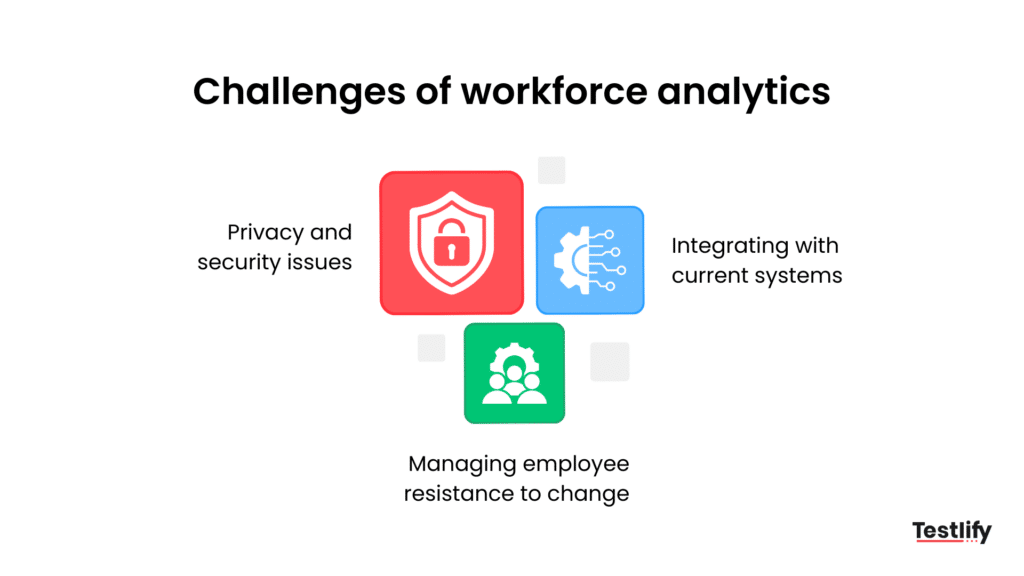
Privacy and security issues
The primary concern with workforce analytics is ensuring the security of the data collected from employees. Companies must consider security protocols and regulatory compliance to protect and prevent unauthorized access to data.
What to do?
Data protection laws and regulations encompass GDPR and CCPA, along with measures such as data encryption, user authentication, access rights, and security checks.
Integrating with current systems
Implementing workforce metrics and analytics requires customizing and connecting them with current human resource management systems, payroll solutions, and other enterprise applications. This integration is crucial to ensure that data is collected and analyzed accurately.
What to do?
It’s essential to consider how it will integrate with existing applications, any available APIs, data transfer challenges, and the need for system customization.
Managing employee resistance to change
Another major issue is the lack of organizational commitment and employee buy-in. Some employees may resist the initiative, viewing it as constant monitoring or doubting its effectiveness. To ensure acceptance, it’s essential to use strategic practices that facilitate change.
What to do?
It’s essential to communicate the benefits, involve staff in the change process, provide necessary training and support, address privacy concerns, and promote a positive corporate culture.
Workforce analytics software and tools
Organizations looking to adopt workforce or HR analytics solutions typically face two main options: build or buy. The right choice depends on internal capabilities, business goals, and the complexity of data needs.
Build
Creating a custom workforce analytics solution involves developing everything in-house, including data models, dashboards, integration pipelines, and security frameworks. This option is resource-intensive and demands a skilled IT and data engineering team.
When it makes sense:
- If your organization already has custom-built HR systems that don’t integrate well with off-the-shelf tools.
- If you have highly specialized reporting needs that aren’t supported by commercial platforms.
- If data privacy and security regulations require on-premise control (e.g., in finance or government sectors).
Risks and limitations:
- High upfront costs and long development timelines.
- Ongoing maintenance burden on IT.
- Potential for slower updates and innovation compared to SaaS tools.
Buy
Purchasing a workforce analytics solution from a vendor is the go-to choice for most organizations. These platforms typically come with pre-built dashboards, predictive models, and seamless integration with core Human Capital Management (HCM) systems like payroll, ATS, performance management, and more.
Benefits:
- Faster implementation with minimal internal lift.
- Continuous feature updates and vendor support.
- Built-in compliance, security features, and scalability.
- Easy integration with third-party platforms like SAP SuccessFactors, Workday, BambooHR, etc.
Key considerations when buying:
- Ensure the tool supports your data sources and provides customizable reporting options.
- Look for predictive analytics and benchmarking capabilities.
- Assess vendor transparency on data handling, especially if it’s a cloud-based platform.
Bottom line: If your needs are standard and you want speed, scalability, and reliable support, buying a workforce analytics solution is the pragmatic route. But if you’re operating in a complex data environment or have very specific analytical use cases, building may be worth the investment.
Examples of workforce analytics
Predictive attrition modeling
HR teams use historical data (like tenure, engagement scores, and promotion history) to identify which employees are at high risk of leaving. This helps in planning retention strategies and reducing unplanned turnover.
Time-to-hire analysis
By tracking data across various hiring stages, such as sourcing, screening, and interviewing, recruiters can pinpoint bottlenecks in the recruitment pipeline. This improves time-to-hire metrics and optimizes the talent acquisition process.
Skills gap assessment
Workforce analytics tools analyze employee skill profiles against current and future role requirements. This helps L&D (Learning & Development) teams identify gaps and create targeted upskilling programs aligned with business goals.
Try platforms like Testlify to identify the skills gap in your organization.
How to implement workforce analytics?
Implementing any new process successfully relies heavily on employee adoption. Here are a few key strategies to help integrate workforce analytics in a way that makes employees feel comfortable and supportive of the process, fostering long-term growth.
Understand company goals
Workforce analytics will only succeed if it aligns with the company’s goals. Hence, it’s important to clearly understand your company’s long-term and short-term goals, the skills required to achieve those objectives, etc.
Transparent to employees
Discuss workforce analytics goals with your employees, explaining how these insights will support company objectives. Clearly outline what the analytics will and won’t be used for, especially regarding privacy.
Employees need assurance that their privacy is a priority, so it’s crucial to demonstrate how the system protects it. Building trust and transparency is key to a positive workplace culture; your analytics should reflect these values.
Identify and define key performance indicators (KPIs)
Identify the key performance indicators and areas for measurement and improvement using workforce analytics. For example, you might aim to reduce hiring time by one week or raise employee retention to 90%. Ensure your KPIs are specific and time-bound, like quarterly or annual targets.
Communicate clearly
Start communication early and maintain consistency across all levels of the organization. Begin by outlining specific goals and plans for workforce analytics with business leaders.
Next, managers should be included in the process, as they will use the system the most and will likely answer questions from their teams.
Finally, all employees should be involved by clearly explaining objectives and offering opportunities for questions. Interactive formats, such as town halls or forums, can help address concerns and maintain an open dialogue, even after rollout, to foster a culture of trust and feedback.
Promote collaboration
Share the analytics data widely to support collaborative goal-setting among teams and individuals. By encouraging employees to analyze their data, you help them understand how their roles contribute uniquely to success.
This prevents misunderstandings—what defines a salesperson’s productivity may differ from an engineer’s. Involving employees, managers, and decision-makers in setting benchmarks ensures the data is relevant and meaningful for everyone involved.
Is workforce analytics and HR analytics the same?
People analytics, talent analytics, workforce analytics, and HR analytics are often used interchangeably; however, they refer to distinct concepts.
Workforce analytics concerns the entire workforce as a system. Analyzing the broader data helps understand how employees work within the organization. Meanwhile, HR analytics is specific to the HR department and involves metrics related to HR functions.
Who uses workforce analytics?
Workforce analytics is helpful for staff, executives, and managers. Let’s see how.
Staff
Employees use an analytics workforce to self-motivate and reduce the chances of burnout. Such analytics help employees minimize distractions and improve focus, ensuring a better work-life balance.
Managers
Managers use workforce dashboards and reports to check the performance of their employees. It helps answer questions like
- Do people need more resources or training?
- Are work activities aligned with roles and responsibilities?
Workforce analytics provides managers with the visibility and insights needed to be more effective coaches, fostering a culture of continuous improvement.
Executives
Executives use workforce analytics to make strategic decisions that improve organizational performance. They gain insights into workforce trends, such as turnover rates and skill gaps, which help them plan for future staffing needs. Analytics also allows them to assess current policies and identify areas for improvement.
What metrics are essential to track for workforce analytics?
Key metrics for workforce analytics focus on tracking employee performance, engagement, and overall efficiency to support strategic workforce planning and management. Here are some essential metrics to consider:
Employee turnover: Tracks the rate at which employees leave the company, helping identify retention issues and improve retention strategies.
Time to hire: Measures the duration taken to fill a position, highlighting efficiency in the recruitment process.
Employee engagement: Assessed through surveys and feedback, this measure evaluates the level of commitment among employees, which in turn impacts productivity and retention.
Absenteeism rate: Monitors the frequency of unplanned absences, indicating satisfaction levels and potential engagement or health issues.
Training effectiveness: Evaluate the success of training programs by tracking skill development and application in roles.
Diversity and inclusion metrics: Analyze the diversity in hiring, retention, and promotions, supporting a balanced, inclusive workforce.
Productivity per employee: This measure assesses individual or team productivity, often linked to goal completion or output, to evaluate workforce efficiency.
Cost per hire: Calculates the total cost invested in recruiting, helping refine the hiring budget and resources.
Employee net promoter score (eNPS): Measures employee satisfaction and the likelihood of recommending the company as a good workplace.
What to look for in a workforce analytics platform?
The best workforce analytics platform should be reliable and able to track multiple metrics, such as the number of hours staff work, which software they use most, and how long they are productive, among others. It should also enable easy connection with multiple data sources for seamless insight generation.
The ideal workforce analytics software should also prioritize privacy and security heavily. This means that information related to one employee must be available only to that particular employee. Managers and executives can then use aggregated, anonymized data to inform their business decisions.
Frequently asked questions (FAQs)

Related resources
View allHR & recruitment
Recruitment vs Executive Search: 7 Key Differences (2026 Guide)

HR & recruitment
What is recruitment process outsourcing and how much does it cost?

HR & recruitment
Recruitment sources: Types, advantages and disadvantages

HR & recruitment
How to improve recruitment diversity: enterprise HR guide

HR & recruitment
The cost of a bad hire in the age of AI: What every company should know
HR & recruitment
AI and job applicants: how AI is changing hiring on both sides
Get started.
Hire on proof, not resumes.
Run your first skills-based assessment free — no credit card required.