
Best technical assessment tools in 2027: 10 platforms compared
Ten technical assessment tools compared on tests, AI interviews, proctoring, ATS fit and pricing, with a checklist and a pilot plan.

Technical assessment tools are platforms that test a candidate's job skills, such as coding, debugging, data work or system knowledge, before an interview, then score the results so hiring teams can compare people on proof instead of resumes. The best ones now also run AI interviews, catch AI-assisted cheating and sync scores to your ATS.
This comparison ranks 10 platforms on the points that decide a purchase: test types, AI interviews, proctoring, integrations, reporting and pricing.
TL;DR:
- Testlify is the best all-round pick for teams that hire for tech and non-tech roles: 3,500+ tests, coding and live coding, Video AI and Chat AI interviews, and 20+ proctoring checks in one platform.
- Codility and Coderbyte suit teams that hire only engineers and want a coding-first IDE, code playback and AI-enabled coding tasks.
- Mercer Mettl, iMocha and HireVue suit large enterprises that need live proctoring, skills intelligence or high-volume video interviews, but none publishes its prices.
- TestDome is the cheapest way to start: prepaid packs from $20 per candidate down to $7, with no subscription.
- In 2027, integrity matters as much as the test library. Gartner expects 1 in 4 candidate profiles worldwide could be fake by 2028, so check AI-use detection and identity checks.
- Pick by role mix first, then run a two-week pilot on one live role before you sign.
 ChatGPT
 Gemini
 Claude
 Grok
 Perplexity
What are technical assessment tools?
Technical assessment tools are software that measure whether a candidate can do the technical work a role needs, using timed coding challenges, multiple-choice knowledge tests, take-home projects, simulations and live coding interviews. Each answer is scored against the same criteria, so a hiring team can shortlist on skill rather than on a resume or a gut feel.
Most platforms mix four assessment methods. Pick the method by the work the person will do every day:
Method | What it tests | Best for | Watch out for |
|---|---|---|---|
Coding challenges | Writing correct, efficient code against test cases in a set time | Software developers, engineers | Puzzle-style tasks that do not match the job |
Multiple-choice questions | Concepts and domain knowledge | Data, IT, QA, cloud and support roles | Weak at testing problem solving or real coding |
Project-based tasks | Applying skills to a real or simulated project | Web, mobile, data and database roles | Long tasks raise drop-off; keep them under 2 hours |
Live coding interviews | Problem solving and communication in real time with an evaluator | Senior engineers, DevOps, tech leads | Interviewer time and scheduling |
Skills evidence is now the core of tech hiring. LinkedIn's Future of Recruiting 2025 found that 93% of talent acquisition professionals say accurately assessing a candidate's skills is crucial for improving quality of hire. For the basics of the practice itself, read what technical assessments are and why they matter.

How do the best technical assessment tools compare?
The best technical assessment tools differ most on three points: whether they cover non-technical roles too, whether they run AI interviews, and how deep their proctoring goes. The table below compares all 10 at a glance, with each vendor's pricing model as published on November 10, 2026.
Tool | Best for | Coding and tech tests | AI interviews | Proctoring depth | Pricing model |
|---|---|---|---|---|---|
Testlify | Tech and non-tech hiring in one platform | 3,500+ tests, coding IDE, live coding | Video AI, Voice AI, Chat AI | 20+ checks incl. AI-assistance detection | Credits-based pricing model, plans start from 89/month |
Adaface | Chat-style screening | 500+ ready-made assessments | Chatbot-led assessments | Standard | Annual credit plans from $180/yr |
Vervoe | Job simulations with AI grading | Simulations, custom tasks | Chat and voice screening | Gen AI detection | On request |
Mercer Mettl | High-stakes enterprise testing | Coding, aptitude, psychometric | Not listed | AI and human proctoring | Quote only |
iMocha | Skills intelligence across hiring and upskilling | 10,000+ assessments | AI interviews | Listed, details on request | Quote only |
HireVue | Enterprise video interviewing | Assessments incl. game-based | AI Interviewer (voice) | Fraud mitigation add-on | Quote only |
TestDome | Small teams, pay per candidate | 130+ skills | No | Webcam, screen, lockdown browser | $20 to $7 per candidate |
TestGorilla | Ready-made test library | 350+ skills tests | AI interviews on Plus | Webcam snapshots, ID check on Plus | Free plan, paid from $215/mo |
Codility | Engineering-only teams | Coding tasks, AI on or off | No | Video and ID checks on Enterprise | From $4,800/yr |
Coderbyte | Startups and mid-market dev hiring | 10,000+ questions, take-homes | AI phone screens | Webcam, deepfake detection | From $99/mo |
Testlify stands out on breadth: it pairs a large coding and role-test library with video, voice and chat AI interviews and 20+ proctoring checks, on self-serve plans with a free trial.
10 best technical assessment tools in 2027
The 10 best technical assessment tools in 2027 are Testlify, Adaface, Vervoe, Mercer Mettl, iMocha, HireVue, TestDome, TestGorilla, Codility and Coderbyte. Each profile below covers who the tool suits, its key features, where it falls short and how it prices. Competitor facts come from each vendor's own pages, checked on November 10, 2026.
Testlify
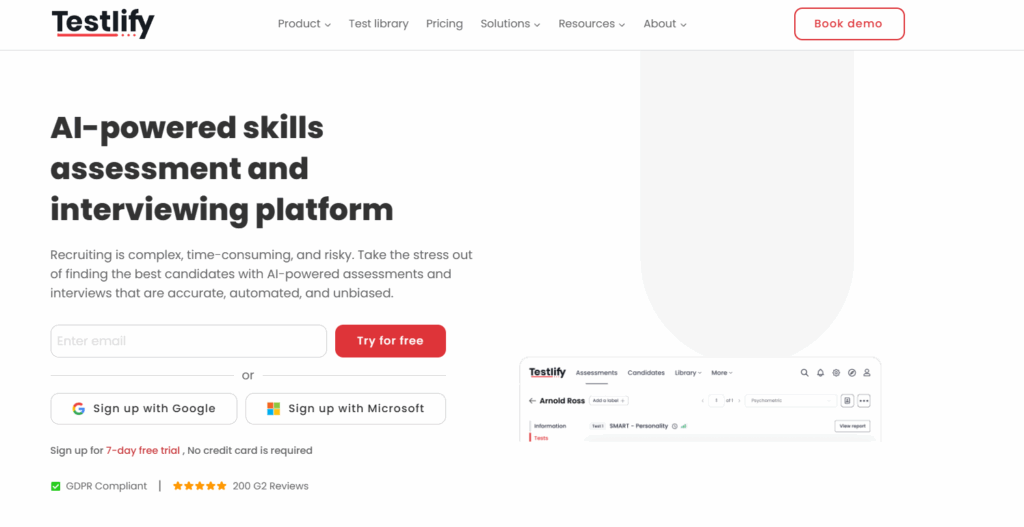
Testlify is an AI-native skills assessment and interviewing platform that turns a job description into a role-specific assessment, runs structured AI interviews and ranks candidates with explainable scores. More than 1,500 talent teams use it, and it holds a 4.7 rating on G2, with Leader and High Performer badges in Talent Assessment and Technical Skills Screening.
Best for: Mid-market and enterprise teams that hire engineers alongside sales, support, finance and operations roles, and want one platform for all of them.
Key features:
- Test library: 3,500+ tests, including programming, cloud, data, DevOps, cognitive ability and role-specific tests. Browse the coding tests.
- AI test builder: Generates a custom assessment from a job description in under a minute, with AI-suggested skills and scoring criteria.
- Question types: 25+ question types, including coding, practical tasks, file upload, video and Chat AI.
- Coding and interviews: A live coding IDE with 45+ coding languages, live coding and pair-programming interviews, plus Video AI, Voice AI and Chat AI interviews.
- Integrity: 20+ anti-cheating and proctoring checks, including AI-assistance detection, copy and paste blocking, tab and screen monitoring, and Focus Guard. Photo ID and face match are available per attempt.
- Reporting: Per-skill breakdowns, AI-written pros and cons, AI-suggested follow-up questions and global benchmarking.
- Stack fit: 100+ ATS and HRIS integrations, including Workday, Greenhouse, Lever, SmartRecruiters and SAP SuccessFactors, with two-way sync.
- Security: ISO 27001, SOC 2 Type II, GDPR and a third-party NYC Local Law 144 bias audit of its matching model.
Drawbacks: White label and ATS integrations are paid add-ons on the Standard plans and included on Custom plans, so budget for them if you need both.
Pricing: Credit-based, where you pay only when a candidate starts an assessment. Every plan has a 7-day free trial with no credit card. Explore the Testlify pricing plans today.
Adaface
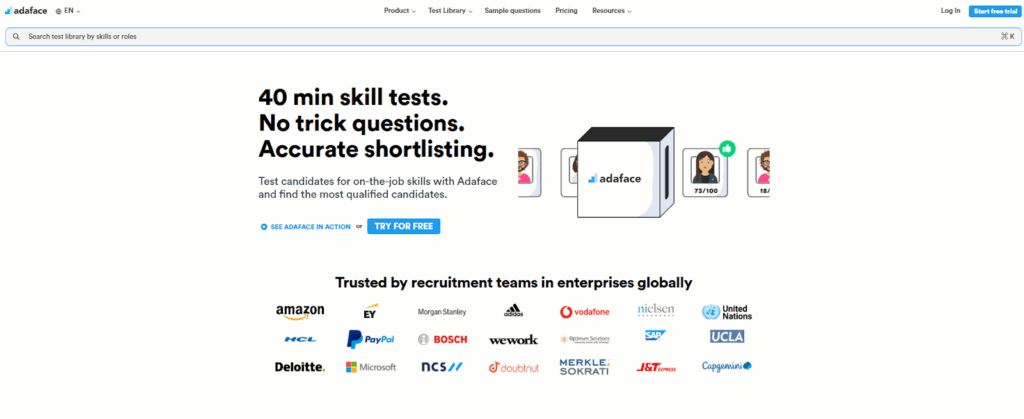
Adaface is a skills assessment platform built around conversational, chatbot-style tests that feel less like an exam. Its library holds 500+ ready-to-use assessments across programming, cognitive ability, business skills and languages.
Best for: Teams that want a friendlier screening format for early-career and mid-level roles.
Key features:
- Chatbot-led assessments that ask questions in a conversational flow
- 500+ ready-made assessments and custom test creation
- ATS integrations and a proctoring option
Drawbacks: Assessment is chat-based only. Adaface's site does not list video or voice AI interviews.
Pricing: Annual credit plans, from $180 a year for 12 credits to $20,000 a year for 5,000 credits. A ready-made test costs 5 credits once and each invite costs 1 credit.
Related resources: Top 15 Adaface alternatives
3. Vervoe
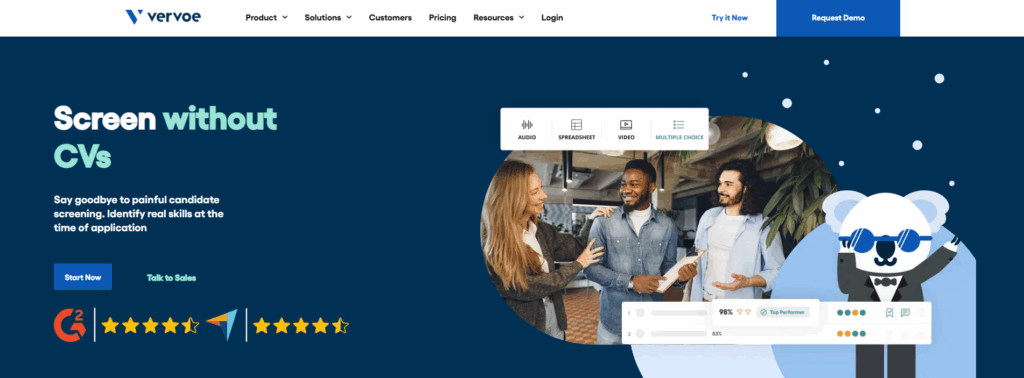
Vervoe is a hiring platform focused on job simulations: candidates complete tasks that mirror the job, and an AI grading engine scores and ranks the answers. Vervoe describes its grading as explainable and auditable.
Best for: Hands-on, task-based evaluation where seeing the work matters more than a test score.
Key features:
- AI-graded job simulations and custom tasks
- Chat and voice screening
- Generative AI detection
- ATS connections, an API and webhooks
Drawbacks: Vervoe does not publish prices, and its site says little about proctoring beyond AI detection.
Pricing: On request through a demo.
Related resources: Top 15 Vervoe alternatives
4. Mercer Mettl
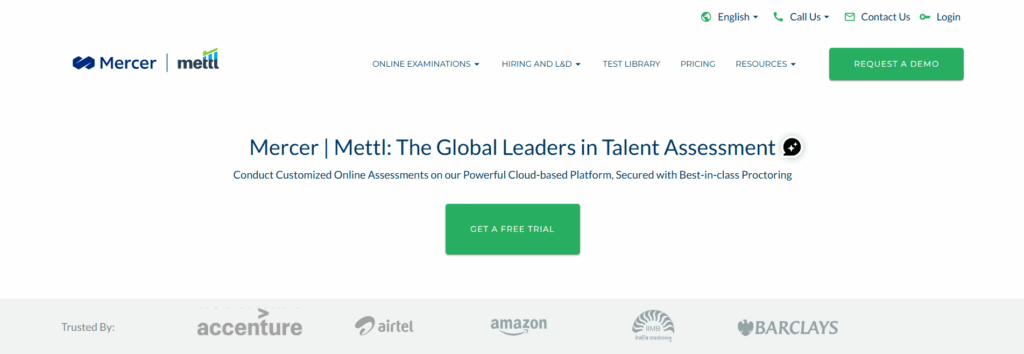
Mercer Mettl is an enterprise assessment and proctoring platform, part of Mercer, used for hiring, learning and high-stakes exams. Mettl says more than 6,000 organizations use it and that it runs assessments in over two dozen languages.
Best for: Large employers and institutions that need tight exam security at scale.
Key features:
- Psychometric, aptitude, behavioral, domain and AI-assisted coding assessments
- AI-based and human proctoring with a secure exam browser
- SAML single sign-on, multi-factor authentication and annual penetration testing
- Integrations with ATS platforms such as Lever and Ashby
Drawbacks: Mettl's site does not list AI-led interviews, and setup is often heavier than with self-serve tools.
Pricing: Quote only.
Related resources: Top 15 Mettl alternatives
iMocha
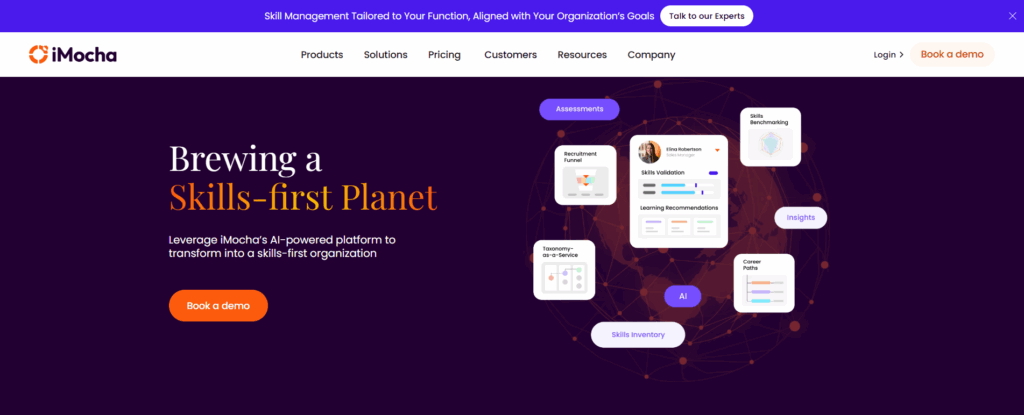
iMocha is a skills intelligence platform that combines assessments with skills inference and gap analysis for hiring and internal upskilling. It cites 10,000+ validated assessments across coding, cognitive, domain and communication skills.
Best for: Enterprises that want one skills view across hiring, internal mobility and learning.
Key features:
- 10,000+ assessments, including coding and communication tests
- AI interviews for structured screening
- Skills architecture, skills inference and benchmarking
- Integrations with Workday and SAP SuccessFactors
Drawbacks: iMocha is strongest as a skills intelligence suite. Teams that only need pre-hire screening may pay for more than they use.
Pricing: Quote only.
Related resources: Top 15 iMocha alternatives
HireVue
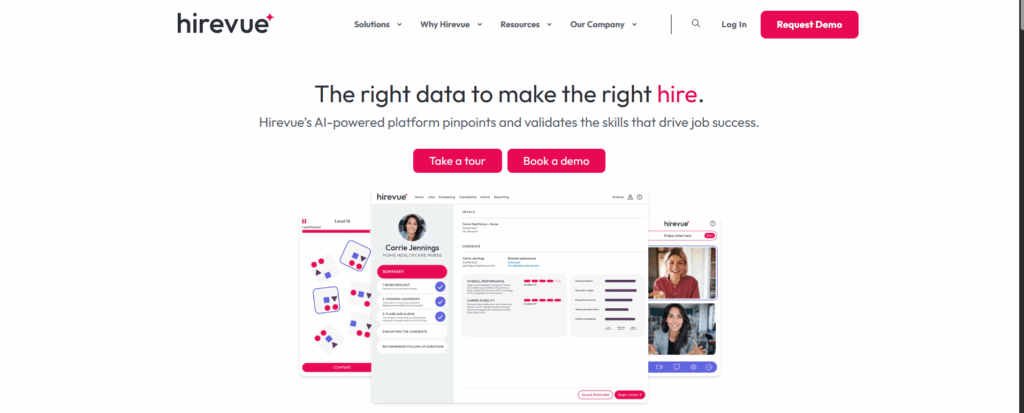
HireVue is an enterprise hiring platform best known for video interviewing, now with a voice-based AI Interviewer that screens candidates around the clock. HireVue says 40% of the Fortune 100 use it, with 45+ ATS integrations.
Best for: Very large employers running high-volume video and voice screening.
Key features:
- AI Interviewer for 24/7 voice screening
- Live and on-demand video interviews with an interview co-pilot
- Assessments, including game-based tests
- Cheating and fraud mitigation as a platform add-on
Drawbacks: HireVue is interview-first. Its site lists technical hiring as a use case but does not detail coding assessments, so engineering teams often pair it with a coding tool.
Pricing: Quote only.
Related resources: Top 15 HireVue alternatives
TestDome
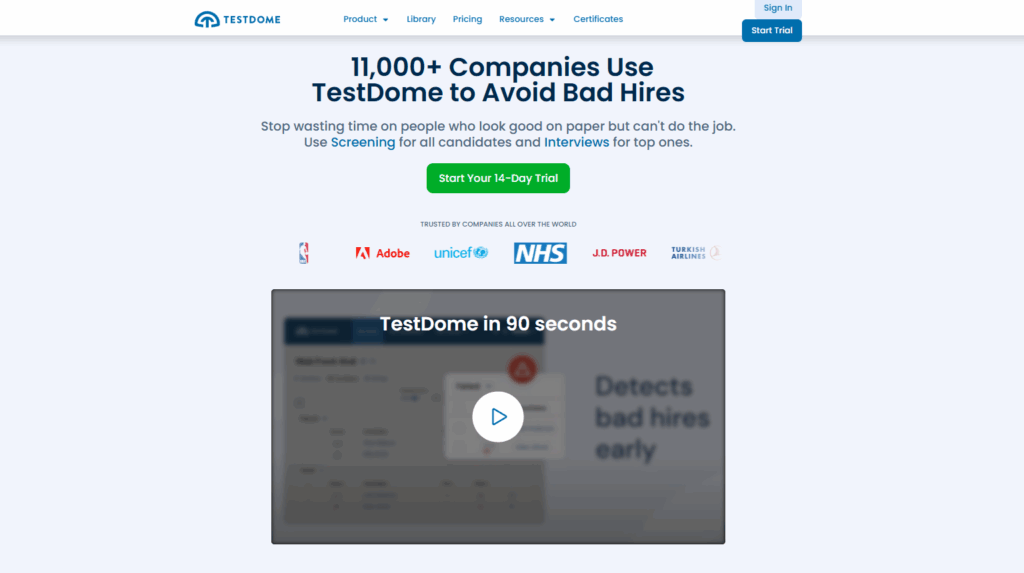
TestDome is a pre-employment testing platform for technical and business roles with a simple, pay-per-candidate model. It offers pre-made tests for 130+ skills and AI-resistant questions designed to be hard to solve with AI tools.
Best for: Small teams that hire a few engineers a year and want no subscription.
Key features:
- Pre-made tests for 130+ skills and custom tests
- Webcam and screen proctoring, plus a required Safe Exam Browser lockdown
- AI test creation from a job ad, and AI scoring of open answers
- ATS integrations, Zapier and an API
Drawbacks: No AI interviews, and reporting is lighter than on larger platforms.
Pricing: Prepaid packs that never expire, from $20 per candidate for 5 candidates down to $7 per candidate for 600.
Related resources: Top 15 TestDome alternatives
8. TestGorilla
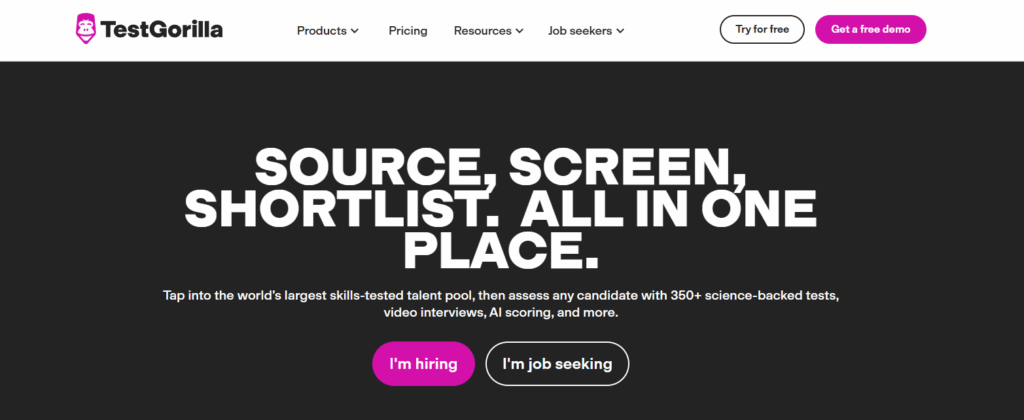
TestGorilla is a pre-employment testing platform known for its ready-made library of 350+ skills tests and a free plan. Its Plus plan adds AI interviews and ID verification.
Best for: Teams that want ready-made tests and a free way to start.
Key features:
- 350+ skills tests and custom questions
- AI interviews, custom AI interviews and custom video questions on Plus
- Webcam snapshots, copy and paste blocking, full-screen mode and location logging
- Native integrations with Workday, Greenhouse, Lever, BambooHR and Ashby
Drawbacks: AI interviews, ATS and API integrations and ID verification sit on the top Plus plan, so the entry price rises quickly for technical hiring.
Pricing: Free plan with 10 credits a month. Paid Assessments plans start at $215 a month (Core) and $520 a month (Plus), billed annually.
Related resources: Top 15 TestGorilla alternatives
Codility
Codility is a coding assessment and technical interview platform built for engineering teams. Its Screen product runs coding tests before the interview, and its Interview product runs live coding in a shared editor.
Best for: Engineering-only teams that want deep coding evaluation and control over AI use.
Key features:
- Coding tasks where AI can be switched on or off per task, with every prompt and code change saved for review
- Live coding and agentic coding interviews
- Plagiarism detection, snapshot proctoring and task leak protection
- ID verification, video proctoring and a desktop app that flags unauthorized apps on Enterprise
Drawbacks: Codility covers engineering, with non-technical AI skills tests only on Enterprise. Video proctoring and ID checks also need Enterprise.
Pricing: $800 a month for 25 invites, or annual plans from $4,800 a year. Enterprise is quoted.
Related resources: Top 15 Codility alternatives
Coderbyte
Coderbyte is a coding assessment and interview platform for startups and mid-market tech teams. It has 10,000+ questions across 500+ skills, take-home projects in an AI-enabled IDE and AI phone screens.
Best for: Growing dev teams that want strong coding tests at a moderate price.
Key features:
- 10,000+ questions, take-home projects and timed video responses
- Live interviews with playback and scorecards
- Webcam proctoring with eye tracking, face detection and deepfake detection
- Native integrations with Greenhouse, Lever, Workday, SmartRecruiters and others
Drawbacks: Premium analytics and proctoring is a $1,499 a year add-on on the Pro plan, and API and ATS integrations are add-ons too.
Pricing: From $99 a month for 20 invites, Pro at $1,999 a year, and Enterprise from $14,995 a year. There is a 14-day free trial.
Related resources: Top 15 Coderbyte alternatives
How do you choose the right technical assessment tool?
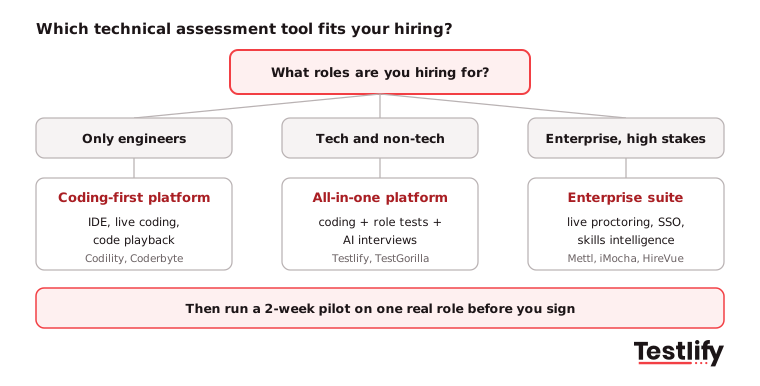
Choosing the right technical assessment tool starts with your role mix and hiring stakes, not with the longest feature list. Define what you need to test, match the method to the role, then check customization, candidate experience and reporting on a real role. The flowchart below shows which type of tool fits.
Define your assessment objectives
Sit down with the hiring manager and list the 4 to 6 skills that decide success in the role. A backend developer needs coding and problem solving; a data scientist needs data analysis and domain knowledge. Clear objectives stop you from overloading the test with questions that do not matter.
Match the method to the role
Use coding challenges for developers, multiple-choice for concept-heavy roles, project tasks for hands-on roles and live coding for senior engineers. A method that feels unfamiliar adds stress and bias without adding signal.
Decide your AI policy
Developers now code with AI every day. The Stack Overflow 2025 Developer Survey found that 84% of respondents use or plan to use AI tools in their development process, up from 76% a year earlier. Decide per task whether AI is allowed, and pick a tool that can enforce and log that choice.
Check customization and flexibility
You should be able to edit library tests, add your own tasks and update them when your stack changes, without a steep learning curve. For a front-end role, that means tasks in HTML, CSS and JavaScript that look like real work.
Test the candidate experience
Take the test yourself on a phone and a laptop. Instructions should be clear, the coding environment familiar and the total time under an hour for a first screen. Read more about candidate experience.
Check analytics and reporting
Look for per-skill scores, side-by-side comparison, benchmarks and drop-off data. Testlify's reporting and analytics shows this per assessment and per question.
Pro tip: Ask each vendor to build an assessment for one of your live roles during the demo. How fast and how well they do it tells you more than any feature slide.
What features should a technical assessment tool have in 2027?
A technical assessment tool in 2026 should have six things: real-work tasks, integrity checks built for the AI era, control over AI use, a short and clear candidate experience, a two-way ATS sync and explainable reports. Missing any one of them usually shows up as weak shortlists, cheating or recruiter rework within a few months.
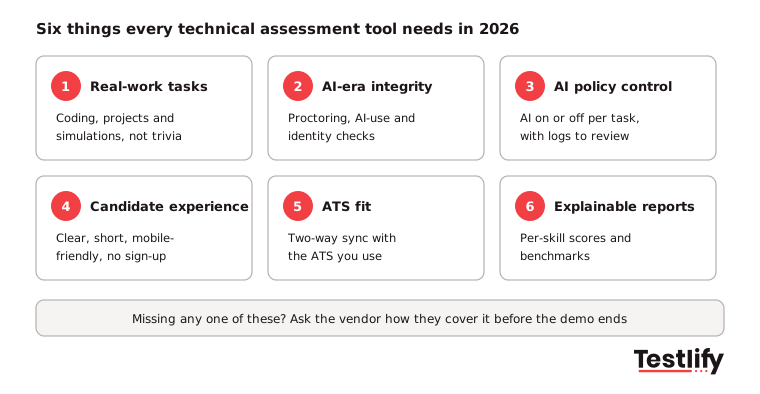
Choosing the right coding assessment platform requires more than comparing test libraries and pricing plans. Recruiters need a solution that evaluates practical programming skills, maintains assessment integrity and fits into their existing hiring workflows. Here are six features to look for when evaluating coding assessment platforms:
- Real-world tasks: Coding, debugging, projects and simulations that look like the job. Trivia and brain teasers predict little about day-to-day work.
- AI-era integrity: Proctoring that flags AI assistance, tab switching, second screens and copy and paste, plus identity checks. Gartner's July 2025 candidate survey predicts that by 2028, 1 in 4 candidate profiles worldwide could be fake, and HR Dive reported that 6% of 3,000 candidates Gartner surveyed admitted to interview fraud.
- Control over AI use: A switch to allow or block AI per task, and a log of prompts and changes when it is allowed, so you test how people really work.
- Candidate experience: No forced sign-up, mobile-friendly tests, clear timing and instructions, and support for the languages your candidates speak. Testlify runs assessments in 15+ languages.
- ATS fit: Two-way sync, so invites go out and scores come back inside the ATS your recruiters already use. Check the Testlify integrations list against your stack.
- Explainable reports: A score per skill, the answer behind it and a benchmark, so a hiring manager can trust the shortlist and a candidate can get feedback.
Across the teams we work with, we have seen integrity become the first question in demos, ahead of library size. A large library is easy to find; a score you can trust is not.
How much do technical assessment tools cost?
Technical assessment tools cost anywhere from about $7 per candidate on prepaid packs to tens of thousands of dollars a year on enterprise contracts. Price depends on the pricing model, the number of candidates you test, and which add-ons you need, such as integrations, white label, ID checks and live proctoring.
Pricing model | How it works | Example | Fits |
|---|---|---|---|
Pay per candidate | Buy a pack of invites, use them when you need them | TestDome: $20 to $7 per candidate | Fewer than 100 candidates a year |
Credits | Each candidate who starts uses a credit | Testlify ($89/month) | Steady hiring, mixed roles |
Subscription with invites | Monthly or annual fee for a set number of invites | Coderbyte from $99/mo; Codility from $4,800/yr | Ongoing engineering hiring |
Tiered plans | Features unlock by tier | TestGorilla: free, then $215/mo and $520/mo | Teams that start small and grow |
Enterprise quote | Custom contract by volume and modules | Mercer Mettl, iMocha, HireVue, Vervoe | 500+ employees, high volume |
Three costs catch buyers out. Check whether ATS integrations are included or extra, whether ID verification and live proctoring are charged per attempt, and whether unused credits expire at the end of the cycle.
How do you run a pilot before you buy?
A pilot for a technical assessment tool takes about two weeks: agree the skills and pass score for one live role, build the test, send it to real applicants through your ATS, then judge the tool on completion rate, recruiter time saved and how many shortlisted candidates pass the next interview.
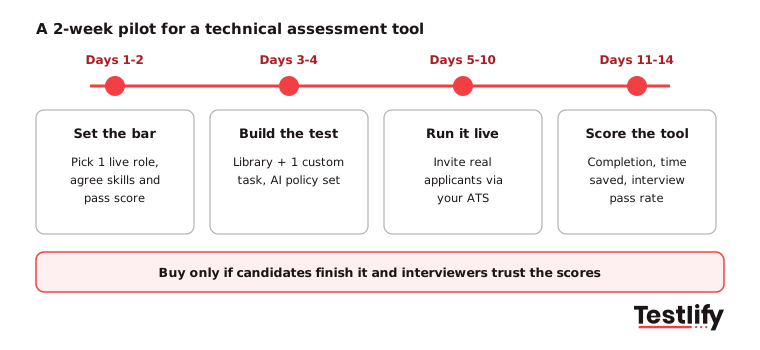
Implementing a coding assessment platform doesn't have to disrupt your existing recruitment process. A phased rollout gives your team time to configure tests, evaluate candidate experience and measure whether the platform improves hiring outcomes. Here is a practical 14-day implementation plan:
- Days 1 to 2, set the bar: Pick one role with steady applicants. Agree the skills, the AI policy and the score that earns an interview.
- Days 3 to 4, build the test: Combine library tests with one custom task from your own work. Keep the first screen under 60 minutes.
- Days 5 to 10, run it live: Invite real applicants from your ATS. Watch the drop-off report daily and fix confusing questions fast.
- Days 11 to 14, score the tool: Compare completion rate, recruiter hours, proctoring flags and the interview pass rate of shortlisted candidates with your old process.
Key takeaway: Buy the tool that candidates finish and interviewers trust. If shortlisted candidates do not pass your interviews more often than before, the tool is not working, however long its feature list is.
Ready to try a technical assessment tool on a real role?
Testlify lets you build a technical assessment from your own job description, add a Video AI or Chat AI interview, and see a ranked shortlist with per-skill scores. Start a 7-day free trial, no credit card required, or book a demo to see it on your roles.
Frequently asked questions (FAQs)

Director of Marketing
Akash Patange is the Director of Marketing at Testlify, where he works closely with HR leaders and recruiters to help organizations improve hiring outcomes. He writes about talent assessment, recruitment technology, and data-driven hiring practices.
LinkedInRelated resources
View all
Technical assessments
What is a reciprocal technical interview? A definite guide

Technical assessments
Take-home coding challenge: how to build one candidates will finish

Technical assessments
Coding Interview: How to Run One That Tests Real Skill

Workplace culture
Enneagram type 2: the Helper at work, wings and stress lines

Tech recruitment
How to hire Bash developers: Skills, tests and questions

Interview questions
Salesforce interview questions: 40 questions with answer keys
Get started.
Hire on proof, not resumes.
Run your first skills-based assessment free — no credit card required.