
A guide on digital literacy assessment with sample questions
Test digital literacy before you hire. Skills matrix by role level, 10 sample questions, and a 5-step implementation guide for enterprise HR teams.

A new hire clears every round. The competency interview goes well, the references check out, and the panel agrees they were the strongest candidate on the shortlist. Six weeks later they cannot find a shared file, they reply to a calendar invite by email, and they have asked IT twice about a pivot table they listed as an advanced skill. Nothing in the hiring process was built to catch that.
A digital literacy assessment is a structured test of how well someone uses the software a job actually runs on, and it surfaces that gap before the offer rather than after onboarding. This guide covers what the test measures, how to probe data literacy in an interview, how deep to go by role level, twelve sample questions, and a five-step rollout.
 ChatGPT
 Gemini
 Claude
 Grok
Grok Perplexity
TL;DR
- Digital literacy assessments show how candidates apply everyday digital skills instead of relying on self-reported proficiency.
- Test the tools and competencies the role actually requires, rather than using one generic computer skills test for everyone.
- Cover six areas: computer operation, productivity software, digital communication, cybersecurity, data literacy, and cloud collaboration.
- Keep assessment depth proportional to the role, from foundational digital tasks to advanced data and security judgment.
- Use results alongside interviews and other hiring evidence to identify skill gaps and guide follow-up questions.

What is a digital literacy assessment?
A digital literacy assessment is a structured evaluation that measures how well a candidate uses digital tools, navigates software systems, communicates on digital platforms, and applies judgment in online environments. It scores demonstrated ability on a consistent scale instead of trusting a self-reported proficiency rating.
It is not a technical skills test. A coding assessment asks whether an engineer can build the system. A digital literacy assessment asks whether the operations coordinator, the account manager, or the site supervisor can work competently inside it: running a spreadsheet, managing file permissions, spotting a phishing attempt, reading a dashboard without misreading it.
The baseline is lower than most hiring teams assume. In 2023, 56% of people in the EU aged 16 to 74 had at least basic overall digital skills, which means close to half of the working-age population did not. Teams tend to plan for the top of that distribution and then get caught out by the middle of it.
How do you assess data literacy in a job interview?
Give the candidate a small, realistic set of numbers and ask them to reason out loud. A good data literacy question in a job interview presents a metric that moved or a chart that misleads, then asks what else they would need to know before acting on it. Recall questions about formula syntax tell you almost nothing.
Three prompts that hold up in a live interview:
- The metric that moved. "Churn went from 4.2% to 5.1% month over month. Your manager asks whether that is real. What do you check first?" Strong answers ask about sample size, seasonality, and how churn is defined before offering a view.
- The misleading chart. Show two bars where the axis starts at 90 rather than zero. Ask what the chart implies, then whether the implication actually holds.
- The messy source. "You are handed a spreadsheet where half the dates are stored as text. What do you do before reporting anything from it?"
Score the reasoning, not the vocabulary. And pair the interview with a scored test, because an interview is self-report with better lighting. A review of 33 studies on measuring digital literacy found that 28 of them relied on self-assessment alone, and its authors reported a low correlation between self-reported digital literacy and actual measured performance. People are poor judges of their own tool fluency, in both directions.
Which digital skills should you actually test?
Six competency areas cover almost every office and frontline-supervisory role. Most jobs need four of them well and two at a basic level, which is exactly why one generic computer test produces data nobody can act on.
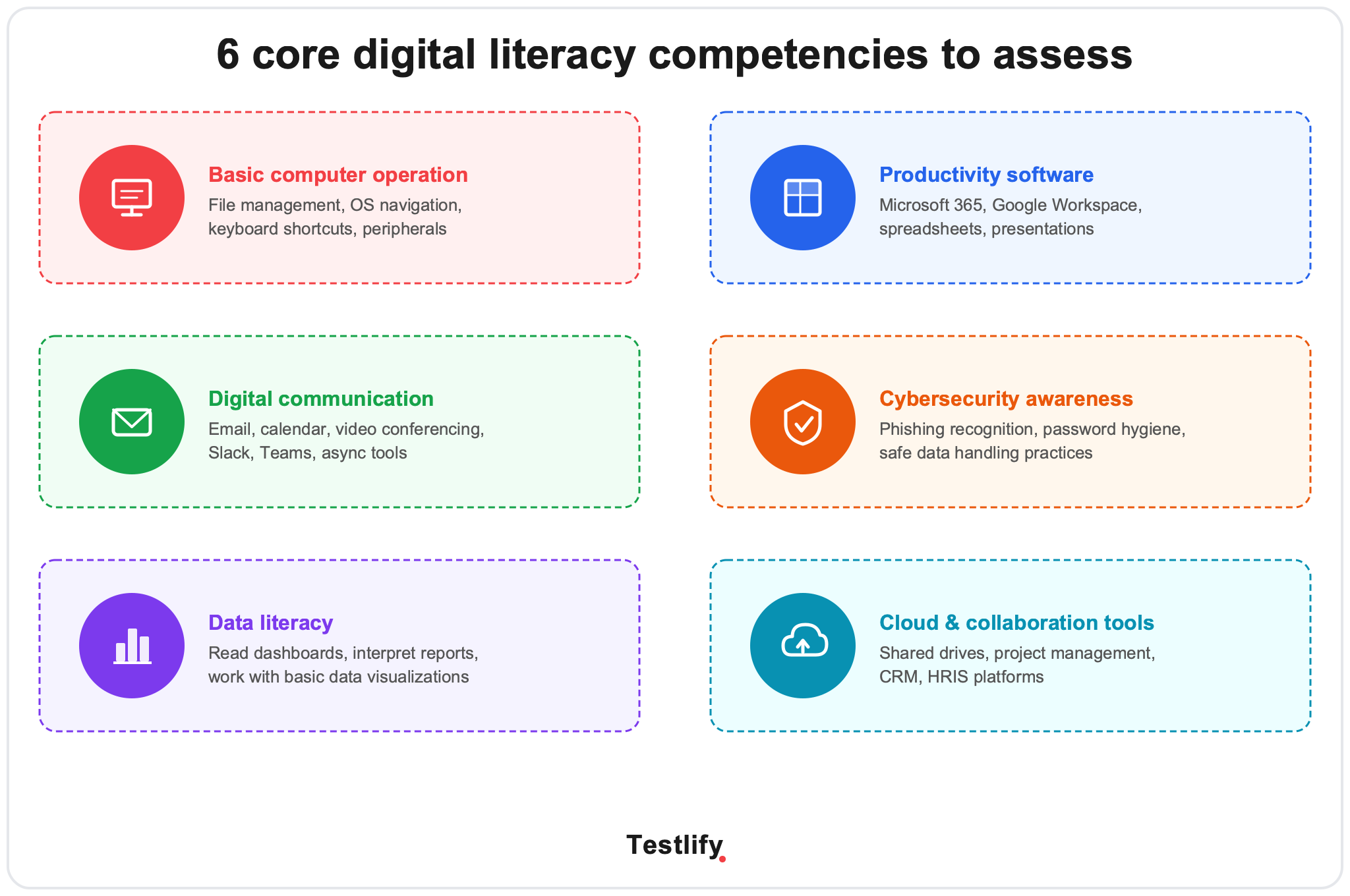
1. Basic computer operation. File management, folder structure, operating system navigation, keyboard shortcuts, peripherals. The floor for every role on this list.
2. Productivity software. Word processors, spreadsheets, and presentation tools across Microsoft 365 and Google Workspace. Depth varies enormously: a financial analyst and a front-desk coordinator both need spreadsheets, at nothing like the same level.
3. Digital communication. Email conventions, calendar and timezone handling, video calls, and async collaboration in tools like Slack or Teams. Universal for office roles, and the competency most often assumed rather than checked.
4. Cybersecurity awareness. Phishing recognition, password hygiene, safe file sharing, and knowing which data is not allowed to leave a system. Non-negotiable for anyone touching customer, financial, or employee records.
5. Data literacy. Reading a dashboard, interpreting a report, and knowing when a number is too noisy to act on. Increasingly a coordinator-level skill rather than an analyst-level one.
6. Cloud and collaboration tools. Shared drives, permissions, project management platforms, and whatever CRM or HRIS the team runs on. Scope depends entirely on the stack.
How deep should each role level be tested?
Test depth should track the role's real digital demands. Screening a receptionist with an advanced data literacy module wastes the candidate's evening and skews the benchmark for everyone who comes after them.
Role level | Core competencies required | Test duration | Key tools to cover |
|---|---|---|---|
Foundational (admin, support, coordinator) | Basic computer operation, digital communication, cybersecurity basics | 20 to 30 minutes | Microsoft 365 or Google Workspace, email, calendar |
Mid-level (analyst, specialist, team lead) | All foundational, plus data literacy and productivity software at depth | 30 to 45 minutes | Spreadsheets, dashboards, project management tools |
Senior or managerial | All mid-level, plus cloud tools and judgment in ambiguous digital situations | 45 to 60 minutes | Advanced Excel or Sheets, BI tools, security judgment |
Build a separate profile per tier. Running one test across all three is the most common design mistake, and it fails in both directions: entry-level candidates get filtered on skills the job never uses, while senior candidates clear a bar that proves nothing.
12 sample digital literacy test questions
Use these as templates for role-specific variants. They span all six competency areas above.
Basic computer operation
1. You need every file modified in the last 30 days inside a folder holding more than 2,000 items. What is the fastest way to find them?
2. The undo shortcut has stopped working in a document. Name two other ways to reach the same function.
Productivity software
3. A spreadsheet formula returns #REF!. What does that error mean, and what most likely caused it?
4. A colleague has deleted a section of a shared document you are both working in. How do you get it back?
Digital communication
5. An email asks you to confirm a wire transfer through a link. The sender name matches your CFO, but the address ends in @gmail.com. What do you do?
6. A client asks for a meeting at 9am Eastern. You are in London. What time is that locally, and which calendar setting stops this confusion recurring?
Cybersecurity awareness
7. A teammate forwards a PDF from a vendor you do not recognize. Name two checks you run before opening it.
8. You are working on a confidential report from a coffee shop. Name three practices that protect the data.
Data literacy
9. A dashboard shows customer churn rising from 4.2% to 5.1% month over month. Your manager asks whether the change is meaningful. What else do you need to know before answering?
10. Two bar charts show Q1 and Q2 sales. Q2 looks dramatically taller, but the real increase is 3%. What property of the chart is creating that impression?
Cloud and collaboration
11. You share a project folder with an external contractor for a two-week engagement. What do you set up at the start so access ends when the work does?
12. A task board shows a card assigned to someone who left last month. What does that tell you about how the team is running the tool, and what would you change?
How to roll out assessments in five steps
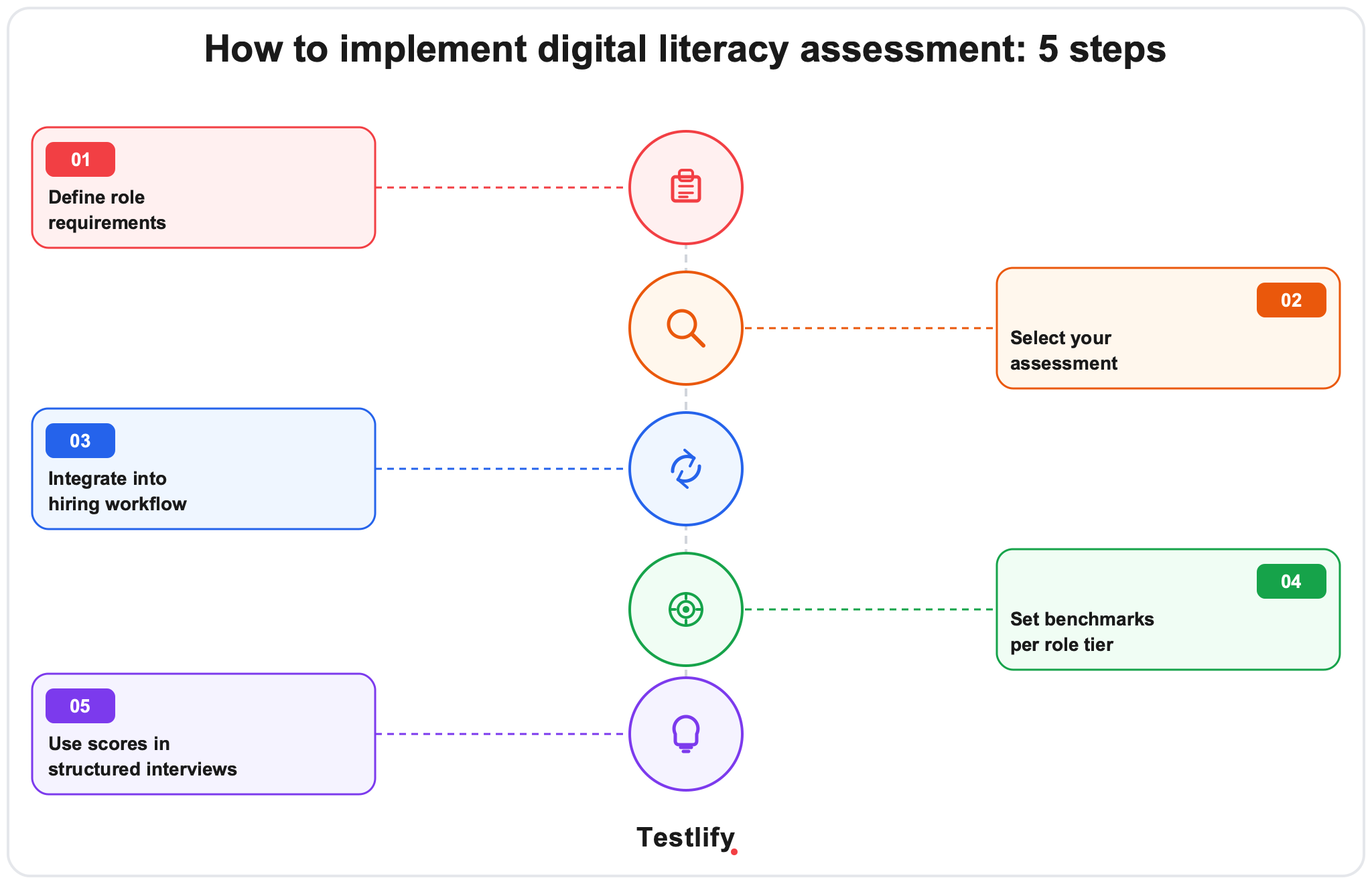
Step 1. Define what the role actually uses
List the tools each role touches daily, then map them onto the six competency areas. This is the step teams skip, and skipping it is why so many benchmarks end up meaningless. A coordinator who never opens a BI tool should not be scored on one.
Step 2. Choose or build the test
Pick a platform that covers your actual stack. Generic computer skills tests tend to miss the enterprise tools people spend their day in. Check that the provider covers the specific software your team runs, and look at how the question bank behaves: a bank that draws randomly from a larger pool keeps two candidates from seeing an identical test, while a small bank raises the odds of overlap.
Step 3. Place it in the workflow
Send the test after the application screen and before the first interview. That order filters early, before recruiter hours go into phone screens, and it still respects candidate effort by not demanding an hour of work from someone nobody has looked at yet.
Step 4. Set thresholds per tier
Do not inherit vendor defaults. Pilot on 10 to 15 recent hires, collect 90-day manager ratings, and find the score band that tracks with people who worked out. Most teams land near 60% for foundational roles and low 70s for mid-level, then refine over two or three hiring cycles.
Step 5. Use the score as an interview input
A score is more useful as a conversation opener than as a gate. A mid-level candidate at 68% on data literacy is worth talking to; the gap may sit in one tool the team happens to use heavily. Build one interview question around each candidate's weakest area and probe it directly.
Pro Tip: Weight tools-in-context higher than standalone tool knowledge. A candidate who explains how they used a spreadsheet to find a bottleneck in a process tells you more than one who can name every function in it. Task-based question formats that mirror the actual job surface applied skill rather than recall, and they hold up better when a hiring manager challenges the result.
How Testlify supports digital literacy screening
Testlify helps hiring teams assess digital literacy through role-specific assessments that measure how candidates apply digital skills in realistic work scenarios.
Key capabilities include:
- Software skills and situational judgement tests covering Microsoft Office and Google Workspace tasks, alongside cognitive and role-specific categories in the digital literacy test library and the related computer literacy test.
- Question banks you control with fixed or variable question counts, per-question time limits, shuffled questions and options, and an optional practice run so nervous candidates are not scored on the first two minutes.
- Weighted scoring from x0 to x5 per test, so a cybersecurity module can count five times a typing module when the role justifies it, plus percentile ranking to compare a candidate against everyone else who sat the same assessment.
- Proctoring that produces evidence, not verdicts across identity, environment, browser lockdown, and AI-assistance monitoring, with the flags left for a human to read rather than triggering an automatic rejection.
- Real-time translation of tests and custom questions into a candidate's preferred language, which matters when digital literacy and English fluency are two different things you did not mean to test at once.
- More than 100 ATS integrations, so results land in the system your team already runs and your ATS stays the system of record.
The goal is not to test every tool a candidate has used. It is to measure whether they can perform the digital tasks the role actually requires.
Browse the full test library or book a walkthrough to see role-level digital literacy assessments running end to end.
Also read: How to hire top talent using communication assessment
One limitation to keep in mind
A digital literacy score shows what a candidate can do under the conditions of the assessment. It does not show how quickly they will learn an unfamiliar tool or adapt to a new digital workflow.
Use the score alongside interviews, work samples, and other job-relevant evidence rather than treating it as a complete measure of future performance.
Key takeaways
- Measure the gap, not the claim. A candidate saying they are “advanced” in Excel tells you little about how they actually work with data, formulas, or spreadsheets.
- Build around the job, not the software. Start with the digital tasks the role requires, then choose the tools and competencies needed to complete them.
- Use realistic scenarios. A candidate’s ability to handle a messy spreadsheet, identify a phishing attempt, or collaborate on a shared document reveals more than tool-specific trivia.
- Keep assessment depth proportional to responsibility. Senior roles may require judgment and problem-solving across multiple digital workflows, while foundational roles may need only core digital skills.
- Treat the score as evidence, not a verdict. Assessment results are most useful when they show where to probe further during interviews or work samples.
- Validate what you measure. Review whether assessment results relate to actual job performance and remove skills that do not meaningfully affect success in the role.
- Design for fairness from the start. Test only job-relevant capabilities, use consistent scoring, and monitor outcomes to identify unintended screening effects.
Frequently asked questions (FAQs)

Content Writer
Yashika Khandelwal is a Content Writer with 3+ years of experience creating research-backed content on hiring, talent assessment, and HR technology. She is a registered Organizational Psychologist and subject matter expert who combines behavioral science with practical recruitment insights to produce accurate, evidence-based content.
LinkedInRelated resources
View all
HR & recruitment
How to hire top talent using pharmacy technician test

HR & recruitment
How to hire top talent using Photoshop test

HR & recruitment
Challenges of candidate screening: common problems and how to solve them

HR & recruitment
Tips to overcome legal compliance issues related to equal employment opportunity

HR & recruitment
How to manage and prioritize multiple open positions simultaneously

HR & recruitment
How to conduct thorough background checks on candidates with limited resources
Get started.
Hire on proof, not resumes.
Run your first skills-based assessment free — no credit card required.