
Top email finder tools for recruiters in 2026
Find the best email finder tools for recruiters to source verified professional emails, improve outreach, and hire faster.

A verified candidate email finder tool locates a person's work email from a profile, a name, or a company domain, then checks that the address actually accepts mail before you send. For recruiters, the verification half is the part that matters. An unverified address costs you a bounce, and bounces damage the sending reputation that every future campaign depends on.
TL;DR
- Accuracy beats database size. A tool that returns 40 addresses you can trust is worth more than one that returns 200 you cannot.
- Match the tool to your hiring motion: bulk exports for high-volume roles, profile-by-profile lookups for niche searches.
- Verification is a deliverability control, not a nice-to-have. Mailbox providers judge you on complaints and bounces, not on intent.
- Compliance is a real constraint in recruiting outreach. US senders face penalties of up to $53,088 per email under CAN-SPAM, and EU or UK sourcing needs a lawful basis before you process a single address.
- Contact data gets you the reply. It tells you nothing about whether the person can do the job, which is where structured evidence takes over.
 ChatGPT
 Gemini
 Claude
 Grok
Grok Perplexity
What is a verified candidate email finder tool?
It is software that finds a professional email address and confirms it is deliverable. The finding half works from a company domain, a public profile, or a name plus employer. The verification half pings the receiving mail server, checks for catch-all domains, and returns a confidence signal so you know whether to send, hold, or drop the record.
The distinction is worth holding onto, because most tools market themselves on the first half and quietly vary on the second. Two products can both return an address for the same candidate. One returns it flagged as risky because the domain accepts everything and confirms nothing. The other returns it clean with no caveat. Same address, very different odds, and only one of those tools told you the truth.
Recruiting makes this sharper than sales does. A sales team emailing 5,000 prospects can absorb a 6% bounce rate as a cost of doing business. A recruiter chasing a dozen qualified people for a hard-to-fill role cannot: each bad address is a candidate who never hears from you, and there is no volume behind them to make up the difference.

How were these email finder tools evaluated?
Eight tools are covered below. Each was assessed on the things that change a recruiter's day rather than the things that fill a feature grid: whether the address is verified before it reaches you, whether the tool fits how sourcing actually runs, and whether it survives contact with a compliance review. Contact discovery is one layer of a larger stack, and it sits inside the wider question of how recruiting software fits together.
The shortlist below covers different sourcing motions on purpose. Nobody hires the same way twice: a staffing agency filling forty warehouse roles and an in-house team hunting one principal engineer need almost opposite things from the same category of software.
- Verification depth. Does it detect catch-all domains and say so, or does it hand back an address and let you find out?
- Sourcing surface. Can it work from a company domain, a public profile, and a bulk list, or only one of the three?
- Export hygiene. Do records leave the tool in a shape your applicant tracking system can read without a cleanup pass?
- Team controls. Shared lists, permissions, and visibility into who already contacted whom. Duplicate outreach from two recruiters at the same firm reads as disorganized to the candidate.
- Compliance posture. Suppression handling, deletion on request, and a defensible answer when someone asks where the data came from.
- Cost per usable address. Not the headline price. The price divided by the addresses you can actually send to.
Prices below stay at the level of the model rather than the plan. Credit costs and tier names in this category move often enough that any figure printed here would be stale within a quarter, so the guidance is about computing the cost that matters for your own volume instead.
Best verified candidate email finder tools for recruiters (2026)
Every tool on this list verifies email addresses before returning them, so verification is a baseline, not a differentiator. The table focuses instead on what matters when choosing a tool: the sourcing workflow it is built for and the pricing model behind it.
Think of the table as a routing guide, not a ranking. The best choice depends on the roles you are hiring for, the sourcing motion your team uses, and how much you need to scale. In practice, many talent teams get more value from combining two tools than relying on one.
Tool | Strongest at | Best for | Pricing model |
|---|---|---|---|
Hunter.io | Domain search plus catch-all verification | Account-based sourcing from a target company list | Credit based, free tier |
ContactOut | Profile lookups, including personal addresses and phones | Reaching passive candidates who ignore work inboxes | Seat based with usage limits |
Wiza | Bulk export from saved profile lists | Agencies and high-volume sourcing sprints | Credit based, per-credit rate |
Snov.io | Find, verify, and sequence in one place | Small teams that do not want a second outreach tool | Credit based, free tier |
GetProspect | Turning profile shortlists into clean lists | Recruiters who source mostly from public profiles | Credit based, free tier |
LeadFuze | Rule-based list generation | Repeat searches for the same role profile | Quote based |
FindThatLead | Domain and site lookups on smaller companies | Niche industries with thin database coverage | Credit based |
Overloop | Sequencing and follow-up tracking | Teams whose real problem is dropped follow-ups | Seat based |
Now let’s look at each tool in more detail, including its key features, what it does best, and where its limitations start to show.
Hunter.io
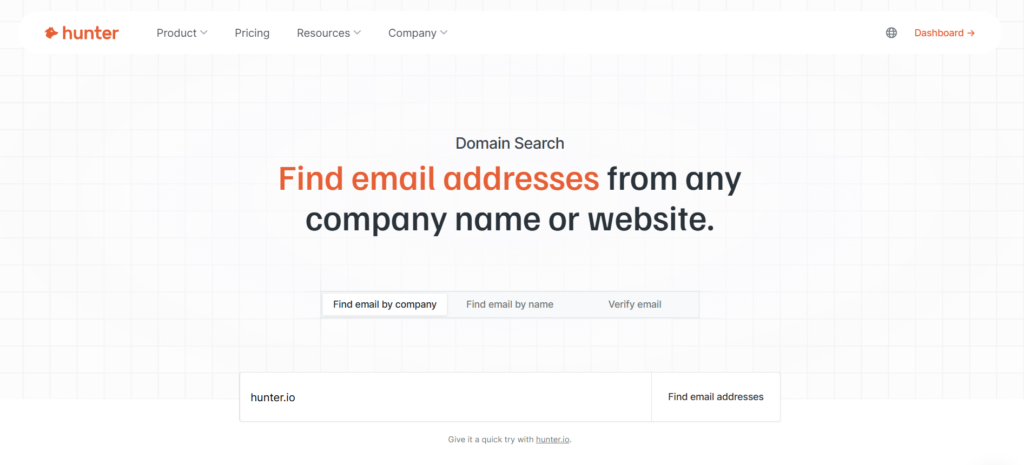
Hunter.io is a strong fit for recruiters who source by company rather than by individual candidate. Enter a target domain, and it surfaces the email patterns used by that organization, along with verified addresses and confidence scores. If your sourcing brief starts with 30 companies and the goal is to reach the engineers inside them, this company-first approach makes sense.
Its verification layer is another reason it stands out. Catch-all domains accept mail for almost any address, making them difficult to verify with certainty. Rather than presenting a guess as a confirmed address, Hunter flags catch-all results separately, giving recruiters a clear risk signal before they start outreach.
Key features
- Domain search returning address patterns and confirmed contacts for a named company
- Bulk verification for lists you built elsewhere
- Browser extension for capture while reading a company site or profile
- Sequencing from a connected Gmail or Outlook account
Pros and cons
The strength is honesty about confidence. The weakness is coverage of people rather than companies: if you have a name and no employer, this is not the tool that finds them. It also skews toward business domains, so early-career candidates and contractors working under personal addresses are thinner ground.
Best for
Competitor mapping and account-based sourcing, where you know exactly which organizations you want to hire out of and need reliable coverage inside each one.
ContactOut
ContactOut takes a person-first approach to contact discovery. Instead of starting with a company domain, it begins with an individual and gathers available contact information, including work and personal email addresses and, in many cases, phone numbers.
That makes it particularly useful for passive-candidate sourcing, where the strongest prospects may be difficult to reach through their work inboxes alone.
The additional reach comes with greater responsibility. Personal email addresses can improve the chances of being seen, but they also make relevance and personalization more important. ContactOut is therefore best suited to targeted, thoughtfully personalized outreach rather than high-volume campaigns.
Key features
- Person-first lookups spanning work email, personal email, and phone
- Browser extension that surfaces contact details while reviewing a profile
- Saved lists and exports for handing a shortlist to a colleague
Pros and cons
Reach on hard-to-find people is the strongest in this list. The tradeoff is cost discipline: seat-based pricing with lookup limits rewards teams who source carefully and punishes teams who browse. It is also the tool that most needs a written internal rule about when personal addresses are appropriate, because the capability outruns most companies' policies.
Best for
Executive search, hard-to-fill technical roles, and any search where the shortlist is short and each name is worth real effort.
Wiza
Wiza is designed for high-volume sourcing, with bulk prospecting at the center of its workflow. Point it at a saved list of profiles and it can return verified email addresses across the list, with usage charged by credits.
That makes the cost of a sourcing campaign relatively straightforward to estimate, which is especially useful for agencies and in-house recruiting teams managing a hiring surge.
The credit-based model is worth evaluating carefully. A low headline price does not necessarily mean a low cost per usable contact. What matters is how much you spend for each address that actually passes verification, rather than simply the number of credits included in a plan.
Key features
- Bulk export from saved profile lists with verification applied to the batch
- Per-credit pricing so campaign cost can be forecast before you run it
- Exports shaped for applicant tracking system import
Pros and cons
Throughput is the win. The limitation is that bulk tools reward bulk: running fifteen lookups a week through a credit-priced product is a poor fit, and you will pay for headroom you never touch. Coverage also thins outside large-company populations, which matters if you recruit into small firms.
Best for
Staffing agencies, recruitment process outsourcing teams, and internal recruiters running multi-role campaigns on a deadline.
Snov.io
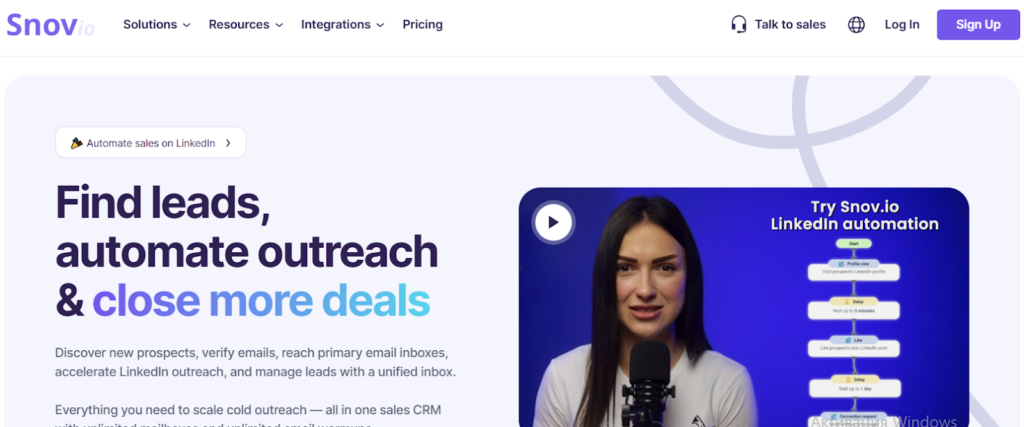
Snov.io brings prospecting, verification, and outreach into one product. For a two-person talent team, that consolidation can matter more than having the best-in-class tool for any single step. Fewer tool handoffs mean less manual re-entry, fewer mismatched lists, and less risk of contacting the same candidate twice.
It supports both domain search and individual lookups, organizes prospects into structured lists, and verifies addresses before they enter a sequence. Its sequencing features are solid without trying to compete with dedicated sales engagement platforms, which is a sensible tradeoff for the teams it targets.
Recruiters running highly complex, multi-touch campaigns may eventually need more depth, but most small talent teams will find enough capability here.
Key features
- Find likely work email addresses within a specific target company using domain search.
- Enrich shortlisted candidate profiles with available contact details through individual lookup.
- Filter out risky or invalid addresses before adding candidates to an outreach sequence.
- Organize contact lists by role, seniority, region, or other recruiting criteria.
- Capture candidate contact details directly while browsing profiles or company pages.
- Export clean, structured contact records into your ATS or other recruiting systems.
Pros and cons
Consolidation is the win: one bill, one list, no re-keying between a finder and a sender. The cost is that no single stage is the strongest available, and heavy senders will find the sequencing shallow. Credit allowances also get consumed by both lookups and verification, so a busy month runs out sooner than the plan name suggests.
Best for
Small in-house talent teams that want one subscription instead of three, and who value not switching tabs over squeezing the last percentage point out of match rates.
GetProspect
GetProspect is a straightforward choice for recruiters whose sourcing workflow starts with public profiles and ends with a clean, enriched contact list. Shortlist candidates, enrich their details, and export the records without having to navigate a broader outreach platform. That simplicity makes it easy to adopt and, more importantly, easy for a recruiting team to use consistently.
Recruiters can organize contacts by seniority, function, or region before beginning outreach, making it easier to tailor messages to specific candidate groups rather than relying on generic templates.
Key features
- Profile-to-email enrichment on individual records or a saved list
- Filtering by role, seniority, and location
- Clean exports and shared team lists
Pros and cons
Simplicity is the strength and the ceiling. Teams needing sequencing, call tracking, or deep enrichment will bolt on a second tool. Coverage is solid on business addresses at established companies and weaker where candidates work somewhere small or recently changed employer.
Best for
Profile-led sourcing at steady volume, and teams standardizing a process across several recruiters.
LeadFuze
LeadFuze treats sourcing as an ongoing list-building process rather than a one-off contact lookup. Define your criteria by industry, company size, department, and seniority, and it can continuously surface contacts that match those parameters. For talent teams hiring for similar roles each quarter, this turns repetitive sourcing research into a reusable search process.
If every search is highly specific, automated list generation can create more contacts than your team actually needs and leave recruiters with additional filtering work. But when your searches consistently follow the same patterns, LeadFuze can eliminate a meaningful amount of repetitive sourcing effort.
Key features
- Rule-based list generation from company and role filters
- Repeatable searches that refresh as new matches appear
- Batch workflows for coordinated campaigns
Pros and cons
Consistency across repeated hiring cycles is the payoff. The costs are a steeper setup, quote-based pricing that makes small pilots awkward, and a model that assumes your requirements are stable enough to encode. Teams hiring against shifting briefs will fight it.
Best for
High-volume and repeat hiring where the role profile barely moves between cycles.
FindThatLead
FindThatLead is particularly useful when larger databases fail to surface the contacts you need. Smaller companies, regional employers, and niche industries can expose coverage gaps in major providers, whose databases tend to be stronger for large, well-documented organizations.
Its domain- and website-based discovery approach is the main advantage. Instead of relying entirely on an aggregated contact database, it can work from information published on a company’s website to identify potential contacts.
Match rates may be lower than leading providers for mainstream searches, but for harder-to-source companies, it can uncover contacts that other tools miss.
Key features
- Domain and website-based address discovery
- List management grouped by role or campaign
- Bulk enrichment for a batch of target companies
Pros and cons
Coverage in thin territory is the strength. The interface and verification signals are less refined than the leaders, so treat its output as a starting point that still deserves a verification pass before a send.
Best for
Recruiting into small and mid-sized employers, regional markets, and industries the large databases underserve.
Overloop
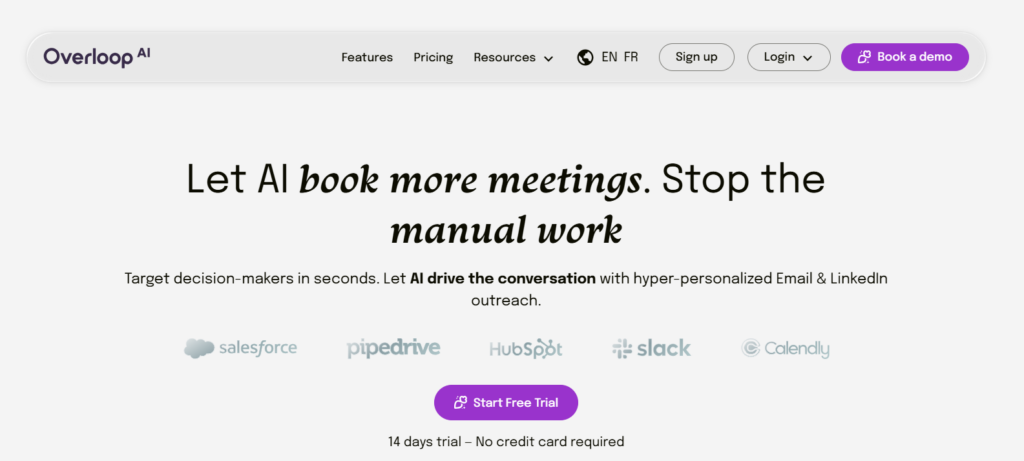
Overloop is a better fit for recruiting teams whose main challenge is not finding contact information, but consistently following up once they have it. This is especially relevant when recruiting passive candidates, who often need more than one touch before responding.
A structured, trackable cadence keeps follow-ups consistent and gives multiple recruiters visibility into the same outreach activity. That becomes increasingly important when several recruiters are working on the same requisition and managing outreach from separate inboxes.
Email is also only one route to a passive candidate, and it lands better when it follows the social channels recruiters use to reach passive talent.
Key features
- Multi-step outreach sequences with tracked follow-ups
- Central contact records shared across the team
- Opt-out handling and process controls
- Progress reporting on outreach stages
Pros and cons
Follow-up discipline is the win, and it is underrated. The tradeoff is that discovery is not its core competence, so most teams pair it with a finder rather than replacing one. Seat-based pricing also makes it costly for large teams where only a few people send.
Best for
Recruiting teams where multiple people work the same roles and follow-up consistency, not address discovery, is the thing breaking.
How accurate are email finder tools in 2026?
Accuracy in this category means two separate things, and vendors blur them. Match rate is how often a tool returns any address for a given person. Accuracy is how often that address is real. A tool can post an excellent match rate by guessing patterns and still send a third of your campaign into the void.
The number worth tracking is your own bounce rate on sends from that tool, measured over a few hundred addresses. It is the only figure that reflects your candidate population rather than the vendor's benchmark set. Anything above roughly 3% is a signal to change the verification step, not to send more carefully.
How do recruiters find direct phone numbers?
Phone numbers come from the same providers as addresses, usually as a separate and more expensive data type, and coverage is materially thinner. Expect to find a number for a minority of the people you find an address for, with the gap widest outside North America.
Best browser tools for finding direct phone numbers of hiring managers
Browser extensions are the practical answer during live sourcing, because they surface the number while you are already looking at the person rather than making you break flow to run a separate search.
ContactOut is the strongest of the tools covered here for phone coverage, and Hunter.io's extension is the better fit when the target is identified by company rather than by profile. An extension is one part of a wider sourcing kit, which is mapped out across platforms for sourcing and screening candidates.
Reaching hiring managers rather than candidates changes the calculus, and it is worth separating. A recruiter calling a hiring manager at a target company is doing business development, which sits under different rules and different internal approvals than candidate outreach. Treat those as two workflows with two policies, because a compliance reviewer certainly will.
A caution on phone data that vendors underplay: numbers age faster than addresses. A work email survives a desk move, an office closure, and a department reorganization. A direct dial frequently does not. Verify recency before a call campaign, and weight a two-year-old number accordingly.
What protects deliverability in high-volume outreach?
Sender reputation is the asset nobody puts on a balance sheet and everybody notices when it breaks. Once mailbox providers start routing your domain to spam, the recovery takes weeks, and during those weeks every recruiter at the company is quietly less able to reach anybody.
The demand-side context makes this concrete. US employers reported 7.4 million job openings against 5.3 million hires in June 2026, with 3.2 million people quitting in the same month, according to the Bureau of Labor Statistics turnover survey. Candidates worth hiring are being contacted constantly. In that environment, landing in a spam folder costs you the pipeline itself, not just a campaign.
Four controls carry most of the weight:
- Verify before sending, not after. A verification pass on the list is cheap. A damaged domain is not.
- Authenticate the sending domain. SPF, DKIM, and DMARC are table stakes for bulk senders, and messages from an unauthenticated domain are filtered before a human sees them.
- Send from a separate domain for high-volume outreach. If sourcing campaigns damage a reputation, better that it is not the domain your offer letters go out from.
- Honor opt-outs immediately and permanently. Suppression lists have to survive a tool migration, or you will re-contact someone who already asked you not to.
Bounce rate is the leading indicator to watch. It moves before deliverability does, which makes it the metric that gives you time to react rather than the one that tells you it is already too late.
How should recruiters stay compliant when sourcing?
Compliance in candidate sourcing is more constrained than most recruiters assume, and the constraints differ by jurisdiction rather than by tool.
In the United States, the Federal Trade Commission's CAN-SPAM guidance sets penalties of up to $53,088 for each individual email that violates the rules, requires accurate header information and a working opt-out mechanism, and gives senders 10 business days to process an opt-out request. The per-email structure of the penalty is what makes it serious at recruiting volumes: a single non-compliant template sent to 500 candidates is 500 violations, not one.
In the European Union and the United Kingdom, the question comes earlier. Article 6 of the General Data Protection Regulation requires a lawful basis before personal data is processed at all, and finding a candidate's address is processing. Recruiters typically rely on legitimate interests, which is available but conditional: the UK regulator's guidance on lawful basis sets out what has to be documented and balanced before that reliance holds up.
Three practices keep this manageable in a working recruiting operation. Record where each address came from, because a source you cannot name is a source you cannot defend. Tell candidates how you found them in the first message, which costs one sentence and defuses most of the objection. And make deletion a real workflow rather than a promise, since the request will come and the response is what gets judged.
What do email finder tools cost recruiting teams?
Three pricing models dominate this category, and the differences matter more than the headline numbers.
Model | How it charges | Fits | Fails |
|---|---|---|---|
Credit based | Per address returned or verified | Uneven volume, campaign-shaped work | Steady daily use, where credits run short mid-month |
Seat based | Per recruiter per month, with usage caps | Small teams sourcing continuously | Large teams where only a few people source |
Quote based | Negotiated annual contract | Predictable enterprise volume | Pilots and teams testing the category |
The comparison that actually decides the purchase is cost per usable address, and it is straightforward arithmetic. Take the monthly cost, divide by the addresses returned, then divide again by the share that survive verification. A tool at $99 a month returning 500 addresses looks like 20 cents each. If only 60% verify clean, the real figure is 33 cents, and a more expensive tool with a 90% clean rate may cost less per address you can actually use.
Free tiers are useful for exactly one thing: running the 50-address pilot described earlier before money changes hands. They are not a plan. Every free tier in this category is sized to demonstrate the product rather than to run a search, and building a process on one guarantees an awkward migration in month two.
Hire on evidence, not just contact data
Finding the address is the cheap part of recruiting, and the part most likely to be automated further. The expensive part starts after the reply, when someone has to decide whether this person can do the work.
Testlify covers the assessment and screening part of that stack, not the sourcing part. The tools above find the candidate. Book a demo to see how skills assessments turn that pipeline into a shortlist your hiring managers trust.
Key takeaways
- Verification is the product, not a feature. Finding an address is nearly commoditized; confirming it is deliverable is where tools genuinely differ. A vendor that will not tell you how it handles catch-all domains is telling you something. Ask the question during the trial, not after the first campaign.
- Buy for your hiring motion, not the feature list. Bulk credit pricing suits agencies and hiring surges; person-first lookups suit executive and hard-to-fill searches. Buying the wrong shape means paying for capacity you never use, which is the most common waste in this category.
- Cost per usable address is the real price. Divide monthly cost by addresses returned, then by the share that verify clean. A cheaper tool with a poor clean rate routinely costs more per address you can send to than a pricier one that fails honestly.
- Sender reputation is a shared asset with a slow recovery. One recruiter's careless campaign degrades deliverability for everyone on the domain, for weeks. Separate sending domains and a verification step before the send are cheap insurance against a problem that takes a quarter to undo.
- Compliance is per-jurisdiction and per-email. CAN-SPAM penalties apply to each message, so a bad template multiplies rather than adds. EU and UK sourcing needs a documented lawful basis before the first lookup, not after a complaint.
- Run a 50-address pilot before committing. Measured bounce rate on your own candidate population beats any published accuracy benchmark, because vendor benchmarks are measured on populations that are not yours.
- Contact data does not predict performance. Faster sourcing surfaces more resumes, and resume signals are among the weakest predictors available. Pair the sourcing gain with structured, job-relevant evidence or the extra volume just moves the bottleneck to your hiring managers.
FAQs

People and Talent Partner
Arushi Shah runs day-to-day talent acquisition and candidate experience at Testlify. She writes on interviewing, structured hiring, and giving candidates a fair, fast process.
LinkedInRelated resources
View all
Skill assessment
What skills-based hiring data shows beyond the US and UK

HR & recruitment
AI across all stages of the hiring process in 2026

AI in recruitment
Best practices for hiring data analysts using assessments?

Candidate assessment
What tools support voice responses for language proficiency testing?

Candidate assessment
How do ATS-integrated assessments streamline hiring workflows?

Candidate assessment
How to assess financial modeling and accounting skills pre-hire?
Get started.
Hire on proof, not resumes.
Run your first skills-based assessment free — no credit card required.