
Testlify vs Paradox: A detailed comparison
Discover the perfect solution for evaluating your candidates’ skills with Testlify. Dive into our comprehensive Testlify vs Paradox…
Testlify and Paradox get compared constantly, and for most hiring teams that comparison is the wrong shape. Paradox automates the hiring conversation: chat screening, self-scheduling, reminders, and onboarding steps for high-volume frontline roles. Testlify measures whether a candidate can actually do the job, then interviews them on video and scores the answers. One moves people through a process faster. The other tells you which people deserve to move.
There is also a fact most comparison pages have not caught up with. Paradox is not an independent vendor any more. Workday completed its acquisition of Paradox on 1 October 2025, which means choosing Paradox today is a decision about Workday's talent acquisition roadmap, not about a standalone startup.
 ChatGPT
 Gemini
 Claude
 Grok
Grok Perplexity
TL;DR
- Paradox and Testlify are not substitutes. Paradox automates the conversation and the calendar. Testlify scores the skill, then runs the interview and scores that too.
- Paradox has been part of Workday since 1 October 2025, so contracting, roadmap, and support now run through Workday.
- Both tools do video interviews. Testlify's side is the configurable one: one-way and two-way AI video, AI phone calls, selectable avatars and voices, attempt limits, automatic transcripts, and AI scoring a human can overrule.
- Paradox does not document a skills-testing library. Its assessment heritage is a roughly two-minute behavioral test, not role-specific skills evaluation.
- Testlify publishes its pricing (Starter at $139 a month, billed $1,668 a year). Paradox publishes none, so every quote is a sales conversation.
- If you hire hundreds of similar hourly roles a year, speed is the constraint and Paradox solves it. If a wrong hire costs you a quarter, evidence is the constraint. Under about 200 employees, the second problem is usually the expensive one.

What is Paradox and what does it actually do?
Paradox is conversational hiring software built around an assistant called Olivia. Candidates apply, answer screening questions, and book their own interview slot through chat, usually on a phone, without a recruiter typing back. The company's own product pages list a Conversational ATS, Conversational Career Sites, Conversational Apply, Conversational Scheduling, Conversational CRM, video interviewing, onboarding, and campus events, and say the assistant can respond in more than 100 languages.
The target buyer is specific: restaurants, retail chains, warehouses, care homes, and contact centers, where the same role gets filled hundreds of times a year across dozens of sites. In that world the enemy is drop-off. A candidate who has to create an account, upload a resume, and wait four days for a callback simply takes the job down the road instead.
The scale of that churn is worth a number. The U.S. Bureau of Labor Statistics counted 3.1 million quits in July 2026 alone, against 7.3 million jobs still open at the end of that month. When you are refilling seats at that rate, shaving days off time-to-apply is not a nice-to-have. It is the whole job.
So Paradox is good at a real problem. Just be precise about which one. It is a workflow and communication layer, and its own marketing describes it that way.
Who owns Paradox now?
Workday. The acquisition closed on 1 October 2025, and Workday's announcement describes Paradox as a candidate experience agent that uses conversational AI for frontline hiring. Workday's group general manager Aashna Kircher framed the goal as helping customers "move faster and deliver a better candidate experience", and Paradox CEO Adam Godson said joining Workday lets recruiters "spend less time on repetitive tasks".
Three practical consequences for a buyer, none of which show up on the vendor comparison pages still treating Paradox as independent:
- Your best pricing conversation is probably with Workday. If you already run Workday HCM, Paradox is now an add-on inside an existing commercial relationship rather than a separate negotiation, and existing contract terms tend to travel.
- Roadmap priorities follow the acquirer. Workday said the point of the deal was an end-to-end talent acquisition suite. Features that serve that suite tend to get built first.
- If you are not a Workday shop, ask about it directly. Paradox has integrated with other HCM systems for years, and there is no announced change. Get the commitment in writing anyway.
Pro Tip: When a vendor changes hands mid-evaluation, ask for the support model and the integration roadmap as contract language, not as a slide. A reassuring answer in a demo is not a renewal term.
Does Paradox do skills assessments?
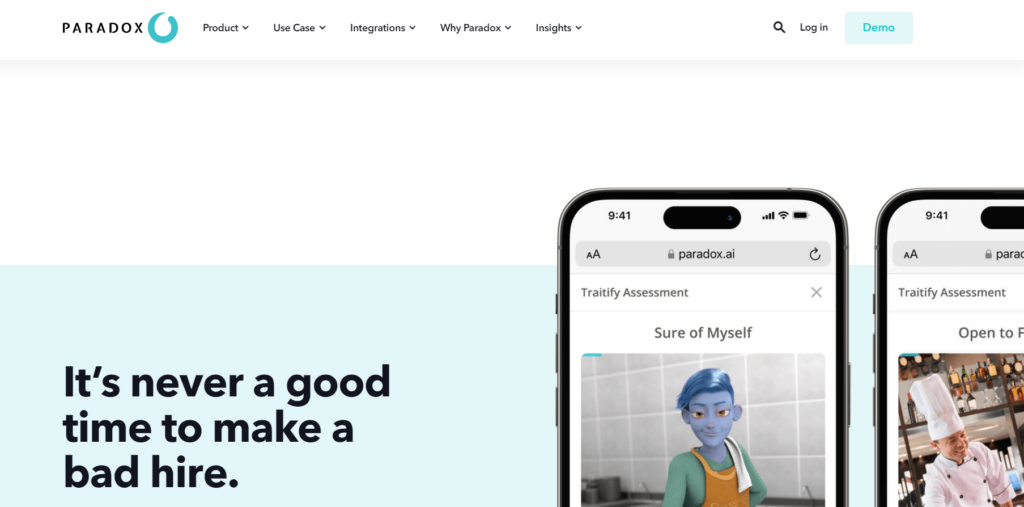
Not in the sense most buyers mean. Paradox does not document a role-specific skills-testing library on its product pages. Its assessment heritage runs through Traitify, an image-based behavioral test that takes about two minutes. That is a genuine product with a genuine use: sorting large hourly applicant pools on work style when there is no time for anything longer.
It is not a coding test, a job-knowledge test, or a work simulation, and Paradox has never claimed it is. Which is fine. It just means a chat screen plus a two-minute personality read is the whole evidence base, and for anything more specialized than a shift role, that is thin.
What does Testlify measure instead?
Testlify is a pre-hire assessment and interviewing platform. It answers one question: can this person do the work? The library runs to 3,500+ tests spanning coding, cognitive ability, psychometrics, language, software skills, situational judgement, simulations, gamified tasks, and blue-collar trades, drawn from 180,000+ validated questions and mapped to 4,500+ job roles across 50+ industries. Coding assessments cover 45+ programming languages.
The question types are where the difference shows up. There are 25+ of them, and several are work samples rather than quizzes: live tasks in Google Docs, Sheets, Slides, Microsoft Word, Excel and PowerPoint; file-upload and URL submissions; a typing test scored on 60% accuracy and 40% speed by default, with the weighting configurable; and coding questions that open a real VS Code editor in the browser with up to 20 test cases, hidden or visible, including SQLite database cases.
One of those types is worth calling out because almost nobody else has an answer to it yet. Vibe coding questions let candidates direct AI tools to reach a working solution instead of writing syntax by hand. If your engineers already work that way, testing them as though they do not is measuring the wrong decade.
This matters because of what actually predicts performance. The 2022 reanalysis of selection-method validity by Sackett and colleagues revised many long-quoted validity estimates downward and put structured interviews among the strongest predictors, while years of education and general years of experience came out among the weakest. The exact coefficients are still argued over in print. The ranking is not: structured, job-relevant evidence beats unstructured impressions and resume proxies.
There is a second finding that speaks directly to automated screening. A meta-analysis by Kuncel and colleagues found that mechanically combining assessment information predicts outcomes as well as or better than experts recombining the same information by judgment. Automating the conversation does not give you that. Scoring the evidence consistently does.
The skills question is also moving under everyone's feet. The World Economic Forum's Future of Jobs Report 2025 found employers expect 39% of workers' core skills to change by 2030, down from 44% in 2023. A screening process built on job titles and years served ages badly against a number like that.
This is where the Testlify Multi-Signal Talent Evaluation Model comes in. It combines several role-relevant signals, including assessments, interviews, simulations, references, and reviewer feedback, rather than advancing a candidate on one strong test score or one polished conversation. One signal is fragile. Several pointing the same way is a decision you can defend six months later when someone asks why you hired this person.
How does Testlify handle video interviews?
Both products do video, so a comparison that stops at "yes, both have it" is useless. The difference is how much of the interview you can actually configure, and what happens to the recording afterwards.
Testlify runs four interview formats in one product: one-way asynchronous video, two-way conversational AI video, audio and voice questions, and outbound AI phone interviews billed at $0.18 a minute. There are 150+ interview templates to start from. During a live AI voice interview the candidate is muted while the AI is speaking, which tells you it is genuine turn-taking rather than a recorded prompt playing at them.
The AI interviewer itself is configurable: pick the avatar, pick the voice, set the persona and the context, and write custom prompts instead of accepting a canned script. Recording controls cover the number of attempts (including no limit), recording time, completion time, and auto-start with preparation time so the candidate can read the question before the camera rolls. Maximum video length is 5 minutes per answer. A reattempt deletes the previous take rather than quietly keeping both.
Transcripts are automatic and multilingual. The system detects the spoken language and generates the transcript to match, for any recording of at least 30 seconds. On the reviewer side you can watch or download the video, download the audio, pull the transcript, generate an interview report, regenerate it, and replay the screen. Video violation detection runs alongside: webcam off, no face detected, or several faces in frame all get flagged.
Then the scoring, which is the part that matters for anyone worried about AI making hiring calls. Testlify auto-scores open-ended answers and produces AI insights, and the product itself ships the disclaimer: AI scores and insights are for guidance only, use human judgment for final decisions. Two toggles back that up. "Display AI scores to the reviewer" can be turned off, and so can "Include AI score in the final average", which means you can run AI scoring as pure advice that never touches the number a candidate is ranked on. Individual questions can be routed to a named human with "Requires manual review from reviewer".
The honest boundary, and it is the only one: Testlify does not schedule live human interview panels. If your problem is coordinating four calendars for a final-round loop, that is a different tool. Everything up to that point, including the interview itself, happens here.
Testlify vs Paradox: feature comparison
The table below is built only on dimensions that can be checked against each vendor's own published material. Where a vendor documents nothing publicly, the cell says "Not published" rather than marking an absence. A blank in a marketing table is not evidence that a feature does not exist.
Dimension | Testlify | Paradox |
|---|---|---|
Primary job | Pre-hire skills assessment and interviewing | Conversational hiring automation |
Ownership | Independent | Workday, since 1 October 2025 |
Core buyer | Skills-based hiring, strongest under 200 employees | High-volume frontline and hourly hiring |
Skills test library | 3,500+ tests, 25+ question types | Not published |
Coding assessments | 45+ languages, VS Code editor, 20 test cases | Not published |
Cognitive ability tests | Yes | Not published |
Personality assessment | Yes | Yes, via Traitify, about 2 minutes |
One-way video interview | Yes, attempts and recording time configurable | Yes |
Two-way conversational AI interview | Yes, video and voice, selectable avatar and voice | Not published |
Outbound AI phone interview | Yes, $0.18 per minute | Not published |
Interview transcripts | Automatic, multilingual, 30 seconds or longer | Not published |
AI scoring with human override | Yes, AI score can be excluded from the average | Not published |
Chat screening over SMS and web | Notifications by email, SMS and WhatsApp; chat screening is not a Testlify product | Yes, the central capability |
Candidate self-scheduling | Not published | Yes |
Live human panel scheduling | No | Yes |
Proctoring and assessment integrity | Three presets, dual-device phone monitoring | Not published |
Applicant tracking | 100+ ATS integrations, plus a simple built-in hiring pipeline | Ships a Conversational ATS |
Languages | UI in 16+ languages | Responds in 100+ languages |
Published pricing | Yes, on the pricing page | No |
Two rows in that table used to be wrong on this page, and they are worth naming. Video was a bare "Yes" against a rival that ships video, which threw away the comparison. And the applicant-tracking row said Testlify does not do it, which was never true.
How do these tools fit your hiring stack?
Most teams evaluating this already run something. If you have Greenhouse, Lever, Workday or one of the other 100+ platforms Testlify connects to, the assessment and interview layer plugs in and your existing system stays the record of truth. Scores land where recruiters already work, and a candidate who clears a cut-off can be advanced to the next stage automatically. One asymmetry to know about: a rejection made inside Testlify stays inside Testlify and does not write back to your ATS.
One line item to confirm before you sign: on the self-serve tiers those 100+ ATS integrations are a $2,388-a-year add-on, and they are included in the price only on the Custom plan. White labeling and SAML SSO work the same way. None of that is hidden, but it does not show up in the headline monthly figure either, so put it in the quote rather than assuming it.
If you run no ATS at all, which is common under about 50 people, Testlify also ships a simple hiring pipeline: job requisitions, an application form, publishing to job boards, a public job listing, and an applied to reviewed to shortlisted to rejected flow. It is deliberately basic. It exists so a small team can post a role, take applications, and screen on evidence without buying two systems. It is not built to go up against a system of record at a 5,000-person company, and nobody should pitch it that way.
Paradox sits differently. Its Conversational ATS is aimed at frontline hiring at scale, and inside Workday it is increasingly a component of a larger suite rather than a standalone purchase.
How much do Testlify and Paradox cost?
Testlify publishes its rates. The Starter plan is $139 per month billed at $1,668 a year, which includes 100 candidate credits a year, working out to $16.68 per candidate credit, with additional credits at $21 and 3 user seats included at $15 per extra seat per month. Basic is $279 a month for 300 credits ($11.16 each) and Business is $699 a month for 1,000 credits ($8.39 each), so the per-candidate cost roughly halves as volume grows. There is a 7-day free trial with no credit card, a 30-day money-back guarantee, and base plan pricing locked for 24 months. One credit is consumed per started assessment, and credits do not roll over, which is the detail to model against a lumpy hiring year.
Paradox publishes nothing. Third-party sites quote monthly figures, but the vendor does not confirm them anywhere on its own site, so this page will not repeat them. Treat any number you find in a listing directory as unverified until Paradox or Workday puts it in a quote addressed to you.
That gap is itself useful information. Credit-based assessment pricing scales with candidates screened, so you can model it before you sign. Enterprise conversational automation is priced on sites, hires, and message volume, which is why it needs a sales call. Neither model is wrong. They just make very different demands on a budget cycle.
What do the rules say about automated screening?
Both categories now sit inside the same regulatory perimeter, and this is the part almost no comparison page covers.
Under the EU AI Act, systems used for recruitment, candidate filtering, and evaluation are classified as high-risk in Annex III. Chat-based knockout screening counts. So does automated scoring of an assessment. High-risk classification brings obligations around risk management, data governance, human oversight, and record-keeping, and they attach to how you use the tool, not only to who built it.
In New York City, Local Law 144 requires an annual independent bias audit of any automated employment decision tool, plus candidate notice, under the city's automated employment decision tools rules. Buyers routinely assume this covers assessments only. A conversational agent that screens candidates out on knockout questions is doing an employment decision too.
Human oversight is the requirement most likely to bite, and it is worth asking both vendors to show you the switch rather than the slide. In Testlify that switch is concrete: AI scores can be hidden from reviewers, excluded from the final average entirely, or routed to a named person for manual review, and disqualification is disclosed to the candidate rather than happening silently. Face verification data is deleted after 30 days and candidates can withdraw consent. Ask what the equivalent controls are on any tool that screens through chat.
Which tool should you choose?
Start with what is actually breaking, because the two tools fix different failures.
Choose conversational automation when the bottleneck is throughput. You are filling the same role across many locations, applicants ghost you between application and interview, recruiters spend their day rescheduling, and the cost of a mediocre hire is one shift and a replacement. Speed genuinely is the win condition here.
Choose assessment when the bottleneck is accuracy. Roles are specialized, applicant volume is manageable but quality is not, resumes have stopped being informative, and a bad hire costs a project, a client, or a quarter.
Take a 40-person marketing agency hiring two account managers and a paid-media specialist, purely as an illustration. Volume is not the problem: 90 applications is a slow afternoon, not a crisis. The problem is that every resume claims the same tool stack, and finding out who can actually build a campaign brief or read a media plan takes three interviews per person. A short work-sample assessment plus a recorded video answer moves that discovery to before the first call. The agency still runs three interviews, but on two finalists instead of nine hopefuls.
The honest caveat, since a comparison page that only lists strengths is marketing: assessment adds a step for the candidate. On a high-volume hourly role where applicants have three other offers within walking distance, a 40-minute assessment will cost you completions. That trade is worth making for a technician or an analyst. For a seasonal warehouse picker in a tight market, it often is not, and shorter screens or a lighter test earn their place instead. There is a second constraint worth knowing before you buy: Testlify assessments run on Chromium desktop browsers, Chrome or Edge, and the mobile app is a fallback for recording video rather than a way to sit a whole test on a phone. If your candidates apply exclusively from a phone at a bus stop, that matters.
Does Paradox work for small businesses?
Realistically, no. Paradox is built and priced for organizations filling the same role hundreds of times a year across many sites, and it now sells inside Workday's commercial motion. A 30-person agency or a 60-person construction firm does not have the volume to justify conversational automation, and will not get a self-serve price to try it.
Under about 200 employees the maths inverts. You are not drowning in applicants; you are trying not to get one of your next five hires wrong, and each of those hires is a visible percentage of the company. That is an evidence problem, not a throughput problem. It is also why published, self-serve pricing and a 7-day trial with no card matter more at this size than any feature on either product's list: you can find out whether it works before anyone has to approve a purchase order.
Can you use Paradox and Testlify together?
Yes, and for a large enterprise it is frequently the right answer. The two products sit at different points in the same funnel, so they are not competing for the same budget line so much as splitting it.
A workable sequence looks like this. Conversational apply and knockout screening handle first contact and qualification at volume. Candidates who clear it get a role-relevant assessment. Scored results feed the shortlist, and interview scheduling happens automatically off the back of the score rather than off the back of an application timestamp. Recruiters spend their time on the people the evidence already favors.
The integration question is the one to press, because it is where these stacks usually leak. Ask exactly how assessment results reach the conversational layer and the ATS, whether a score can drive an automated stage transition, and who owns the candidate record when two systems both think they are the front door. Vendors on both sides will say "we integrate". The useful follow-up is which fields, in which direction, and how often.
For the wider view of where automation genuinely helps versus where it just moves work around, the 2026 guide to AI in recruitment covers the full stack, and other Paradox alternatives are worth scanning if conversational automation is the piece you are actually shopping for.
Hire on proven skills, not just speed
Faster hiring only pays if the people arriving at the end can do the work. Testlify scores that directly, across 3,500+ tests and 45+ programming languages, with AI video and voice interviews and proctoring so the result means something. Start with a 7-day free trial, no credit card required, or book a demo and bring the roles you are struggling to fill.
FAQs
Related resources
View all
Competitor Comparisons
Testlify vs Drawmetrics: A detailed comparison
Competitor Comparisons
Testlify vs EVA: A detailed comparison
Competitor Comparisons
Testlify vs Pulsifi: features, pricing and proctoring compared for 2026
Competitor Comparisons
Testlify vs Prevue: A detailed comparison
Competitor Comparisons
Testlify vs Ducknowl: A detailed comparison
Competitor Comparisons
Testlify vs letsremotify: A detailed comparison
Get started.
Hire on proof, not resumes.
Run your first skills-based assessment free — no credit card required.