
Testlify vs. Coderbyte: Which Skills Assessment Platform is Best for HR Teams?
Testlify vs. Coderbyte: Discover which skills assessment platform best suits your hiring needs
Testlify is the better choice if you hire for more than developers, want AI video and voice interviews inside the same tool, and need proctoring included rather than sold as an add-on. Coderbyte is the better choice if you screen a large volume of developers on coding alone and want one flat price with unlimited candidates. Everything else is detail, and the detail is where most buyers get surprised.
This comparison uses the plans each vendor published on its own pricing page on 6 September 2026, not the $199 a month figure that review directories still repeat for Coderbyte. It walks the add-on math, names the ATS systems each platform connects to, and shows what 100 developer candidates a year actually cost on both. It also says where Coderbyte wins, because a comparison that never concedes a point isn't one you should trust.
 ChatGPT
 Gemini
 Claude
 Grok
Grok Perplexity
TL;DR
- Testlify covers the whole hiring funnel for every role: 3,500+ tests across 12 categories, 45+ programming languages, 25+ question types, plus AI video, voice and phone interviews, with proctoring in the subscription. Coderbyte is a coding-first screening and interview tool with a strong live IDE.
- Both platforms sell ATS integrations as an add-on. Testlify connects to 100+ ATS and HR systems ($2,388 a year on self-serve tiers, included on Custom). Coderbyte names 17 native integrations plus Zapier, at $1,499 a year.
- Proctoring is where the two diverge most: Testlify's webcam, tab-tracking and dual-device proctoring come with the subscription (photo ID face checks are metered at $0.50 an attempt), while Coderbyte's webcam proctoring sits inside a $1,299 a year add-on.
- For 100 developer candidates a year with ATS sync and proctoring, Testlify's Starter tier lands at $4,056 and Coderbyte's Pro plan at $4,597. Add more than about 25 candidates to that and Coderbyte's flat unlimited rate is cheaper on list price, so Testlify's case rests on what's included, not on the base price.
- 84% of developers now use or plan to use AI tools, so the question is no longer whether candidates will use AI in a test but whether your platform can tell, and whether it lets you test AI-assisted work on purpose. Testlify does both.

What is Testlify?
Testlify is a pre-hire skills assessment and AI interviewing platform. Hiring teams build assessments from 3,500+ validated tests or their own questions, invite candidates by link or straight from their ATS, proctor the session, and get scored reports with AI insights that a human reviewer signs off on. It covers coding, cognitive, role-specific, software, language and personality skills in one place.
It's built around the Testlify Multi-Signal Talent Evaluation Model: instead of advancing a candidate on one coding score or one polished interview, you combine several role-relevant signals (a coding test, a work sample, a recorded or conversational AI interview, reviewer feedback) and hire when they point the same way. That matters in a head-to-head with a coding-only tool, because the whole argument for Testlify is that a developer's job is more than the algorithm round.
How does Testlify work?
You pick a role, assemble the evidence you want, send the link, and read the report. In practice that breaks into six steps.
1. Build the assessment
Choose from the library of 3,500+ pre-built tests or generate an assessment from a job description with AI (up to 20 questions from a pasted description or an uploaded PDF). Coding questions run in an embedded VS Code editor with single-file or multi-file project formats, up to 20 visible or hidden test cases, and SQLite database test cases. You can also enable vibe-coding questions, where candidates direct AI tools to a working solution instead of typing syntax by hand, which is the closest thing on the market to how most developers now work.
2. Invite candidates
Candidates get an email or a public link. No account creation, a 6-digit email code, a device check, then the assessment. Reminders run on a schedule you set, links expire when you say so, and duplicate invites are flagged.
3. Proctor the session
Pick a preset (Standard, Strict or Custom) from Testlify's anti-cheating and proctoring controls: full-screen enforcement, tab-switch and mouse-out tracking, webcam snapshots, photo ID with face match, screen recording, AI-tool and browser-extension detection, and dual-device proctoring where the candidate's phone becomes a second camera pointed at them and their screen.
4. Score with AI, decide with humans
Open-ended answers, code, spreadsheets, presentations and design files are auto-scored, and the product says so plainly on screen: "AI scores and insights are for guidance only. Use human judgment for final decisions." You can show or hide AI scores from reviewers and choose whether they count in the final average.
5. Read the analytics
Reports break down score by skill and by question, with percentile benchmarks against other candidates and item-level statistics (difficulty index, discrimination index, quality risk) that tell you when a question is broken rather than when a candidate is weak. Export to PDF or CSV, or share a link with the hiring manager.
6. Sync with your ATS
Testlify integrates with 100+ ATS and HR platforms, including Workday, SAP SuccessFactors, Greenhouse, Lever, Workable, SmartRecruiters and UKG, plus a REST API and webhooks. Candidates can auto-advance to the next ATS stage when they clear a cut-off. Teams that don't run an ATS get a simple built-in one: post the job, take applications, screen with evidence, move people through stages. It is deliberately basic, and it is not meant to replace a system of record you already trust.
Testlify is SOC 2 Type II and ISO 27001 certified and GDPR compliant, with CCPA support and NYC Local Law 144 alignment for AI-assisted decisions.
What is Coderbyte?
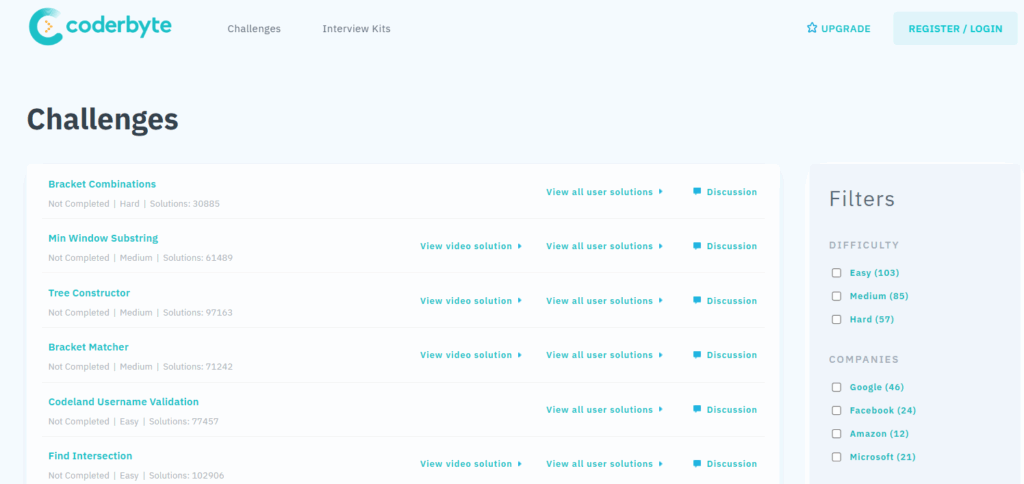
Coderbyte is a technical hiring platform for screening developers with coding challenges, take-home projects and live technical interviews. Its site lists 10,000+ questions across 500+ skills, a real-time coding IDE for interviews, and cheating detection built around plagiarism matching, code playback and paste detection. It's a focused tool for engineering teams, priced as a flat subscription with unlimited candidates.
How does Coderbyte work?
The flow is familiar to anyone who has run a coding screen.
1. Build the assessment
Hiring managers pick from the challenge library or write custom challenges, multiple-choice and open-ended questions, and take-home projects. Its help center lists 1,000+ challenges in 30+ languages, with 100+ frameworks, databases and cloud tools available for both assessments and interviews (React, Django, Spring Boot, PostgreSQL, MongoDB, AWS, Docker, Kubernetes and the like).
2. Invite candidates
Candidates receive a link and complete the work in a browser editor. The Pro plan allows unlimited candidates, with up to 50 taking an assessment at the same time; Enterprise raises that to 100+.
3. Review results
Recruiters get auto-graded results, code playback recordings, a skill rating, and an internal benchmarking chart that shows how other candidates scored on the same challenge. AI summaries review the submission for accuracy, efficiency and documentation.
4. Interview live
Coderbyte's interview room combines a live coding IDE, spreadsheets and whiteboards, full-stack frameworks with terminals and file directories, video, an agent mode with frontier models, and scorecards with playback. This is Coderbyte's strongest feature, and it is genuinely good.
5. Detect cheating
Challenge solutions are matched against other candidates and known AI-generated solutions and flagged as "Plagiarism detected". Suspicious-activity flags cover screenshots, illicit browser extensions, abuse of the built-in Google Search, and attempts to modify platform scripts. Webcam proctoring (multiple people, nobody present, another device) requires the Bundle plan or the Premium Analytics & Proctoring add-on.
6. Comply
Coderbyte publishes a SOC 2 Type 2 report in its trust center and states GDPR compliance in its help center. Enterprise customers get an information-security review; self-service customers pay a surcharge for that support.
How do Testlify and Coderbyte compare feature by feature?
Testlify wins on breadth (roles, question types, interviews, proctoring included), Coderbyte wins on live interviewing and flat-rate volume pricing. Every cell below comes from the two vendors' own sites or product interfaces as of September 2026; where Coderbyte's site does not state something, the cell says so rather than guessing.
Area | Testlify | Coderbyte |
|---|---|---|
Primary focus | Skills assessment and AI interviewing for every role | Coding-first technical screening and live interviews |
Library | 3,500+ tests across 12 categories | 10,000+ questions across 500+ skills (vendor figure); 1,000+ challenges listed in its help center |
Programming languages | 45+ for single-file coding; Node.js, Python and Java for multi-file projects | 30+ languages plus 100+ frameworks, databases and cloud tools |
Non-technical tests | Cognitive, situational judgment, typing, Office and Google Workspace, language, personality, blue-collar | Coding-first library; personality testing is a $1,199 a year add-on |
Question types | 25+, including Google Docs, Sheets and Slides, Word, Excel and PowerPoint, file upload, practical tasks, typing | Coding challenges, multiple choice, open-ended, take-home projects, video responses |
AI-assisted coding | Vibe-coding questions where candidates direct AI tools, plus AI-assistance detection | AI-solution matching on challenges; agent mode in live interviews |
Coding editor | Embedded VS Code, up to 20 test cases, SQLite database test cases | Real-time IDE with terminals and file directories, VS Code editor integration |
Recorded video responses | Yes, up to 5 minutes per video, attempts and recording time configurable | Yes, 200 video responses included on Pro |
Conversational AI interview | Two-way AI video, voice and outbound phone interviews with selectable avatars and voices, custom prompts, transcripts, auto-scoring with human override | Not listed on its site |
Live human interview room | Not a live-panel scheduling tool | Live IDE with whiteboard, spreadsheets, scorecards and playback |
Proctoring | Standard, Strict and Custom presets included; webcam snapshots, ID and face match, screen recording, dual-device phone camera | Webcam proctoring inside the Premium Analytics & Proctoring add-on ($1,299 a year) or Bundle |
Plagiarism and AI detection | AI checker labels answers Human, AI generated or Mixed; detects AI tools and browser extensions | Plagiarism and AI matching on challenges included; AI detection on free-form questions needs Bundle or Premium Analytics |
Analytics | Percentile benchmarks, difficulty and discrimination index per question, quality-risk flags, AI insights | Interactive reports and benchmarking, code playback, AI report analysis; premium analytics as add-on |
ATS integrations | 100+ (Workday, SAP SuccessFactors, Greenhouse, Lever, Workable, SmartRecruiters, UKG, BambooHR and more); $2,388 a year add-on on self-serve tiers, included on Custom | 17 named native (Greenhouse, Lever, Workday, iCIMS, UKG, Workable, SmartRecruiters, Ashby, Teamtailor, Pinpoint and more) plus Zapier; API & ATS integrations add-on $1,499 a year |
API and webhooks | REST API and event webhooks | API access with the integrations add-on |
SSO and provisioning | SAML SSO, SCIM, group-to-role mapping (add-on on self-serve tiers) | SSO & SCIM add-on $1,499 a year |
Branding | White label with custom domain and SMTP; $2,388 a year add-on, included on Custom | Branding & Customization add-on $1,299 a year |
Candidate limits | One credit per started assessment; 100 to 25,000+ credits a year by tier | Unlimited candidates, 50 concurrent on Pro, 100+ on Enterprise |
Entry price (annual) | Starter $139 a month, billed $1,668 a year, 100 credits, 3 seats | Pro $1,799 a year, unlimited candidates |
Pay as you go | Monthly Starter $198 for 10 credits | $99 a month for 20 invites, or $500 per 50 invites |
Free trial | 7 days, no card required | 14 days |
Enterprise | Premium, Enterprise and Custom on quote; audit logs and SIEM streaming | From $12,495 a year with all add-ons, data residency and infosec review |
Compliance | SOC 2 Type II, ISO 27001, GDPR, CCPA | SOC 2 Type 2, GDPR |
Which coding assessment integrates with your ATS?
Both do, and neither includes it in the base price. Testlify connects to 100+ ATS and HR platforms for a $2,388 a year add-on on the self-serve tiers (included on Custom). Coderbyte lists 17 native integrations plus Zapier for a $1,499 a year add-on. The practical difference is how far the sync goes and whether your system is on the list.
Best online coding assessment product like Coderbyte for employers that integrates smoothly with ATS systems?
If your ATS is Greenhouse, Lever, Workday, Workable, SmartRecruiters or UKG, both platforms name it. If you run SAP SuccessFactors, BambooHR, Fountain or Manatal, only Testlify names it natively; Coderbyte would route you through Zapier. If you run Ashby, iCIMS or Bullhorn, Coderbyte names them natively; Testlify's directory runs to 100+ entries, so check the integration list for yours before you assume either way.
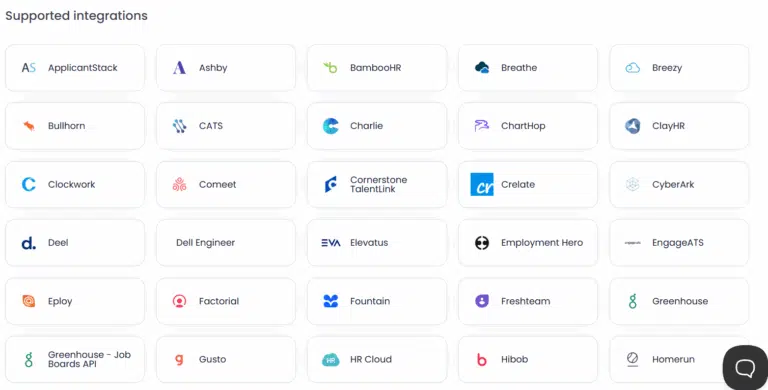
Depth matters more than the count. Testlify's ATS sync reads candidates from the ATS, sends the invite automatically when a candidate hits a stage, and can auto-advance them to the next ATS stage when they meet the cut-off score. Rejection happens inside Testlify and does not write back to the ATS, which is the right default: the ATS stays the system of record, and a recruiter still makes the call. AI resume scoring is free in beta for Greenhouse customers, with other ATS systems on request.
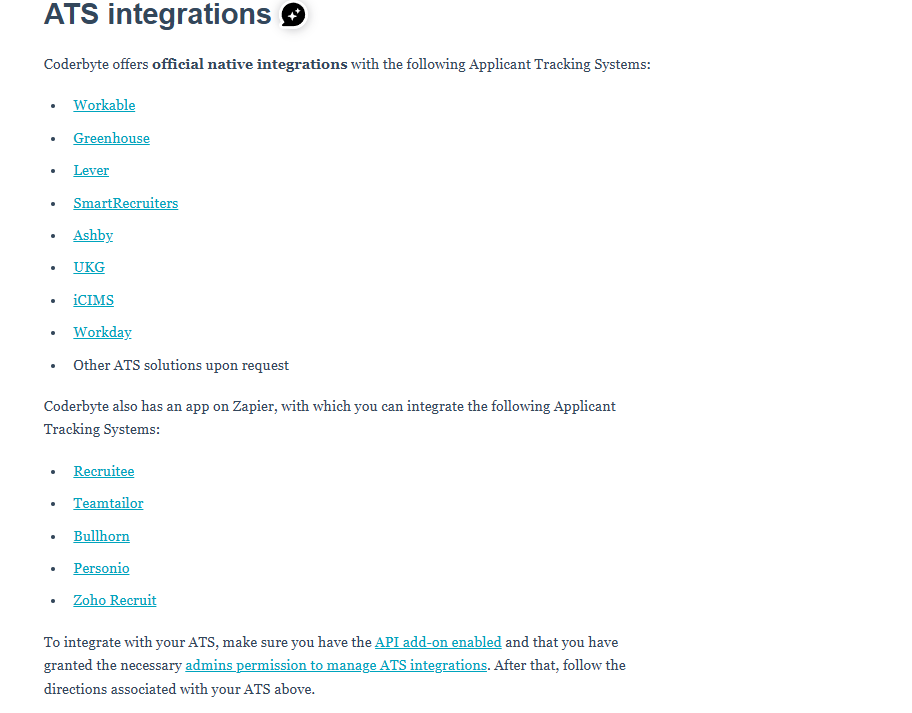
Coderbyte's integrations do the core job, pushing an invite from the ATS and returning a score. For a coding-only screen that is enough. Where it falls short is the moment your process adds a non-coding stage (a cognitive test, a recorded interview, a personality profile) and you want all of it to land in one ATS record. Coderbyte would need a second tool for those stages, so you'd be maintaining two integrations instead of one.
Coderbyte alternatives with ATS integration
Testlify is the alternative this page argues for, but it isn't the only one that syncs with an ATS. The Coderbyte alternatives guide compares 15 platforms on integration count, library breadth and pricing, and is the right next read if ATS fit is your first filter. Two rules of thumb from that research: ask every vendor whether integrations are included or an add-on (on both platforms here, they're an add-on), and ask whether the sync can move a candidate to the next stage on a score, because a one-way "send invite" integration saves you almost nothing.
Verdict: Testlify, for the depth of the sync and the breadth of systems it names. Coderbyte is fine if your ATS is on its list and coding is the only stage you automate.
Which platform hires beyond developers?
Testlify, without much of a contest. Its library spans 12 categories (role-specific, cognitive ability, software skills, programming, coding, engineering, personality and culture, language, situational judgment, typing, blue collar and simulation), so the same tool that screens a backend engineer can screen the product manager, the support lead and the accountant hired in the same quarter. Coderbyte's library is coding-first by design, and its personality testing is a $1,199 a year add-on.
Testlify test types include:
- Cognitive ability tests (numerical, logical and verbal reasoning, attention to detail)
- Role-specific tests for technical, commercial and operations roles
- Programming tests and live coding tests in 45+ languages
- Software skills tests for Excel, Word, Google Sheets, CRM and design tools
- Psychometric tests and personality and culture profiles
- Situational judgment tests for decision-making under realistic conditions
- Typing tests scored 60% accuracy and 40% speed by default, with configurable weights
- Language tests with real-time translation of questions into the candidate's language
- Blue-collar hiring tests for trades and frontline roles
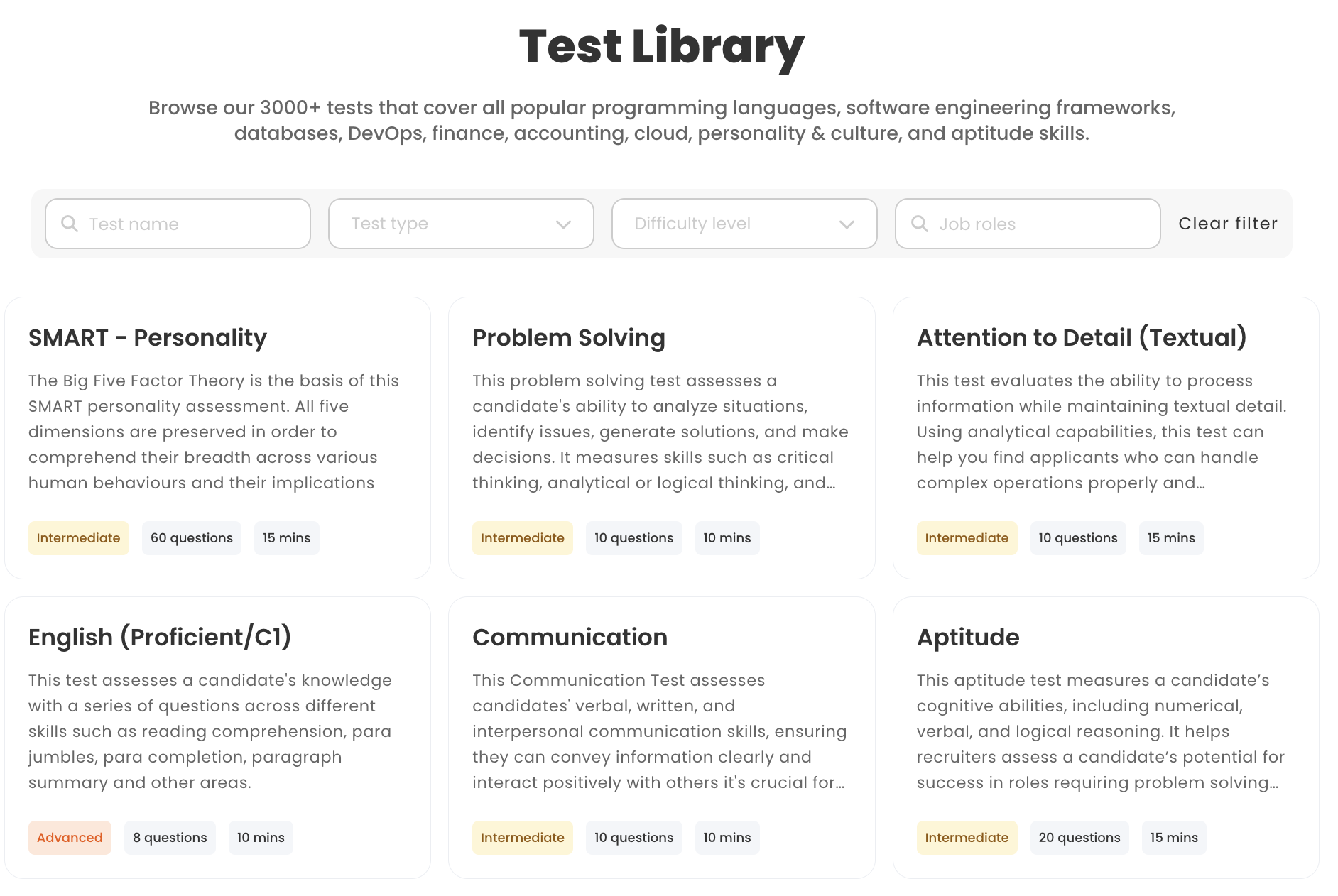
Coderbyte covers programming challenges, framework and tool-specific tests, take-home projects, multiple-choice and open-ended questions, and video responses. That's a deep bench for one job family and a thin one for everything else.
The breadth argument isn't about vanity metrics. The Bureau of Labor Statistics projects software developer employment to grow 10 percent from 2025 to 2035, with about 106,100 openings a year and a median wage of $135,980 in May 2025. A company hiring developers at that price point is almost always hiring the people around them too, and buying a second assessment tool for those roles doubles the vendor management, the integration work and the training.
Question types are the other half of breadth. Testlify's 25+ types include Google Docs, Sheets and Slides tasks and Microsoft Word, Excel and PowerPoint tasks bound to the real applications, file uploads, practical hands-on tasks submitted by URL, ranking and range questions, and qualifier questions that gate the rest of the assessment. Coderbyte's coding challenges, multiple-choice, open-ended, take-home and video response types are enough for a developer screen and not much beyond it.
Verdict: Testlify. If you only ever hire developers, this section won't change your mind, and it shouldn't.
How do AI interviews and live coding interviews differ?
Testlify runs asynchronous and conversational AI interviews that candidates take on their own time and that get scored before a human ever watches. Coderbyte runs live interview rooms where a human interviewer and a candidate code together in real time. They solve different problems, and the honest answer is that a serious engineering team wants both.
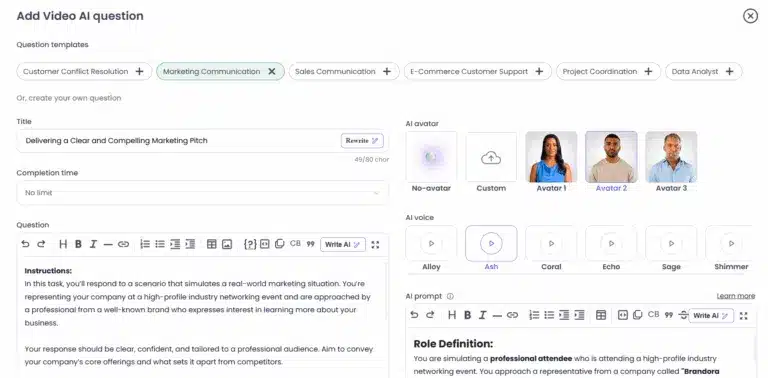
Testlify offers four interview formats: one-way recorded video, two-way conversational AI video, voice and audio questions, and outbound AI phone interviews (billed at $0.18 a minute). The AI interviewer is configurable: choose an avatar and a voice, set a persona and context, write custom prompts or start from 150+ interview templates. Recording controls cover the number of attempts (including no limit), recording and completion time, preparation time before auto-start, and a 5-minute cap per video. Transcripts are automatic and multilingual for recordings over 30 seconds. Reviewers get the video, the transcript, an interview report and AI insights, and every AI score can be overridden or kept advisory.
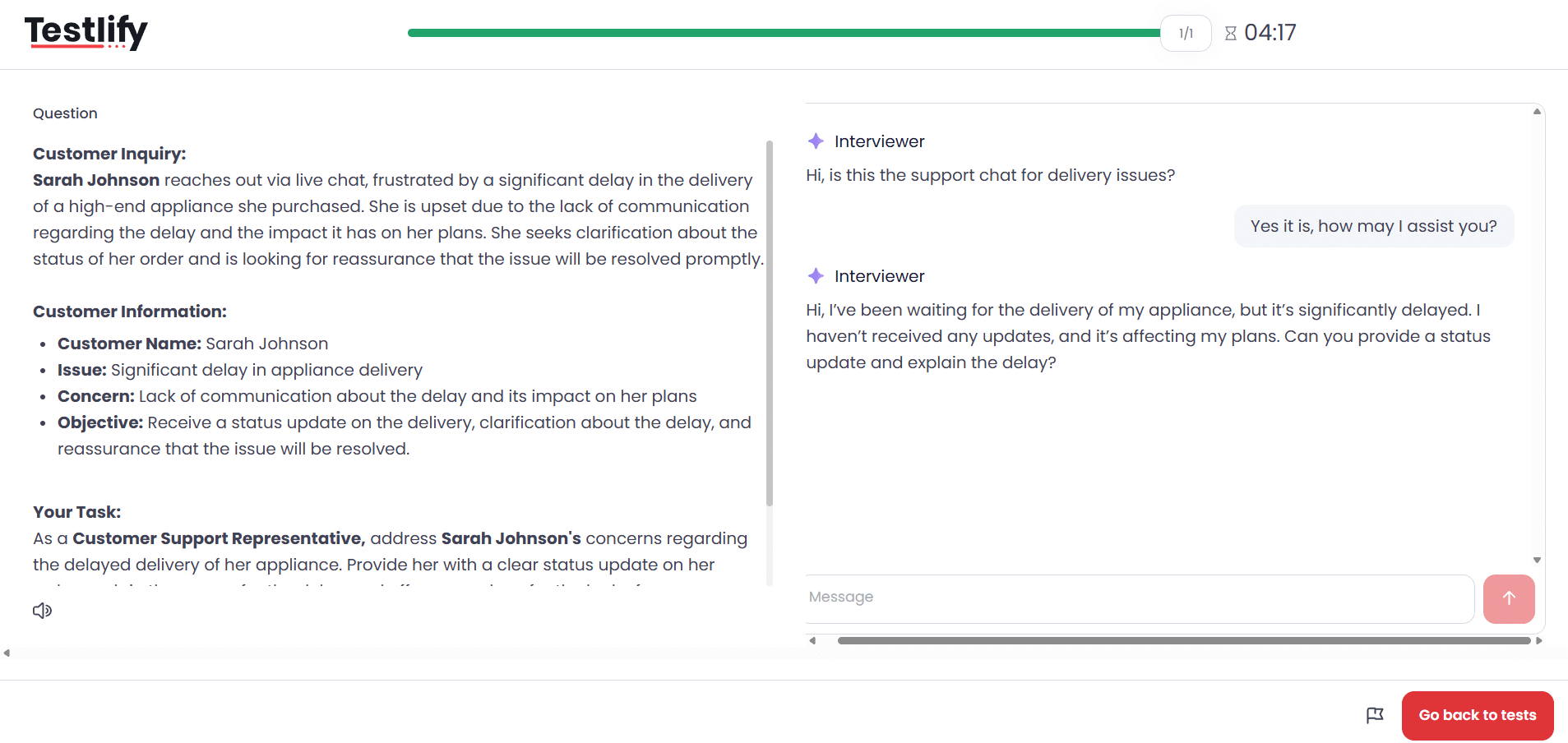
During a live AI voice interview the candidate sees "You're muted while the AI is speaking", which is the tell that this is real turn-taking rather than a recorded prompt. Video violation detection runs alongside: webcam off, no face, multiple faces.
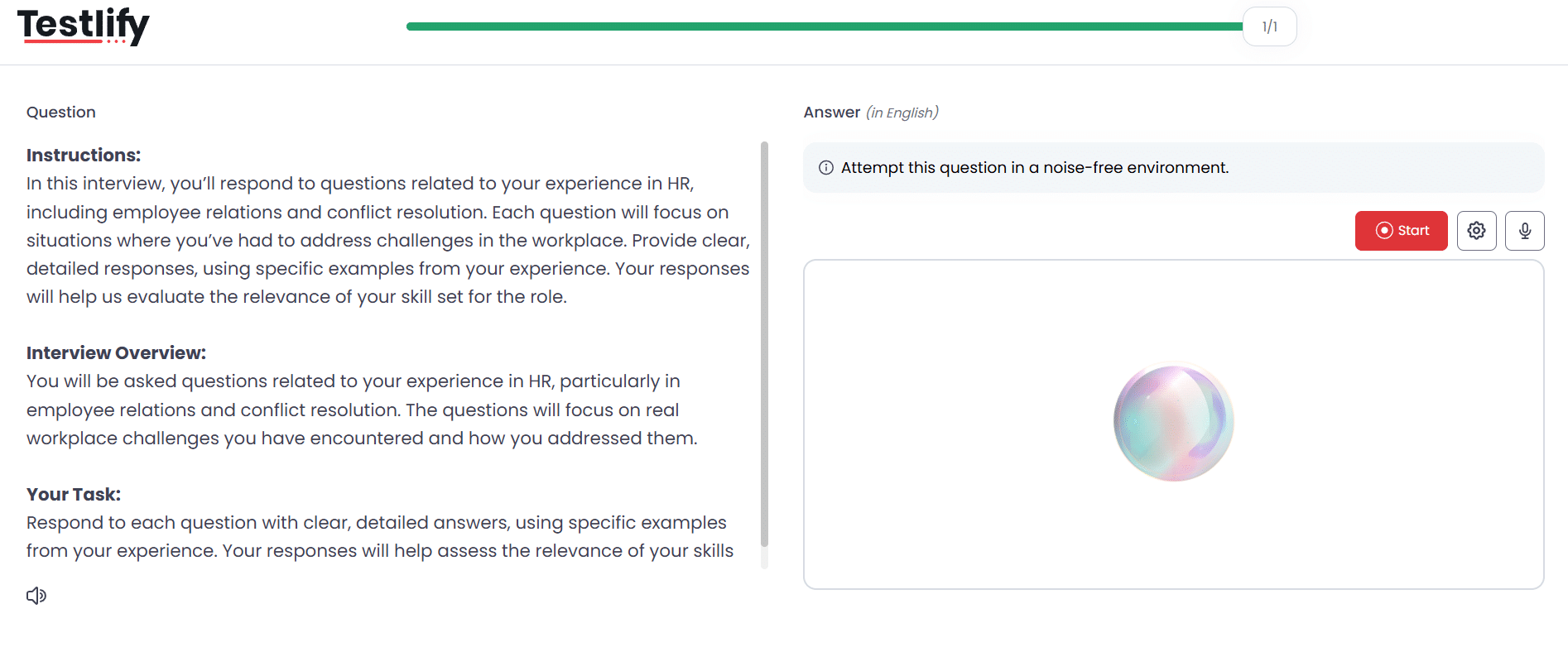
What Testlify does not do is schedule and host a live panel of human interviewers. That is a different product, and Coderbyte has it.
Coderbyte includes 200 recorded video responses on its Pro plan for one-way answers, and its live interview room is the best part of the product: a shared IDE with terminals and file directories, spreadsheets and a whiteboard in the same session, video, an agent mode that lets the candidate work with frontier AI models on camera, and scorecards with playback so the panel can review afterwards. Its site does not list a two-way conversational AI interviewer or auto-scored AI interviews.
Verdict: Testlify for screening at volume, because an AI interview that scores itself removes the scheduling bottleneck for the first 80 candidates. Coderbyte for the final round, where you want a senior engineer watching a candidate think out loud. If you have to pick one, pick the stage where your time disappears today.
Which platform protects assessment integrity better?
Testlify ships its proctoring suite with the subscription rather than as a priced add-on, and adds a control nobody else in the category ships: dual-device proctoring, where the candidate's phone becomes a second camera and the session cannot start until it is active. Coderbyte's anti-cheating is strong on code plagiarism and AI-solution matching, but its webcam proctoring lives inside a $1,299 a year add-on.
The AI shift is what makes this section matter more than it did two years ago. The 2025 Stack Overflow Developer Survey found that 84% of developers are using or planning to use AI tools in their development process, up from 76% the year before, while more actively distrust the accuracy of those tools (46%) than trust it (33%). So a candidate reaching for an AI assistant during a coding test isn't an outlier. It's the median. Your assessment has to do two things at once: detect AI use where the rules forbid it, and allow it where the job expects it.
Testlify handles the first with layered integrity controls: identity assurance (photo ID with face match, single-presence verification), environment control (full-screen enforcement, multi-monitor restriction, internet-speed checks), behavior monitoring (tab switches, mouse-out, copy-paste, screenshot attempts, talking), AI-assistance detection for AI tools and browser extensions, and an AI checker that labels a written answer Human, AI generated or Mixed. Every flag lands as evidence with a three-tier signal: green (no issues), yellow ("a quick manual review is recommended") or red (cheating confirmed). Auto-termination is a separate opt-in with a violation threshold you set, so a flag never rejects a candidate on its own. Face verification data is deleted after 30 days.
It handles the second with vibe-coding questions, which let candidates direct AI tools to reach a working solution and get scored on the result. That's the difference between banning the tool your team uses every day and testing whether a candidate can use it well.
Coderbyte matches submitted code against other candidates and against known AI-generated solutions and shows "Plagiarism detected" in the report, with a drill-down to see which. It tracks screenshots, illicit browser extensions, abuse of its built-in Google Search and script tampering on all plans. Paste detection and tab-leaving detection warn candidates. Webcam proctoring (multiple people, nobody present, another device) requires Bundle or the Premium Analytics & Proctoring add-on, and AI detection on free-form questions needs the same. Its live interview agent mode is the closest equivalent to vibe coding, but it runs in the interview, not the automated screen.
Pro tip: Match proctoring strictness to the stage. Run the first screen on Testlify's Standard preset with AI-assistance detection on and the ID check off, so 200 applicants don't bounce at a passport prompt. Turn on Strict, photo ID and dual-device only for the shortlist where a false pass is expensive. The 60% of workers who have abandoned an application midway (iCIMS, 2025) are not going to tolerate a hard gate at step one.
Verdict: Testlify, on two counts: proctoring is included rather than priced separately, and it is the only one of the two that both detects and deliberately allows AI-assisted work.
Which gives better data on engineering candidates?
Coderbyte gives you deeper data on a single coding submission (code playback, per-challenge benchmarking, an AI review of accuracy and efficiency). Testlify gives you better data on the candidate and on your test: percentile benchmarks, skill-level breakdowns, and item-level psychometrics that tell you when a question is the problem. For an engineering hiring manager the first is more satisfying; for the person accountable for hiring quality the second is more useful.
Top Coderbyte for Employers competitors that give better data and analytics on engineering candidates
Analytics is where the "alternatives" pages send the most traffic, so it's worth being precise about what each tool reports.
Testlify surfaces test-publisher statistics to recruiters: a difficulty index and a discrimination index per question, a quality-risk flag when a question shows very low accuracy or high skips, answer and time distributions, and median and average score and time, scopeable to one assessment, a workspace or the whole account. Candidate-level reports carry percentile rank, "better than" comparisons against other candidates and against other reviewers, per-question activity and timing logs, a trust score, and AI insights (summary, strengths, improvement areas) in a language you choose. Reports export as PDF (single, combined or per section), CSV, ZIP and transcripts, and a shareable link lets you show or hide AI insights, proctoring detail, correct answers and candidate info per recipient. The reporting and analytics page walks the report types.
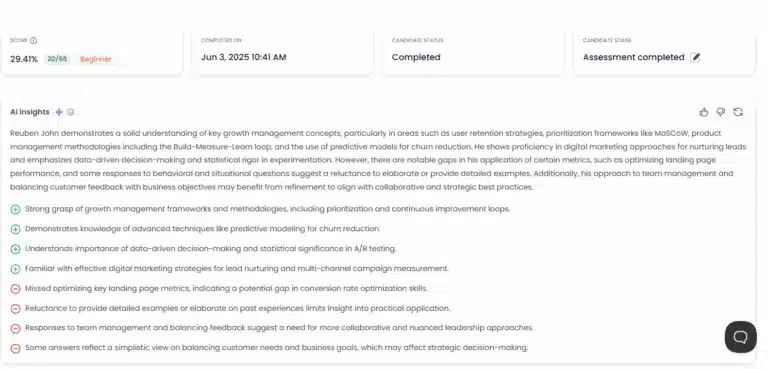
Coderbyte reports the candidate's code, a playback recording of how it was written, a skill rating, and an internal benchmarking chart against other candidates on the same challenge. AI-powered report analysis summarises accuracy, completeness, efficiency and documentation. Its site describes "interactive reports and benchmarking that highlight areas of improvement", with premium analytics sold as an add-on. Benchmarks are internal to your own candidate pool; there is no cross-customer or industry norm.
The gap is the item statistics. When 40% of candidates fail one question, a discrimination index tells you whether that question separates strong candidates from weak ones or is just badly written. Without it, you tend to blame the applicant pool.
Verdict: Coderbyte for reviewing one developer's code in depth. Testlify for deciding between 200 candidates and for keeping the test itself honest.
Which platform wins on candidate experience?
Testlify, mostly because of what it removes: no account to create, a practice mode before the clock starts, breaks between sections, a candidate-initiated accommodation request that a human reviews, and a "report this question" button. Coderbyte's candidate flow is clean and fast for a coding screen, and its editor is excellent, but it has fewer of the small courtesies that keep non-developers from quitting.
Which tech hiring platform beats Coderbyte for Employers on candidate experience and completion rates?
Completion is the metric that matters here. In the iCIMS 2025 State of Frontline Hiring report, 60% of workers said they had started but not finished an application, and half of them blamed forms that were too long or time-consuming. An assessment is the longest form in your funnel. Every extra minute and every unexplained gate costs you candidates, and the ones who leave first are usually the ones with other offers.
Testlify tells candidates the rules up front (sections can't be paused, a question can be skipped but not revisited, rejoin on the same link if the network drops), lets them take a practice test if practice questions are included, and gives them a moment between sections. Accommodation requests route to an administrator who adjusts the session; screen-reader usability can be enabled; DEI questions are optional, anonymous and never shared with the employer. Candidates can see their own result if you allow it, retake after a cooldown you set, and rate each section. Assessments can be translated into the candidate's language in real time. One honest constraint: proctored sessions need a Chromium desktop browser (Chrome or Edge), and the mobile app is a capture fallback for video and audio, not a way to sit a full assessment on a phone.
Coderbyte gets candidates into a browser IDE quickly, warns on the first paste rather than failing silently, and supports company branding, a custom subdomain and welcome messages (with the Branding & Customization add-on). Because it's built for developers, the experience assumes a developer: comfortable in an IDE, fine with a timed challenge, unbothered by test-case feedback. For that audience it's smooth. For a marketing hire or a support lead, it's the wrong room.
Verdict: Testlify for completion across mixed roles and for the fairness features (accommodations, disclosed disqualification reasons, human-reviewed flags). Coderbyte if every candidate you assess writes code for a living.
How does Coderbyte pricing compare with Testlify?
Coderbyte charges a flat $1,799 a year for unlimited candidates and then sells the features most teams need as $1,199 to $1,499 a year add-ons. Testlify charges by candidate credits from $139 a month (billed $1,668 a year for 100 credits), with proctoring and AI interviews included and ATS integrations, white labeling and SSO as $2,388 a year add-ons on the self-serve tiers. On a like-for-like stack Testlify is cheaper only at around 100 candidates a year; above that, Coderbyte's flat rate wins on list price, and Testlify's argument is what the price includes.
A warning before the numbers: review directories still quote Coderbyte at $199 a month. Its own pricing page showed the plans below on 6 September 2026, and they're different enough to change the answer.
Testlify pricing, annual billing:
- Starter: $139 a month, billed $1,668 a year. 100 credits, 3 seats, extra credits $21.
- Basic: $279 a month, billed $3,348 a year. 300 credits, 5 seats, extra credits $14.
- Business: $699 a month, billed $8,388 a year. 1,000 credits, 10 seats, extra credits $10.
- Premium, Enterprise and Custom: 3,000, 10,000 and 25,000+ credits with 20, 30 and 40 seats, priced on quote.
Monthly billing runs Starter $198 (10 credits), Basic $398 (30) and Business $998 (100). One credit is consumed per started assessment by a qualified candidate; credits don't roll over; extra seats are $15 a seat a month. There's a 7-day free trial with no card, a 30-day money-back guarantee, a 24-month price lock and a 25% non-profit discount. Add-ons on the self-serve tiers: 100+ ATS integrations $2,388 a year, white labeling $2,388 a year, SAML SSO and 2FA priced separately; all three are included on Custom. Metered extras: AI phone interviews $0.18 a minute, system check $0.25, face verification $0.50 an attempt, and a higher proctoring tier at $5 an attempt.
Coderbyte pricing, from its organizations page:
- Pro: $1,799 a year. Unlimited candidates (50 concurrent), full library and custom questions, cheating detection, 200 video responses, automated grading, AI features with unlimited credits.
- Add-ons: API & ATS integrations $1,499; SSO & SCIM $1,499; Branding & Customization $1,299; Premium Analytics & Proctoring $1,299; Personality Testing $1,199. Bundle all five for $4,196 (a 40% discount).
- Monthly: $99 a month for 20 invites, $20 per additional invite.
- Pay as you go: $500 per 50 invites, expiring after 365 days.
- Enterprise: from $12,495 a year with all add-ons, 100+ concurrent candidates, custom data residency, infosec review, validity studies and a dedicated account manager.
Coderbyte offers a 14-day free trial.
What do 100 developer candidates a year cost?
Take a 60-person company hiring eight engineers this year, screening about 100 candidates, and needing the assessment to sync with Greenhouse and to proctor the shortlist. This is an illustration built from list prices, not a customer story.
Scenario | Testlify | Coderbyte |
|---|---|---|
100 candidates, coding screen only | Starter $1,668 (proctoring and AI interviews included) | Pro $1,799, or pay as you go $1,000 for 100 invites |
100 candidates with ATS sync | $1,668 + $2,388 = $4,056 | $1,799 + $1,499 = $3,298 |
100 candidates with ATS sync and webcam proctoring | $4,056 (proctoring included) | $1,799 + $1,499 + $1,299 = $4,597 |
300 candidates, ATS sync and proctoring | Basic $3,348 + $2,388 = $5,736 | $4,597 (unlimited candidates) |
1,000 candidates, ATS sync and proctoring | Business $8,388 + $2,388 = $10,776 | $4,597 |
Everything (ATS, SSO, branding, proctoring, personality) | Custom tier, on quote | Pro + Bundle $5,995 |
Read the table both ways. At 100 candidates with proctoring, Testlify is $541 cheaper and includes interviews, non-technical tests and item analytics that Coderbyte doesn't sell at all. At 1,000 candidates, Coderbyte is $6,179 cheaper on list price, and if every one of those 1,000 is a developer taking a coding challenge, that is a real saving you should take seriously. The list-price break-even sits at roughly 125 candidates a year (Starter plus about 25 extra credits at $21), so past that point you're paying Testlify for breadth, not volume.
Two things the list price hides. Testlify's credit only burns when a qualified candidate starts, so a 30% no-show rate doesn't cost you. And Coderbyte's "unlimited" carries a concurrency cap of 50 on Pro, which is fine for a rolling pipeline and tight for a campus drive where 400 people sit the same window.
Verdict: Testlify at around 100 candidates a year, or at any volume where you need more than coding. Coderbyte for a developer-only pipeline past a couple of hundred candidates.
Is Testlify a good Coderbyte for Employers alternative?
Yes, and it's the right one for most teams under about 200 people, where the person choosing the tool is usually the founder or the head of operations, not a dedicated technical recruiter, and where the same tool has to screen the engineer, the account manager and the bookkeeper. Testlify gives that buyer 3,500+ tests, AI interviews, proctoring in the subscription, item-level analytics and 100+ ATS integrations, and it prices by candidate rather than by seat.
It is not the right alternative if your only job is coding screens at scale and your engineers want to run live pairing interviews inside the same tool. Coderbyte's live IDE is better than anything Testlify offers for that, and its flat rate beats Testlify's credit model on list price past a couple of hundred candidates a year.
Advanced coding assessment platforms for full-stack engineer hiring: better than Coderbyte?
For full-stack roles specifically, the test you want is a multi-file project with a database, not a single algorithm. Testlify's coding question supports multi-file projects in Node.js, Python and Java, up to 20 test cases with per-case scoring, SQLite database test cases, and a vibe-coding mode for AI-assisted work, all in an embedded VS Code editor (budget 1 to 3 minutes for it to load, the product warns). Coderbyte's take-home projects and interview room with terminals and file directories cover the same ground in a live setting, with 100+ frameworks including React, Next.js, Django, Spring Boot and PostgreSQL. The difference is that Testlify lets you wrap the coding project in the rest of the evidence (a system-design voice question, a cognitive test, a recorded explanation of a trade-off) inside one assessment, which is what the Multi-Signal model is for.
Other Coderbyte alternatives worth a look
If neither fits, the 15 Coderbyte alternatives and competitors guide compares the wider field on library size, ATS integration, proctoring and price, including tools that specialise in live coding interviews and tools built for high-volume campus hiring. Compare the same three things on every shortlist: what's included versus add-on, whether the ATS sync moves candidates on a score, and whether proctoring flags are evidence a human reviews or automatic rejections.
One compliance note that applies whichever you choose. New York City's Local Law 144 has been enforced since 5 July 2023 and requires any automated employment decision tool to have had a bias audit within one year of use, with notice to candidates 10 business days before. The EU's Artificial Intelligence Act classifies AI systems used to recruit, screen or evaluate candidates as high-risk, with obligations phasing in. Neither is legal advice, and no product design is a safe harbor. But a platform that ships AI scores as advisory by default, lets you exclude them from the final average and keeps a human reviewer in the loop is easier to defend than one that doesn't. Testlify's disclaimer is printed in the product; check what Coderbyte's says before you sign.
Hire full-stack engineers on evidence, not resumes
Run a real trial before you decide. Build one assessment for the role you're hiring this month, send it to five people whose ability you already know, and see whether the scores rank them the way you would. Testlify's 7-day free trial needs no card, and the Starter tier at $139 a month covers a 100-candidate year with proctoring and AI interviews included. If you'd rather see the ATS sync and the dual-device proctoring first, book a demo with the Testlify team.
Key takeaways
- Scope decides the winner. Testlify assesses every role in one platform with AI interviews built in, while Coderbyte is a coding-first tool with a superb live IDE. If you hire anyone besides developers, Testlify saves you a second vendor, a second integration and a second training rollout.
- Both sell ATS integrations as an add-on, so price the whole stack. Testlify's 100+ integrations cost $2,388 a year on self-serve tiers; Coderbyte's 17 native integrations cost $1,499. The deeper sync (auto-advance on a cut-off score) is Testlify's, and it's the feature that saves recruiter hours.
- Proctoring comes with the subscription on one platform and is a $1,299 add-on on the other. With 84% of developers using or planning to use AI tools, detection is table stakes. Testlify also lets you test AI-assisted coding on purpose through vibe-coding questions, which turns a policing problem into a hiring signal.
- Coderbyte is cheaper at volume, and you should say so in your business case. At 1,000 developer candidates a year with ATS and proctoring, Coderbyte's $4,597 beats Testlify's $10,776 on list price. At around 100 candidates a year, or with any non-coding stage, Testlify wins.
- Analytics serve different people. Coderbyte's code playback and AI review help an engineer judge one submission. Testlify's difficulty and discrimination indexes help the hiring owner find broken questions and rank 200 candidates fairly. Buy for whoever is accountable for quality of hire.
- Candidate completion is a cost line. 60% of workers have abandoned an application midway, mostly over length. Practice mode, no account creation, section breaks and human-reviewed accommodations are the features that keep your best-fit candidates in the funnel, and they're standard on Testlify.
FAQs about Testlify vs Coderbyte

Director of Marketing
Akash Patange is the Director of Marketing at Testlify, where he works closely with HR leaders and recruiters to help organizations improve hiring outcomes. He writes about talent assessment, recruitment technology, and data-driven hiring practices.
LinkedInRelated resources
View all
Competitor Comparisons
Testlify vs TestDome: Skills Assessment Platforms Compared
Competitor Comparisons
Testlify vs. Hirevue: Which Skills Assessment Platform is Best for HR Teams?
Competitor Comparisons
Testlify vs. iMocha: Which Skills Assessment Platform is Best for HR Teams?
Competitor Comparisons
Testlify vs. Mercer Mettl: Which Platform is Best for HR Teams?
Competitor Comparisons
Testlify vs. Codility: Which Platform is Best for HR Teams?
Competitor Comparisons
Testlify vs. Vervoe: Which Platform is Best for HR Teams?
Get started.
Hire on proof, not resumes.
Run your first skills-based assessment free — no credit card required.