
Live Coding Assessment: A Developer Hiring Guide
Assess developers effectively with proctored live coding projects! Learn how this method enhances skill evaluation and ensures the best talent.
A live coding assessment asks a candidate to build or fix real code in a working editor while you watch the work happen, not just the final answer. It is the closest thing to a paid trial day you can run in an hour, and it tells you what a polished resume cannot: can this person actually ship.
Here is the problem it solves. Most candidates now write code with an AI assistant, so a take-home test or a clever algorithm puzzle no longer proves a human can reason through a messy, multi-file problem. A proctored live coding project closes that gap. This guide covers what to measure, how to keep the test fair, and how to run one without turning it into a whiteboard hazing ritual.
 ChatGPT
 Gemini
 Claude
 Grok
Grok Perplexity
TL;DR
- A live coding assessment watches a developer build in a real editor, so you judge working ability, not interview polish.
- AI tools are now standard: 62% of developers already code with them, so unwatched tests mostly measure how well someone prompts a model.
- Score four signals, not one: how they break down the problem, code quality, how they debug, and how they explain decisions.
- Keep it fair with proctoring plus a realistic task, a clear rubric, and a time box of about 45 to 90 minutes.
- Testlify runs multi-file projects in VS Code with proctoring built in, so you see the real work and a defensible record of it.

What is a live coding assessment?
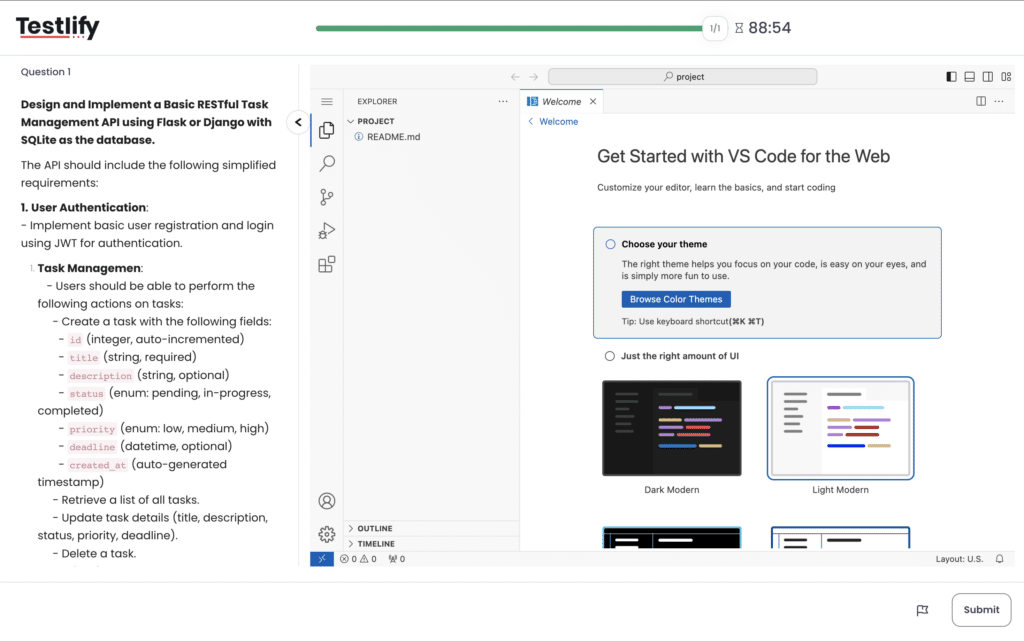
A live coding assessment is a timed exercise where a candidate writes, runs, and debugs code in a real development environment while the session is recorded or observed. Instead of a single function on a whiteboard, the candidate works on a project that looks like the job: real files, real tools, and a problem with more than one right answer.
It comes in a few shapes. Some teams run a 45 to 90 minute pair-programming session with an engineer. Others assign a self-paced project that records the screen and keystrokes for review later. Both beat a static quiz because you see the process. For a wider menu of formats, compare the main coding challenge platforms before you pick one.
Why do live coding assessments matter in 2026?
Because the way developers work has changed, and your test should reflect that. In Stack Overflow’s 2024 developer survey, 62% of developers said they already use AI tools in their workflow, up from 44% the year before, and 55% of those users reach for AI when writing code. If your screening step is an unwatched take-home, you are often grading the model, not the candidate.
The stakes are higher too. Developer hiring is competitive and the stack keeps shifting. GitHub’s Octoverse 2024 reported that Python overtook JavaScript as the most used language on the platform in 2024, alongside more than 70,000 new public generative-AI projects that year. The skills that matter move fast, so a one-language puzzle from 2019 tells you very little about who can build today.
Live coding vs other coding tests
Each format trades off realism, candidate effort, and how easy it is to cheat. Here is how the common options stack up so you can match the test to the role.
Format | What it shows | Cheating risk | Best for |
|---|---|---|---|
Live coding project | Real building, debugging, and decisions across files | Low with proctoring | Mid and senior engineers |
Algorithm puzzle | Data-structure recall and speed | High when unwatched | Early screening, new grads |
Take-home assignment | Polished output over a few days | High, often AI-assisted | Roles where polish matters |
Live pair interview | Communication and collaboration | Low | Final-round culture and skill check |
Notice the pattern. The formats that feel easiest to scale (puzzles and take-homes) are also the easiest to game. The ones that show real ability need a live, watched environment. That is the tradeoff a live coding assessment is built to win, and it is why we group it with hands-on technical assessment tools rather than quizzes.
What should you measure in a live coding test?
One score hides more than it reveals. A candidate can produce a working answer and still be a risky hire if they cannot explain it or fix it when it breaks. We use the Testlify Live Coding Scorecard, a simple four-signal rubric that separates real engineering from lucky output.
The four signals
- Problem decomposition. Do they break a vague task into smaller, testable pieces before writing code, or do they thrash?
- Code quality. Is the code readable, structured, and reasonable to maintain, not just passing tests by luck?
- Debugging. When something breaks (and it will), do they read the error, form a hypothesis, and test it, or guess randomly?
- Communication. Can they explain a tradeoff out loud, the way they would in a code review with your team?
Pro Tip: Score each signal on a 1 to 5 scale on a shared rubric before the session, and have two reviewers rate independently. Agreement on a rubric beats one interviewer’s gut feeling, and it gives you a defensible reason for every reject. You can also let how Testlify scores code handle the first pass so reviewers focus on judgment, not setup.
How does proctoring make live coding assessments more reliable?
A live coding assessment is only useful if you can trust that the work you are evaluating belongs to the candidate.
That is where proctoring becomes important. Instead of relying on a single anti-cheating control, a stronger setup uses multiple signals to verify the candidate, monitor the assessment environment, and give recruiters evidence to review when something looks unusual.
For a live coding assessment, useful proctoring controls include:
- Identity and face verification: Webcam-based checks can help confirm that the registered candidate is the person completing the assessment and flag events such as no face, multiple faces, or a different face being detected.
- Screen monitoring: Screen recording gives reviewers a complete record of what happened during the assessment, including activity outside the coding environment.
- Tab-switch detection: Records when candidates leave the assessment tab, helping identify attempts to access outside resources.
- Copy-paste tracking: Records copy and paste activity during coding questions, giving reviewers another signal when assessing whether the candidate completed the work independently.
- Full-screen and mouse-out monitoring: Helps identify when candidates leave the assessment environment or move their cursor outside the test window.
- IP and location controls: Can help organizations restrict assessments to authorized locations and identify suspicious access patterns.
- AI assistance detection: Where enabled, assessment activity can be analyzed for signals that may indicate AI assistance.
- Question-level activity logs: Recruiters can review time spent, tab switches, and periods of inactivity at the question level rather than relying only on the final score.
The important point is that proctoring should create evidence, not automatically decide whether someone cheated.
A candidate switching tabs once is not necessarily cheating. They may have accidentally clicked outside the assessment. Likewise, a webcam flag does not automatically mean an assessment should be rejected.
Use the signals as context alongside the candidate's code, score, and assessment behavior.
How do you run a live coding assessment?
You can stand up a fair, role-relevant assessment in four steps. The goal is a task that mirrors the actual work, scored the same way for everyone.
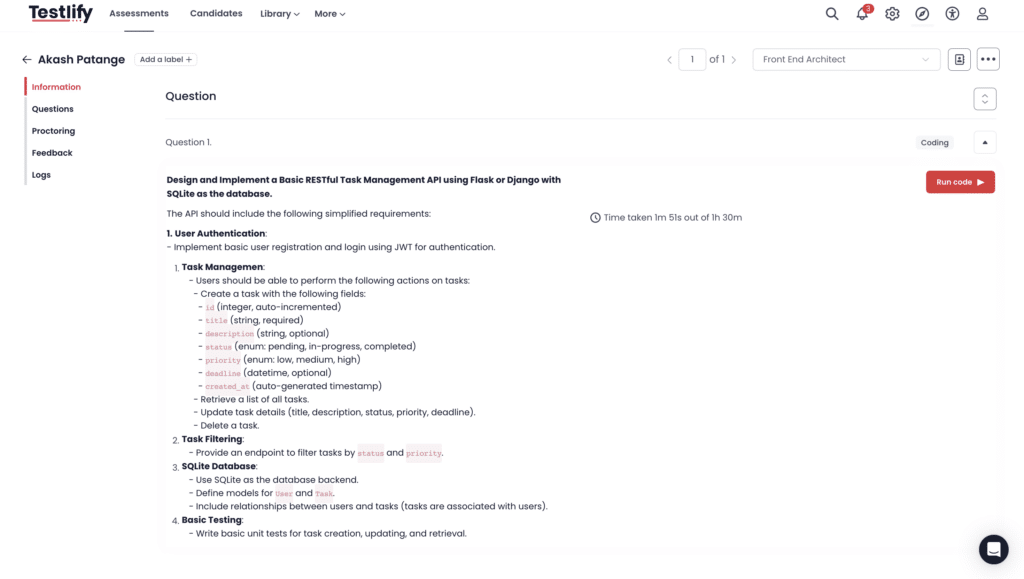
- Build a realistic task. Start from a real ticket your team shipped, then trim it to fit a single sitting. Multi-file beats single-function.
- Set the rules and rubric. Pick the time box (45 to 90 minutes is typical), the allowed tools, the languages, and the four-signal scorecard.
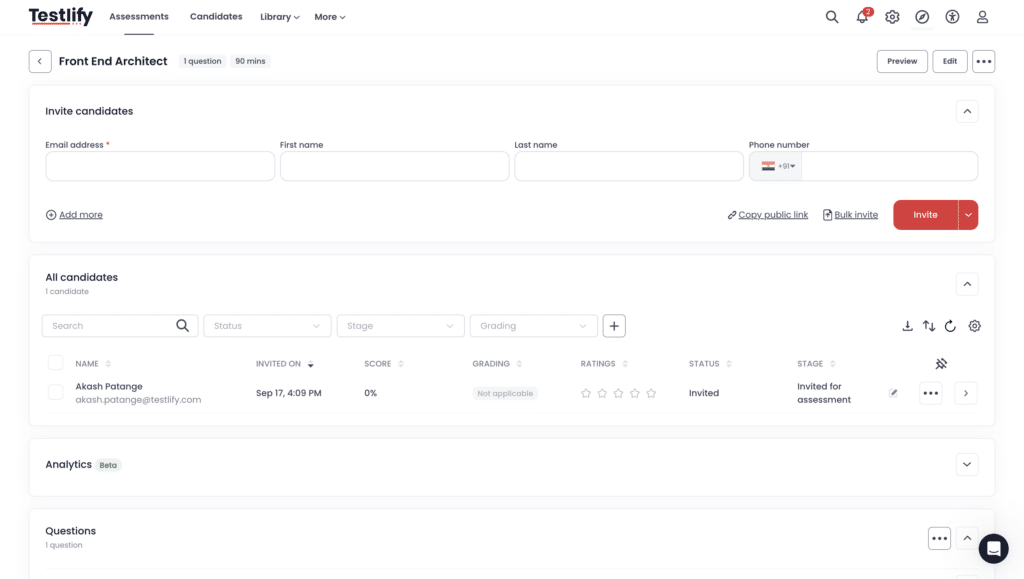
- Invite and proctor. Send the assessment, verify identity, and turn on screen and activity proctoring so the record is clean.
- Review against the rubric. Watch the session or replay, score each signal, and compare candidates on the same scale instead of vibes.
What can you build with Testlify?
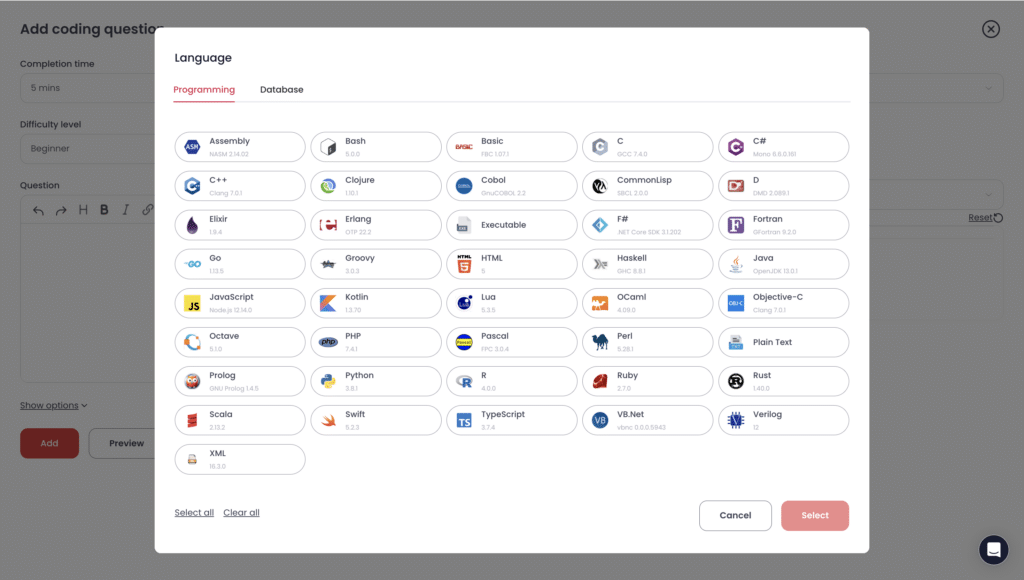
Testlify runs live coding projects inside a full VS Code environment on the platform, so candidates work with the editor, files, and shortcuts they already know. They can build multi-file projects in real time rather than answer a single prompt in a box.
- Real languages and stacks. Support for Node.js, Python, and Java covers front-end, back-end, and full-stack tasks.
- Single-file and multi-file questions. Match the format to the role, from a quick function to a small project.
- Built-in proctoring. Identity checks and activity monitoring run during the session, so the record holds up.
- Reviewer-friendly scoring. Submissions land on a candidate detail page where reviewers rate the work against a shared rubric.
To be clear about scope: Testlify is the best platforms offering live coding assessments at events and as prescreening tool. It is where you measure skill before the first call, then hand the shortlist to the rest of your hiring stack.
Key takeaway
A live coding assessment is most useful when it measures the work developers will actually do, not how quickly they can solve a puzzle or how polished their resume looks.
The strongest approach is to give candidates a realistic coding task, evaluate how they break down problems, write and debug code, and communicate their decisions, and use the same rubric for every candidate. Proctoring and a clear AI policy then make the result easier to trust without turning the assessment into an adversarial test.
The goal is not to make hiring harder. It is to get better evidence before making a hiring decision.
If you need to evaluate developers on real coding ability, Testlify lets you create proctored live coding projects in a familiar VS Code environment, assess multi-file work, and review candidates against a consistent scoring framework.
Frequently asked questions (FAQs)
Hire developers with confidence
A resume tells you what someone claims. A proctored live coding assessment shows you what they can build, debug, and defend, in the tools they will actually use. That is the difference between hoping a hire works out and knowing why you said yes.
See it on your own roles. Book a demo to walk through live coding projects with our team, or start a free trial and build your first assessment today.

Director of Marketing
Akash Patange is the Director of Marketing at Testlify, where he works closely with HR leaders and recruiters to help organizations improve hiring outcomes. He writes about talent assessment, recruitment technology, and data-driven hiring practices.
LinkedInRelated resources
View all
Candidate assessment
Process knowledge tests 101: A beginner’s guide

Candidate assessment
How to interview a software developer as a non-tech recruiter?
Candidate assessment
Proctored Exams: How They Work and Key Proctoring Features

Candidate assessment
How to assess candidates for cultural fit within your organization?

Candidate assessment
How to use excel assessments to test virtual collaboration

Candidate assessment
How advanced excel assessments help you with hiring
Get started.
Hire on proof, not resumes.
Run your first skills-based assessment free — no credit card required.