
Testlify vs. Skillmeter: Which Skills Assessment Platform is Best for HR Teams?
Testlify vs. Skillmeter: Discover which skills assessment platform best suits your hiring needs
Testlify and Skillmeter both screen candidates before you spend time interviewing them, but they solve different problems. Skillmeter is a lightweight test builder: you write every question yourself, then send candidates to a branded test page. Testlify ships ready-made tests, AI video and voice interviews, proctoring, and scoring in one platform.
So the choice is not really about features. It is about whether you want to author your own assessment content or start from a library someone else has already validated. That single decision drives cost, setup time, and how much of the screening work stays on your desk.
This comparison covers what each platform actually does today, verified against each vendor's own product and pricing pages in September 2026, plus the places where both tools have real limits.
 ChatGPT
 Gemini
 Claude
 Grok
Grok Perplexity
TL;DR: Testlify vs Skillmeter at a glance
- Skillmeter is a build-your-own test tool. It suits a small team that already knows exactly what it wants to ask and has someone with time to write the questions.
- Testlify is a broader screening platform: 3,500+ ready-made tests, 25+ question types, AI video and voice interviews, and 20+ proctoring controls.
- Skillmeter caps candidates per month on its two lower plans. Testlify sells credits, where one credit covers one started assessment.
- Testlify runs deeper on integrity: dual-device proctoring, AI-assistance detection, and per-question activity logs. Skillmeter does not publish proctoring features on its site.
- Neither tool schedules live interview panels for you. Both expect your calendar to live somewhere else.
- Pick Skillmeter for cheap, simple, self-authored quizzes. Pick Testlify when you need role-specific content, interview evidence, and defensible scoring without building it yourself.

What is Skillmeter?
Skillmeter is a cloud-based online testing platform for pre-screening candidates on skills and knowledge. You build tests yourself, publish them to a branded subdomain, and candidates take them from any browser. Its own site describes the goal as "preselecting candidates based on their actual skills and knowledge" rather than running a full hiring process.
The product is deliberately narrow, and that is the point. There is no pipeline to manage, no scoring committee, no analytics suite to learn. You write questions, candidates answer them, results arrive by email.
What Skillmeter includes
- A test builder with 12 published question formats, including single answer, multi answer, true/false, ranking, exact match, essay, picture choice, file upload, typing speed, video recording, programming, and instruction blocks.
- Timed and scored tests, with control over whether candidates can skip questions.
- A branded test center on your own subdomain, with your logo.
- Tests available 24/7 from any browser, anywhere.
- Results reported to the recruiter by email as soon as a candidate finishes, then archived in the system.
Skillmeter's public site does not document proctoring controls, a connector library, or a candidate pipeline. That is worth knowing before you plan around them.
What is Testlify?
Testlify is an AI-assisted talent assessment and interviewing platform. Instead of authoring content from scratch, you pull from a library of 3,500+ tests built on 180,000+ validated questions, covering 4,500+ roles across 50+ industries, then layer interviews and proctoring on top.
The working model behind it is the Testlify Multi-Signal Talent Evaluation Model: combine several role-relevant signals, such as assessments, interviews, simulations, references, and reviewer feedback, rather than betting a hire on one test score or one interview. One signal is fragile. Several pointing the same direction give you something to defend.
That matters more than it sounds. Decades of selection research keep landing in the same place: structured, job-relevant evaluation predicts performance better than resume proxies. The 2022 reanalysis of selection-method validity by Sackett and colleagues in the Journal of Applied Psychology revised many long-standing estimates downward, yet still placed structured interviews among the strongest predictors and years of education and general work experience among the weaker ones. The earlier 85-year summary by Schmidt and Hunter (1998) ranked methods the same way. The exact coefficients are still argued over in print. The ordering is not.
What Testlify includes
- 25+ question types, including coding with an in-browser VS Code editor, Microsoft Office and Google Workspace tasks, typing tests, and file-upload work samples.
- AI interviews in video, audio, and voice, plus outbound AI phone interviews billed at $0.18 per minute.
- 20+ proctoring and anti-cheating controls across identity, environment, browser lockdown, and AI monitoring.
- Question-level reporting and analytics most vendors keep internal, including difficulty index, discrimination index, and a quality-risk flag.
- 100+ ATS integrations, sold as a paid add-on on the self-serve tiers and included on Custom plans.
- A simple built-in hiring pipeline for teams that do not already run an ATS, plus SOC 2 Type II, ISO 27001, GDPR, and CCPA compliance.
Testlify vs Skillmeter: feature comparison
The table below only states what each vendor publishes about its own product. Where Skillmeter does not document a capability publicly, it says so rather than guessing, because an unverified checkmark is worse than an honest blank.
Capability | Testlify | Skillmeter |
|---|---|---|
Pre-built test library | 3,500+ tests, 4,500+ roles | Not published; build your own |
Question types | 25+ | 12 published formats |
Coding assessments | Yes, VS Code editor, up to 20 test cases | Yes, on the top plan only |
Office and Workspace tasks | Word, Excel, PowerPoint, Docs, Sheets, Slides | Not published |
Typing test | Yes, 60% accuracy and 40% speed by default | Yes |
AI video interview | Yes, one-way and two-way conversational | Video recording question only |
AI voice and phone interview | Yes, phone at $0.18 per minute | Not published |
Proctoring | 20+ measures, 3 presets | Not published |
Dual-device proctoring | Yes | Not published |
AI-assistance detection | Yes | Not published |
Item-level analytics | Difficulty and discrimination index | Score reports by question |
Candidate branding | White label, paid add-on | Logo and subdomain, all plans |
ATS connectors | 100+, paid add-on on self-serve tiers | Not published |
Built-in hiring pipeline | Yes, simple and basic by design | No |
Compliance certifications | SOC 2 Type II, ISO 27001, GDPR, CCPA | Encrypted connection stated |
Free trial | 7 days, no card required | 14 days |
How do the test libraries compare?
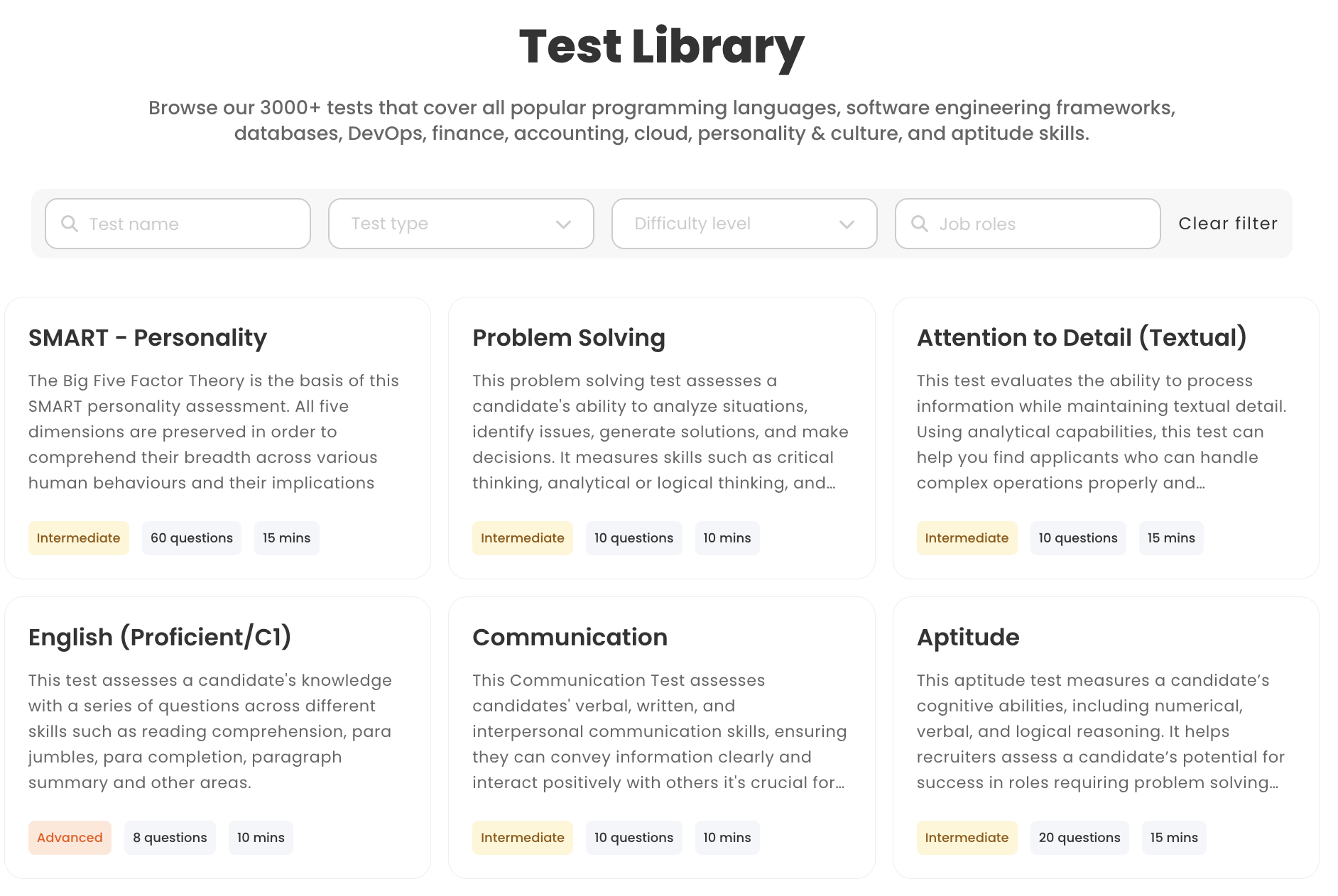
Testlify gives you 3,500+ ready-made tests across 13 categories, including cognitive ability, role-specific skills, programming, psychometric, situational judgment, language, software skills, and blue-collar trades. Each test carries three difficulty levels and competency tagging, so you can nest a sub-skill such as JavaScript at intermediate level under a broader engineering competency.
Skillmeter takes the opposite approach. Its site leads with building your own tests and does not publish a library count, so plan on writing your content or importing it from somewhere else.
Whether that is a problem depends entirely on your volume. Writing one good 20-question assessment for a role you hire twice a year is fine. Writing eleven of them, keeping them current, and stopping the answers leaking is a job nobody on a small team actually has time for.
Where each library approach wins
- Skillmeter wins when your test is genuinely proprietary: an internal process quiz, a product-knowledge check, a compliance refresher. No library will have it, so authoring is not a tax.
- Testlify wins when the role is common. A bookkeeper, a paid-media buyer, and a customer-support rep have all been assessed thousands of times, and starting from a validated test beats writing one on a Friday afternoon.
Both platforms let you build custom assessments, so this is a question of starting point, not of ceiling.
Which platform has better AI interviewing?
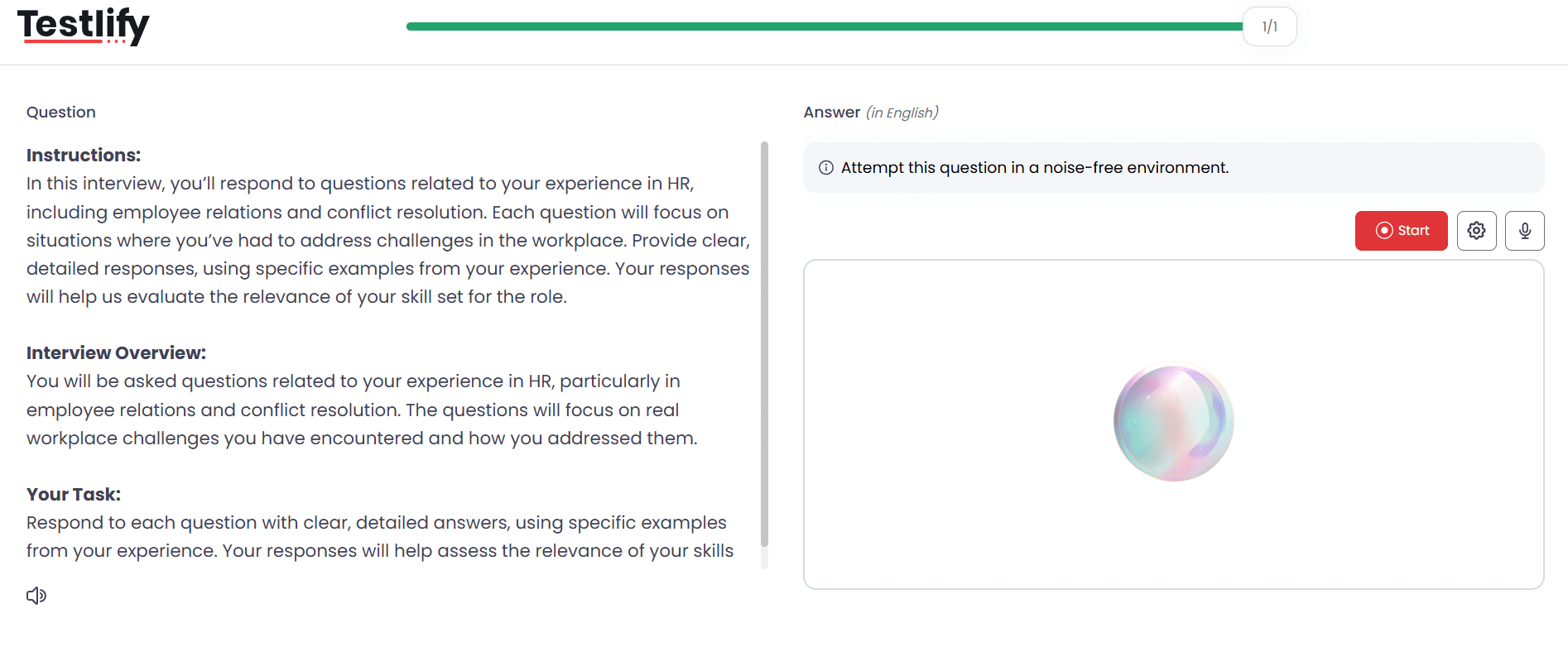
Testlify does considerably more here. It runs one-way asynchronous video, two-way conversational AI video, audio and voice questions, and outbound AI phone interviews, with 150+ interview templates. Skillmeter offers a video recording question type, which captures a candidate's answer but does not conduct an interview.
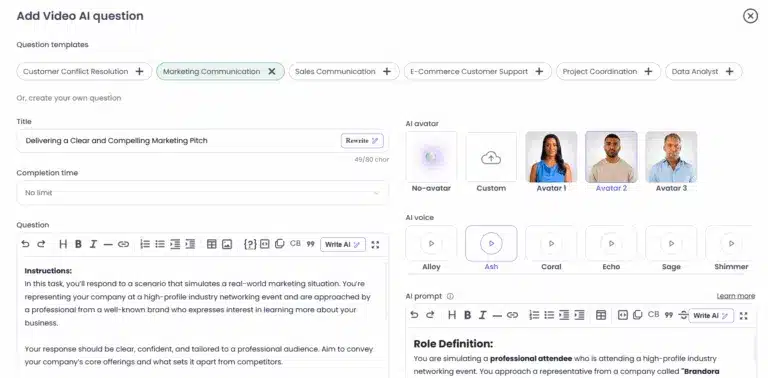
What makes the Testlify version an interview rather than a recording is the configuration around it. You pick an AI avatar and voice, set a persona and context, write custom prompts, cap attempts and recording time, and give candidates preparation time before auto-start recording begins. During a live AI voice interview, the candidate is muted while the AI speaks, so it takes real turns rather than playing back prompts.
Afterwards, transcripts are generated automatically and multilingually, for recordings of at least 30 seconds. Reviewers can watch the video, download the audio or transcript, regenerate the interview report, or replay the screen. Answers are auto-scored, and a human can override any score. AI insights summarise strengths and gaps per candidate, and the product states plainly in the interface that AI scores and insights are for guidance only and that human judgment should drive the final decision.
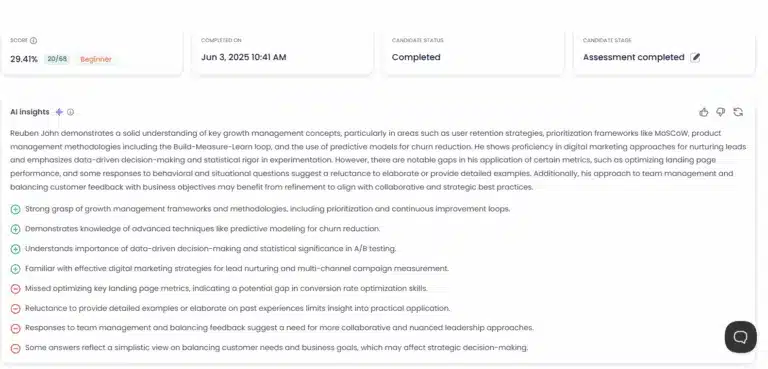
Two honest caveats. Chat-based AI interviews appear in the Testlify question picker labelled coming soon, so do not plan around them yet. And neither platform schedules live human interview panels, which is a calendar problem both expect you to solve elsewhere.
Pro tip: cap recording time at two to three minutes per question. Longer answers rarely add signal, and they make review slower for the person who has to watch twenty of them.
How do proctoring and test integrity compare?
This is the widest gap between the two products. Testlify ships 20+ integrity measures under three presets, Standard, Strict, and Custom. Skillmeter's site does not document proctoring capability, so treat unsupervised Skillmeter tests as an honesty-system screen rather than a controlled exam.
Testlify's controls span identity, environment, and behaviour: photo ID verification with face matching, periodic webcam snapshots, tab-switch detection, full-screen enforcement, multi-monitor restriction, copy-paste tracking, AI-tool and browser-extension detection, IP and location checks, and per-question activity logs.
The standout is dual-device proctoring. The candidate's phone becomes a second camera positioned to capture both them and their laptop screen, and it is a hard gate: the assessment will not start until mobile monitoring is active. Very few assessment tools offer this at all.
Why the flagging model matters more than the feature list
Testlify reports integrity as a three-tier flag rather than a verdict. Green means nothing was observed. Yellow means something was not ideal and a manual review is recommended. Red means cheating was confirmed. Auto-termination is a separate, opt-in setting with a threshold you choose, not something the flags do on their own.
That distinction is the difference between evidence and automatic rejection, and it is what makes the output defensible if a candidate ever asks why they were screened out. Face-verification data is deleted after 30 days and candidates can withdraw consent at any time.
Do Testlify and Skillmeter fit your hiring stack?
If you already run an applicant tracking system you trust, Testlify plugs into it: 100+ ATS integrations, sold as a paid add-on on the self-serve tiers and included on Custom plans. Candidates can auto-advance to the next ATS stage when they clear a cut-off score, and your ATS stays the system of record.
If you have no ATS at all, Testlify also ships a simple built-in one: job requisitions, an application form, job-board publishing, and an applied to reviewed to shortlisted to rejected pipeline. It is deliberately basic, meant for a team that does not want to buy a separate system, and it is not a substitute for a dedicated enterprise platform.
Skillmeter does not publish connector documentation, so assume you will move results by hand or by export unless you confirm otherwise with them directly.
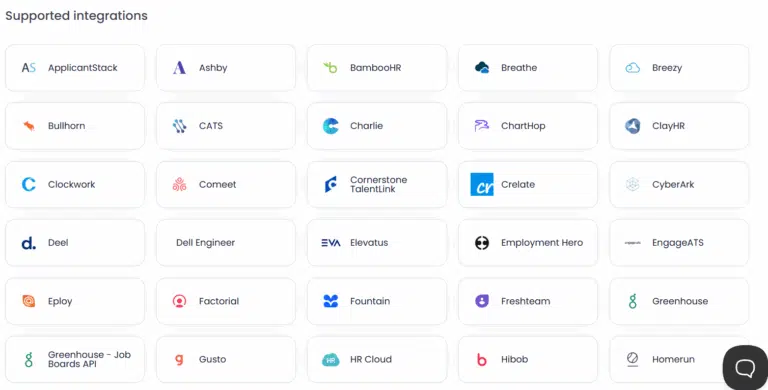
Consider a 25-person marketing agency filling two paid-media roles, purely as an illustration. With Skillmeter, someone writes a media-buying quiz, sends the link, and reads the emailed scores. With Testlify, they pick a role-specific test, add a short AI voice interview about campaign troubleshooting, and get a ranked shortlist with transcripts before anyone books a call. The second setup costs more per candidate. It also removes an afternoon of question-writing and a round of screening calls.
What does each platform cost?
Testlify prices on candidate credits, where one credit covers one started assessment by a qualified candidate. Billed annually, the published self-serve tiers are:
Plan | Credits per year | Price | Seats |
|---|---|---|---|
Starter | 100 | $139 per month, billed $1,668 per year | 3 |
Basic | 300 | $279 per month, billed $3,348 per year | 5 |
Business | 1,000 | $699 per month, billed $8,388 per year | 10 |
Premium | 3,000 | Contact sales | 20 |
Enterprise | 10,000 | Contact sales | 30 |
Monthly billing uses the same tier names at different credit counts and prices. Credits do not roll over, extra seats are $15 per seat per month, and there is a 7-day free trial with no card required plus a 30-day money-back guarantee. Read the current figures on the Testlify pricing page before you buy, and budget separately for white-label branding, ATS integrations, and SSO, which are paid add-ons on the self-serve tiers rather than included features.
Skillmeter sells three monthly plans on month-to-month terms with a 14-day free trial. Standard covers 5 users and 50 candidates a month, Premium covers 10 users and 100 candidates a month, and Ultimate lifts both to unlimited and is the only tier that includes programming tests. Skillmeter also lists an on-demand option for teams that hire infrequently. Published prices vary by billing currency, so check their pricing page for the rate that applies to you rather than trusting a figure quoted second-hand.
The structural difference is what you are buying. Skillmeter caps how many candidates you may test per month on its lower tiers. Testlify caps how many assessments you may start per year. A team hiring in bursts and a team hiring steadily will find those two models feel very different at the same headline price.
Should you choose Testlify or Skillmeter?
Choose Skillmeter if your testing need is narrow and self-authored, your volume is low and predictable, you want the cheapest workable option, and unsupervised testing is acceptable for the roles you fill.
Choose Testlify if you hire for common roles and want validated content out of the box, you need interview evidence as well as test scores, integrity matters because the role touches money, data, or customers, or you want results to land in your ATS without a manual step.
There is a real cost to the Testlify side that a comparison page should say out loud. It is a bigger product with more to configure, assessments run on Chromium desktop browsers, and the mobile app is a fallback for recording video and audio rather than a way to sit a whole test on a phone. If all you need is a ten-question quiz twice a year, that is more platform than the job requires.
One thing worth weighing on both sides: replacing a hire is expensive. Gallup puts the cost of replacing an individual employee at one-half to two times that employee's annual salary, and calls that a conservative estimate. With median employee tenure at 3.9 years as of January 2024, the lowest the US Bureau of Labor Statistics has recorded since 2002, the average team is running that risk more often than it used to. Against numbers like those, a few dozen dollars a month between two tools is rarely the deciding factor. Whether the shortlist is right is.
See how Testlify scores your next shortlist
The fastest way to judge either platform is to run one real role through it. Build an assessment from the Testlify test library, add an AI interview, and compare the shortlist against the one your current process would have produced. Book a demo to walk through it with the team, or start the 7-day trial and test a live role yourself.
Key takeaways
- The real choice is authoring versus library. Skillmeter expects you to write your assessment content; Testlify expects you to start from 3,500+ tests and adjust. That decision sets your setup time far more than any feature checkbox, so answer it before you compare prices.
- Proctoring is the widest verified gap. Testlify publishes 20+ integrity measures including dual-device monitoring and AI-assistance detection, while Skillmeter documents none on its site. If your roles touch money, customer data, or regulated work, unsupervised testing is a risk you are accepting rather than managing.
- Interviewing is where the products genuinely diverge. A video-recording question captures an answer; a configurable AI interview with avatars, prompts, transcripts, and human-override scoring produces evidence you can compare across candidates. Decide whether you need the recording or the comparison.
- The pricing models are not comparable line by line. Skillmeter limits candidates per month, Testlify limits assessment credits per year, and Testlify sells white labeling, ATS integrations, and SSO as add-ons. Model your actual hiring pattern against both before assuming the cheaper headline price is cheaper for you.
- Both tools stop short of the same thing. Neither schedules live human interview panels, so your calendar workflow stays wherever it lives today. Plan for that gap rather than discovering it in week two.
- Match the tool to the volume, not to the feature count. A team running two searches a year is well served by a simple quiz builder. A team hiring steadily across several roles will spend more time writing and policing its own tests than it saves in subscription cost.
FAQs

Director of Marketing
Akash Patange is the Director of Marketing at Testlify, where he works closely with HR leaders and recruiters to help organizations improve hiring outcomes. He writes about talent assessment, recruitment technology, and data-driven hiring practices.
LinkedInRelated resources
View all
Competitor Comparisons
Testlify vs. Talentate: Which Skills Assessment Platform is Best for HR Teams?
Competitor Comparisons
Testlify vs. TalentLens: Which Skills Assessment Platform is Best for HR Teams?
Competitor Comparisons
Testlify vs. TalentMesh: Which Skills Assessment Platform is Best for HR Teams?
Competitor Comparisons
Testlify vs. Maki People: Which Skills Assessment Platform is Best for HR Teams?
Competitor Comparisons
Testlify vs. TestGenius: Which Skills Assessment Platform is Best for HR Teams?
Competitor Comparisons
Testlify vs. Thrive: Which Skills Assessment Platform is Best for HR Teams?
Get started.
Hire on proof, not resumes.
Run your first skills-based assessment free — no credit card required.