
Testlify vs Moodle: A detailed comparison
Discover the perfect solution for evaluating your candidates’ skills with Testlify. Dive into our comprehensive Testlify vs Moodle…
 ChatGPT
 Gemini
 Claude
 Grok
Grok Perplexity
Testlify vs Moodle: what's the real difference?
Moodle is a learning management system built to teach and certify people you already have: students, employees, members. Testlify is a pre-hire assessment platform built to screen people you have never met. Both can run a quiz. Only one is designed to hold up when a rejected candidate asks why.
That distinction sounds academic until you try to use the wrong one. A course quiz assumes the person taking it wants to learn, has been enrolled by someone who knows them, and will see the answers afterwards. A hiring assessment assumes the opposite on all three counts. The person wants the job, nobody has verified who they are, and the score decides whether they get a call back.

TL;DR
- Moodle is an LMS for course delivery and training. Testlify is a pre-hire assessment and interviewing platform. They overlap on "quiz" and almost nowhere else.
- Moodle's own quiz documentation describes its exam-security options as not fool-proof. That is fine for a graded course and a real problem for a screening test a candidate has every reason to game.
- If a quiz score influences who gets hired, it becomes a selection procedure under US anti-discrimination law, which raises the bar on validation and record-keeping well above what a course gradebook was built for.
- Moodle wins on cost and control if you can host and maintain it. Testlify wins on ready-made role tests, interview formats, proctoring and a hiring pipeline you do not have to build.
- Plenty of teams run both: Moodle for onboarding and upskilling after the offer, Testlify for screening before it.
Testlify vs Moodle: side-by-side comparison
The old version of this table marked Moodle with a cross on nearly every row, including reporting and language support, which is not true and does not help anyone decide. Here is the honest version, limited to the things that actually differ when the job is hiring.
Capability | Testlify | Moodle |
|---|---|---|
Built for | Screening applicants you have never met | Teaching and certifying people already enrolled |
Ready-made test library | Yes, spanning coding, cognitive ability, psychometric, personality, language, situational judgement, software skills, role-specific, blue collar, simulation and gamified categories | No. You write your own questions or add community plugins |
Question types | 25+, including coding in an embedded VS Code editor, Google Docs, Sheets and Slides tasks, Microsoft Word, PowerPoint and Excel tasks, typing tests, and video, audio and AI interview types | 17 in the core distribution, extendable with plugins |
Interviewing | One-way video, two-way conversational AI video, voice, and outbound AI phone interviews with selectable avatars and voices | Not an interviewing product. Video conferencing is there for live classes |
Assessment integrity | 20+ proctoring measures, three presets, dual-device phone monitoring, photo ID face match, AI-tool detection | Password, IP restriction, Safe Exam Browser and a fullscreen popup, described in the docs as not fool-proof |
Scoring built for selection | Question, test and overall weighting, negative marking, percentile benchmarking, difficulty and discrimination indices per question | Course gradebook and progress reports built for learners |
Hiring workflow | Job requisitions, application form, job-board publishing, an applied to shortlisted pipeline, and 100+ ATS integrations | Enrolment, cohorts and course progression |
Hosting | SaaS, nothing to run | Self-host and maintain, or pay for MoodleCloud or a Certified Partner |
Open source | No | Yes |
License cost to start | Paid plans from $139 per month on annual billing, 7-day free trial | Free software. Your cost is hosting, upgrades and someone to run it |
What is Moodle, and who is it built for?
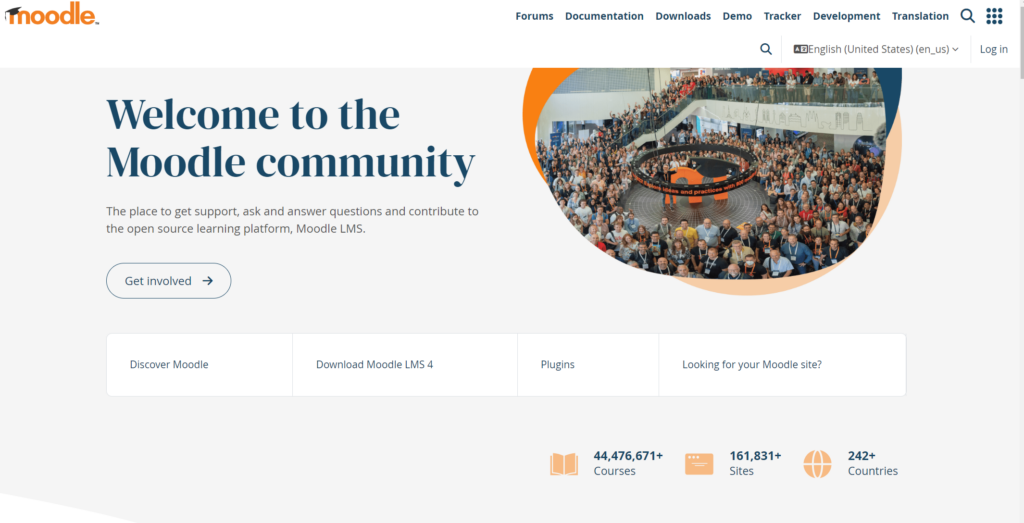
Moodle is an open-source learning management system used by schools, universities and training teams to build and run courses. Moodle describes its flexible learning platform as a system for designing and delivering learning your way, and that is a fair summary of what it does well: content, cohorts, progress and certification for people who are already inside your organization.
Key features
- Course building with activities, resources, cohorts and completion tracking
- A quiz activity with 17 core question types, from multiple choice and essay to drag-and-drop and calculated questions
- A gradebook, course reports and competency frameworks
- A large plugin ecosystem covering plagiarism checks, video conferencing and gamification
- WCAG 2.2 AA accessible design and built-in accessibility checks
Pros
- No license fee. Self-host it and you own the data outright
- Customizable to an unusual degree, both through themes and through plugins
- Used at scale by educational institutions and companies worldwide, with more than twenty years of development behind it
- Strong at the thing it was built for: teaching, tracking and certifying learners
Cons
- Free software is not free to run. Hosting, upgrades, backups and security patching land on someone's desk
- No library of validated, role-specific tests. Every question is one you write
- Exam security is thin for adversarial use, and Moodle says so plainly rather than overselling it
- Nothing in it models a candidate pipeline, because candidates are not who it was designed for
Best for
Training teams, educators and organizations that need to deliver structured learning and can staff the platform. It is also a reasonable fit for internal certification, compliance training and onboarding after someone has been hired.
Pricing
The software itself is free. MoodleCloud is the hosted route for individuals and small teams, with unlimited courses and integrated video conferencing for up to 100 users; Moodle Workplace is sold through Certified Partners with no published list price. Budget for hosting and administration either way.
Pro tip: before you price a Moodle deployment against anything, put a number on the internal time it takes. A platform with no license fee and half a day of somebody's week is not free, and that half-day is the line item that gets left out of the comparison.
What is Testlify, and who is it built for?
Testlify is a pre-hire assessment and interviewing platform. Teams use it to screen applicants on job-relevant skills before the first interview, then interview, score and shortlist inside the same tool. It is built around the Testlify Multi-Signal Talent Evaluation Model, which is the simple idea that no single input should decide a hire. One test score is fragile. A coding task plus a work sample plus a structured interview plus a reference, all pointing the same way, is a decision you can defend.
Key features
- A test library covering coding, cognitive ability, psychometric and personality, language, situational judgement, software skills and role-specific categories, at three difficulty levels
- 25+ question types, including coding in a browser-based VS Code editor with up to 20 test cases, real Google and Microsoft Office tasks, and typing tests scored on accuracy and speed
- AI interviewing across one-way video, two-way conversational video, voice and outbound phone, with 150+ interview templates, selectable avatars and voices, attempt and recording limits, and automatic multilingual transcripts
- AI auto-scoring of open-ended answers with human override, plus an AI checker that classifies an answer as human, AI-generated or mixed
- 20+ proctoring measures, including dual-device monitoring that turns the candidate's phone into a second camera
- Item-level analytics most hiring tools never surface: difficulty index, discrimination index and a quality-risk flag per question
- A simple built-in hiring pipeline for teams with no ATS, and 100+ integrations for teams that already run one
Pros
- Role tests are ready on day one, so nobody writes a question bank from scratch
- Assessment, interview and scoring live in one place instead of three tools and a spreadsheet
- AI scores ship with an explicit disclaimer that they are guidance only, and can be excluded from the final average entirely, which matters for fairness reviews
- Proctoring depth that a general-purpose quiz tool does not attempt
Cons
- It does not deliver courses. If you need to teach and certify people, this is the wrong tool and Moodle is the right one
- It does not schedule live human interview panels. Async and AI interviews are covered; calendar coordination for a panel is not
- Candidates need a Chromium browser on a desktop or laptop. The mobile app is a fallback for recording video and audio, not a way to sit a full assessment on a phone
- White labeling, SAML SSO and the ATS integration bundle are paid add-ons on the self-serve tiers rather than included
Best for
Companies under roughly 200 people who hire steadily and want evidence before the first call, plus larger teams that keep their existing ATS as the system of record and bolt structured screening onto the front of it.
Pricing
On annual billing, Starter is $139 per month for 100 assessment credits, Basic is $279 for 300, and Business is $699 for 1,000, with Premium and Enterprise on contact sales. Monthly billing is priced separately. One credit is consumed per started assessment. There is a 7-day free trial with no card required and a 30-day money-back guarantee. Current figures are on the Testlify pricing page.
Can you use Moodle for hiring assessments?
Yes, technically, and some teams do. You can build a question bank, set a time limit, send a candidate an enrolment link and read the score. For a small team hiring occasionally into low-risk roles, that may be enough, and there is no reason to buy software to solve a problem you do not have.
Three things tend to break once hiring volume rises. The first is authorship: a course quiz has no reason to verify that the person answering is the person applying, so it does not. The second is question supply, because every role needs its own bank and someone has to write and maintain all of it. The third is the one that costs real money, and it is legal rather than technical.
When a test result feeds a hiring decision in the US, it stops being a quiz and becomes a selection procedure. The EEOC's technical assistance on employment tests and selection procedures is direct about the risk: tests can violate federal anti-discrimination law if they disproportionately exclude people by race, sex or another protected basis, unless the employer can justify the test under the law. Justifying it means showing the test measures something the job actually requires, and keeping the records to prove it. The federal Uniform Guidelines on Employee Selection Procedures set out what that validation and record-keeping looks like. A course gradebook was never designed to produce any of it.
How do the two handle assessment integrity?
Moodle offers password protection, network address restriction, a fullscreen popup with JavaScript security, and support for Safe Exam Browser. Its documentation is refreshingly honest about the limits, noting these measures are not fool-proof and that making cheating harder also makes the test more inconvenient for everyone. For a classroom, that trade is usually worth it.
Hiring is a harder problem because the incentive is bigger. Testlify approaches it as layers rather than a single lock: identity assurance through photo ID verification with a face match, environment control through fullscreen enforcement and multi-monitor restriction, behavior signals through tab-switch and copy-paste tracking, and AI-tool detection for the case that barely existed three years ago. Dual-device proctoring is the one most quiz tools cannot match, using the candidate's phone as a second camera positioned to capture both the candidate and the screen, and blocking the assessment from starting until it is active.
The framing matters as much as the feature list. Flags are evidence, not verdicts. A yellow flag in Testlify reads "a quick manual review is recommended" rather than triggering a rejection, and automatic termination is a separate setting a recruiter has to switch on. Face verification data is deleted after 30 days and candidates can withdraw consent. If you are going to watch people take a test, those defaults are the difference between a defensible process and a complaint.
Which one should you choose?
Pick Moodle if the people you are assessing already work for you or study with you, if you need courses and certificates rather than screening, and if you have someone who can run a server. Pick Testlify if you are deciding between strangers, if you need role tests you did not write, or if a hiring decision has to survive being questioned.
The signal to watch is what happens to the score. If it tells a learner what to study next, an LMS is the right home for it. If it tells a hiring manager who to call, it needs the validation, proctoring and audit trail that a hiring platform provides and a course tool does not. Employers expect 39% of the key skills the job market requires to change by 2030, according to the World Economic Forum's Future of Jobs Report 2025, which is exactly why testing for current, job-relevant ability beats reading a resume. It is also why the test itself has to be built for selection.
Can Moodle and Testlify work together?
They are not really competitors, and the teams that get the most out of both treat them as a sequence rather than a choice. Testlify screens and interviews before the offer. Moodle onboards, trains and certifies after it. The handoff point is the signed contract.
There is no native integration between the two, so today the join is manual or handled through your ATS, which both sides can talk to. That is a genuine gap and worth knowing before you plan around it. If your goal is one platform for learning and one for hiring, that split is normal and most organizations of any size run exactly that way.
Hire on evidence, not on a quiz score
If the current process is a course quiz doing a hiring job, the fastest way to see the difference is to run one role through a real assessment and compare the shortlist. Start free with a 7-day trial, or book a demo and have someone walk through the role tests for the job you are hiring for now.
Key takeaways
- Category beats feature list. Moodle teaches people you have; Testlify screens people you do not. Comparing them row by row hides the fact that they answer different questions, so start by deciding which question you have rather than which tool has more ticks.
- Free software carries a staffing cost. Moodle's license is free, but hosting, upgrades and patching are someone's job. Price that time before concluding it is the cheaper option, because it is often the line that decides the comparison.
- A hiring quiz is a legal artifact. Once a score influences who gets hired, it becomes a selection procedure and needs job-relevance evidence and records behind it. A course gradebook does not produce either, which is where informal setups get expensive.
- Integrity is layers, not a lock. Moodle says its own exam-security options are not fool-proof, and that honesty is useful. For screening strangers, identity checks, environment controls, behavior signals and AI-tool detection have to work together, and flags should prompt review rather than automatic rejection.
- One signal is fragile. A single test score is the weakest possible basis for a hire. Combining a work sample, a structured interview and a reference is what turns a score into a decision you can explain to the candidate and to a regulator.
- Running both is normal. Screening before the offer and training after it are separate jobs. Treat the offer as the handoff and neither tool has to stretch into work it was not built for.
FAQs
Related resources
View all
Competitor Comparisons
Testlify vs SuccessFinder: A detailed comparison
Competitor Comparisons
Testlify vs Reveal: A detailed comparison
Competitor Comparisons
Testlify vs AssessFirst: A detailed comparison
Competitor Comparisons
Testlify vs HR Avatar: A detailed comparison
Competitor Comparisons
Testlify vs ModernHire: A detailed comparison
Competitor Comparisons
Testlify vs Wonderlic: A detailed comparison
Get started.
Hire on proof, not resumes.
Run your first skills-based assessment free — no credit card required.